
In the “Submissions” tab, you can access a list of all your form submissions or entries. Here, you will find options to search, filter, view details, and delete particular submissions.
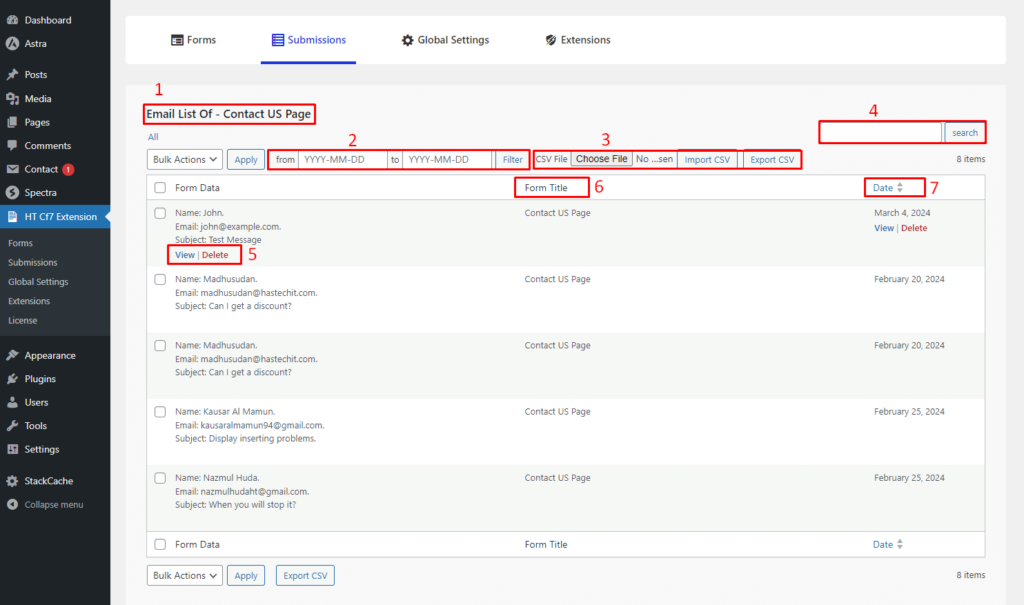
- Name: Before the submission list, the name of the contact form will show.
- Filter: Utilize the filter option to find submissions of a specific date range.
- CSV Import/Export: Export contact form submissions from your website to a CSV file and import it to another website, or vice versa.
- Search Submissions: Leverage the search option to find the submission or entry you are looking for.
- View & Delete Action: By clicking the “View” button, you can access detailed information about a submission. To remove any submissions, simply click the “Delete” button.
- Form Title: The “Form Title” column shows the name of the contact form, making it easier to identify the form with submissions or entries.
- Date: Check the dates to figure out when a form was submitted.
View Submission Details
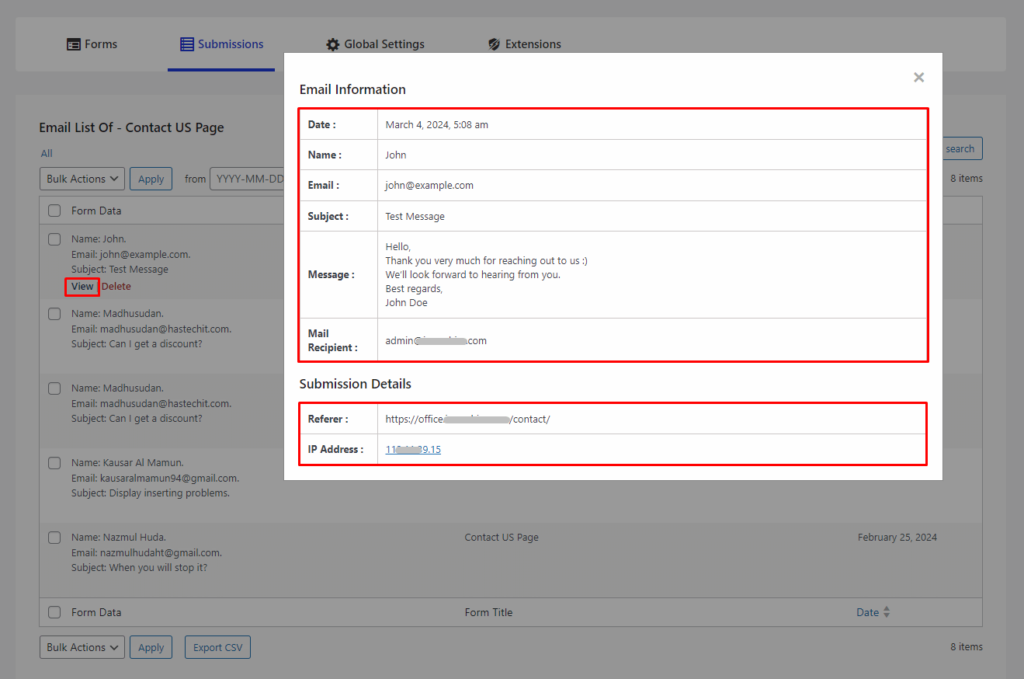
To view the details for a certain submission, click the “View” button. This will prompt a popup displaying all the necessary details of the submission.
Last updated on March 10, 2026
Was this article helpful?
Powered by Support Genix