
From the License type menu, create a License. For example, you want to sell licenses like the below samples
Personal Yearly = For 1 Website 1 Year Access and Support,
Personal Lifetime = For 1 Website Lifetime Access
Agency Yearly = For 100 Websites with 1 Year of access.
Agency Lifetime = For 100 Website with Lifetime Access and Support
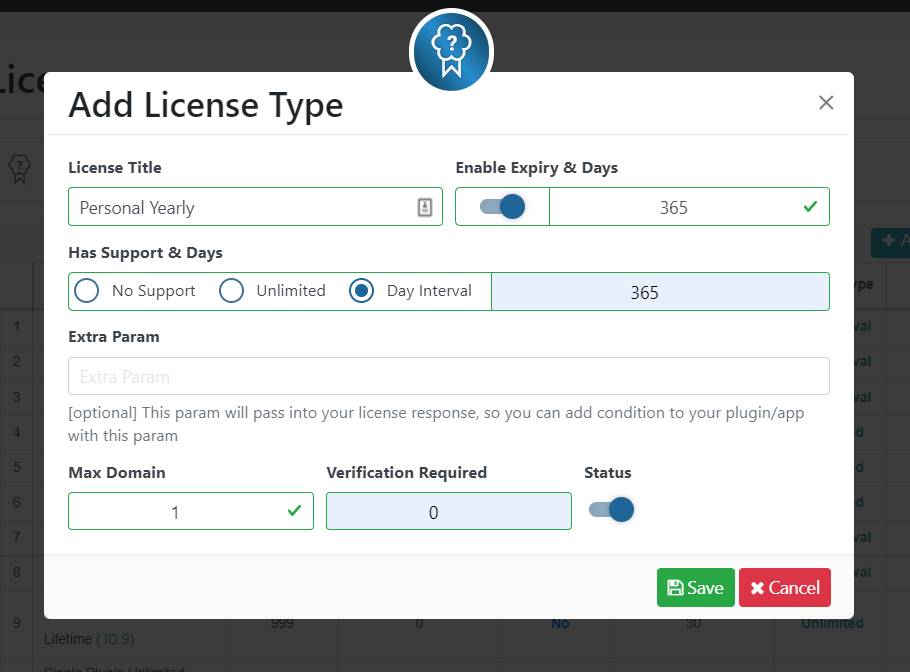
For Yearly License:
- Go to Elite License > License Type > Add New
- Add License Title, Like Personal Yearly
- For the Yearly License, set Expiry 365 Days
- Maximum Domain = 1 or any number you prefer.
- Verification Required = 0
- Keep status ON and Press Save.
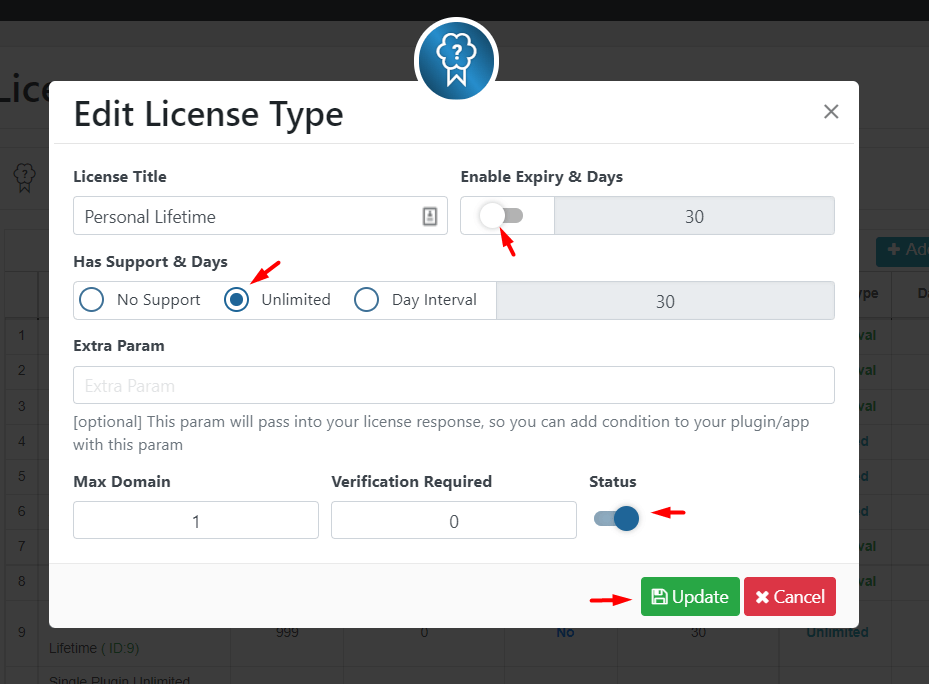
For Lifetime License
Go to Elite License > License Type > Add New
Add License Title, Like Personal Lifetime
For the Lifetime License, Keep disabled the Expiry setting
Maximum Domain = 1 or any number you prefer.
Verification Required = 0
Keep status ON and Press Save.
Last updated on March 10, 2026
Was this article helpful?
Powered by Support Genix