
This is the first step that you should do in Elite Licenser.
- Go to the Elite Licenser setting page, you will find a menu “Product List”.
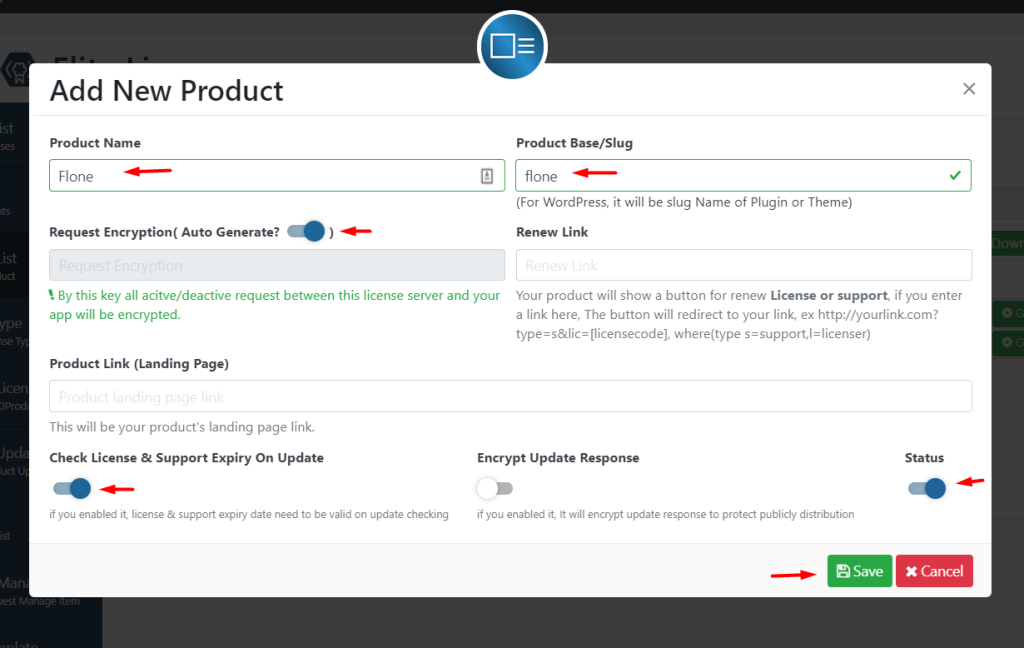
- Add New > Fill the form with your theme/plugin/software name and slug
- Enable Request Encryption
- Enable “Check License & Support Expiry On Update”
- Keep status ON
Last updated on March 10, 2026
Was this article helpful?
Powered by Support Genix