
After purchasing Elite Licenser from HasThemes, you will get a Downloadable plugin file and License code. Follow these steps to install and activate the plugin.
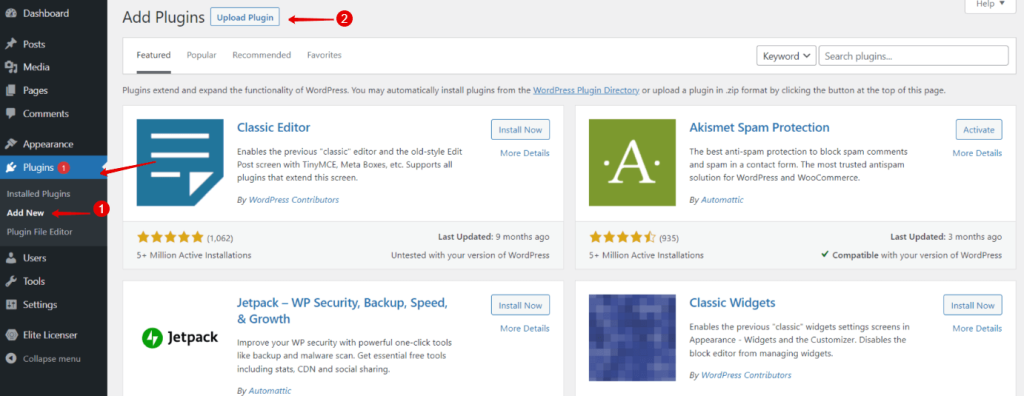
- Go to WordPress Dashboard > Plugins > Add New
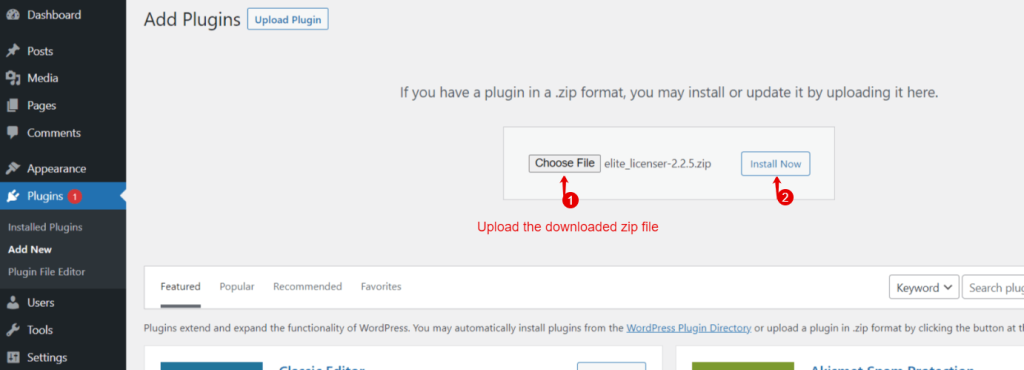
- Upload > Install Now > Activate plugin.
3. After activation, you will get a menu for Elite Licenser in your WordPress dashboard. Go to Elite License > Setting > License Info
4. In the License code field > add the license code > then you will find the license details.
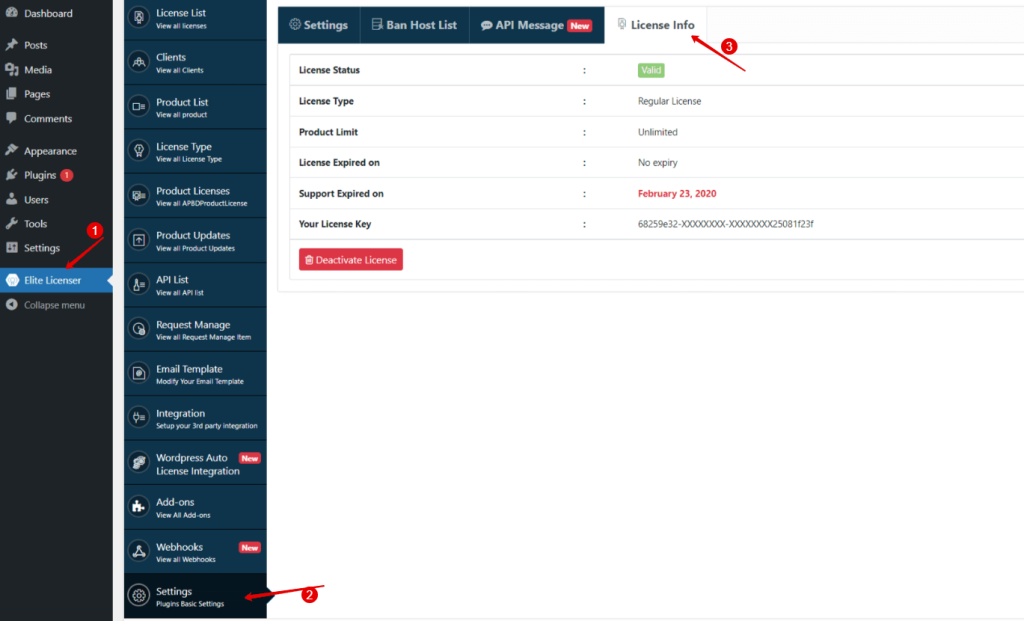
5. You can deactivate the license later, if you want to move your license to another WordPress
Last updated on March 10, 2026
Was this article helpful?
Powered by Support Genix