
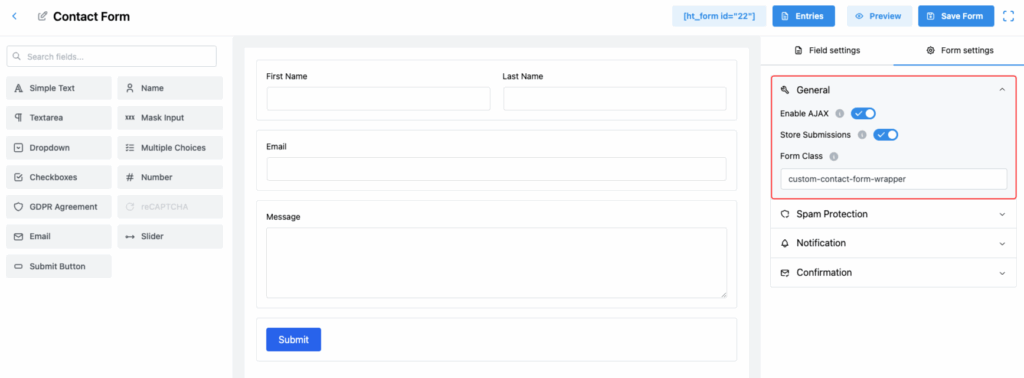
HT Contact Forms allows you to enhance your contact form’s functionality easily using a few General Settings.
This section explains how each option works and how you can use them to improve your forms.
Available General Settings:
1. Enable AJAX
Turn on AJAX submission for your contact form.
✅ When enabled, the form will submit without reloading the page, creating a smoother and faster user experience.
2. Store Submissions
Save all form entries to your website database for future reference.
✅ This ensures you never lose any submission and can easily view or manage entries from the dashboard.
3. Form Class
Add a custom class to your contact form.
✅ This allows you to apply additional CSS styles or target the form specifically for further customization.
Tip:
Adjusting these settings based on your needs can greatly improve the usability, performance, and design flexibility of your contact forms!