
HT Contact Forms offers built-in Spam Protection settings to help secure your contact forms from spam bots and fake submissions.
By enabling these features, you can ensure your form receives legitimate entries only.
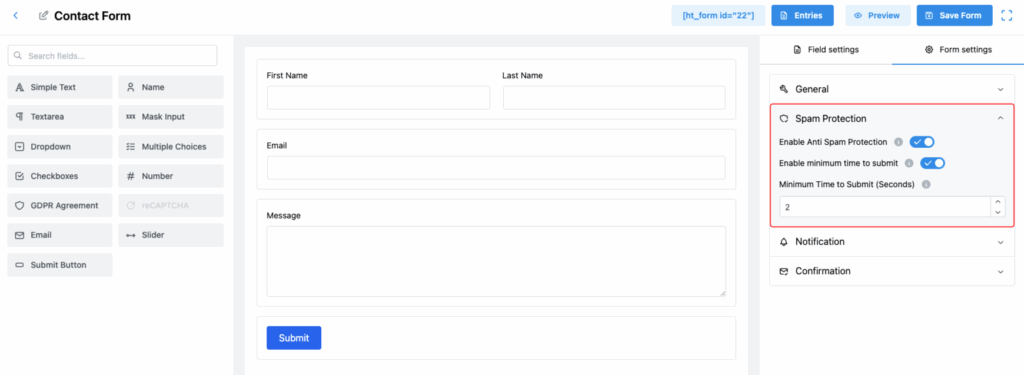
Available Spam Protection Settings:
1. Enable Anti Spam Protection
Activate the built-in anti-spam protection for your form.
✅ It helps block automated spam submissions and keeps your inbox clean without requiring CAPTCHA.
2. Enable Minimum Time to Submit
Require users to spend a minimum amount of time on the form before submitting it.
✅ This protects against bots that try to instantly submit the form without filling it out properly.
3. Minimum Time to Submit (Seconds)
Define the exact number of seconds a user must stay on the form before submitting.
✅ Example: If set to “2 seconds,” the user must wait at least 2 seconds before they can submit the form.
Tip:
Using both spam protection methods together gives your contact form a double layer of security — without creating any friction for real users! 🛡️