
In the Global Settings under the Email section, you can configure the email appearance and footer content that will be used for all form submissions.
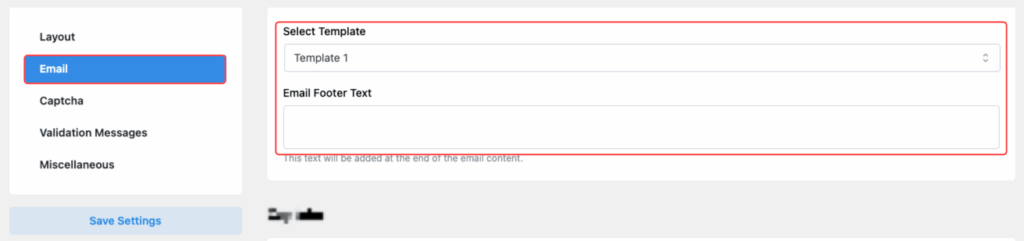
Select Template
- Choose an email template design from the available options.
- Available templates:
- Template 1
- Template 2
- Template 3
- Template 4
- Template 5
- This selection controls the design layout of the emails sent via the form.
Email Footer Text
- Example usage: Add a company tagline, disclaimer, or any important note.
- Add a custom text that will automatically appear at the bottom of every email.
After updating these settings, don’t forget to click Save Settings to apply the changes.
Error Message Placement
Option Purpose:
Set the placement for error messages when user input validation fails.
Available Positions:
- Below Label:
Error message shows below the field label. - Below Input Element:
Error message appears right under the input field.
📌 Place error messages thoughtfully to help users easily identify and correct mistakes.
✅ After setting your preferred options, don’t forget to click “Save Settings” to apply the changes globally across all forms.
Last updated on March 10, 2026
Was this article helpful?
Powered by Support Genix