
Welcome to your first step with HT Contact Form – the all-in-one WordPress plugin for creating beautiful, responsive contact forms without writing a single line of code.
Whether you want to collect leads, get customer feedback, or build a custom form from scratch, HT Contact Form has all the tools you need. Let’s walk you through the simple process of installing and activating the plugin.
🛠️ Requirements
Before installing, make sure your site meets these basic requirements:
- ✅ WordPress version 5.0 or higher
- ✅ PHP version 7.4 or higher
Install the Free Version of HT Contact Form
- Go to your WordPress Dashboard.
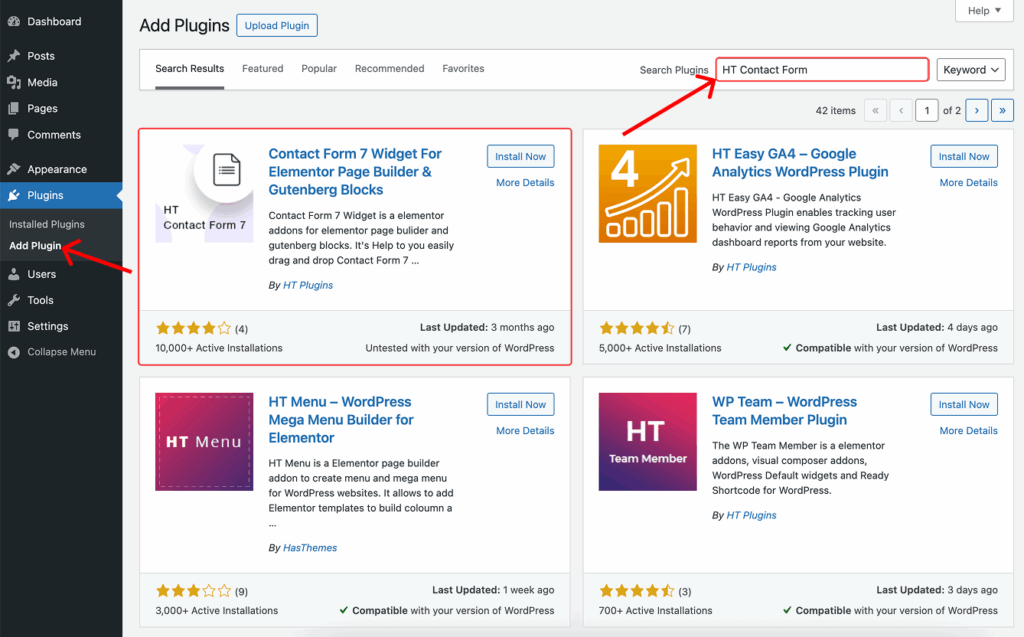
- Navigate to Plugins > Add New.
- In the search bar, type “HT Contact Form”.
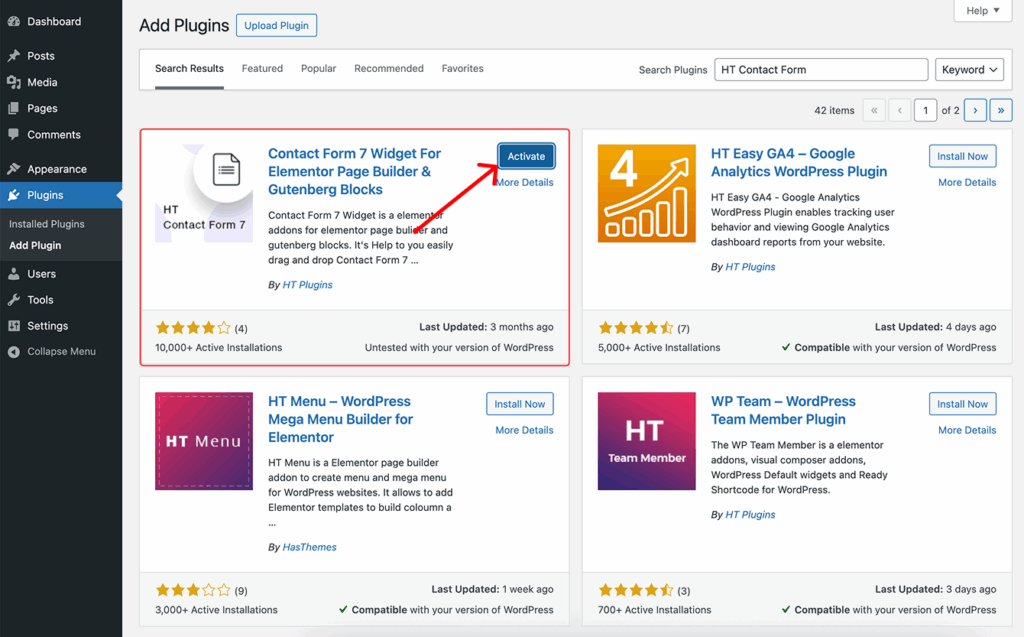
- Click Install Now next to the plugin name.
- Once installed, click Activate to enable the plugin on your site.
🌐 Installing from WordPress.org (Manual Upload)
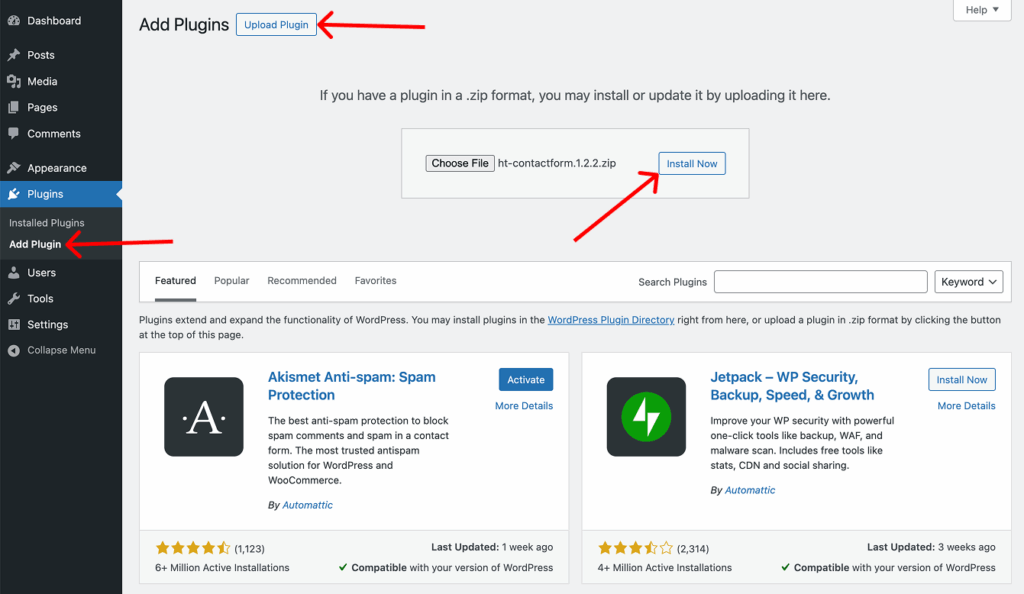
If you downloaded the plugin ZIP file from wordpress.org/plugins/ht-contactform, follow these steps:
- Go to your WordPress Dashboard →
Plugins→Add New - Click the Upload Plugin button
- Choose the
.zipfile you downloaded - Click Install Now, then Activate
Last updated on March 10, 2026
Was this article helpful?
Powered by Support Genix