
The HT Contact Form plugin offers direct integration with Elementor, allowing you to easily embed and customize your forms without needing to use shortcodes.
With the HT Form widget for Elementor, you can visually add, edit, and style your forms in just a few clicks — making the process faster and smoother.
How to Use the HT Contact Form Elementor Widget
- Open the page or post with Elementor editor.
- Click the Add Widget (+) button and search for HT Form.
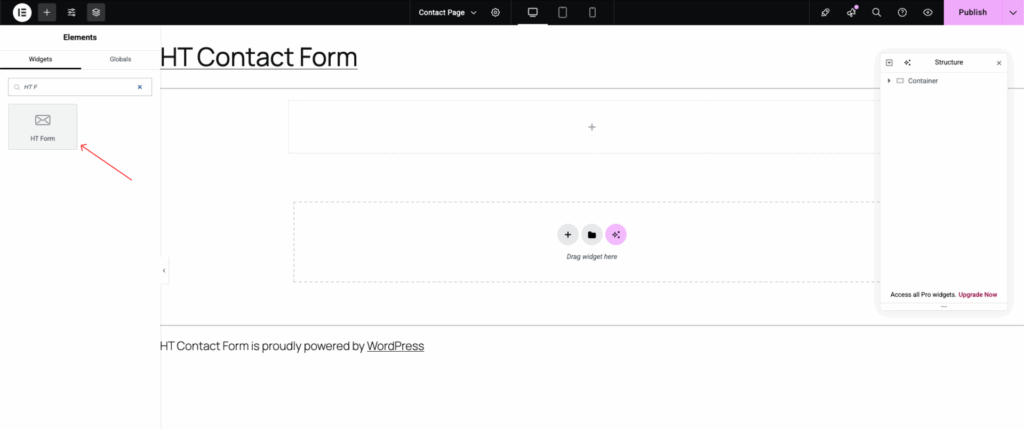
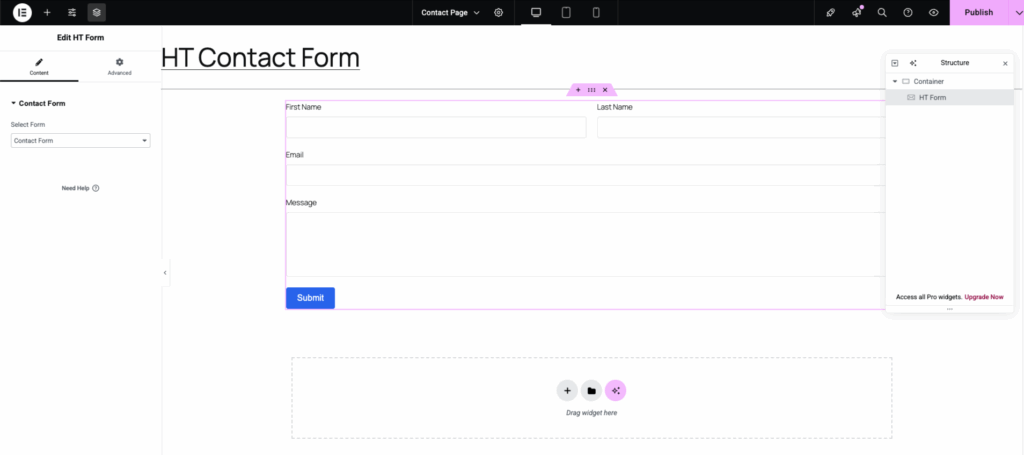
- Drag and drop the HT Form widget into your desired section.
- From the dropdown, select the form you want to display.
Note:
Using the dedicated HT Form widget ensures a seamless and faster form embedding experience inside Elementor pages.
Last updated on March 10, 2026
Was this article helpful?
Powered by Support Genix