
MailerLite is a leading email marketing platform trusted by small businesses and freelancers. With HT Contact Form, you can directly connect your form entries to MailerLite and grow your subscriber list effortlessly.
How to Integrate MailerLite
1. Enable the Integration
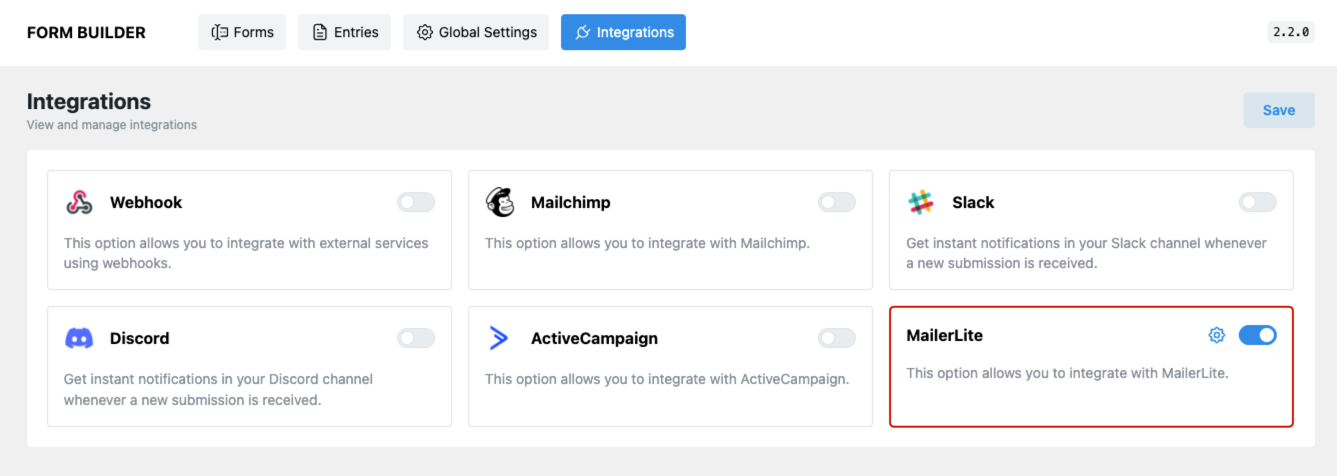
- Go to HT Contact Form → Integrations in your WordPress dashboard.
- Locate MailerLite, toggle it ON, and click the gear icon to configure.
2. Get Your MailerLite API Token
To establish the connection, you need an API Token from your MailerLite account.
- Log in to your MailerLite dashboard.
- Navigate to Integrations → Developer API from the left sidebar.
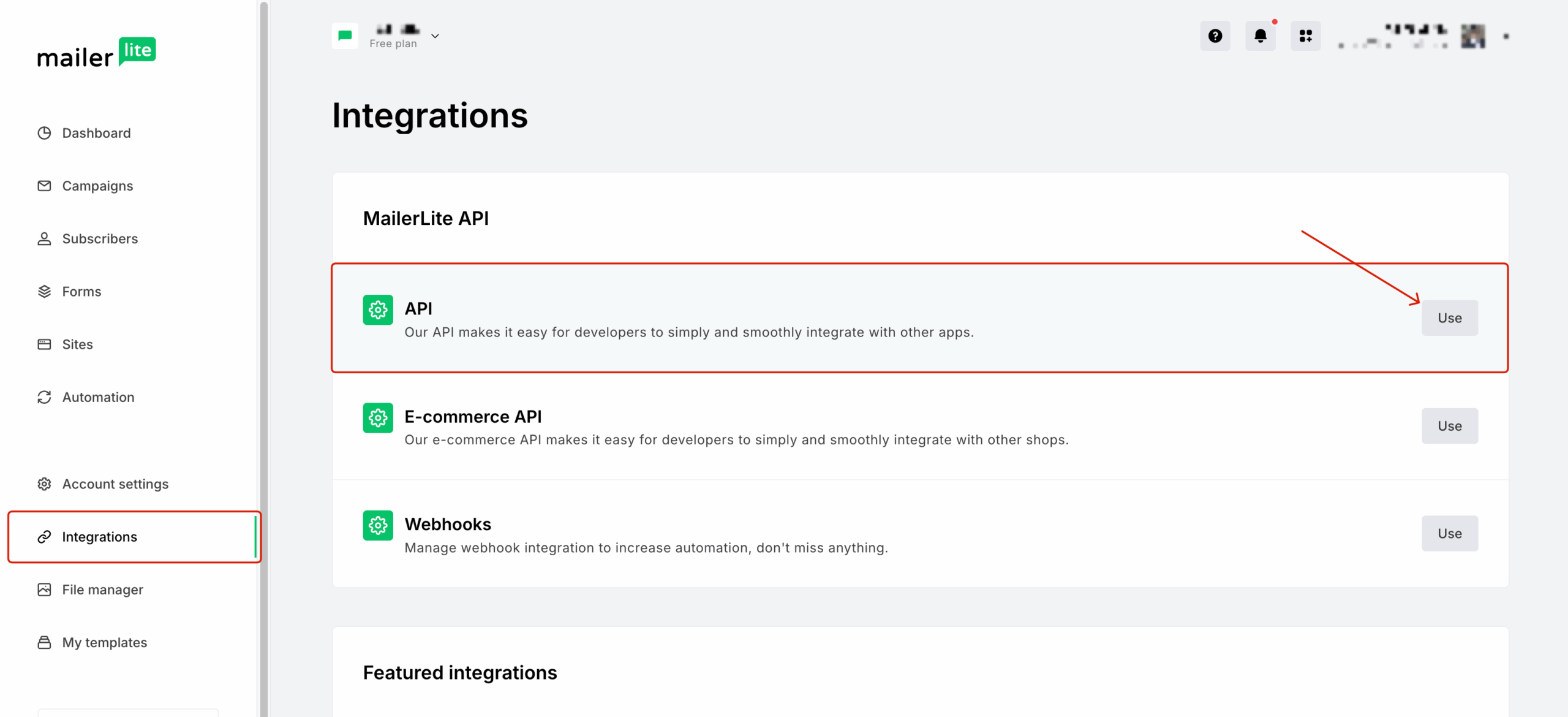
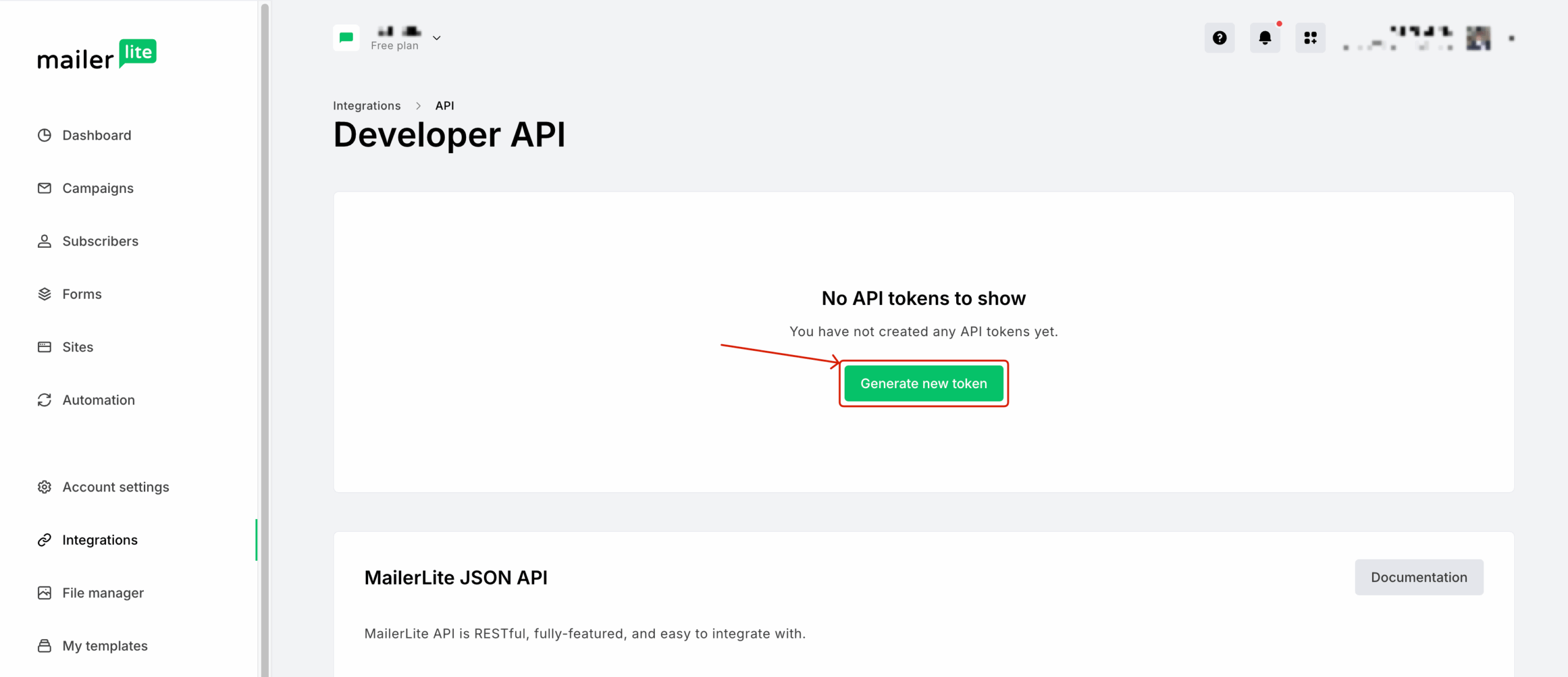
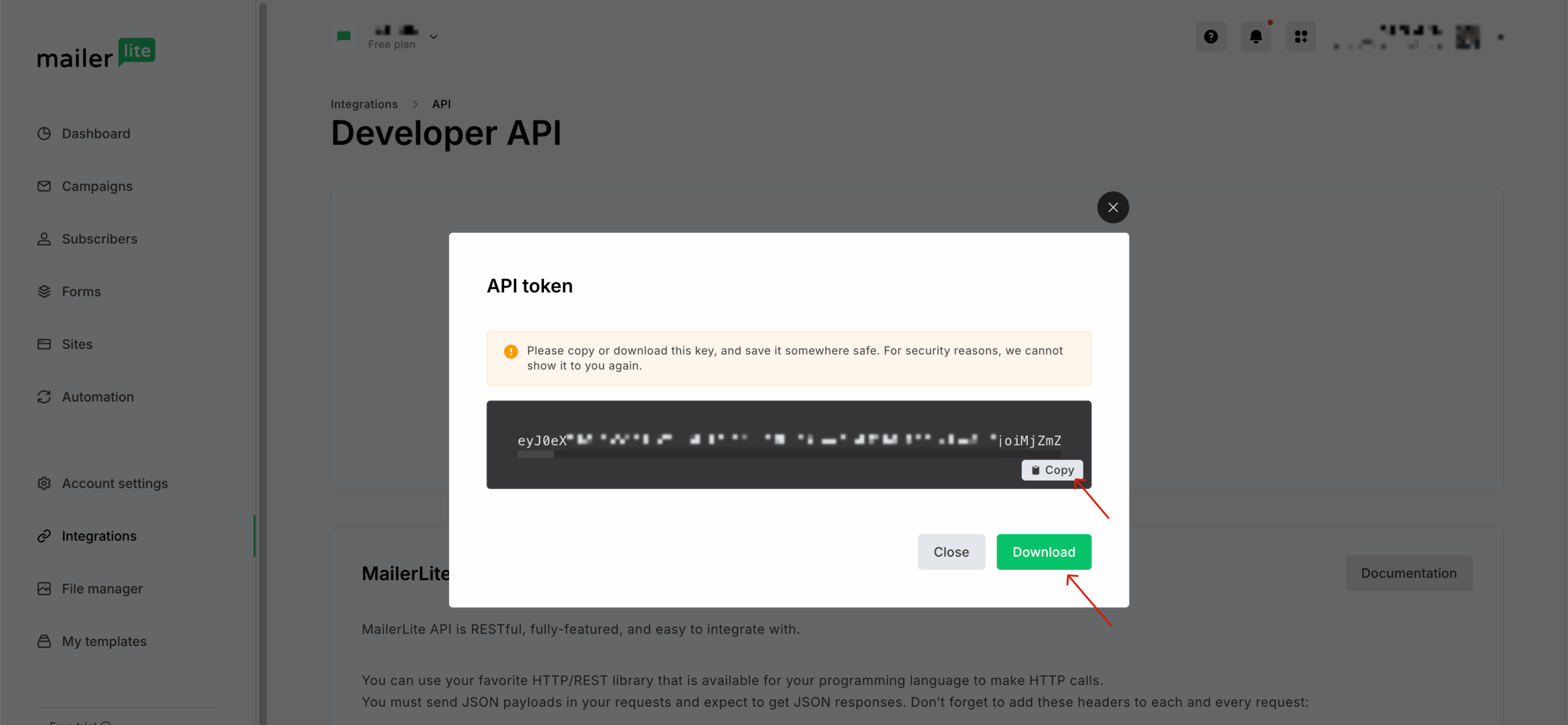
- Click Generate New Token and give it a name.
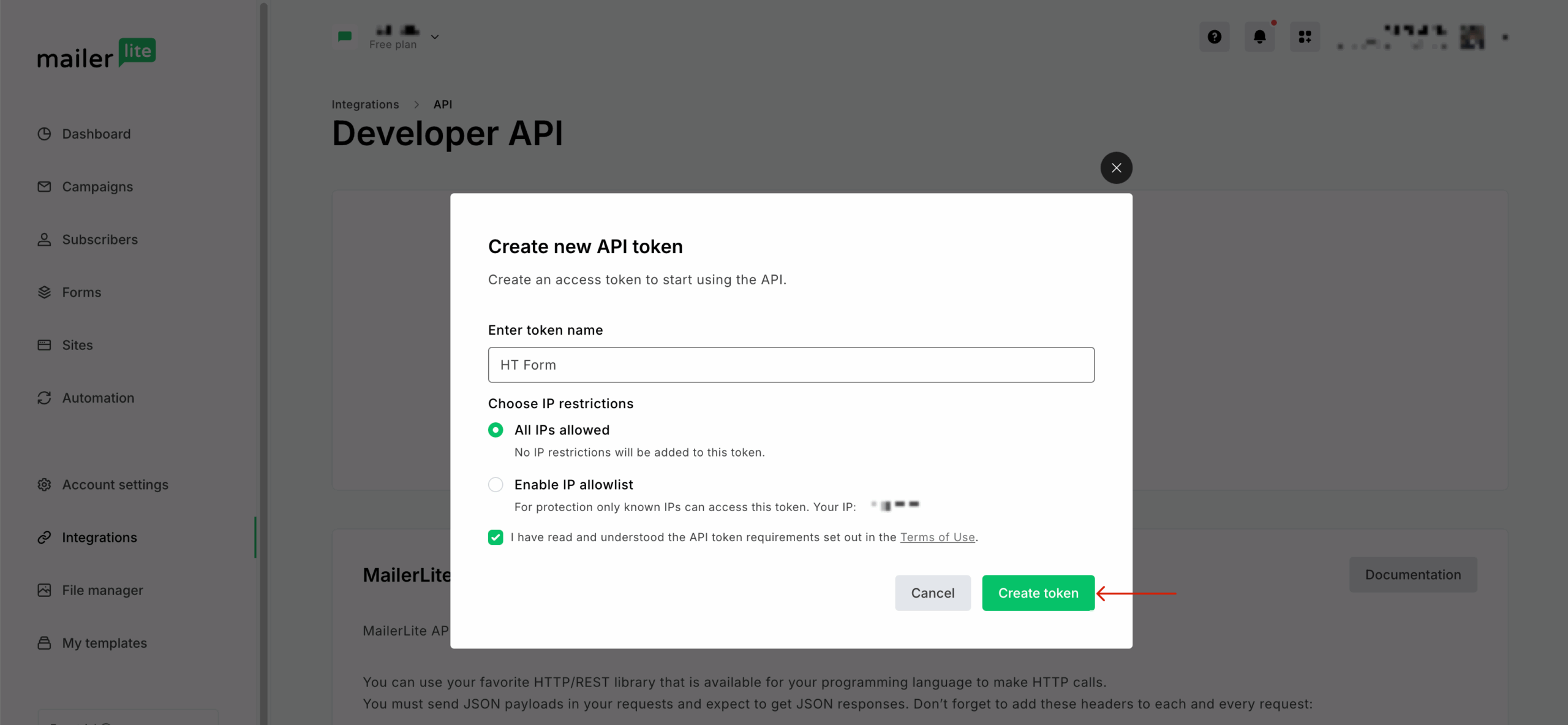
- Once the token is generated, copy it. You may also download it for safekeeping.
3. Connect API Token with HT Contact Form
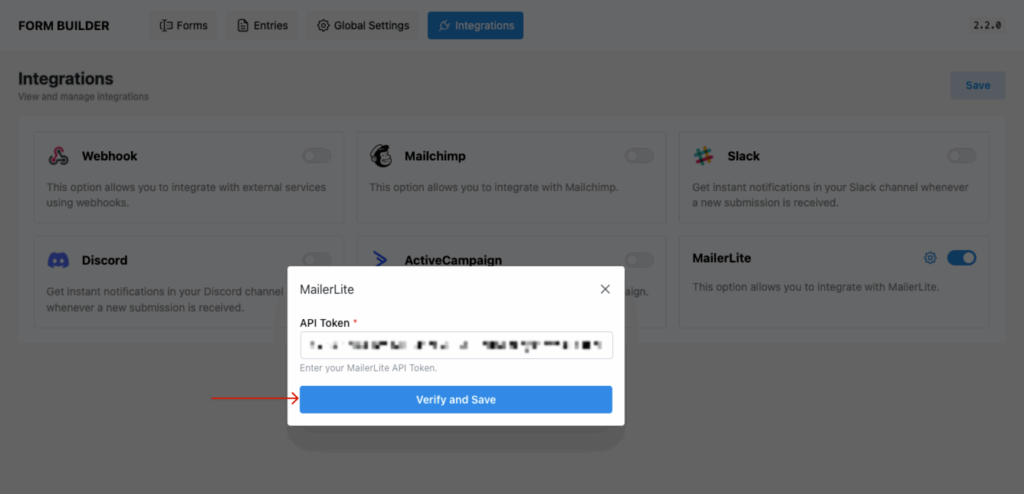
- Paste the copied token into the popup field in HT Contact Form.
- Click Verify and Save to confirm.
4. Attach a Form to MailerLite
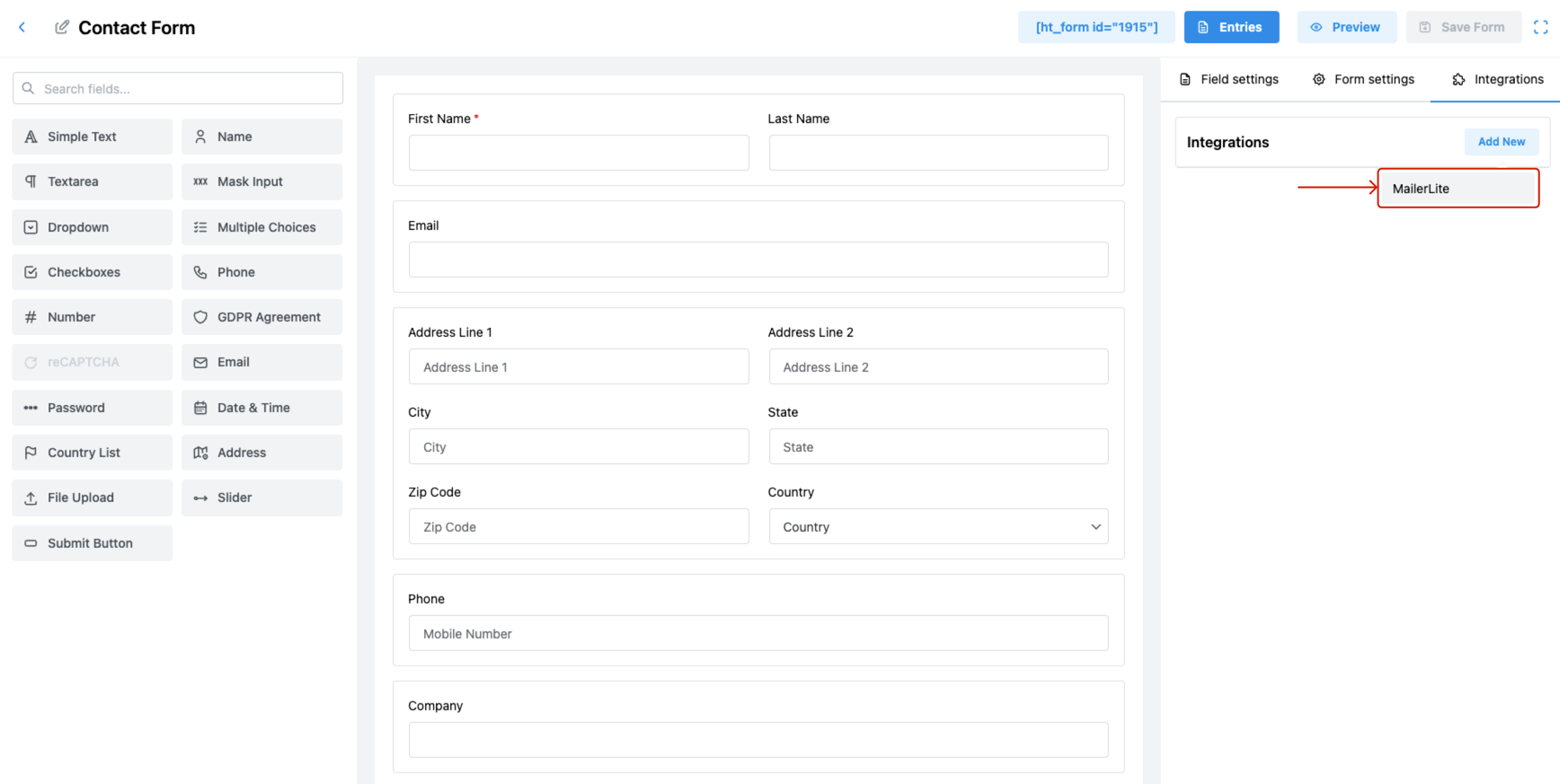
- Go to the Forms section and open an existing form.
- Click the Integrations tab, then click Add New.
- Choose MailerLite from the dropdown list.
5. Configure MailerLite Feed Settings
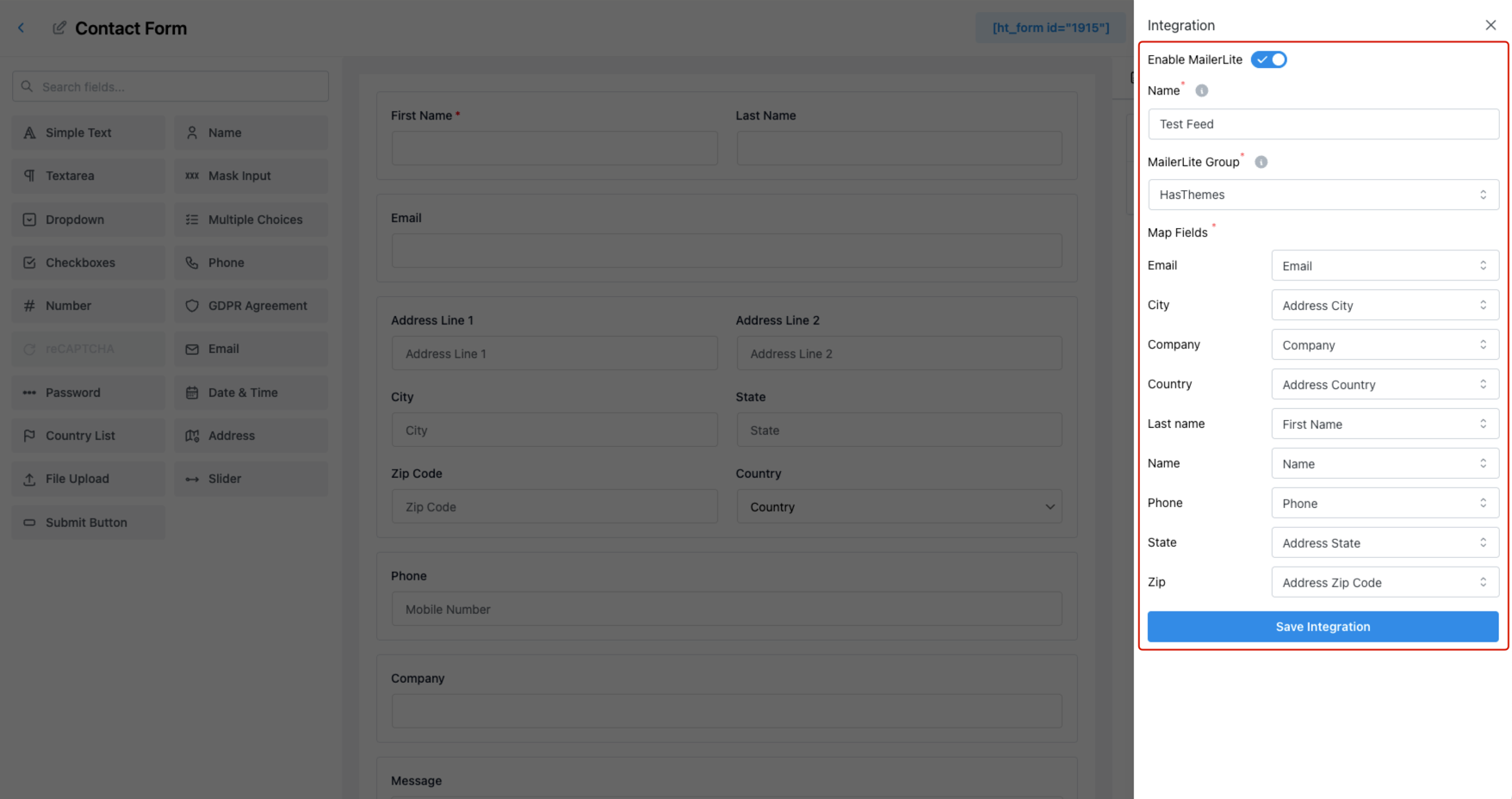
Inside the integration panel:
- Enable MailerLite – Toggle ON.
- Name – Provide a name for this feed.
- MailerLite List – Choose the list you want to sync form data to.
- Map Fields – Match form fields with MailerLite fields like:
- Email Address
- First Name
- Last Name
- Phone Number
6. Save and Test
- Click Save Integration.
- Submit a test entry on the form to ensure contact data is sent successfully to your MailerLite list.
Pro Tips
- Use tags for campaign grouping and automation triggers.
- You can reuse your API credentials across multiple forms.
- Combine with conditional logic (if available) to control when and what data is sent.
Last updated on March 10, 2026
Was this article helpful?
Powered by Support Genix