
The Post Selection Field allows users to select a WordPress post, page, or custom post type from a dynamic dropdown. Ideal for product inquiries, event registration, and content-specific feedback, this field is fully customizable, searchable, and optimized for performance.
What You Can Do
- Dynamically load posts, pages, or custom post types
- Filter by post status (e.g., Published, Draft)
- Limit number of posts shown
- Search post titles in dropdown
- Show/hide based on conditional logic
How to Add Post Selection Field
- Navigate to HT Contact Form → Forms.
- Create or edit a form.
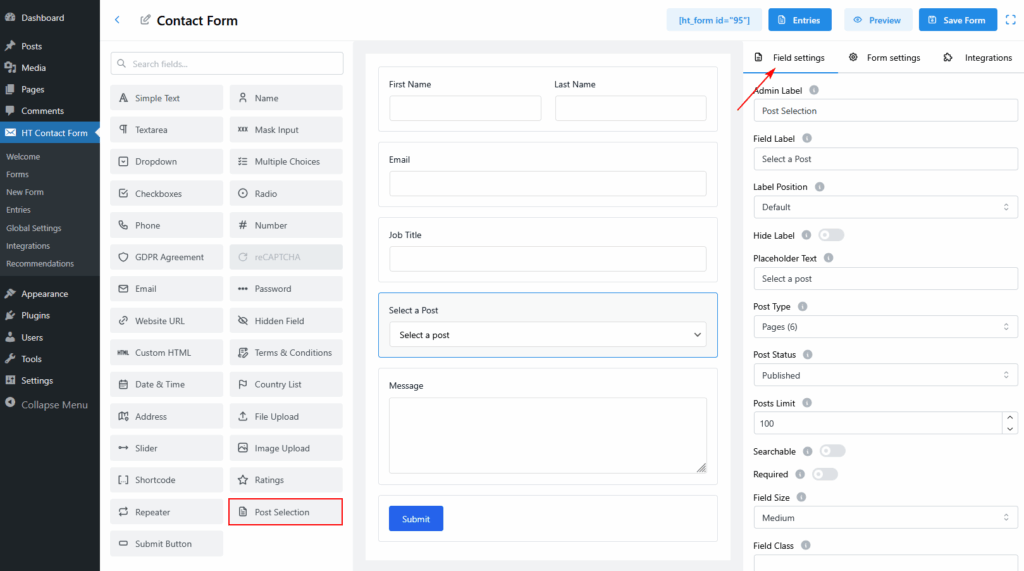
- Drag the Post Selection field from the left panel into your form layout.
- Click the field to configure settings on the right panel.
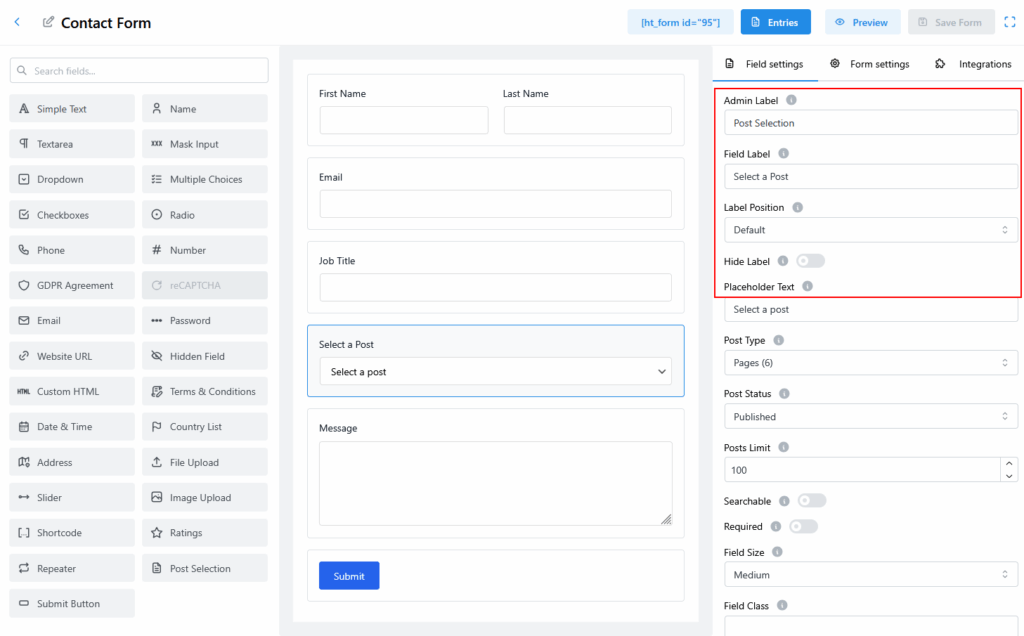
Configuration Options
General Settings
| Option | Description |
|---|---|
| Admin Label | Internal field label (not shown to users). Example: Post Selection. |
| Field Label | Label visible on the frontend. Example: Select a Post. |
| Label Position | Position of label (Default, Left, Right, etc.). |
| Hide Label | Toggle to hide the label from users. |
| Placeholder Text | Text inside dropdown before selection. Example: Select a post. |
| Field Name | Unique identifier. Example: post_select. Use lowercase + underscores. |
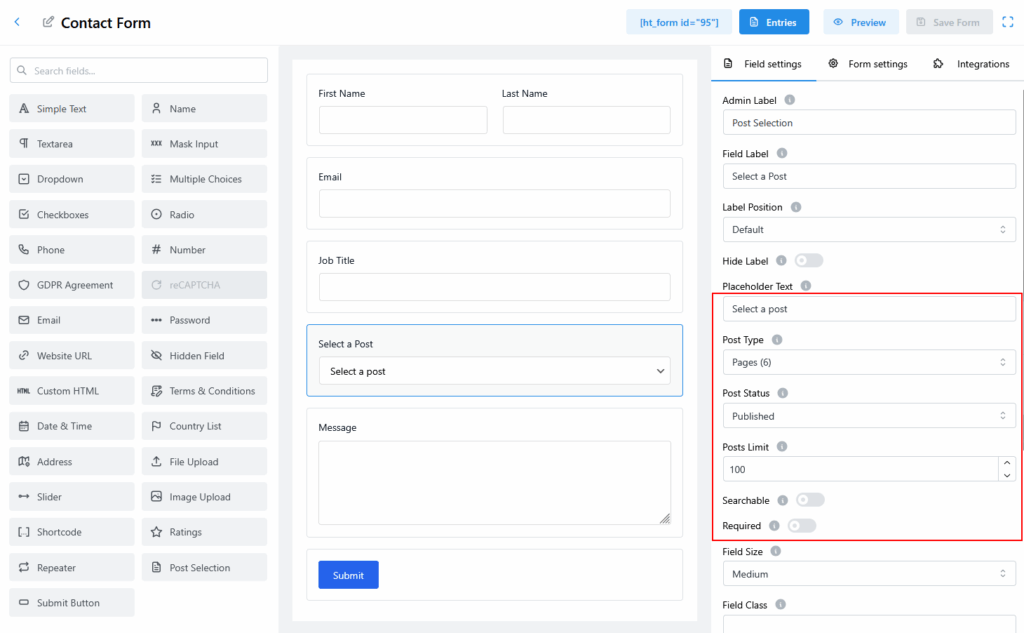
Post Options
| Option | Description |
|---|---|
| Post Type | Choose post source: Posts, Pages, or any registered custom post type (like product). |
| Post Status | Only show posts with selected status (e.g., Published, Draft). |
| Posts Limit | Max number of posts to load. Default is 100. Set -1 to load all (use with caution). |
| Searchable | Enable search box inside dropdown. Ideal for large post lists. |
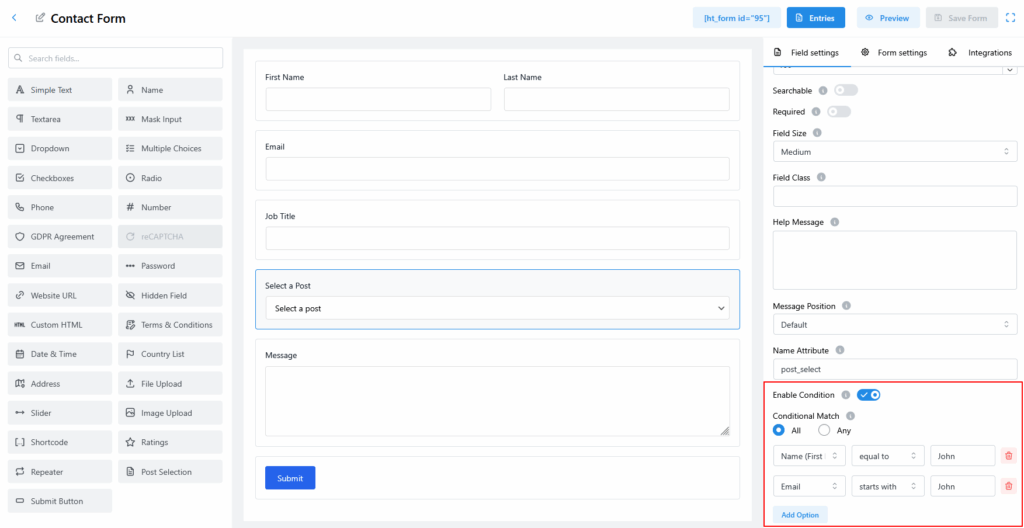
Conditional Logic
Show/hide this field based on user input in another field.
- Toggle Enable Condition ON.
- Choose the field (e.g., Name, Email).
- Set rule (e.g., equals
John, starts withJohn). - Add multiple conditions using All or Any logic.
Best Practices
- Enable search for better UX.
- Limit posts if you have a large site.
- Use conditional logic for cleaner forms.
Last updated on March 10, 2026
Was this article helpful?
Powered by Support Genix