
The Submit Button field allows users to submit the form after filling it out. You can easily customize the submit button appearance and behavior through the following settings:
Field Settings Overview:
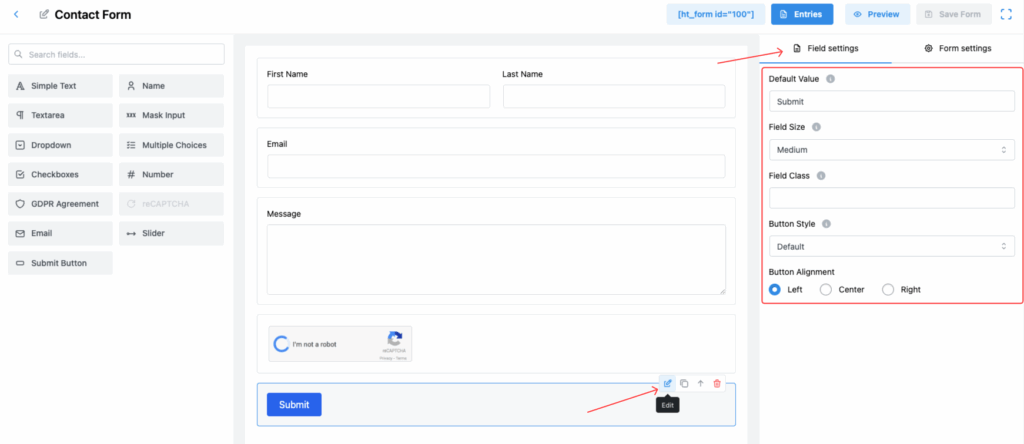
Default Value
Set the button text (e.g., “Submit”, “Send”, “Apply Now”, etc.).
Field Size
Choose the size of the button. Options include:
➔ Small
➔ Medium
➔ Large
Field Class
Add a custom CSS class if you want to style the button further using custom CSS.
Button Style
Select the visual style for the button.
➔ Options like Default or other available styles depending on your design preferences.
Button Alignment
Define the alignment of the submit button inside the form.
➔ Left
➔ Center
➔ Right
Note:
After configuring the settings, don’t forget to click Save Form to apply your changes.
Last updated on March 10, 2026
Was this article helpful?
Powered by Support Genix