
The HT Contact Form block is a content block for the WordPress Block-based editor, Gutenberg.
It allows you to easily add any of your saved HT Contact Forms directly into your posts or pages using the Gutenberg editor.
If you are creating any page or post with Gutenberg, follow the steps below:
- Click on the Add Block button (➕) in the editor.
- Search for HT Form using the search bar.
- Select the HT Form block from the results.
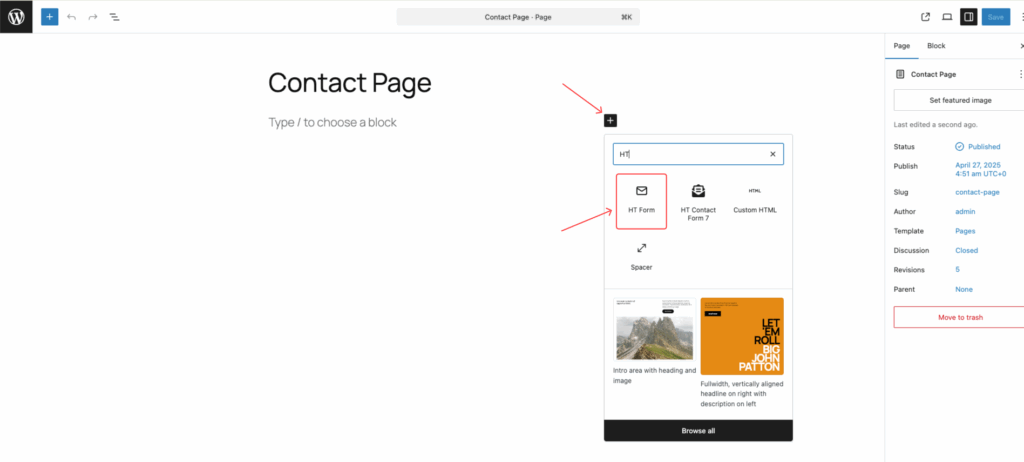
Once added, you can choose the form you want to embed from the dropdown list and update your page or post.
That’s it — your form is now embedded directly inside your content!
Note:
You can also embed a form manually by pasting the form shortcode into a Gutenberg Shortcode block or an HTML block.
Last updated on March 10, 2026
Was this article helpful?
Powered by Support Genix