
The Email field in HT Contact Forms is specifically designed to capture valid email addresses from users.
It comes with flexible settings to manage how the email input is displayed, validated, and customized.
Email Field Settings:
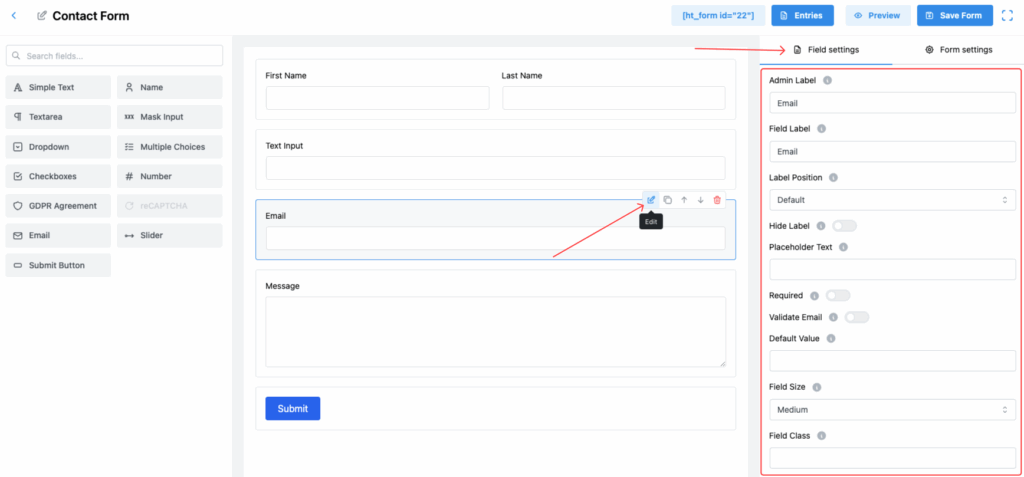
1. Admin Label
Set an internal label for the field, which will be used for admin panel reference and managing entries.
2. Field Label
This is the label that users will see when filling out the form, guiding them to provide their email address.
3. Label Position
Choose where the label appears relative to the input field. Options include:
- Default
- Top
- Right
- Bottom
- Left
Align the label position based on your form design preference.
4. Hide Label
Toggle this switch to hide the field label from the user view, creating a cleaner look.
5. Placeholder Text
Provide a sample email address (e.g., example@example.com) as placeholder text to guide users.
6. Required
Enable this toggle to make the field mandatory.
✅ Users must enter an email address before submitting the form.
7. Validate Email
Turn this on to automatically validate that the input is in a proper email format.
✅ Prevents form submission if the entered text is not a valid email address.
8. Default Value
Set a pre-filled email address that appears in the field when the form loads.
9. Field Size
Choose the visual size of the input field. Options:
- Small
- Medium (Default)
- Large
Select based on the desired form layout.
10. Field Class
Assign a custom CSS class to the field for advanced styling and design customization.
11. Help Message
Provide extra instructions or clarification related to the email field, enhancing user understanding.
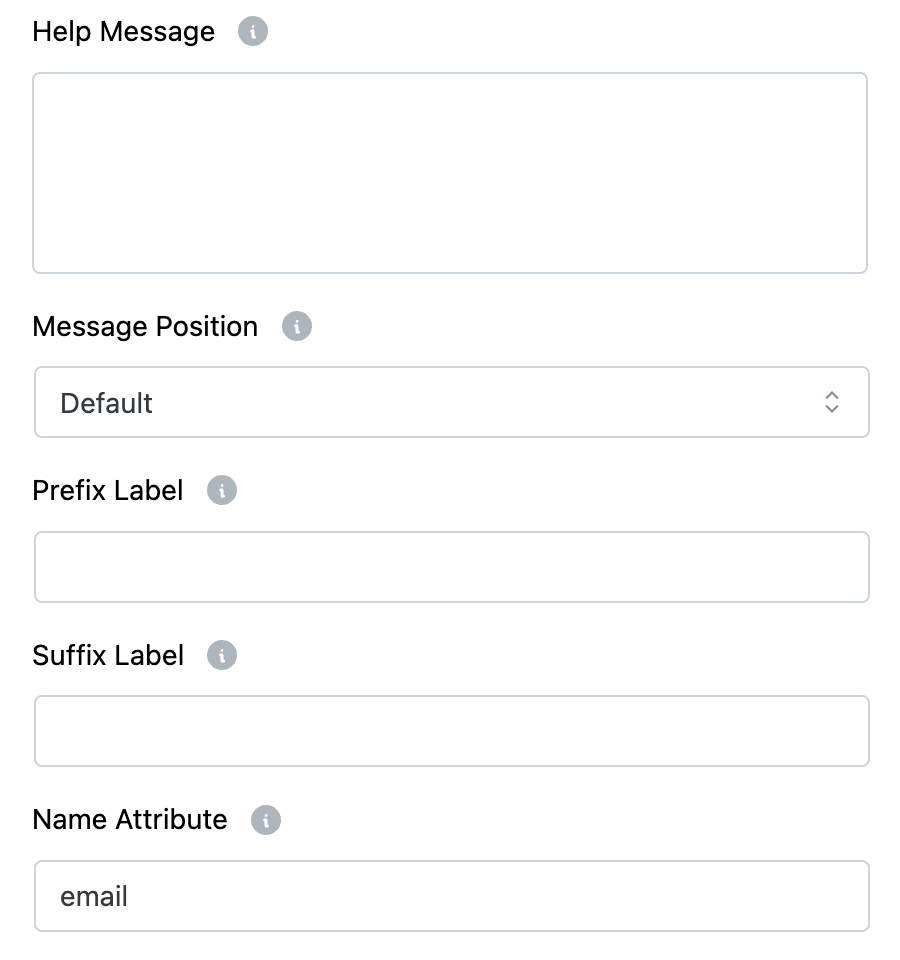
12. Message Position
Decide where the Help Message appears:
- Default
- Next to Label as Tooltip
- Below Input Element
Customize for better clarity and design fit.
13. Prefix Label
Insert a text prefix that appears before the email input box (optional).
14. Suffix Label
Insert a text suffix that appears after the email input box (optional).
15. Name Attribute
Set a unique name attribute for the email field, crucial for form data processing.
Tip:
Always enable Validate Email when using an Email field to ensure you collect accurate and deliverable email addresses! 📧