
The Validation Messages section in Global Settings allows you to customize the error messages users will see when submitting a form with invalid or missing input.
Here are the available fields you can configure:
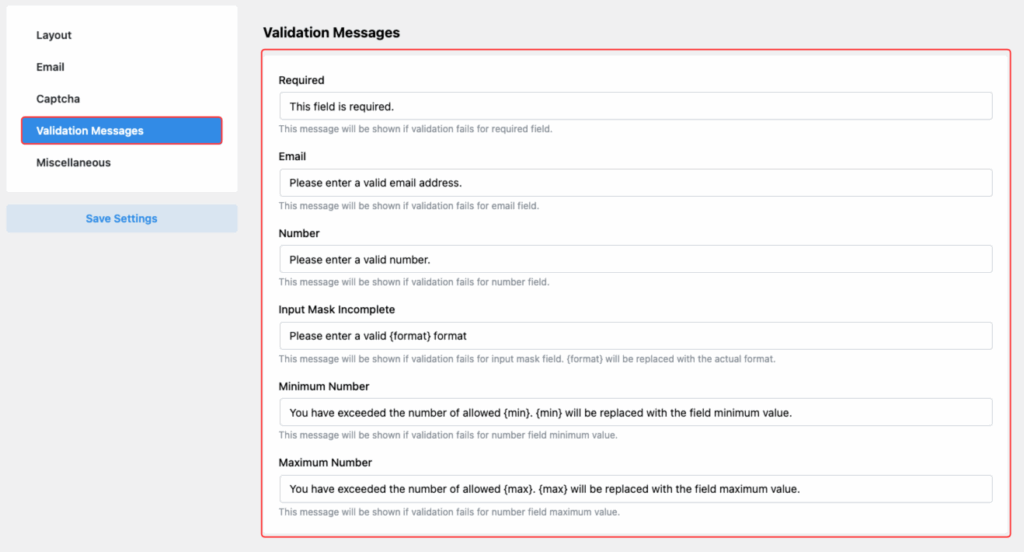
Required
- Default Message: “This field is required.”
- Shown when a required field is left empty.
- Default Message: “Please enter a valid email address.”
- Appears when the entered email format is incorrect.
Number
- Default Message: “Please enter a valid number.”
- Shown when the input is not a valid numeric value.
Input Mask Incomplete
- Default Message: “Please enter a valid {format} format.”
- Shown when the input doesn’t match the required input mask.
Minimum Number
- Default Message: “You have exceeded the number of allowed {min}.”
- Shown when the entered number is less than the minimum allowed value.
Maximum Number
- Default Message: “You have exceeded the number of allowed {max}.”
- Shown when the entered number exceeds the maximum allowed value.
After customizing your messages, don’t forget to click Save Settings to apply your changes.
Last updated on March 10, 2026
Was this article helpful?
Powered by Support Genix