
The Address field enables you to collect complete location details from users, including street address, city, state, zip code, and country.
It’s ideal for shipping forms, billing forms, and any submission requiring full geographic information.
Address Field Settings:
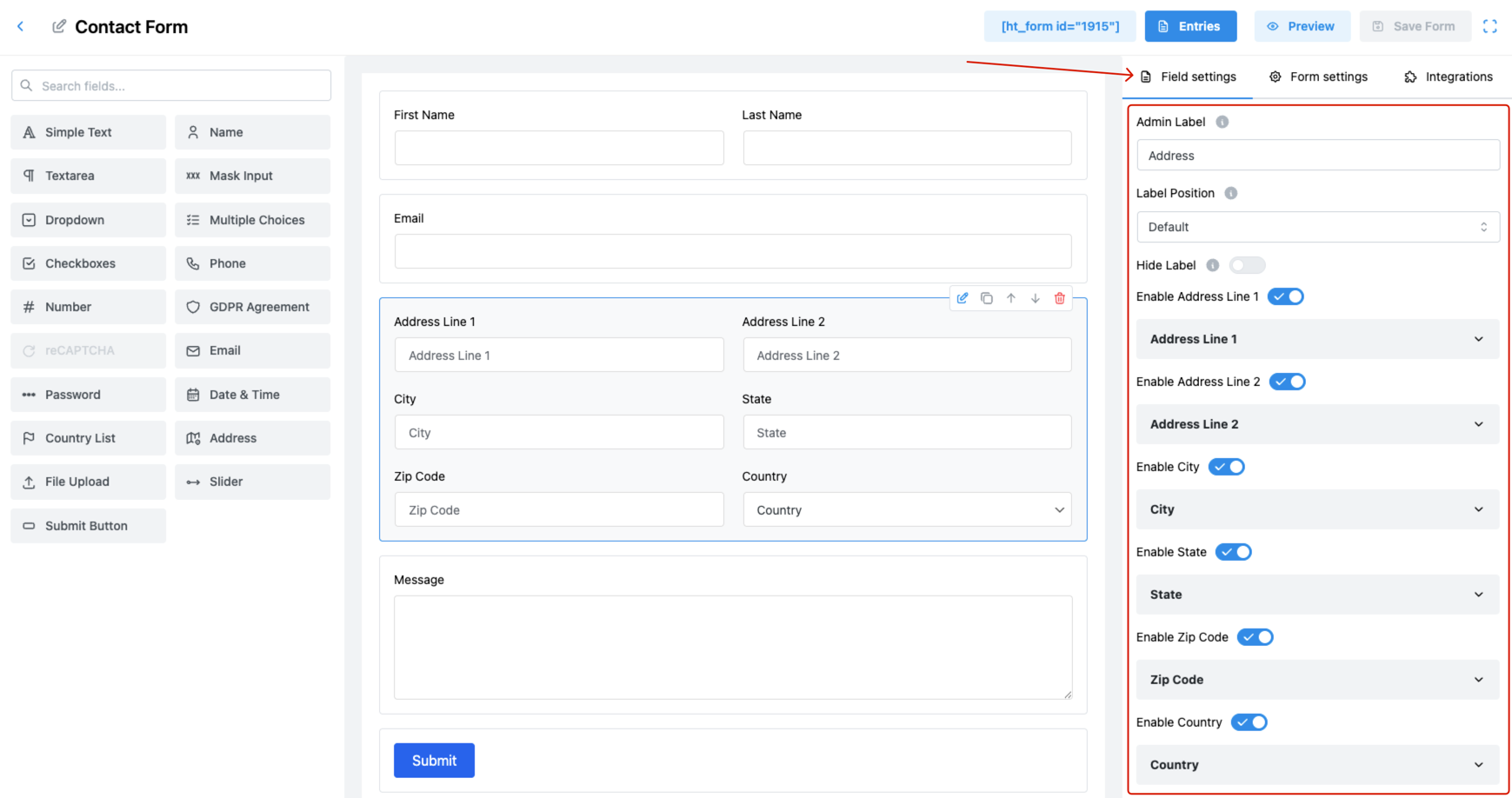
1. Admin Label
Set the internal name for the address field.
🗂️ This label is only visible within the admin area for backend reference.
2. Label Position
Choose the placement of the label relative to the address input group:
- Default
- Top
- Right
- Bottom
- Left
📌 Adjust as needed to align with your form layout.
3. Hide Label
Enable this toggle to hide the label from users.
✅ Ideal for minimal interfaces when using placeholder text in each address sub-field.
4. Enable Address Line 1
This toggle shows or hides the Address Line 1 field.
🏠 Typically used for house number and street name. Example: 123 Elm Street
5. Enable Address Line 2
Use this option to include a second line for additional address information.
🏢 Often used for apartment numbers, building names, or PO boxes. Example: Apt 4B
6. Enable City
Enables the City field for user input.
🌆 Example: New York, Dhaka, Berlin
7. Enable State
Displays the State/Province/Region field.
🗺️ Useful for countries where state/province is required (e.g., USA, India).
8. Enable Zip Code
Shows the Zip/Postal Code field in the address section.
📮 Example: 10001, 1216
9. Enable Country
Displays a country dropdown as part of the address.
🌍 Users can select their country from a list.
10. Field Size
Choose the overall size of the address input group:
- Small
- Medium (Default)
- Large
🎨 Match this to the look and feel of the rest of your form.
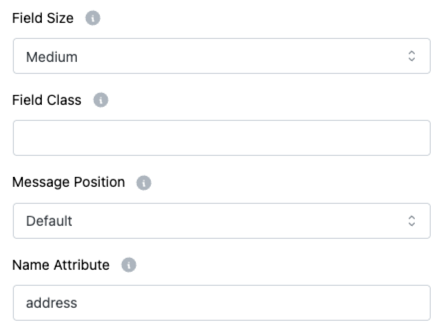
11. Field Class
Add a custom CSS class to the address field wrapper.
🎨 Perfect for developers or designers customizing the layout or behavior.
12. Message Position
Decide where the help or error message should appear:
- Default
- Next to Label as Tooltip
- Below Input Element
🧭 Use this for better UX, especially on longer forms.
13. Name Attribute
Assign a name attribute to the address field.
👉 This is required for backend systems to identify and process the submitted data.
Pro Tips:
- Only enable the necessary fields to keep the form clean and user-friendly.
- Always validate the address data on submission if it’s critical for order fulfillment or communication.