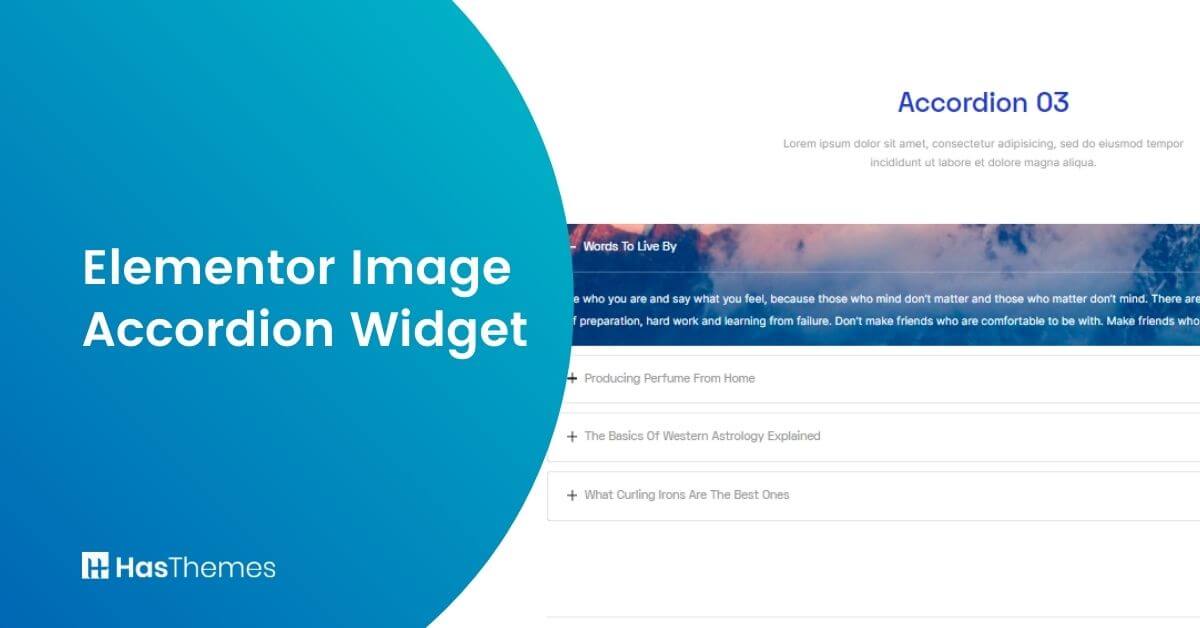
Elementor Image Accordion Widget

The Elementor Image Accordion Widget is the perfect way to show off your multiple images in a shortened and easily understandable format. Click to expand your image and unlock multiple customization options instantly. Adjust the title, subtitle, description, separator, and content area easily.
The Elementor Image Accordion Widget is a great tool to help you increase the interactivity and engagement of your website. This widget helps you create accordion images for better content engagement. Visitors can explore your content interactively with a visually appealing layout.
If you want to display accordion images creatively, use the Elementor Image Accordion Widget. This widget keeps users engaged as they scroll through different images. It also improves the user experience by making image navigation smooth and interactive
Benefits of Image Accordion Widget
The Image Accordion Elementor Widget enhances the way images are displayed on a website, making them more interactive and visually appealing. This widget is designed to improve user experience while keeping content structured and engaging. Here are some of the key benefits:
- Attractive and Engaging Display: Showcase multiple images in a stylish and interactive manner that captures attention.
- Space-Saving Layout: Present multiple images within a single accordion, ensuring a neat and organized design.
- Customization Control: Adjust all aspects of your accordion, including container styles, typography, and animation speed.
- Smooth Image Transitions: Improve navigation by allowing users to expand and view images effortlessly.
- Improved User Engagement: Keeps visitors on the page longer, reducing bounce rates and increasing interactivity.
- Professional Design: Enhance the aesthetic appeal of your website with a dynamic and modern layout.
With the Accordion Elementor Widget, you’ll be able to create an engaging and professional-looking web page in no time.
Best Elementor Image Accordion Widget
There are many Elementor image widget available on the market. We are going to introduce you two poplular plugin of Move Addon or HT Mega. They both provide accordion widget for Elementor. Let’s learn more about them.
Elementor Image Accordion Widget by Move Addons
Move addon is one of the popular plugins in WordPress. It offers 80+ elementor widgets. The Image Accordion Widget is one of them. It allows you to show multiple images in one accordion.
Visitors can browse through all images effortlessly. It’s a simple and user-friendly way to display visuals. This amazing widget is available in the free version of Move Addons
The Move Addons by Elementor offers 5 unique styles of image accordion widget. The content tab of the image widget offers you to choose either vertical or horizontal layouts for your images.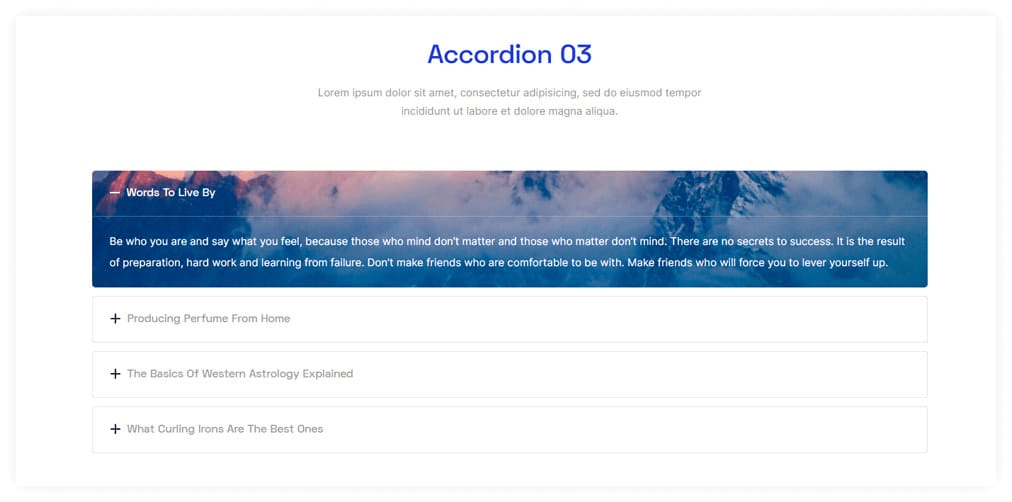
Choose the one that suits your web page the most. You can add as many images to your accordion. The additional options enable you to adjust the spacing between each item as well as data expandable columns.
You can select which item within the accordion content is visible to viewers at any given moment with the “active item no” option under content settings.
By default, the webpage will show your selected item in an expanded view if you select the number.
You can personalize the alignment of your image accordion as per your requirements. Change the color of the typography and margin of your accordion title in the style tab. Add subtitles to image accordions and customize them as needed.
Move addons lets you include normal or hover buttons in your image accordion. Customize the button color, background, and border type with just a click to create a unique look for your image accordions.
How to create An Accordion using Move Addons for Elementor Page Builder
Pricing Plan: Move Addons
Check the pricing table for Move Addons.Personal Developer Agency 1 Website: $39/year 5 Websites: $89/Year 1000 Websites: $179/Year 1 Website: $149/Lifetime 5 Websites: $349/Lifetime 1000 Websites: $549/Lifetime 80+ Widgets
Outstanding Design
Access to Template Library
Access to Premium Themes (Coming Soon)
On-Demand Asset Loading
Live Copy80+ Widgets
Outstanding Design
Access to Template Library
Access to Premium Themes (Coming Soon)
On-Demand Asset Loading
Live Copy80+ Widgets
Outstanding Design
Access to Template Library
Access to Premium Themes (Coming Soon)
On-Demand Asset Loading
Live CopyBuy Now or Check Pricing Plan Buy Now or Check Pricing Plan Buy Now or Check Pricing Plan
Elementor Image Accordion Widget by HT Mega
HT Mega offers a powerful and versatile Image Accordion Widget for Elementor. This widget comes with both vertical and horizontal image accordion layouts. You can create engaging and interactive image accordions that will captivate your website visitors.
The HT Mega Accordion Widget allows you to display multiple images in an interactive format. Users can click on images to expand them and view more details. This widget helps you showcase furniture, fashion, electronics, and other product categories effectively.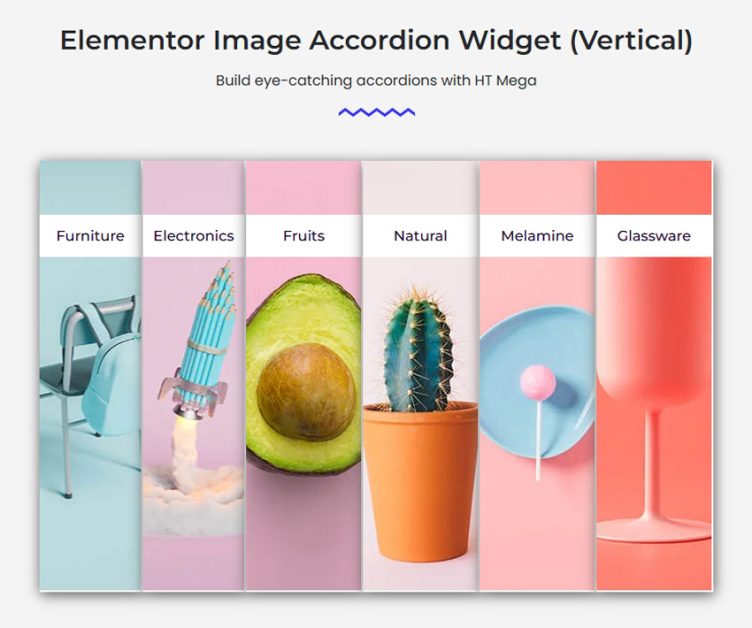
Key Features of HT Mega Image Accordion Widget:
HT Mega’s Image Accordion Widget offers several customization options to enhance your website’s visual appeal:
- Vertical and horizontal image accordion layouts
- Interactive image expansion on click or hover
- Customizable title and content display options
- Responsive design that works on all devices
- Seamless integration with Elementor page builder
The Image Accordion Widget is part of HT Mega’s comprehensive Accordion Widget collection. This collection includes standard accordions, tab accordions, and image gallery accordions. All these options help create interactive and engaging website content.
Pricing Plan: HT Mega Addons
Check the pricing table for HT Mega Addons.Personal Developer Growth 1 Website: $49/Yearly 5 Websites: $79/Yearly 999 Websites: $99/Yearly 1 Website: $99/One time 5 Websites: $149/One time 999 Websites: $199/One time Buy Now or Check Pricing Plan Buy Now or Check Pricing Plan Buy Now or Check Pricing Plan
Why Choose HT Mega’s Accordion Widget
HT Mega’s Accordion Widget is lightweight, responsive, and easy to use. The plugin offers multiple accordion styles that make your content stand out. You can choose from vertical accordions, horizontal accordions, and image gallery accordions.
The HT Mega Accordion Widget integrates perfectly with Elementor templates. This allows you to use Elementor templates as content sources for your accordions. The widget also offers customization options like box shadow, round shapes, and icon positioning.
How to Use Accordion Widget Using HT Mega Elementor addon
Frequently Asked Questions
What is an Elementor Image Accordion Widget?
An Elementor Image Accordion Widget displays multiple images in an expandable accordion format. The widget helps organize visual content in a space-efficient and interactive way.
Users can click on images to expand them and view additional information. This creates an engaging browsing experience for website visitors exploring your visual content.
How does an Image Accordion improve user engagement?
Image Accordions improve engagement by presenting content in an interactive and visually appealing format. The accordion layout encourages users to actively explore different images on your website.
This interaction increases time spent on page and improves user experience metrics. The visual hierarchy helps guide visitors through your content more effectively.
Which is better: Move Addons or HT Mega?
Both Move Addons and HT Mega offer excellent image accordion functionalities with different strengths.
– Move Addons provides five unique styles and extensive customization options for image accordions.
– HT Mega offers both vertical and horizontal layouts with responsive design for all devices. Your choice depends on your specific design requirements and budget constraints
Can I customize colors in Image Accordion Widgets?
Yes, both Move Addons and HT Mega offer extensive color customization options. You can adjust colors for titles, backgrounds, borders, and content areas in accordions. The style tabs allow changes to typography colors and hover state appearances. Most elements can be individually styled to match your website’s color scheme.
Conclusion
Displaying your products and services is easy with the Elementor Image Accordion Widget. It’s an engaging way to keep users interested as they scroll through your images, while also providing a better user experience.
This widget keeps users engaged while scrolling through your images. It also enhances user experience by displaying images professionally and compellingly. Try it today!
Both Move Addons and HT Mega offer excellent Image Accordion Widgets for Elementor. These tools help create interactive and visually appealing content for your website. Choose the option that best suits your specific needs and website requirements.