Best Elementor Modal Widget

If you’re looking for an easy way to add modals to your WordPress website, look no further than the Elementor Modal Widget. This widget allows you to easily generate pop-ups for your website’s visitors to see.
Elementor modal pop-ups are incredibly effective when it comes to generating leads, conversions, and sales.
Studies show that pop-ups can increase conversion rates by up to 9.28%, making them a smart addition to your digital strategy.
When it comes to generating leads, conversions, and sales, modal pop-ups are quite useful. This can be a great strategy to add extra information or to prompt your visitors to take action. This modal widget for Elementor is also simple to use. You can easily add the modal widget to your page.
Key Takeaways
- Understand the benefits of using the elementor modal widget for enhancing user engagement.
- Learn how to create stunning Elementor modal popups free with drag-and-drop simplicity.
- Discover various use cases like lead generation, product promotions, and surveys using modal in Elementor.
- Customize your modal popup box Elementor addon to align with your website’s branding.
- Utilize the HT Mega Elementor add-ons for advanced styling and animation effects.
- Boost conversion rates and improve communication with the WordPress Elementor modal popup.
What is Elementor Modal Widget
Modals are a type of pop-up window. You can use them to display a variety of messages or graphics, a lead capture form, or even a video. There are so many possibilities.
The Elementor Modal Pop-Ups Widget is a great way to make high-quality modal pop-ups for your visitors to see.
This easy-to-use widget makes it simple to add modal pop-ups to your website, providing a hassle-free way to improve your site’s functionality.
Why Use Elementor Modal Widget
The Elementor Modal Pop-Ups Widget is an easy-to-use, drag-and-drop widget that works for any size website. It features a variety of customization options, including different animation effects and colors.
It’s perfect if you want to promote a product or survey or just provide helpful information to your visitors. Using a modal popup has numerous advantages.
One of the most important is that they can be used to boost website conversions.
With this widget, you can easily create modals that will only appear when your clients want them to, so they won’t be distracted. This enhances the chances of someone taking the desired action, whether it’s subscribing to your newsletter, buying a product, or anything else.
Another big advantage is that they make it simple to communicate with site visitors. Important announcements regarding discounts, upcoming events, new items, and more can all be found in one place.
Furthermore, because these messages appear as soon as someone enters your website, they will be more prominent than traditional banners.
Elementor Modal Widget by HT Mega
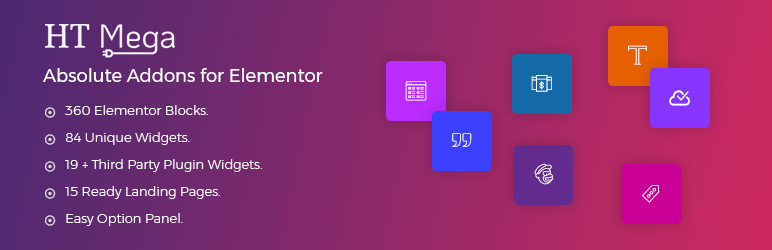
With the modal widget provided by HT Mega Add-ons, adding modal pop-ups on your web pages and posts will be straightforward. With this powerful widget, you can quickly and easily create modals that capture leads and drive conversions. 
You can customize the modal’s header, body, and footer content from the modal panel of this widget. For the body content, you can use custom text or an Elementor template with this widget.
This Elementor modal widget’s button text and icon can also be adjusted. You can change the typeface, border type, color, padding, and more from the style tab.
There is an advanced style tab for additional customization. From the advanced style tab, you can adjust the move hover effect, motion effect, and the position of the Elementor modal popup widget on your website.
How to Use Modal Widget using HT Mega Elementor Addon
Pricing Plan: HT Mega Addons
Check the pricing table for HT Mega Addons.Personal Developer Growth 1 Website: $49/Yearly 5 Websites: $79/Yearly 999 Websites: $99/Yearly 1 Website: $99/One time 5 Websites: $149/One time 999 Websites: $199/One time Buy Now or Check Pricing Plan Buy Now or Check Pricing Plan Buy Now or Check Pricing Plan
Frequently Asked Questions
What is the Elementor Modal Widget?
The Elementor Modal Widget is a tool in Elementor that allows you to create pop-ups to display messages, forms, videos, or announcements.
Can I create a free modal popup with Elementor?
Yes! You can create an Elementor modal popup for free with the basic features, and additional options are available with premium add-ons.
Is coding knowledge required to use the modal widget?
Not at all! The modal popup for Elementor uses a drag-and-drop interface, making it beginner-friendly.
Can I customize the look and feel of the modal popup?
Absolutely. You can adjust colors, fonts, animations, and more using the modal popup box Elementor addon.
How do modal popups improve website performance?
Modal Elementor pop-ups help grab attention quickly, boost conversion rates, and effectively communicate offers or announcements
Conclusion
The Elementor Modal Pop-Ups widget is a great way to display content to your website visitors more engagingly and interactively. This widget lets you create modal popups on your website.
It’s easy to use, and it’s the perfect way to create more interactive content. If you want more ways to reach out to your visitors, the Elementor Modal Widget is the perfect way to do it. Give this Elementor Modal widget a try today!