Best Elementor Popup Addons 2026: Modal Widgets & Plugins Compared

Elementor’s free version does not include a built-in popup builder. To create modal popups inside Elementor, you need a dedicated Elementor popup addon. These addons add popup widgets directly into the Elementor editor, so you design everything in the same drag-and-drop interface you already use.
This article is different from our [general WordPress popup plugin guide]. That guide covers standalone popup tools that work across any WordPress theme. This article focuses specifically on popup widgets and modal tools that work inside the Elementor editor. If you use Elementor to build your pages, these addons keep your popup design consistent with the rest of your site.
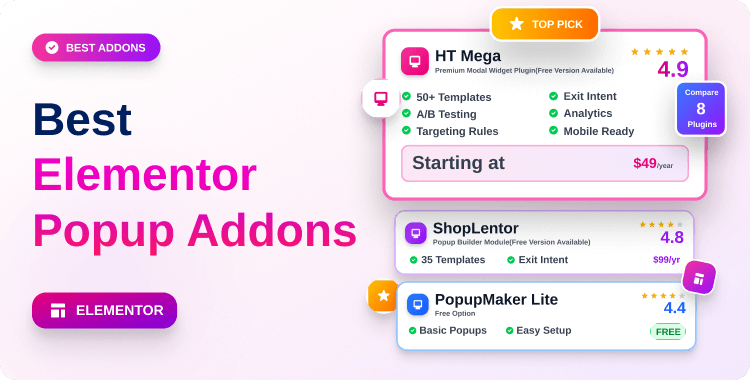
We reviewed and compared 8 Elementor popup addons based on feature testing, WordPress.org ratings, active install data, and 2026 pricing.
Quick Answer: What Is the Best Elementor Popup Addon?
HT Mega is the best overall Elementor popup addon — it offers a powerful Modal Widget with full design control inside the Elementor editor, free to use. Essential Addons for Elementor is the top free pick for beginners — its Lightbox & Modal Widget is one of the most feature-complete free options available. JetPopup by Crocoblock is the best premium choice for advanced targeting, exit intent, and dynamic popup content inside Elementor.
What Is an Elementor Popup Addon?
An Elementor popup addon is a plugin that adds popup or modal widgets directly inside the Elementor page builder. You drag the widget onto your page and design the popup using Elementor’s native editor. This is different from a standalone WordPress popup plugin, which runs separately from your page builder.
Standalone popup plugins (like OptinMonster or Popup Maker) load their own separate interface outside Elementor. An Elementor popup addon works inside your existing Elementor workflow. This means your popups share the same fonts, colors, and design elements as the rest of your page.
Why Use a Popup Addon with Elementor?
The biggest advantage of an Elementor popup addon is design consistency. Your popup looks exactly like your page because you build both in the same editor. There is no visual mismatch between your page design and the popup that appears on top of it.
These addons also avoid adding extra plugin weight to your server. They work within the Elementor framework you already have installed. This keeps your plugin stack lean and your page speed healthier than loading a second standalone popup system.
Most quality Elementor popup addons also include smart trigger options. You can set popups to appear after a time delay, on scroll, on click, or with exit intent detection. These trigger options let you control exactly when and how your popup reaches each visitor.
Comparison Table: 8 Best Elementor Popup Addons (2026)
| Addon Name | Popup Widget Type | Free Version | Starting Price | Active Installs | Rating (/5) |
|---|---|---|---|---|---|
| HT Mega | Modal Widget | ✅ Yes | $49/year | 80,000+ | ⭐ 4.7/5 |
| ShopLentor | Popup Builder Module | ✅ Yes | $99/year | 100,000+ | ⭐ 4.8/5 |
| Unlimited Elements | Popup Widget | ✅ Yes | $49/year | 100,000+ | ⭐ 4.7/5 |
| PowerPack Addons | Popup Box Widget | ✅ Yes | $49/year | 100,000+ | ⭐ 4.8/5 |
| Happy Addons | Modal Popup Widget | ✅ Yes | $59/year | 400,000+ | ⭐ 4.8/5 |
| Essential Addons | Lightbox & Modal Widget | ✅ Yes | $39.97/year | 2,000,000+ | ⭐ 4.8/5 |
| ElementsKit | Modal Popup Widget | ✅ Yes | $49/year | 1,000,000+ | ⭐ 4.9/5 |
| JetPopup (Crocoblock) | JetPopup Builder | ❌ No | $22/year | Premium only | ⭐ 4.8/5 |
8 Best Elementor Popup Addons in 2026
When it comes to using popups on your WordPress site, you want a WordPress popup plugin that’s easy to use and offers a wide variety of options. That’s why we’ve collected six of the best Elementor popup builder plugins for WordPress.
You’ll find both free and premium options, as well as plugins that are focused on both list building and other types of popups. So no matter what you need, there’s sure to be a plugin here that will fit the bill-
Table of Contents
HT Mega – Absolute Addons for Elementor
Best For: Elementor users who want a free, fully customizable modal popup widget with no design limits
HT Mega is a powerful all-in-one Elementor addon that includes a dedicated Modal Widget for creating popup overlays inside the editor. The Modal Widget lets you add messages, images, lead capture forms, and videos inside a styled popup — all from the standard Elementor drag-and-drop panel. It is one of the few free Elementor popup addons that gives you full control over the header, footer, and body content from a single settings panel.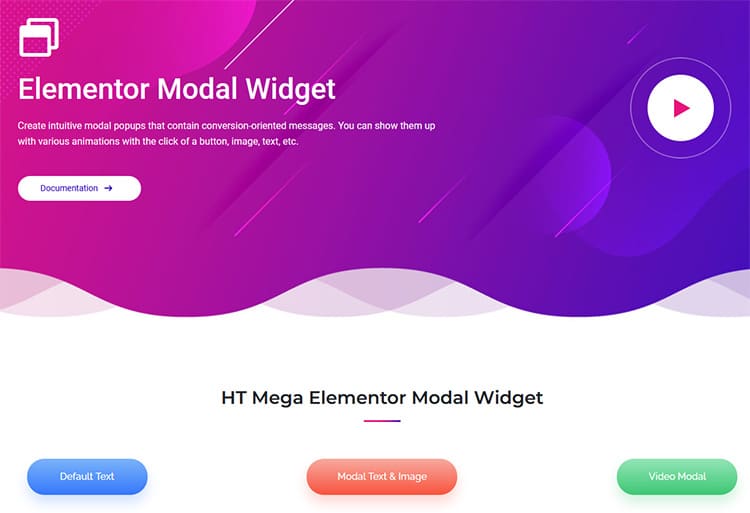
The popup design experience is straightforward — you choose your trigger, style the popup container, and adjust typography using the style tabs. You can modify font choices, background colors, overlay opacity, and padding without any coding. This makes HT Mega a practical Elementor popup addon for both beginners and experienced developers building client sites.
Popup Widget Name: Modal Widget Active Installs: 80,000+ WordPress.org Rating: 4.7/5
Key Features:
- Modal Widget with full header and footer content control
- Click-based, time-delay, and page-load popup triggers
- Full typography customization from Elementor style tabs
- Overlay background color and opacity control
- Supports embedded images, videos, and contact forms inside popup
- Works with Elementor Free — no Elementor Pro required
- 70+ additional widgets bundled with the same plugin
Pros:
- Generous free version includes the modal popup widget
- Modify header and footer from a single panel — no complex setup
- Works without Elementor Pro, unlike some competitor addons
Cons:
- Advanced trigger options like exit intent require upgrading to Pro
- The modal widget lacks built-in animation variety compared to JetPopup
Pricing:
- Free version: ✅ Available on WordPress.org
- Personal (1 site): $49/year
- Developer (unlimited sites): $79/year
- Growth (999 sites): $99/year
ShopLentor – WooCommerce Page Builder Elementor Addon
ShopLentor‘s Popup Builder module is built specifically for Elementor-powered WooCommerce stores. Unlike general modal popup widgets, this module lets you tie popup behavior directly to WooCommerce events — like cart additions, product page visits, or checkout triggers. You design the popup using the full Elementor editor, so it matches your WooCommerce store’s existing design language exactly.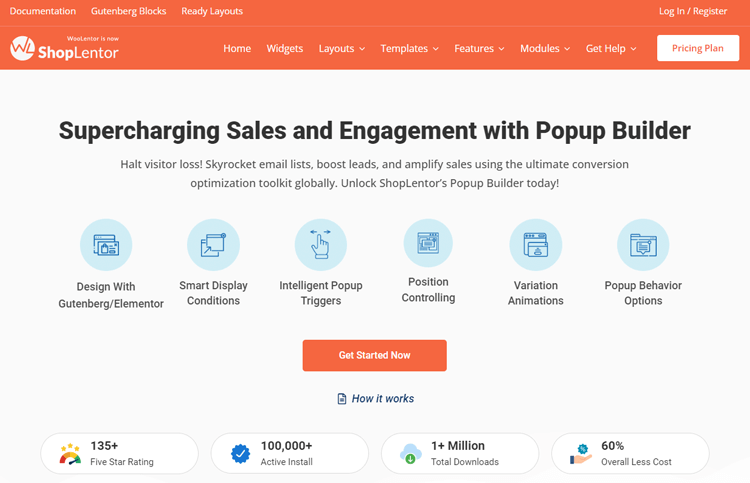
The module includes prebuilt popup templates that you can import and customize in seconds. You control popup conditions, triggers, general settings, and advanced display options all from one place. Multiple popups with different designs and settings can run at the same time — each configured independently for different pages or user actions.
Popup Widget Name: Popup Builder Module
Active Installs: 100,000+
WordPress.org Rating: 4.8/5
Key Features:
- Prebuilt WooCommerce-ready popup templates
- Custom display conditions and targeted locations
- Time delay, scroll depth, and exit intent triggers
- Multiple popup configurations running simultaneously
- Drag-and-drop design with real-time Elementor preview
- Adjustable overlay, positioning, and animation settings
- Works with both Elementor Free and Elementor Pro.
Pros and Cons
Pros:
- Best popup + WooCommerce integration in the Elementor ecosystem
- Intuitive dashboard with real-time preview makes setup fast
- Part of a full WooCommerce page builder — excellent overall value
Cons:
- Works best within the ShopLentor + WooCommerce ecosystem
- Less suited to non-eCommerce or non-WooCommerce websites
Pricing:
- Free version: ✅ Available on WordPress.org
- Premium starts at $99/year
Unlimited Elements for Elementor
Best For: Elementor users who want click-triggered text and content popups with a large widget library
Unlimited Elements for Elementor adds a Popup Widget that makes it easy to create content-overlay popups inside the Elementor editor. The widget is triggered by a button click — visitors press a button on your page and the popup appears instantly. This works well for displaying product details, additional information, video previews, or promotional messages on demand.
The widget is part of a larger library of 100+ Elementor widgets available inside Unlimited Elements. The popup design is controlled entirely within Elementor — you add your content to the popup container and style it the same way you would any Elementor section. It is a straightforward option for users who want click-to-open popup behavior without complex trigger setups.
Popup Widget Name: Popup Widget Active Installs: 100,000+ WordPress.org Rating: 4.7/5
Key Features:
- Click-triggered popup overlay inside Elementor editor
- Content-flexible — supports text, images, video, and HTML
- Part of 100+ widget library in one addon
- Simple popup container design with standard Elementor controls
- No coding required for setup or customization
- Works with Elementor Free version
- Lightweight popup behavior with no heavy scripts
Pros and cons
Pros:
- Easy click-trigger setup with minimal configuration needed
- 100+ additional Elementor widgets included in the same addon
- Clean and lightweight popup that does not slow page performance
Cons:
- Popup trigger options are limited to click — no scroll or exit intent
- Fewer pre-designed popup templates than some alternatives
Pricing:
- Premium starts at $49/year
- Free version: ✅ Available on WordPress.org
PowerPack Addons for Elementor
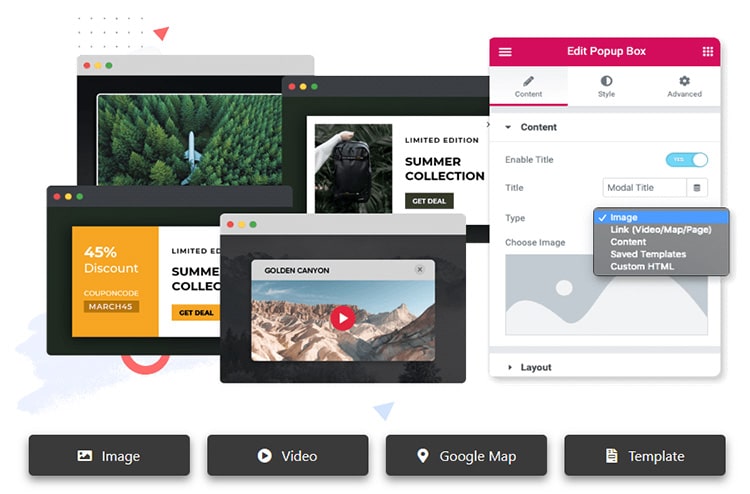
PowerPack Addons for Elementor includes a Popup Box Widget that handles a wide range of popup content types — images, videos, text, and custom HTML. The widget gives you two trigger options: auto-load on page load, or click-triggered activation. This flexibility makes it useful for both immediate attention-grabbing announcements and on-demand content reveals.
The Popup Box Widget also supports animation styles and overlay customization directly from Elementor’s style panel. You can set cookie controls to limit how often a popup appears to the same visitor, a feature that reduces popup fatigue on return visitors. PowerPack works with both Elementor Free and Pro, making it accessible to all Elementor users.
Popup Widget Name: Popup Box Widget Active Installs: 100,000+ WordPress.org Rating: 4.8/5
Key Features:
- Popup Box Widget supports images, videos, text, maps, and HTML content.
- Auto-load (page load) and on-click trigger options.
- Animation effect control directly from style panel.
- Cookie-based display control to limit repeat popups per visitor.
- Overlay color, opacity, and close button customization.
- Works with Elementor Free version
- WooCommerce product detail popup support.
Pros and Cons:
Pros:
- Cookie control for managing repeat visitor popup frequency.
- Versatile content support covers more popup types than basic modal widgets.
- Reliable 4.8-star rating from consistent long-term users.
Cons:
- No exit intent trigger in the core Popup Box Widget
- Advanced targeting conditions require Pro plan access
Pricing:
- Free version: ✅ Available on WordPress.org
- Personal (1 site): $49/year
- Business (5 sites): $99/year
- Agency (unlimited): $149/year
Happy Addons for Elementor
Happy Addons for Elementor offers a Modal Popup Widget as part of its creative widget collection. The widget supports full design customization inside Elementor, including background overlays, close button styling, and content area padding. Happy Addons is well-known for its floating effects and creative design widgets — and the modal popup follows that same design-forward approach.
The Pro version unlocks a large library of popup template presets that you can import and customize instantly. This speeds up popup creation significantly compared to building from a blank canvas. Happy Addons Pro also adds advanced animation and entrance effects to make the popup feel polished and intentional for the end user.
Popup Widget Name: Modal Popup Widget Active Installs: 400,000+ WordPress.org Rating: 4.8/5
Key Features:
- Modal Popup Widget with full Elementor style panel control
- Background overlay color and opacity adjustment
- Close button position and styling customization
- Access to creative popup templates in the Pro version
- Advanced animation and entrance effects (Pro)
- Compatible with Elementor Free and Pro
- Supports images, text, video, and form content inside modal
Pros:
- 400,000+ installs confirms strong community trust and reliability
- Pro template library reduces popup design time significantly
- Creative entrance animations add visual polish to popup interactions.
Pros and Cons:
Cons:
- Best template library access requires Pro upgrade
- Free version modal has fewer animation choices than JetPopup
Pricing:
- Free version: ✅ Available on WordPress.org
- Personal (1 site): $59/year
- Business (unlimited sites): $189/year
- Lifetime plans also available (approx. 4× annual cost)
Essential Addons for Elementor

Best For: Beginners and intermediate Elementor users who want the most popular free modal popup widget
Essential Addons for Elementor is the most widely installed Elementor addon on WordPress.org — with over 2 million active installs. Its Lightbox & Modal Widget is one of the most complete free popup widgets available inside Elementor. You can display images, videos, maps, iframes, or custom HTML content inside a fully styled modal popup without any coding.
The widget supports multiple trigger types including button click, image click, and automatic popup on page load. You can customize animation styles, overlay effects, and popup dimensions directly from the Elementor settings panel. This makes it one of the most practical free Elementor popup addons for users who want immediate results without purchasing a Pro plan.
Popup Widget Name: Lightbox & Modal Widget Active Installs: 2,000,000+ WordPress.org Rating: 4.8/5
Key Features:
- Lightbox & Modal Widget supports images, video, maps, HTML, and iframes
- Button click, image click, and auto-load trigger types
- Animation style selection from Elementor style tab
- Overlay background color and popup size customization
- Close button position and icon control
- Works fully in Elementor Free — no Pro upgrade required
- 100+ additional widgets available in the same addon
Pros and Cons
Pros:
- 2,000,000+ installs, the most trusted Elementor addon on WordPress.org
- Free version includes a genuinely complete Lightbox & Modal Widget
- Supports the widest content variety (images, video, map, iframe, HTML)
Cons:
- No built-in exit intent trigger in the core modal widget
- Heavy full-addon loading can impact page performance if not configured carefully.
Pricing:
- Free version: ✅ Available on WordPress.org
- Agency (unlimited sites): $313/year
- Agency Bundle(unlimited sites): $799/year
ElementsKit Elementor Addons
Best For: Elementor users who need an all-in-one addon with popup capability plus advanced header, footer, and mega menu building
ElementsKit is a comprehensive Elementor addon trusted by over 1 million WordPress users. It includes a Modal Popup Widget as part of its 90+ widget library, alongside advanced modules like header-footer builder, mega menu builder, and cross-domain copy-paste. The popup modal widget integrates cleanly with the rest of the ElementsKit ecosystem — so you can match your popup design to your custom header or landing page layout.
ElementsKit stands out from other popup addons because you can disable widgets and modules you do not need. This selective loading approach helps manage page speed when running a large number of widgets from one addon. The Modal Popup Widget supports custom animation, overlay controls, and multiple content types inside a fully styled Elementor modal.
Popup Widget Name: Modal Popup Widget Active Installs: 1,000,000+ WordPress.org Rating: 4.9/5
Key Features:
- Modal Popup Widget with full overlay and animation control
- Part of 90+ widget library – can be enabled/disabled selectively
- Works with Elementor Free – no Elementor Pro license required
- 1,000+ pre-designed block templates for fast popup layout starts
- Conditional content visibility by user role, device, and login status
- Cross-domain copy-paste for reusing popup designs across client sites
- Compatible with both personal and agency licensing
Pros:
- Highest rating on this list – 4.9/5 stars from 1,900+ reviews
- Selective widget loading helps protect page speed
- Cross-domain copy-paste is uniquely useful for agencies managing multiple sites
Cons:
- The full feature set has a steeper learning curve for new users
- Pro version can conflict with some Elementor Pro features in older setups
Pricing:
- Free version: ✅ Available on WordPress.org
- Personal (1 site): $49/year
- Professional (5 sites): $99/year
- Agency (unlimited): $199/year
- Lifetime plans available from $147/year
JetPopup for Elementor (by Crocoblock)

Best For: Advanced Elementor users who need professional exit intent, dynamic content, and precise display conditions
JetPopup by Crocoblock is a dedicated popup builder for Elementor and Gutenberg — and it is the most advanced popup tool designed specifically for the Elementor ecosystem.
Unlike addon widgets that add a single popup element, JetPopup gives you a full popup builder where you design entire popup templates using Elementor widgets and then assign display conditions, triggers, and animations separately. This gives you complete creative and targeting control.
Trigger options include page load, exit intent, scroll depth, click events, and time delay. Display conditions let you show popups only on specific pages, post types, user roles, or device types. JetPopup also integrates directly with other Crocoblock plugins — like JetFormBuilder for form-inside-popup and JetEngine for dynamic content inside popup overlays.
Popup Widget Name: JetPopup Builder (full popup template editor) Active Installs: Premium plugin — not on WordPress.org WordPress.org Rating: Crocoblock suite rated 4.8/5 across plugins
Key Features:
- Full popup template editor using Elementor widgets
- Exit intent, scroll depth, time delay, and click trigger types
- Display conditions by page, post type, device, user role, and date
- Animation effects, including fade, zoom, bounce, and slide
- Countdown timer, discount, subscribe, and sale pop-up presets
- Direct JetFormBuilder integration for form-inside-popup
- JetEngine integration for dynamic personalized popup content
Pros:
- Most advanced exit intent and display condition options in the Elementor ecosystem
- Full Elementor widget support inside popup — not just a modal overlay
- Dynamic content via JetEngine enables truly personalized pop-up experiences
Cons:
- No free version — premium only from Crocoblock
- Best results require using other Crocoblock plugins (JetEngine, JetFormBuilder)
Pricing:
All-Inclusive Crocoblock plan: $199/year (includes all 20+ Crocoblock plugins)
- Free version: Not available
- JetPopup (1 site): $22/year
- JetPopup (unlimited sites): $44/year
Elementor Popup Addon vs Standalone WordPress Popup Plugin – Which Is Better?
An Elementor popup addon is the right choice when you build your entire site inside Elementor. The popup matches your page design because both are created in the same editor. Setup is faster, design consistency is automatic, and you do not need to manage a second separate plugin interface.
A standalone WordPress popup plugin, like OptinMonster, Popup Maker, or Hustle is the better choice when you need enterprise-level conversion tools. These plugins offer features that most Elementor addons cannot match: cloud-based delivery, advanced A/B testing, geo-targeting, and detailed analytics dashboards.
They also work on pages not built with Elementor, giving you popup coverage across your entire site. [Link: See our full guide to the best WordPress popup plugins for standalone options.]
The clearest recommendation is this: use an Elementor popup addon if you build exclusively in Elementor and want design simplicity. Use a standalone plugin if conversion optimization, detailed targeting, and performance analytics matter more than design consistency.
Many professional WordPress sites use both, one for design-matched page-level popups and one for site-wide lead generation campaigns.
How to Choose the Right Elementor Popup Addon
The first decision factor is trigger support. Not every Elementor popup addon includes exit intent or scroll-depth triggers.
If your goal is recovering abandoned visitors or revealing popups after reading behaviour, choose JetPopup or ShopLentor, they offer the most complete trigger options. For simple click-triggered or page-load modals, any addon on this list will work.
Design flexibility and template library quality determine how quickly you can launch. Addons like Happy Addons Pro and ElementsKit include large template libraries that reduce build time from hours to minutes.
If you start from scratch for every popup, choose an addon with a strong pre-built template collection. Also check compatibility with your Elementor version — some advanced features in JetPopup and ElementsKit require Elementor Pro.
Page speed impact is a critical factor that most reviews overlook. Addons that let you disable unused widgets, like ElementsKit are safer for performance than addons that load every widget globally.
Before choosing any addon, test your Core Web Vitals score before and after installation. A fast popup that appears at the right moment converts better than a slow-loading one that frustrates the visitor first.
Frequently Asked Questions
What is the best free Elementor popup addon?
Essential Addons for Elementor is the best free option with 2,000,000+ active installs and a 4.8-star rating. Its free Lightbox & Modal Widget supports images, videos, maps, iframes, and custom HTML. HT Mega and ElementsKit are also strong free alternatives with fully functional modal widgets at no cost.
Can I create a popup in Elementor without Pro?
Yes — you can create popups in Elementor without an Elementor Pro license using third-party addons. Every addon on this list except JetPopup offers a free version that works with Elementor’s free core plugin. Elementor Pro includes its own popup builder, but it is not required when using quality addons like HT Mega or Essential Addons.
Do Elementor popup addons work with Elementor Free?
Most Elementor popup addons on this list are fully compatible with the free version of Elementor. HT Mega, Essential Addons, ElementsKit, PowerPack, and Happy Addons all work without requiring an Elementor Pro license. JetPopup is the only exception — it requires the free Elementor core but pairs well with both Elementor Free and Elementor Pro.
Which Elementor addon has the best modal popup widget?
ElementsKit has the highest-rated popup widget on this list — 4.9/5 stars from over 1,900 verified reviews. Essential Addons has the most installs (2 million+) and the most flexible content support in the free tier. JetPopup offers the most advanced popup design control overall — but it is a premium-only solution.
Do Elementor popup addons slow down my website?
Some do, especially if they load all widgets globally rather than conditionally. ElementsKit reduces this risk by letting you disable widgets you are not using. Always test your Core Web Vitals score after installing any new addon. Cloud-based standalone popup plugins like OptinMonster have zero impact on your server — but Elementor popup addons that load within the page framework are generally more speed-efficient than separate plugins when configured correctly.
What is the difference between an Elementor popup addon and a WordPress popup plugin?
An Elementor popup addon adds popup widgets inside the Elementor drag-and-drop editor. You design the popup the same way you design the rest of your page. A standalone WordPress popup plugin runs as a separate system — it has its own interface, separate from Elementor, and usually offers more advanced targeting and analytics. Use an Elementor popup addon for design consistency. Use a standalone popup plugin for advanced conversion optimization.
Watch the video about 5 Best Elementor Popup Addons to Add Excellent Modal Popups on Your Web Pages
Final Words
For most Elementor users, HT Mega is the best overall starting point. Its Modal Widget is free, works without Elementor Pro, and gives you full design control from inside the Elementor editor. If you want the most trusted and widely supported free option, Essential Addons is the safest choice — 2 million active installs and a 4.8-star rating speak for themselves.
WooCommerce store owners should go with ShopLentor’s Popup Builder Module — it is purpose-built for eCommerce popup campaigns and integrates directly with product pages and cart behavior inside Elementor. For professional developers and agencies who need exit intent, dynamic content, and precise display conditions, JetPopup by Crocoblock is the most powerful Elementor popup addon available in 2026 — starting at just $22/year.
Start with HT Mega’s free version today. Test your popup design and triggers, then upgrade to JetPopup or ElementsKit when you need more advanced targeting and control.