Elementor Social Media Widgets: Ultimate Guide to Social Integration

Looking for an easy way to add social sharing buttons to your Elementor-based website? Look no further than the Elementor Social Media/Social Share widget.
This handy widget provides a simple and easy way to add social media icons to your website, making it easy for your visitors to share your content with their friends and followers.
Plus, the widget is fully customizable, so you can choose the icons that best represent your brand or website.
Social media is a powerful tool for promoting your business and growing your audience.
The Elementor Social Share Button Widget is the perfect tool for any business looking to increase website traffic and social media engagement.
With this widget, you can easily add social share buttons to your site without any coding knowledge required.
Your visitors will be able to easily click on one of the many social media channels available and share your content with their friends and followers.
Key Takeaways
- Style social share buttons to match website design.
- Enhance website visibility with easy social media integration.
- Choose between Move Addons and HT Mega plugins.
- Customize social icons’ appearance with built-in style options.
- Compare pricing plans for both social media plugins.
- Add multiple social platforms without any coding knowledge.
Benefits of Elementor Social Media Widget
The world of digital marketing has changed a lot. Using a social media widget on your website is a great technique for digital marketing. Adding social media widgets to your website brings several key advantages:
- Drive more traffic to your website when visitors share your content on social media.
- Build trust by showing your social media following and engagement directly on your site. – Make it easy for visitors to find and follow your social media accounts instantly. –
- Save time by displaying your social media feeds automatically on your website pages.
- Match your website’s design by customizing the look of social media icons and buttons.
- Grow your online presence by connecting with visitors across different social platforms.
- Improve your Google rankings through increased social media signals and sharing.
Social media widget by Move Addons

The Elementor social media icons widget by Move Addons is an efficient Elementor widget for adding social media icons and information to your WordPress website. In the era of modern technology social media is an integral part of digital marketing. Showcase your business on social media platforms with the amazing widget by Move Addons.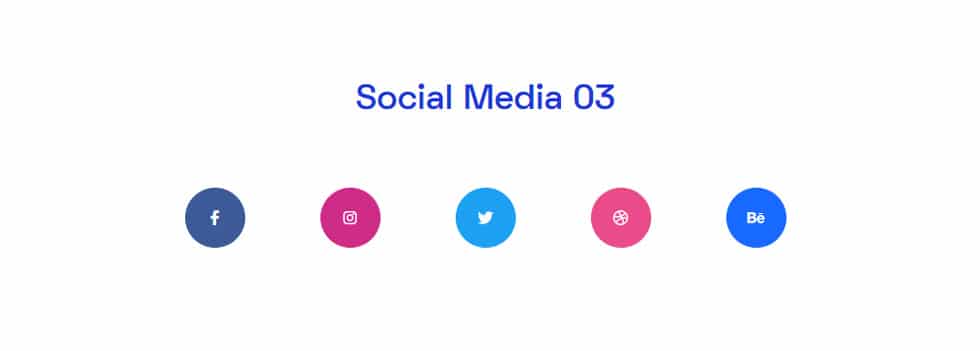
Add Facebook, Instagram, Twitter, Behance, and many more social media profiles to your web pages. Showcase what you have to offer with just a click. The content tab of this social media WordPress widget enables you to add as many social media accounts as you want. Additionally, you’ll get the option to display social media profiles with their names or icons. Choose the one that suits your website’s look more. 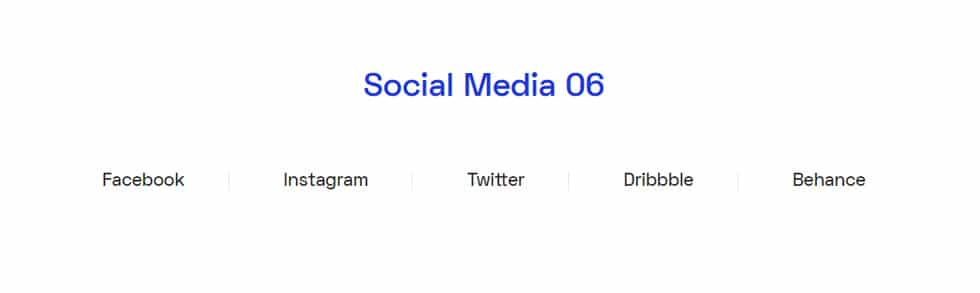
Personalize the style of your web pages and social media profiles from the style tab of Elementor social media share. Adjust the alignment and space between each icon very easily. Alter the Width, Height, Font, Size, and Color of your texts and icons with this social media widget.
This social media widget has got everything you need to add social media icons beautifully on posts and pages of your WordPress site. Furthermore, customize the Background Type, Box Shadow, Border Type, and Radius to create a unique look for your social media section.
Elementor Social Share Button Widget by HT Mega
The HT Mega Social Share widget for Elementor is a powerful tool that enables website owners to integrate social media sharing buttons seamlessly into their sites. With this widget, you can add social sharing links for any of your favorite social media platforms.
The widget supports a wide array of social media platforms, including Facebook, Twitter, LinkedIn, Pinterest, and more. You can customize the title and icon for each social media link individually, choosing from a variety of styles and options. With 8 distinct styles, this widget allows for customization to match the website’s design and aesthetics.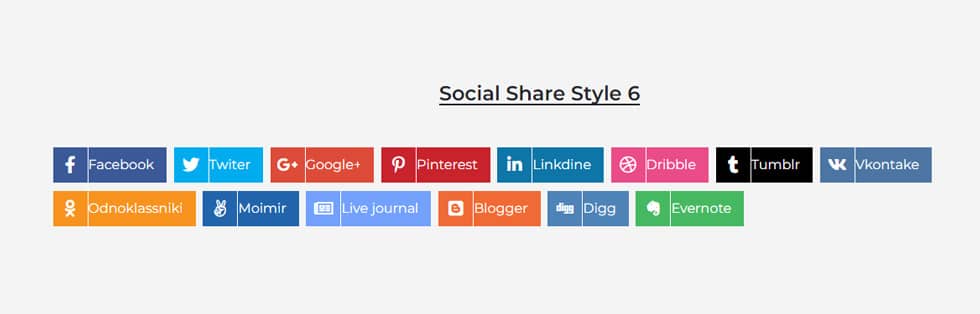
You can also select what information is displayed on the social media buttons, making it easy to drive traffic back to your site. From the style tab, you can manage the border type, background color, typography, and more. Plus, with multiple styling options available, you can ensure that your sharing buttons look great on any website.
How to Add Social Share Widget using HT Mega Elementor Addon
Pricing Plan: HT Mega and Move Addons
Check the pricing table for Move Addons and HT Mega plugins.HT Mega Move Addons 1 Website: $49/year 1 Website: $39/year 5 Websites: $79/Year 5 Websites: $89/Year 999 (Growth Package) Websites: $99/Year Unlimited Websites: $179/Year Buy Now or Check Pricing Plan Buy Now or Check Pricing Plan
Frequently Asked Questions
Which social media widget is best for Elementor?
Two popular options here are Move Addons and HT Mega, both of which offer comprehensive social media integration features.
Can I customize the appearance of social media icons?
Yes, you can customize the appearance of social media icons.
What social media platforms are supported in Elementor?
Both widgets support major platforms, including Facebook, Twitter, Instagram, LinkedIn, Pinterest, and more.
Can I display live social media feeds on my website with Elementor?
Yes, by using specific widgets or plugins, you can showcase live social media feeds to keep your content fresh.
Conclusion
Elementor Social Media/ Social Share Widget is a great way to increase the reach of your blog posts and drive traffic back to your website. The widget makes it easy for readers to share your content on their favorite social media platforms, and the built-in analytics help you track how well your posts are performing. So if you’re looking for an easy way for your readers to share your content on social media, be sure to check out these widgets.