How to Fix 502 Bad Gateway Error for a Website: Quick & Easy Ways

How to Fix 502 Bad Gateway Error? This is a question that troubles many website owners. The 502 Bad Gateway error can be a major inconvenience, preventing people from accessing your website.
In this article, we will discuss quick and easy ways to fix the 502 Bad Gateway Error. We will also provide some tips on preventing it from happening in the first place. Let’s get started!
- Key Takeaways:
- What is the 502 Bad Gateway Error
- Different Variations of 502 Bad Gateway Error
- What are the Causes of 502 Bad Gateway Error
- How to Fix 502 Bad Gateway Error
- Refresh Your Browser
- Restart Your Equipment
- Clear Your Browser’s Cache
- Change Your DNS Server
- Contact the Website Administrator or Your ISP
- The Different 500 Error Codes
- Conclusion
Key Takeaways:
- Find out how changing your DNS server to Google’s public DNS can help reduce 502 Bad Gateway issues and improve site performance.
- Learn what a 502 Bad Gateway error means and how it occurs due to issues with server communication or configuration.
- Discover the most common causes of the 502 Bad Gateway error.
- Get detailed guidance on how to fix 502 Bad Gateway errors.
- Learn how firewalls and security measures might block requests, leading to a 502 Bad Gateway error, and how to resolve it.
What is the 502 Bad Gateway Error
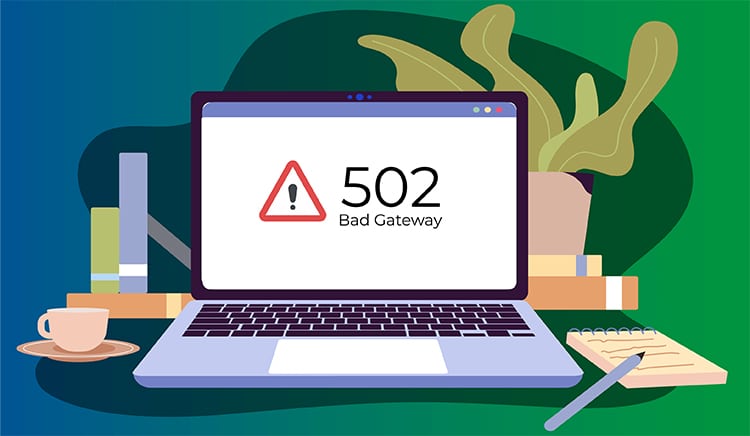
The Internet Engineering Task Force (IETF) explains the 502 Bad Gateway error as follows:
“The 502 (Bad Gateway) status code indicates that the server, while acting as a gateway or proxy, received an invalid response from an inbound server it accessed while attempting to fulfill the request.”
In simpler terms, this means the gateway or proxy server couldn’t get a valid response from the upstream server, resulting in a failed request. It is a type of HTTP status code that signals a communication breakdown between servers.
So, 502 Bad Gateway means users were able to connect to the origin server, but that server couldn’t deliver the requested web page.
This error often occurs when something is blocking the request between your browser and the destination web server, such as a firewall or a misconfigured proxy.
It can also be caused by overloaded web servers or slow connections between the origin and destination servers. Fortunately, there are steps you can take to troubleshoot this issue and determine its source quickly.
Different Variations of 502 Bad Gateway Error
The 502 Bad Gateway error can appear in various forms depending on your browser, operating system, and web server configuration. While the core issue remains the same, recognizing these variations helps identify the problem faster.
Common 502 Error Messages:
- 502 Bad Gateway: The standard error message
- 502 Bad Gateway nginx: Appears on sites using nginx web server
- 502 Proxy Error: Common on Apache servers with proxy configurations
- 502 Service Temporarily Overloaded: Indicates server capacity issues
- HTTP 502: Basic HTTP protocol error notation
- 502 Server Error: The server encountered a temporary error such as Google’s version
- Bad Gateway: The proxy server received an invalid response such as Detailed proxy error
- 502 That’s an error: Simplified Google Chrome message
- Error 502 (Server Error): Alternative browser format
- 502 – Web server received an invalid response: Microsoft IIS server message
Browser-Specific Variations:
Different browsers may display the 502 error with unique styling or messages. Chrome shows a simple gray page, Firefox displays a white page with text, and Safari may show a “can’t connect to server” message. Mobile browsers often show simplified versions of these errors.
Custom 502 Error Pages:
Many websites create custom 502 error pages to maintain brand consistency. These might include the company logo, a friendly message, or even humor. Twitter’s “Fail Whale” and GitHub’s “Angry Unicorn” are famous examples of creative 502 error pages.
What are the Causes of 502 Bad Gateway Error
If you’re wondering, “Does 502 Bad Gateway mean blocked?”, the answer lies in identifying its common causes and knowing the right 502 Bad Gateway fix.
Server Overload
When web servers are overwhelmed with requests, it can result in a 502 Bad Gateway error. This often happens due to incorrect coding, poor website maintenance, or sudden spikes in web traffic.
Request Blocked by a Firewall
Additionally, if a security measure like a firewall is installed, it may block certain incoming requests. These blocked requests, seen as malicious or suspicious, can result in a 502 error.
Both of these issues can usually be fixed quickly by increasing the capacity of the server or setting the appropriate firewall rules.
Faulty Programming
The primary cause of this error is faulty programming, which can create an obstacle between users and the requested content they are trying to access.
Additionally, this type of error can also be caused by a misconfiguration on the server side, like an overloaded server or unsuitable coding.
Network Errors
There are numerous causes of the ‘502 Bad Gateway Error’ message. Network errors are one such cause of a 502 Bad Gateway error. They usually stem from a faulty proxy or router in the server infrastructure.
Other causes include disparate or malfunctioning connections between two separate networks. A server failure due to overload or ongoing maintenance can also trigger this error.
Server Software Timeouts
If the server cannot access the other server due to high latency or fails to receive a valid response, it can result in the 502 error. An overloaded web page or database connection may also be responsible for a 502 Bad Gateway error. This can result in prolonged resource shortages and associated timeout issues during user requests.
How to Fix 502 Bad Gateway Error
If you encounter a 502 Bad Gateway error, don’t worry! Several troubleshooting steps can help resolve the issue.
Below are some solutions to fix this error and restore proper functionality to your website.
Refresh Your Browser
When you come across the frustrating ‘502 Bad Gateway error’, there might be hope yet to fix the issue. It is recommended to start off by refreshing your browser, as this can sometimes help reset the connection between your device and server, allowing you to resume regular browsing.
Restart Your Equipment
When you come across the frustrating ‘502 Bad Gateway error’, there might be hope yet to fix the issue. It is recommended to start by refreshing your browser. This can sometimes help reset the connection between your device and the server, allowing you to resume regular browsing.
Clear Your Browser’s Cache
Even with a simple 502 Bad Gateway Error, such as when a website won’t load properly, there’s almost always an easy fix. One great place to start is by clearing your browser cache. Like most setting options within major browsers, finding the cache option should be fairly straightforward.
Simply go into settings and search for it in the browser’s search field. This information in the browser cache can become cluttered or corrupted over time, leading to errors like this.
Change Your DNS Server
If you’re constantly getting 502 Bad Gateway errors while browsing the Internet, it may be time to change your DNS server.
Changing the DNS server service to Google’s public DNS servers can help. This allows your computer to connect to different websites quickly and easily, reducing errors.
Open DNS servers offer improved speed, security, and reliability over what you might have set up by default with your Internet service provider.
Contact the Website Administrator or Your ISP
Dealing with a 502 Bad Gateway Error can be an incredibly frustrating experience. Fortunately, it’s possible to resolve the issue without much difficulty.
One of the most important steps is to contact the website administrator or your Internet Service Provider (ISP). When you reach out, let them know that you’re receiving a “Bad Gateway Error”, and they should be able to assist you with troubleshooting and helping fix the problem. 
The Different 500 Error Codes
Although 500 errors can be very annoying, each status code bad gateway holds a significant amount of information for those who know how to read it.
- 500 Internal Server Error: This is the catch-all sign of a generic server error, while
- 501 Not Implemented: It means the server cannot comprehend or process the request.
- 502 Bad Gateway: It is displayed when there’s an upstream server response error and
- 504 Gateway Timeout: It occurs when the gateway has timed out, waiting for other DNS servers to respond.
All such issues can be resolved by the server admin or by contacting service providers if necessary.
Frequently Asked Questions
Can a firewall lead to a 502 Bad Gateway error?
Yes, firewalls can cause 502 errors by blocking legitimate server requests. Your firewall might mistake normal traffic for malicious activity and block it. Check your firewall settings and whitelist your server’s IP address. Temporarily disable the firewall to test if it’s causing the issue.
How long does a 502 Bad Gateway error last?
A 502 Bad Gateway error typically lasts from a few seconds to several minutes. Most errors resolve within 5-10 minutes as servers recover from temporary overload. If the error persists beyond 30 minutes, contact your hosting provider. Refresh your browser periodically to check if the issue is resolved.
Is 502 Bad Gateway a virus or security threat?
No, a 502 Bad Gateway is not a virus or security threat. It’s a standard HTTP error indicating server communication problems. The error occurs when one server can’t reach another server properly. Your computer is safe, and no malware is involved in this error.
What’s the difference between 502 and 504 errors?
A 502 error means the server received an invalid response from another server. A 504 error indicates the server didn’t receive any response within the timeout period. Both involve server communication issues, but 502 is about bad responses. The 504 specifically relates to timeout problems between servers.
Will a 502 error hurt my website’s SEO?
Occasional 502 errors won’t significantly impact your SEO rankings or traffic. Search engines understand temporary server issues happen to all websites regularly. However, frequent or prolonged 502 errors can hurt rankings and user experience. Fix persistent errors quickly to maintain good SEO health.
How do I fix a 502 Bad Gateway on my website?
First, refresh your browser and clear your cache to rule out client issues. Check your server logs for specific error messages or timeout problems. Restart your web server and database services to reset connections. Contact your hosting provider if the error persists after these steps.
Conclusion
The 502 Bad Gateway error is a common and often frustrating issue for many users. However, the good news is that it is typically a temporary problem. It can often be resolved by simply refreshing your browser or trying again after a short time.
While it might seem like a minor glitch, the 502 Bad Gateway error can sometimes involve complex server issues. For a smoother experience, it’s highly recommended to reach out to an IT specialist who can swiftly identify and resolve the underlying cause.
So, don’t let this error disrupt your workflow! By understanding the causes and how to troubleshoot, you’ll be better prepared when this issue arises.