
Uncover the location of your Pixel ID effortlessly with our informative documentation. Navigate through our user-friendly guide to locate your Pixel ID within your Facebook Ads Manager. Simplify the process of integrating your Pixel for precise tracking.
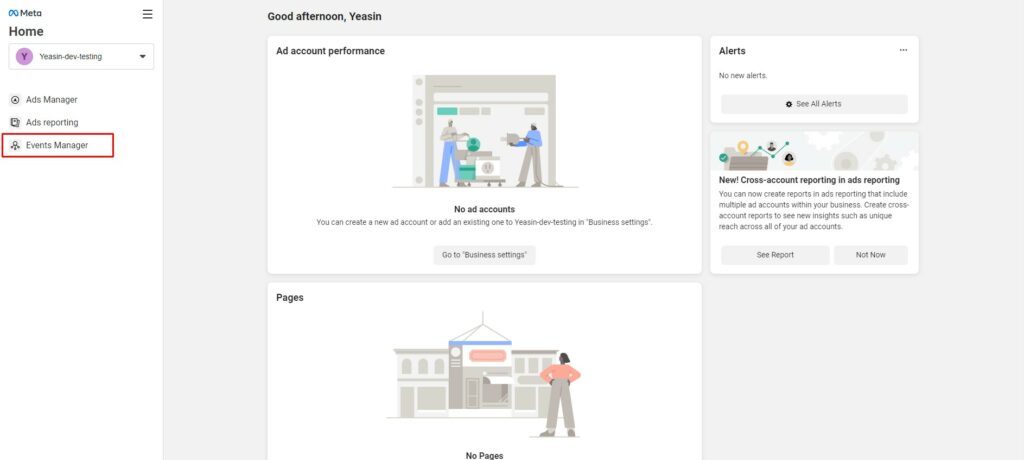
Access your Facebook business account and select the “Events Manager” option from the left-side menu.
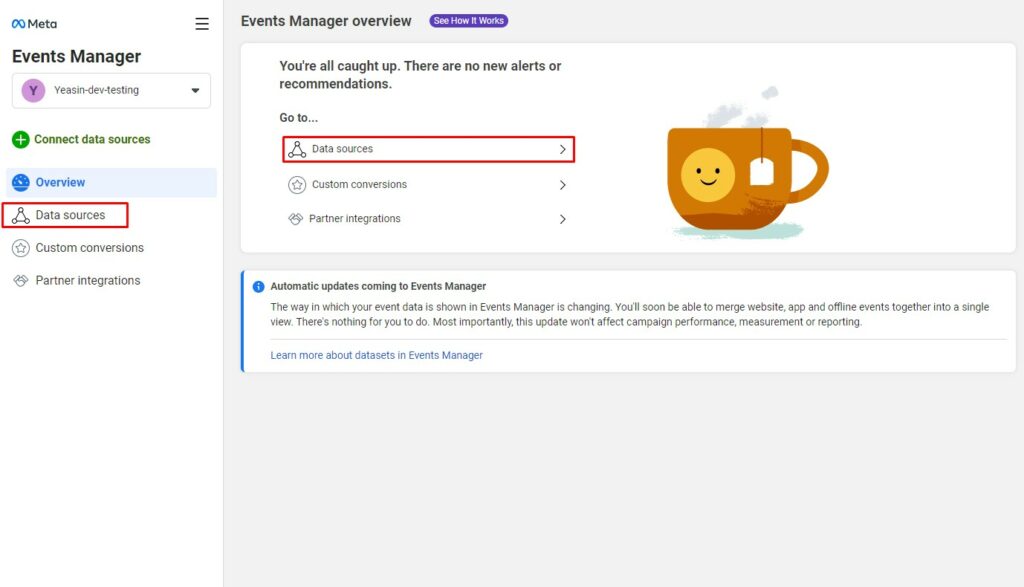
Choose the “Data Sources” option from either the left-side menu or the card in the content area.
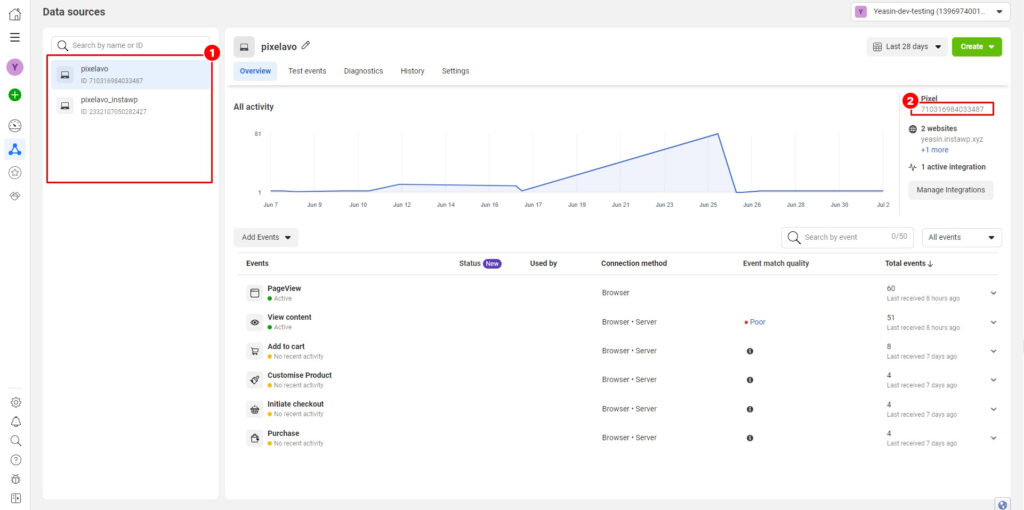
Follow this step:
1. Select the desired pixel from the left side to access its details.
2. On the right side, you can locate and copy the Pixel ID.
Last updated on March 10, 2026
Was this article helpful?
Powered by Support Genix