5 Best Best WooCommerce Google Analytics Plugin for GA4 Stores: Unlock the Power of WooCommerce Analytics

WooCommerce is a top choice for online stores looking to grow their eCommerce businesses. Store owners need effective tools to understand how their online shops are performing.
Understanding how customers shop and what they prefer helps create better shopping experiences. Google Analytics plugins make it easy to track and improve your WooCommerce store’s performance.
Today, we’ll show you the 5 best WooCommerce Google Analytics plugins for your store. These tools will help you make smarter decisions based on real customer data. Let’s dive right in!
Quick Answer: Which Plugin Is Best for WooCommerce?
If you want simple but accurate tracking, the Best WooCommerce Google Analytics Plugin for most GA4 stores is HT Easy GA4. It connects WooCommerce to GA4, tracks ecommerce events automatically, and shows sales reports inside your WordPress dashboard. Other strong options include WooCommerce Google Analytics Pro, MonsterInsights, Glew, and Site Kit by Google, depending on how deep you want to go with marketing and multi‑channel analytics.
Quick picks
- HT Easy GA4 – Best all‑round GA4 plugin for WooCommerce.
- WooCommerce Google Analytics Pro – Official‑style enhanced ecommerce tracking.
- MonsterInsights – Popular analytics plugin with WooCommerce addon.
- Glew – Analytics platform for deeper store intelligence.
- Site Kit by Google – Free official plugin that complements GA4 tracking.
Why Use Google Analytics Plugins for WooCommerce?
WooCommerce already shows basic reports. But they do not tell you the full story. A dedicated analytics plugin connects your store to GA4 and turns raw data into insights you can act on.
With the right plugin, you can see:
- Which products bring in the most revenue.
- Which traffic sources actually drive sales.
- Where customers drop off in the checkout process.
- How often customers come back and buy again.
Using a WooCommerce analytics plugin also means you do not have to paste tracking code manually. The plugin handles most of the setup so you can focus on running your store.
If you need basic tracking for a non‑store site, such as a blog or portfolio, use a separate guide on the best Google Analytics plugins for WordPress instead. This article is only for WooCommerce ecommerce tracking.
Benefits of Integrating Google Analytics with WooCommerce
Connecting WooCommerce with GA4 gives you more than simple pageview data. It adds real business metrics.
Some key benefits include:
- Deeper traffic insights – See sessions, users, and engagement for every important page.
- Ecommerce revenue tracking – Track total revenue, orders, average order value, and refund data.
- Product performance – Discover which products, categories, and bundles work best.
- Marketing ROI – Connect campaigns to actual revenue instead of only clicks.
- Cart and checkout insights – See where customers leave the funnel and test improvements.
- Customer behavior – Understand how new and returning customers move through your store.
If you are new to GA4, you can also read separate tutorials on what Google Analytics is and which GA metrics matter most, then come back to this list when you are ready to pick a plugin.
HT Easy GA4
#1 📈 Google Analytics Plugin for WordPress
🚀 Supercharge your WordPress website with analytical insights. (Including WooCommerce Report)
How Plugins Make GA4 Integration Easier
Linking WooCommerce to GA4 by hand is possible. But it is easy to make mistakes and hard to maintain. Plugins simplify this in several ways:
- Quick setup: Most plugins include a setup wizard and Google login flow.
- Automatic events: Ecommerce events like add to cart and purchase are sent to GA4 without extra code.
- On‑site dashboards: You can read key reports inside WordPress instead of learning every corner of GA4.
- Extra tracking: Many plugins add outbound link, file download, and form tracking for you.
- Better user experience: With clear reports, it is easier to improve UX, speed, and conversion rate.
To get even more value, pair your analytics plugin with other WooCommerce tools such as ShopLentor or HasThemes’ recommended plugins list for building a fully functional online store.
ShopLentor – WooCommerce Builder for Elementor & Gutenberg
A versatile page builder to build modern and excellent online stores with more than 100k Active Installations.
Factors to Consider When Choosing a WooCommerce Analytics Plugin
When you choose a plugin, keep these points in mind:
- Compatibility: Make sure it supports GA4 and your versions of WordPress and WooCommerce.
- Ecommerce depth: Check if it tracks product views, add to cart, checkout steps, and purchases.
- Ease of use: Look for a clean dashboard and simple settings.
- Performance: Choose plugins that are lightweight and well‑coded.
- Support and updates: Active development and documentation are important.
- Pricing: Free plugins can be enough at the start, but advanced features often require a paid plan.
If you want a broader view of store tools, you can also read HasThemes’ “Ultimate plugins list to make and scale a fully functional WooCommerce store” and combine those with your analytics choice.
Don’t overlook this crucial factor to ensure that you choose the best WooCommerce Google Analytics plugin for your business needs.
Pricing Options and Value for Money
Pricing options and value for money are two critical factors to consider. While some premium plugins might be a bit expensive, they can offer better features and functionalities to improve your store’s performance.
On the other hand, some free plugins might miss some features, but they can be an excellent starting point for beginners. So, it’s essential to weigh the pricing options and determine which option offers the best value for money.
In our search for the best WooCommerce Google Analytics plugins, we found several options that strike a balance between cost and functionality.
Top WooCommerce Google Analytics Plugins
Table of Contents
HT Easy GA4 ( Google Analytics 4 )
If you’re looking for the best WooCommerce Google Analytics plugins on the market, look no further than the HT Easy GA4 WordPress plugin.
With the rise of Google Analytics 4, it’s more important than ever to have a tool that integrates mobile app data and website usage data into a single property. The HT Easy GA4 plugin does just that, making it an invaluable tool for website owners and app developers alike. 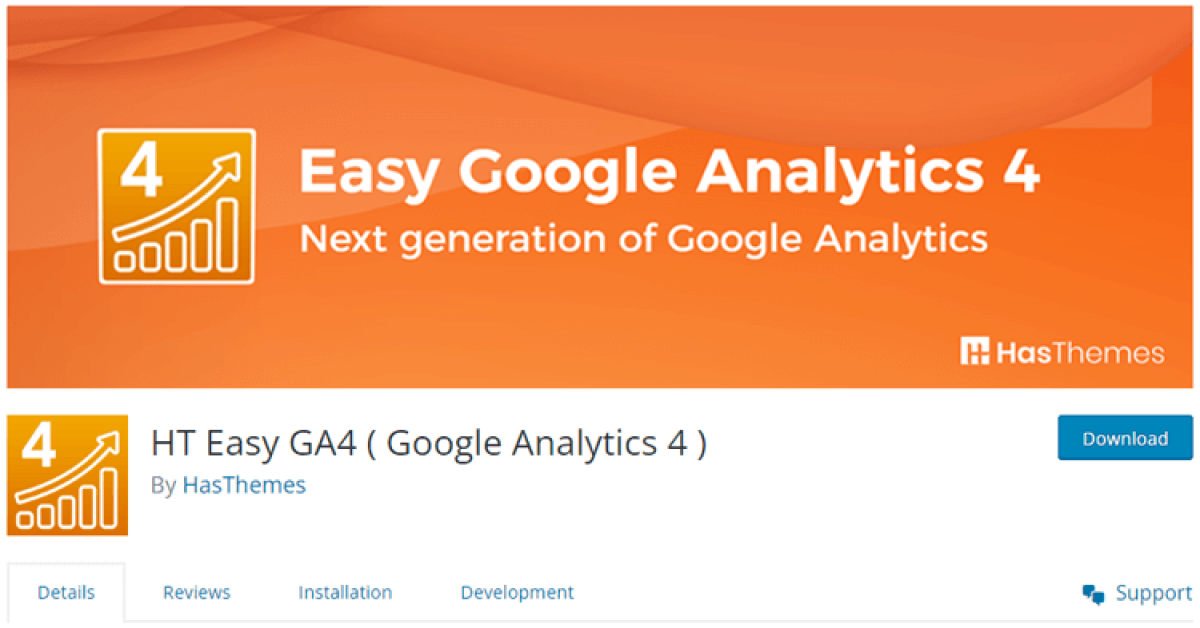
By tracking customer behavior, user experience, and other key metrics, you’ll be in a better position to optimize your website content and device functionality. Ultimately, the HT Easy GA4 plugin offers a simple and powerful way to stay ahead of the curve and get even more out of the Google Analytics tool.
Key Features
- Unified view between app and web
- More intelligent user privacy and tracking features
- Updated User Interface with several new reporting tools
- A Plethora of Parameters
Pricing: $59/Year
WooCommerce Google Analytics Pro
If you’re looking for the best WooCommerce Google Analytics plugin, then WooCommerce Google Analytics Pro should be at the top of your list. This plugin seamlessly integrates Google Analytics with your online store and provides clear insights about your traffic and eCommerce events.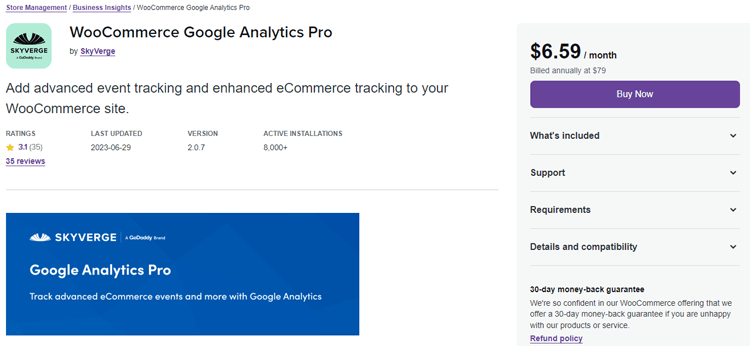
With this handy tool, you can quickly see your sales figures by product or category, conversion rate, and average order value.
What’s more, this plugin automatically adds these crucial eCommerce events to your analytics dashboard, so you can make timely improvements to your site and boost your conversion rate and revenue. If you’re serious about growing your online store, then WooCommerce Google Analytics Pro is a must-have plugin.
Key Features
- Allows you to exclude shop managers from tracking along with site admins
- Track User IDs for more accurate user counts
- Tracks basic eCommerce events like “add to cart” or “checkout started.”
- Adds advanced eCommerce event tracking, such as “coupon addition/removal” and “cart quantity changed.”
- Track manually added orders
Pricing: $79/ Year.
MonsterInsights
When it comes to finding the best Google Analytics plugin for your WooCommerce store, MonsterInsights is undoubtedly a standout choice. This powerful and user-friendly plugin offers valuable insights into user behavior across your entire website, including detailed reports on eCommerce events.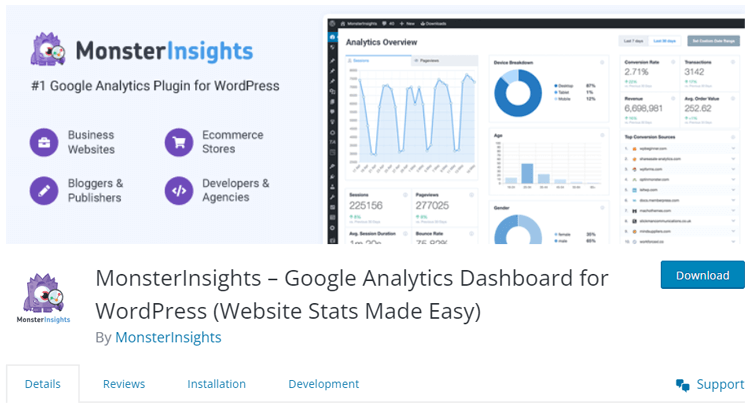
One of the most interesting features of MonsterInsights is its ability to provide real-time user data and access information about different pages, posts, and sections of your site directly from your WordPress dashboard.
In addition to performance optimization and A/B testing, this plugin makes it easy to set up custom events to track without any complicated configuration steps. Overall, MonsterInsights is an indispensable tool for any eCommerce site looking to enhance its analytics capabilities.
Key Features
- Affiliate Link Tracking
- Universal Analytics & GA4
- eCommerce Tracking
- SEO Score Tracking
Pricing:
- Agency: $399.60/ year
- Pro: $199.60/ year
- Plus: $99.60/ year
HT Easy GA4
#1 📈 Google Analytics Plugin for WordPress
🚀 Supercharge your WordPress website with analytical insights. (Including WooCommerce Report)
Glew
As the world of eCommerce continues to grow, it’s becoming more important than ever to have a thorough understanding of your website’s performance and customer behavior. That’s where Glew comes in.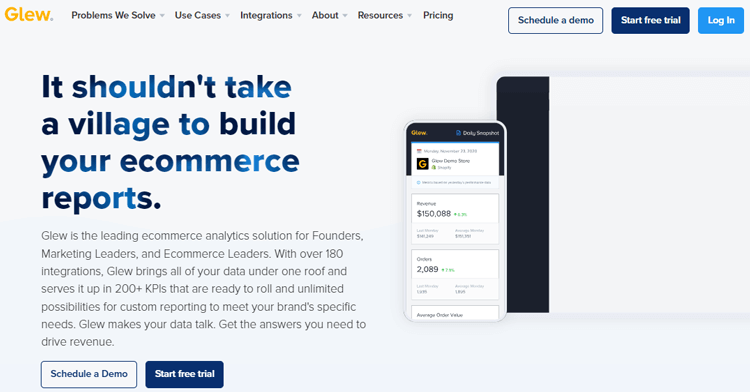
It’s one of the best WooCommerce Google Analytics plugins available, offering comprehensive analytics tools that allow businesses to combine insights from multiple platforms, including Google Analytics, Facebook, Instagram, and Amazon.
This data not only gives you a better perspective on your marketing efforts but also helps you create innovative strategies and gain a deeper understanding of your customers. With efficient segmentation tools and sharp inventory insights, Glew provides businesses with valuable insights that can drive growth and success.
Key Features
- Data Management
- Customer Retention
- Product Inventory
- Reporting and Analytics
Pricing:
- Starter: Free
- Pro: Free
- Plus: Contact
Site Kit by Google
When it comes to managing different aspects of Google tools integrated with your website, finding the right tool to do so can be overwhelming. However, with Site Kit, the official integration plugin from Google, you can rest assured that you’re getting the best WooCommerce Google Analytics plugin on the market. Site Kit makes it easy to access data from Search Console, AdSense, Tag Manager, Optimize, and more. 
And the best part? You can do it all directly from your WordPress dashboard without complicated coding efforts. With Site Kit, you can easily manage your website’s performance and gain valuable insights into how your visitors interact with your content.
So, if you’re looking for the ultimate solution to help you streamline your website’s data management, Site Kit is the perfect fit for you.
Key Features
- PageSpeed Insights
- Search Console
- Analytics
- Tag Manager

Frequently Asked Questions
Do I need a plugin to use Google Analytics with WooCommerce?
You can add GA4 tracking code manually, but a plugin is safer and easier because it handles ecommerce events, reduces tracking errors, and gives you ready‑made reports without custom code.
Can I use more than one WooCommerce Google Analytics plugin at the same time?
It is technically possible but not recommended, because running multiple tracking plugins can create duplicated hits, inflated numbers, and conflicts in your GA4 reports
Will these plugins slow down my WooCommerce store?
Most well‑coded analytics plugins add only a small amount of overhead, but you should still choose lightweight tools, keep them updated, and avoid running multiple tracking plugins at once.
Do I need GA4 experience to use these WooCommerce analytics plugins?
No, you can get started without deep GA4 knowledge; most plugins include setup wizards and simple dashboards, and you can learn more advanced GA4 reports over time as your store grows.
Final Thoughts
You do not need every tool on this list. Start by choosing the best WooCommerce Google Analytics Plugin that matches your current stage and skills.
If you want simple setup and clear ecommerce reports inside WordPress, HT Easy GA4 is often the best place to start. It handles GA4 events for WooCommerce, shows revenue and product data, and stays lightweight.
If you prefer official WooCommerce tools, use WooCommerce Google Analytics Pro. For marketing‑heavy reports, MonsterInsights is a strong choice. As your store grows, you can combine these with tools like Glew or Site Kit to add more layers of insight without losing control.
Once your plugin is installed, set a weekly habit. Check your revenue, top products, and checkout drop‑off points. Then make one small improvement each week, better product pages, clearer CTAs, faster checkout. Over time, those changes will matter far more than which plugin you picked, as long as your analytics are set up correctly.