5 Best WordPress FAQ Plugins in 2026 (Boost Support, UX, and SEO)

If your inbox is full of repetitive questions like “How does shipping work?” or “Can I get a refund?”, you need a better way to answer customers at scale. The best WordPress FAQ plugins help you turn those repeating questions into a clear, searchable FAQ section that works 24/7.
A good FAQ plugin lets you organize questions into categories, display them in accordions or toggles, and place them on any page, product pages, pricing pages, blog posts, or a dedicated help center. Many also support FAQ schema, which can unlock rich results in Google and make your answers easier for AI tools to extract.
In this guide, we’ll cover:
- What FAQs WordPress plugins are?
- Key benefits for support, UX, and SEO
- The 5 best WordPress FAQ plugins in 2026
- Practical FAQs about choosing and using these plugins
Quick answer:
Which are the best WordPress FAQ plugins? The best WordPress FAQ plugins let you create fast, mobile-friendly accordion FAQs, reduce support tickets, and boost SEO with FAQ schema and rich results. This updated guide compares features, pricing, and use cases of the 5 best WordPress FAQ plugins so you can pick the right tool for your site.
Table of Contents
What are FAQ WordPress plugins?
FAQ WordPress plugins are tools that help you create and manage “Frequently Asked Questions” sections without writing code. They usually provide an accordion or toggle interface where visitors can click a question to reveal the answer.
These plugins often include options for categories, search, icons, and layout control. Many modern solutions also integrate with page builders like Elementor or Gutenberg and support FAQ schema markup so search engines better understand your Q&A content.
What are the Benefits of Using FAQ WordPress Plugins”
Using a dedicated FAQ plugin instead of manually building sections with headings and paragraphs gives you several advantages.
Faster support: Visitors can self-serve answers without contacting you.
Higher conversions: Clear answers remove friction from checkout, pricing, and sign-up flows. – Better UX: Accordions and categories keep long FAQ lists easy to scan on mobile.
SEO and AI benefits: With FAQ schema and question-style headings, you can win FAQ rich results and make your content easier for AI assistants to summarize.
Consistency: Centralized FAQs ensure your team gives the same answer everywhere.
The 5 Best Responsive FAQ WordPress Plugins
HT Mega
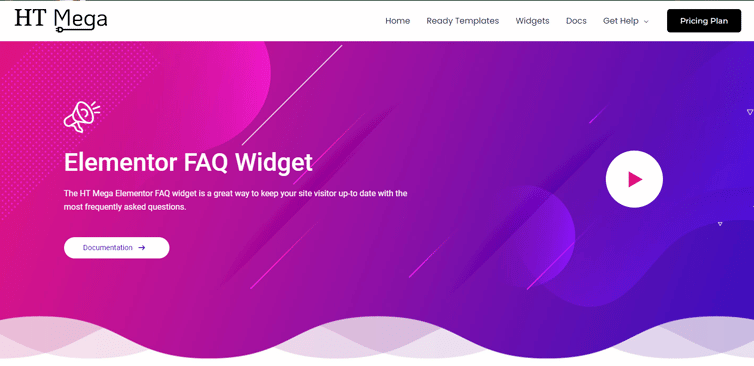
If you use Elementor and care a lot about design, HT Mega is one of the best WordPress FAQ plugins you can choose. It’s a large bundle of Elementor Addons , and its dedicated FAQ widget lets you add FAQs anywhere on your pages with five attractive styles.
You can drag and drop FAQ sections into hero sections, pricing tables, product pages, or landing pages. This lets you answer objections exactly where they appear in your funnel, instead of sending users to a separate help page.
Highlighted Features:
- 5 Styles
- Clean and intuitive design
- Cross Browser Compatible
- Intuitive designs
- Easy to use
Pros and Cons
Pros
- Deep Elementor integration with many widgets beyond FAQs.
- Multiple FAQ layouts make it easy to match your brand and page structure.
Cons
- Can feel heavy if you only need a simple FAQ and not a big addon bundle.
- Requires Elementor, so it’s not suitable for Gutenberg-only sites.
Pricing: There are 2 different pricing One Year plans for HT Mega:
Yearly Plans:
- Personal Plan: $49/ Yearly
- Developer Plan: $79/ Yearly
- Growth Plan: $99/ Yearly
One-Time Plans:
- Personal Plan: $99 ( One Time Fee)
- Developer Plan: $149 ( One Time Fee)
- Growth Plan: $199 ( One Time Fee)
Best for
Elementor users who want fine control over FAQ design and want to place FAQs contextually across landing and sales pages.
Move Addons

Move Addons is another Elementor addon bundle that includes an easy-to-use FAQ widget alongside a large collection of other widgets. With over 80+ Elementor Widgets, you can make changes without having to deal with complex code or guesswork.
If you want to avoid installing a separate FAQ plugin and keep everything inside your existing Elementor workflow, this is a strong choice.
Its FAQ widget offers several styles and is designed to be fast, responsive, and simple to customize. You can quickly build compact FAQ sections that look good on mobile, which is essential when answering pre-purchase questions. All in all, the Move Addons for Elementor plugin is a must-have for anyone looking for website customization options.
Highlighted Features:
- 4 Styles
- Clean and intuitive design
- Compatible with all devices
- Responsive and Customizable
- Easy to use
Pricing: There are 2 different pricing Yearly Bundle plans for Move Addons:
Yearly Bundle plan:
- Personal Plan: $39/ Yearly
- Developer Plan: $89/ Yearly
- Agency Plan: $179/ Yearly
Lifetime Bundle plan:
- Personal Plan: $149/ Lifetime
- Developer Plan: $349/ Lifetime
- Agency Plan: $549/ Lifetime
Best for
Elementor-powered sites that want a simple FAQ widget plus a wider widget bundle, without adding a standalone FAQ plugin.
Ultimate Blocks
If you build your site with the Gutenberg block editor, Ultimate Blocks is one of the best WordPress FAQ plugins for SEO. It’s a collection of 20+ blocks, and its “Content Toggle” block is perfect for FAQs.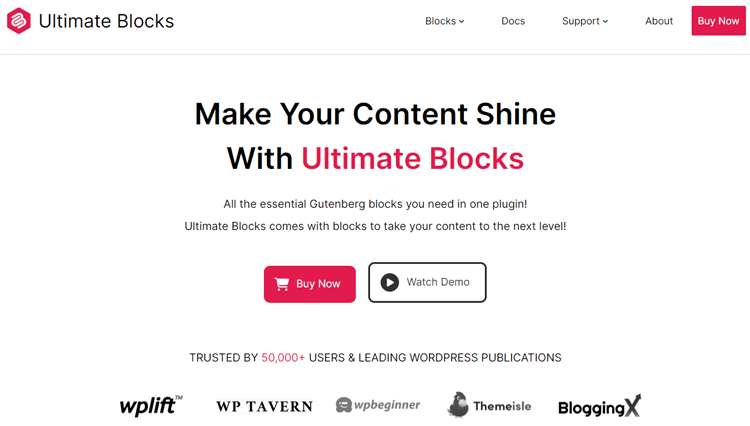
You can create collapsible sections or accordions and, importantly, the block supports FAQ schema and an optional search bar. This means search engines can better understand your questions and answers, and visitors can quickly find what they need in longer FAQ lists.
Highlighted Features:
- Collapsible section
- Clean and intuitive interface
- FAQ schema
- Mobile friendly
- Advanced search bar
Pros and Cons:
Pros
- Built-in FAQ schema support makes it very SEO-friendly.
- Native Gutenberg experience keeps your editing workflow simple and consistent.
Cons
- Some advanced features require the premium version.
- Primarily focused on Gutenberg; not the best fit if you rely heavily on Elementor or other builders.
Pricing: There are 3 different pricing plans for Ultimate Blocks:
- Free Plan: Free
- Yearly Plan: $59/Yearly
- Lifetime: $179/Lifetime
Best for
Bloggers, publishers, and marketers using Gutenberg who want SEO-ready FAQs with schema and search built in.
Ultimate FAQ
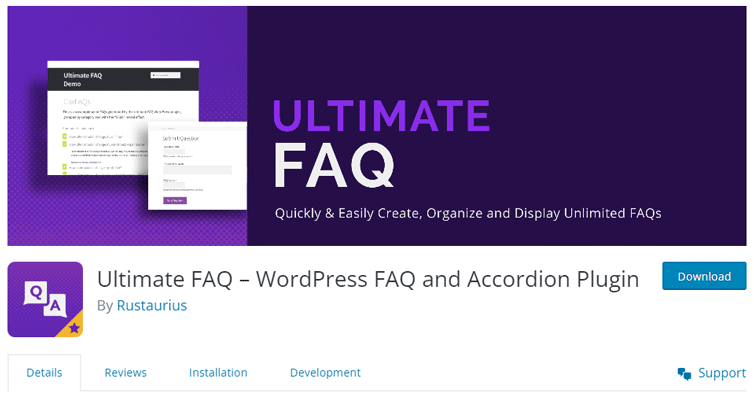
Ultimate FAQ is designed as a complete FAQ management system rather than just a small widget. You can create unlimited FAQs, organize them into categories and tags, and display them anywhere using Gutenberg blocks, shortcodes, and patterns.
Its dashboard stats show which questions are viewed most often, helping you understand your customers’ real concerns and refine your support and content strategy. The built-in search form also makes large FAQ collections easier to navigate.
Highlighted Features:
- Create unlimited FAQs
- Create unlimited FAQ categories and tags
- Easy-to-use Gutenberg blocks to display your FAQs anywhere
- FAQ shortcodes for extra flexibility
- Responsive accordion layout
Pros and Cons
Pros
- Scales very well for sites with many products or complex documentation.
- Analytics and search features help you prioritize and improve your FAQs.
Cons
- Setup can feel more involved than lightweight FAQ-only plugins.
- Some advanced features and integrations are locked behind the premium version.
Pricing: There are 2 different pricing One Year plans for Ultimate FAQ:
- Free Plan: Free
- Premium Plan: $30/ Yearly
WP Responsive FAQ with Category Plugin
WP Responsive FAQ with Category Plugin focuses on making FAQ management easy for sites that have many topics or product lines. You can quickly add, edit, and manage FAQs, then display them by category to keep content organized and easy to scan.
This FAQ plugin includes smooth accordion effects, theme compatibility, and SEO-friendly URLs. This combination improves user experience while keeping Google and other search engines happy.
Highlighted Features:
- Easy to configure FAQ page
- Smooth FAQ Accordion effect
- Smoothly integrates this FAQ plugin into any theme
- CSS and JS files for FAQ customization
- Search Engine Friendly URLs
Pros and Cons
Pros
- Strong category support makes it easy to separate FAQs by topic or product.
- Smooth, responsive accordions provide a clean experience on mobile.
Cons
- Interface and styling options may feel basic compared to some newer competitors.
- Full feature set often requires the premium version or bundled deals.
Pricing: There are 2 different pricing One Year plans for WP Responsive FAQ:
- Lifetime Offer Plan: $249/-
- Annual Package Plus Plan: $149/ Yearly.
Best for
Agencies, online stores, and large blogs that need categorized FAQ sections with SEO-friendly structures.
FAQPlus – WordPress FAQ Plugin
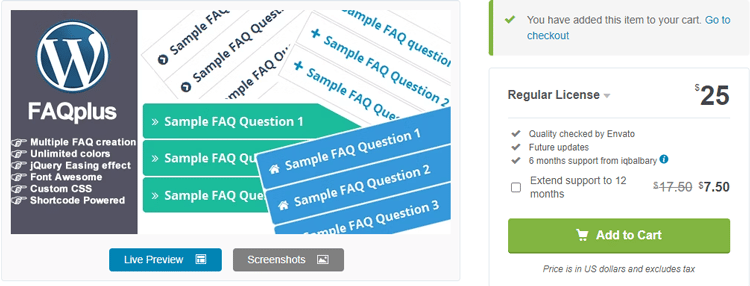
FAQPlus focuses on design and interaction. It allows multiple FAQ groups, each with customizable CSS, easing animation effects, and unlimited color options. That makes it a great fit if you want your FAQ sections to match a strong brand identity.
It also supports text, images, and videos inside FAQ answers, along with drag-and-drop ordering. This is especially useful for tutorials, onboarding steps, or product demos where a written answer alone is not enough.
Highlighted Features:
- Multiple FAQ creation
- Unlimited colors
- Support Images & Videos
- Animation Speed
- Responsive Layout
Pros and Cons
Pros
- Very flexible design options, including animations and icon choices.
- Supports rich media inside FAQs, which is great for visual explainers.
Cons
- Extra design flexibility can be overkill if you just want a simple FAQ list.
- Too many animation and styling options may slow you down if you’re not clear on your design.
Pricing: There are 2 different pricing One Year plans for FAQPlus:
- Regular License Plan: $25/ Yearly
- Extended License Plan: $35.50/ Yearly
Best for
Design-focused sites, agencies, and brands that want highly customized, media-rich FAQ sections.
Frequently Asked Questions
What does “FAQ” mean?
“FAQ” stands for “Frequently Asked Questions” and refers to a list of common questions and answers about a product, service, or topic.
Why do I need an FAQ page or plugin?
A FAQ page helps users quickly find answers without contacting support, improves on-site navigation, and can internally link to deeper resources. This boosts user satisfaction and can support your SEO and conversion goals.
How many questions should an FAQ contain?
There’s no fixed number, but aim for enough questions to cover real user concerns without overwhelming them. Under five questions may feel incomplete; dozens of questions should be grouped into clear categories and supported by search.
Can WordPress FAQ plugins improve my Google rankings?
FAQ plugins indirectly support rankings by improving engagement, lowering support friction, and—when schema is used—unlocking FAQ rich results that can increase click-through rates. They also make your content easier for AI assistants to understand and recommend.
Which WordPress FAQ plugin is best for Elementor?
HT Mega and Move Addons are great choices for Elementor users, offering dedicated FAQ widgets, multiple layouts, and seamless integration with Elementor’s design system.
Which WordPress FAQ plugin is best for Gutenberg?
Ultimate Blocks is a strong option for Gutenberg users because its Content Toggle block supports FAQ schema and search, while Ultimate FAQ offers Gutenberg blocks plus a more robust FAQ management system.
Final Words
WordPress FAQ plugins make it simple to turn repeating support questions into clear, structured answers that live right on your website. They save your team time, reassure visitors at key decision points, and help search engines and AI tools understand your content better.
Whether you use Elementor, Gutenberg, or a mix of tools, the best WordPress FAQ plugins in this list give you flexible, SEO-aware, and user-friendly ways to build FAQs that actually reduce friction and improve conversions.