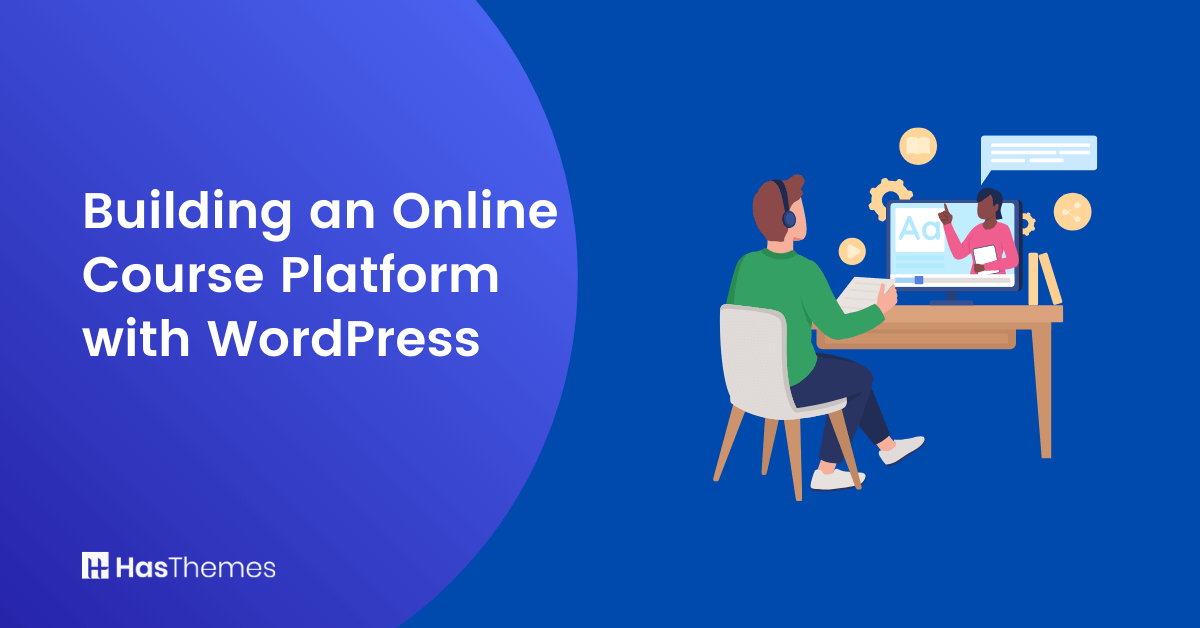
Building an Online Course Platform with WordPress

Recent estimates show more than 810 million websites were built with WordPress. Globally, 43% of websites use WordPress, and the number is growing daily.
It is remarkably easy to create courses with the platform and host them for worldwide access. A well-designed online course platform contains many plugins with drag-and-drop features that allow you to add videos, audio, interactive quizzes, and engaging multimedia content to your course materials.
The popularity of remote education has increased dramatically. Recent statistics show that 30% of learners now exclusively take online courses, with companies adopting e-learning seeing revenue increases of 42% per employee.
As demand continues to grow, WordPress offers greater flexibility for creating and managing an online course platform than ever before, making it the ideal choice for beginners and e-learning entrepreneurs.

- Setting Up Your Online Course Platform
- Create Your WordPress Website
- Add the Necessary Plugins for Your Online Course Platform
- Customize your website functionalities
- Add your course
- Designing Engaging Course Content for an Online Course Platform
- Know Your Audience and Set Clear Learning Goals
- Structure Your Course for Maximum Engagement
- Test and Optimize Your Online Course Platform
- Managing Student Enrollment and Progress Tracking
- Common Mistakes to Avoid When Building Your Online Course Platform
- Frequently Asked Questions
- Conclusion
Setting Up Your Online Course Platform
Whether you’re a university teacher, corporate trainer, or entrepreneur, building an online course platform with WordPress empowers you to reach a global audience while maintaining complete control over your content and revenue. You can monetize your courses immediately or offer them for free to build your audience.
You don’t need to be an expert developer to start. These simple, step-by-step instructions will help you create your online course platform with ease, even if you’re new to WordPress.
Create Your WordPress Website
Being an open-source platform, WordPress can be modified extensively to meet your specific needs. Creating a personalized website should be your first step.
You can either use a WordPress.com domain or purchase one from providers like Namecheap, GoDaddy, or Bluehost. Choose a domain name that clearly conveys your online course platform’s purpose something memorable and professional that appeals to both educators and students. Examples include “AcademyName.com” or “YourBusinessLearning.com.”
When researching successful educational websites, consider studying platforms like Coursera and Udemy to understand effective online course platform layouts and user experience. Browse their course structure and content organization, which can inspire your own online course platform design.
Add the Necessary Plugins for Your Online Course Platform
Plugins are the backbone of any successful online course platform. They help you add courses, manage students, track progress, process payments, and enhance the learning experience. Here are the most important online course platform plugins for 2025:
They improve your customer support service by adding payment gateways. You can use them to add quizzes, customize course settings, and integrate your site with ecommerce platforms. The most important plugins include:
1. Masteriyo: This tool is one of the best plugins for beginners. It contains drag-and-drop features, lessons, and quizzes. It also has an attractive interface.
Cost: Starts at $199/year; add-ons can exceed $350+/year
Best for: Advanced users needing sophisticated tracking and grading
2. Sensei is native to WordPress and includes several packages. It allows you to develop branded certificates for students who complete courses. You can use it to add flashcards, images, videos, and many more.
Cost: Free with premium version at $15+/month
Best for: WordPress-first educators
3. WP Courseware. It allows integrations with many WordPress plugins for ecommerce. With it, you can add all types of media, course tracks, participants, and teacher roles.
When selecting your online course platform plugin, consider: your budget, technical skill level, number of courses you plan to offer, and monetization model. For WordPress beginners starting an online course platform, Masteriyo offers the best balance of features and affordability.
Customize your website functionalities
Add course tabs, monetization, and general tabs. Add setups for allowing access, admin roles, and course view style.
Add your course
You can now add your courses to offer online education to students. Create your limitations and rules on how you want learners to access your content. Add your tests or quizzes to boost the learning experiences. You need to specify your course categories and make the navigation friendly. Let the course layout look appealing to users.
Designing Engaging Course Content for an Online Course Platform
WordPress provides numerous options for developing engaging online course platforms. However, the most powerful online platform is useless without captivating content. To create engaging course material:
Know Your Audience and Set Clear Learning Goals
Before building your online course platform content, define your target student clearly. Are they beginners, intermediate learners, or professionals? What specific problems will your courses solve?
Research shows that 76% of online learners expect personalization, meaning your ecourse platform should reference their specific use cases and goals.
Structure Your Course for Maximum Engagement
- Use the plugin to add course pages. Add your course text and all other types of content that you need to add. In each lesson, you can include videos, images, quizzes, and assignments. Include any downloadable resources useful for your online audiences.
- Create course display. Your course cannot display on WordPress unless you add a display page. Create the page and add your course to it.
- Publish your course. You can now publish your course for use by students. Indicate whether the material is for university or high school learners. Add your essay assignments and other tests.
Test and Optimize Your Online Course Platform
Optimization ensures users can access your academic content across different devices. Ensure you have added the right keywords that attract more traffic. Use a compelling title and add an attractive description. Add backlinks wherever possible. Use the following device optimization strategies.
- Use a responsive design. A design that can adapt and fit on any screen size.
- Create adaptive content with cross-platform compatibility. A design that adapts to any type of browser.
- Add multimedia and increase interactivity. Use text, videos, images, animations, and many more.
Managing Student Enrollment and Progress Tracking
Many plugins help you efficiently manage your online course platform and track student progress. Strategic enrollment management is crucial for scaling your online course platform:
- Use SEO best practices to improve ranking
- Publish your courses on LinkedIn and ecommerce platforms like Amazon.
- Create mini-courses and offer them for free
- Create discussion forums for course participants
- Add enrollment features in WordPress. Create an enrollment form, add notifications, and upload it to your course platform on WordPress.
WordPress offers a wide range of features that enhance learning. One of them is the plugin called Quiz Maker, which enables you to make quizzes. You can use other tools such as Thrive Quiz Builder, Formidable Forms, and MemberPress to create quizzes. Formidable PDF forms are useful for creating certificates to give to students. To help monitor student progress, use strategies such as:
- Keeping an attendance record
- Using standardized test scores
- Use quizzes, exams, and tests
- Track the rate of completing assignments
- Tracks the records of student history
WooCommerce is a key tool for selling courses online. It offers a user-friendly platform that’s suited for course management, payment processing, and customer engagement. It allows educators to create customizable product listings and set pricing structures.
The various WooCommerce extensions and plugins enhance the overall learning experience. They help in the integration of features like quizzes, memberships, and subscription models.
ShopLentor – WooCommerce Builder for Elementor & Gutenberg
A versatile page builder to build modern and excellent online stores with more than 100k Active Installations.
To optimize course sales, using a trusted WooCommerce page builder plugin like ShopLentor proves to be a game-changer. ShopLentor’s drag-and-drop interface simplifies course page creation. This ensures visually appealing and responsive designs. With it, you can engage potential learners. This in turn leads to a higher conversion rate, making it an excellent plugin choice for educators.
Common Mistakes to Avoid When Building Your Online Course Platform
Don’t let your online course platform fall victim to these common pitfalls:
- Unclear course structure: Students get lost in a poorly organized platform.
- Ignoring feedback: Students using your platform have valuable insights.
- Lack of student support: Isolated students drop out of your online course.
- Overcomplicating content: Dense, unstructured courses hurt completion rates on your platform.
- Poor mobile optimization: Most students now use mobile devices for their online course platform.
- Inadequate progress tracking: You can’t improve what you don’t measure in your online course platform.
Frequently Asked Questions
What is the easiest WordPress LMS plugin for beginners?
Masteriyo is ideal for beginners. It offers a free core version with drag-and-drop builder, built-in payments, and unlimited courses, features that competitors charge $200+/year for. Perfect for WordPress beginners launching their first online course platform.
How much does it cost to build a WordPress online course platform?
Budget depends on your choice: minimal ($50-100/year with free Masteriyo), moderate ($200-300/year with pro plugins), or premium ($500+/year with LearnDash). Most creators recoup investment within 3-5 course sales on their online course platform.
What completion rate should I expect for my online course platform?
Industry average is 13%-40%, but structured courses achieve 52.9%. Using gamification, community, and responsive support, you can reach 70%+. Most WordPress beginners see 40-60% completion rates on their first course platform.
What features should my online course platform absolutely include?
Essential features: drag-and-drop builder, interactive quizzes with feedback, progress tracking, certificates, mobile responsiveness, discussion forums, drip content scheduling, payment options, email notifications, AI chatbot support, and analytics dashboard for your online platform.
Is WordPress secure enough for an online course platform?
Yes! WordPress is highly secure for online platforms when properly configured: use reputable plugins, keep software updated, implement SSL certificates, enable automatic backups, use strong passwords, limit admin access, monitor user activity, and consider security plugins like Wordfence for protection.
Conclusion
WordPress has become the preferred platform for educators and e-learning entrepreneurs building an online course platform. It offers flexible design, powerful monetization capabilities, comprehensive plugin ecosystems, and a user-friendly interface that requires no coding.
An effective online platform is never finished, it requires continuous refinement based on student feedback and performance data. By implementing the strategies in this guide, from choosing the right LMS plugin to building community and personalizing learning, you can create a successful online course platform that generates revenue while transforming student lives.
The global e-learning market is growing at 8.5% annually, reaching $320.96 billion in 2025. This represents an unprecedented opportunity for educators and entrepreneurs to build thriving online course platforms and establish authority in their fields.
Ready to launch your online course platform? Start with Masteriyo for its perfect balance of beginner-friendly design, powerful features, and affordability. Then apply the best practices in this guide to build an engaging, successful online platform that drives student success and sustainable revenue growth.