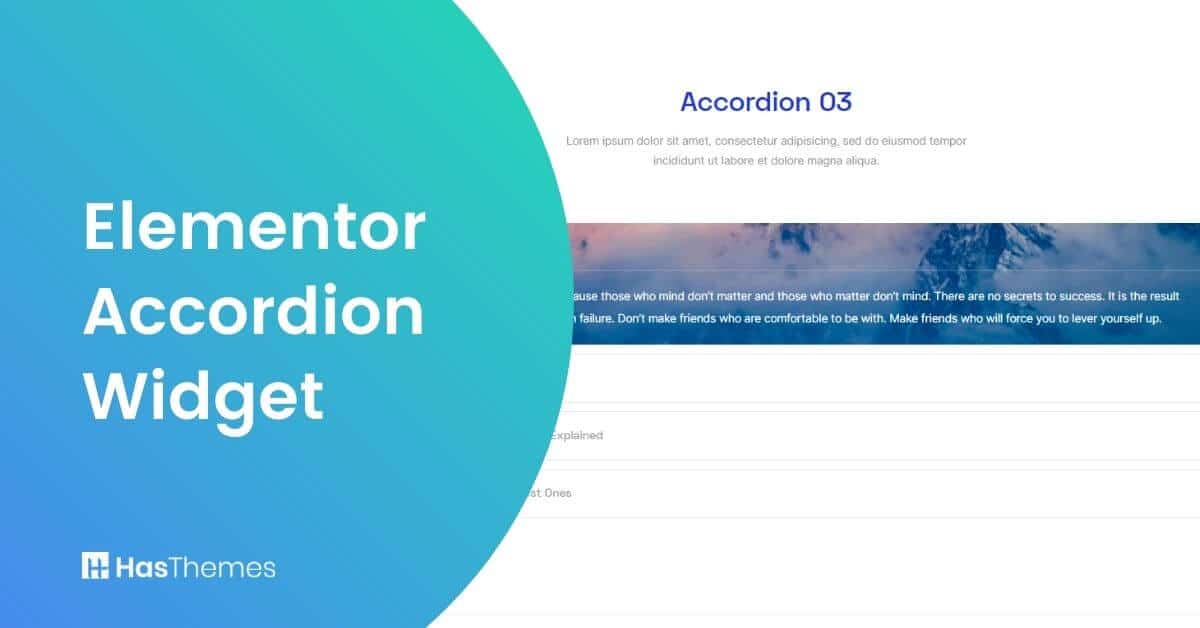
Elementor Accordion Widget: Add Interactivity to Your Website

Elementor is a drag-and-drop page builder that simplifies design creation. It allows users with basic HTML and CSS knowledge to build complex layouts without coding. The Elementor Accordion Widget is one of popular features. It allows you to add interactive content to your website.
Elementor uses a drag-and-drop builder with prebuilt code snippets for specific tasks. The Accordion Widget helps organize content and provides a clean design. It ensures your pages are well-structured and visually appealing.
Elementor Accordion Widget is particularly significant in terms of providing a well-designed appearance and organizing pages properly.
This widget aids in the fitting of a lot of information into a limited amount of space on the page. This functionality works by displaying text in a collapsed, condensed form to enable it to be contained within the space.
In this article, we will discuss the accordion widget provided by two WordPress plugins.
Key Takeaways
- Helps maintain clean page layouts while displaying extensive information.
- Elementor Accordion Widget organizes content in collapsible, space-saving sections.
- Available through plugins like MoveAddons and HT Mega.
- Both plugins offer customizable styles with both left and right icons.
- Responsive design automatically adjusts to all screen sizes.
Best Elementor Accordion Widget
There are many elementor accordion widgets available for WordPress. We are going to talk about the top 2 Elementor Accordion Widgets. Let’s start.
Elementor Accordion Widget by Move Addons:
Move addon is one of the popular plugins that comes with versatile widgets and templates. Elementor accordion widget is one of best widgets by Move Addons. This Accordion Widget provides you with an easy way to display your content in a stylistic manner. You can choose from various styles that are available by default, or if you have custom CSS, Elementor will also allow you to utilize it.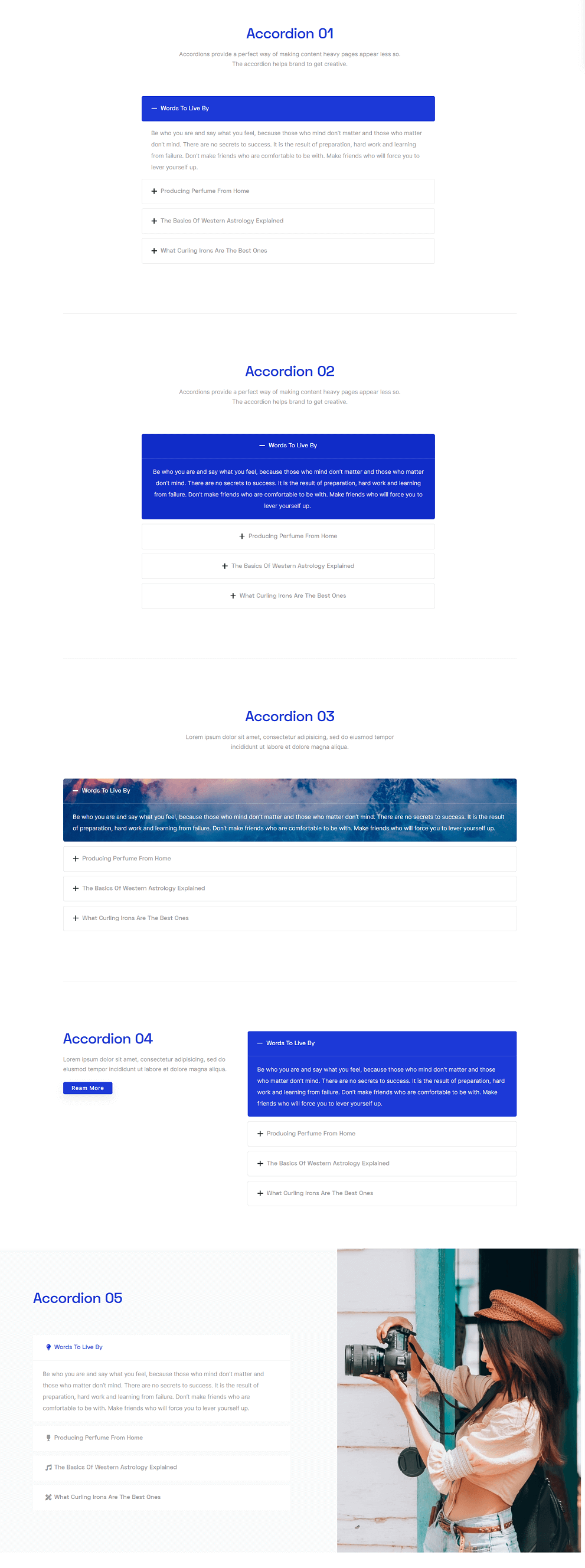
This Elementor accordion widget offers responsive accordion functionality that automatically adjusts to different screen sizes. The multi-layer accordion in Elementor allows for nested content organization, which is perfect for complex information hierarchies.
MoveAddons for Elementor also allows users to set their own CSS and HTML, which means that Elementor will take any custom code and add it to the accordion widget.
Elementor Accordion Widget by HT Mega:
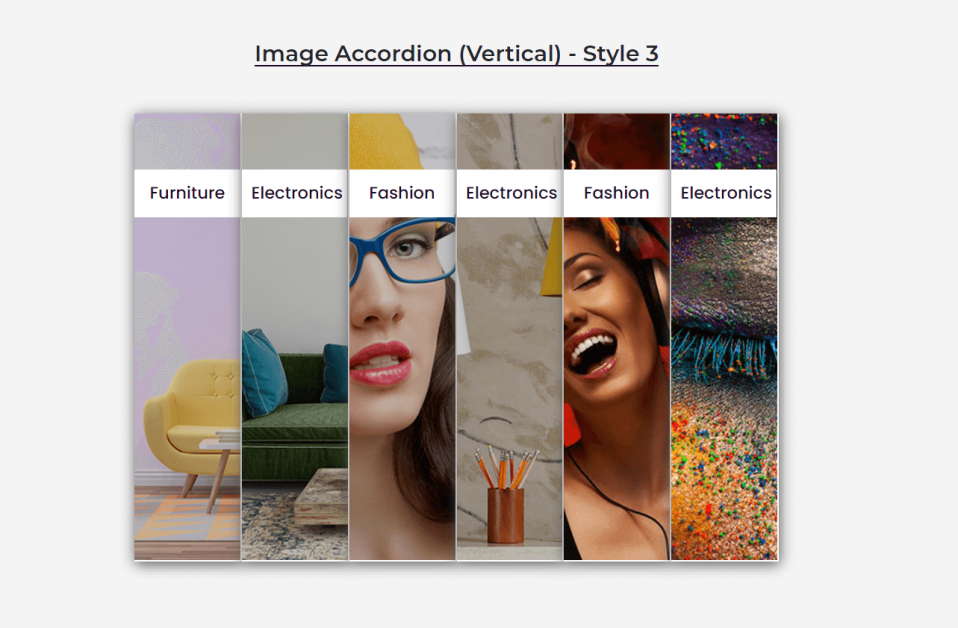
The HT Mega is another popular WordPress plugin for Elementor. This plugin has also has the Elementor Accordion Widget. With HT Mega Elementor Addon you get features such as unlimited colors, unlimited styles, and unlimited layouts, which is a great way to make Elementor Accordion Widget look unique.
- Elementor Accordion Widget (With Tabs)
- Elementor Accordion Widget (Title Icon)
- Accordion Style 1 (Icon Left): To keep the Icon on the left side.
- Accordion Style 1 (Icon Right ): To keep the Icon on the right side.
- Accordion Style 1 (Elementor Template): To Show content in an accordion from an Elementor template.
- Accordion Style 1 ( Round Shape)
- Image Accordion Horizontal
- Elementor Accordion widget with images showing vertically.
Watch the Video About This Accordion Widget: Add Interactivity to Your Website
Why We Should Use Elementor Accordion Widget on a Webpage?
An Elementor Accordion Widget is important for keeping your layout clean and organized. They provides up to four different types of accordions, including one that displays content from an Elementor template.
The Accordion Widgets for Elementor are customizable with custom CSS and HTML codes, giving you the freedom to make any widget look unique.
An accordion widget can make it easier to display text, images, or even videos in a condensed form of space. This widget is reliable due to the Elementor’s easy layout and usability. Elementor also offer an accordion widget that is worthy of being displayed on any website due to the benefits it provides.
Benefits of using Elementor Accordion on a Website
Benefits of Using Elementor Accordion on a Website are given below:
- The Accordion Widget is reliable for organizing and displaying content efficiently.
- It simplifies displaying text, images, or videos in a compact and organized format.
- Custom accordion styles ensure brand consistency across your site.
- Elementor allows full customization, enabling you to create a unique page using the Accordion Widget.
Best Practices for Elementor Accordion in Web Design
The Elementor Accordion Widget is a great way to make Elementor’s layout and usability even better. Elementor Accordion Widgets are customizable with custom CSS and HTML codes, giving you the freedom to make any Elementor widget look unique.
Elementor Accordion Widgets are important for keeping the page clean and organized, as it displays texts in a condensed form of space. The responsive accordion widget works seamlessly on all devices ensuring a smooth browsing experience
This widget allows users to include four types of accordions: one that opens content from an Elementor template, two kinds of round shapes, and one horizontal list. One accordion kind can be set so that the icon is always on the left or right side of the widget.
Users should take care when using Elementor Accordion Widgets. Elementor’s widgets require a certain place in the site for them to be displayed properly, and they can only reside within Elementor sections of your page. Elementor Accordion Widgets should not overlap or appear on top of each other, as it makes some Elements unreadable.
Pricing Plan: HT Mega and Move Addons
Check the pricing table for Move Addons and HT Mega plugins.HT Mega Move Addons 1 Website: $49/year 1 Website: $39/year 5 Websites: $79/Year 5 Websites: $89/Year 999 (Growth Package) Websites: $99/Year Unlimited Websites: $179/Year Buy Now or Check Pricing Plan Buy Now or Check Pricing Plan
Frequently Asked Questions
What is the Elementor Accordion Widget used for?
The Elementor Accordion Widget helps display content in collapsible sections. It organizes information neatly. This improves user experience and keeps pages clean and simple.
Can I add dynamic content in the Accordion Widget?
Yes, you can add dynamic content using custom fields or shortcodes. This allows advanced features like pulling blog posts or FAQ items automatically.
Can I use icons in the Accordion Widget?
Yes, you can add icons to the Accordion Widget for each title section. This improves visibility and makes the layout more interactive for website visitors.
Is the Elementor Accordion mobile responsive?
Yes, the Accordion Widget is fully responsive across all devices and screen sizes. It adjusts automatically to fit mobile tablet and desktop views.
Can I open multiple Accordion tabs at once?
By default, only one tab opens at a time in the widget. Use third-party add-ons or custom code to allow multiple open tabs if needed.
Conclusion
The Elementor Accordion Widget is an essential tool for creating interactive, well-organized websites that engage visitors while maximizing content presentation.
By implementing this versatile widget, you can transform cluttered pages into streamlined, user-friendly experiences that guide visitors through your content logically.
Whether you’re creating FAQs, product descriptions, service listings, or educational content, the accordion functionality helps prioritize information while keeping your design clean and professional.
Keep in mind that well-implemented accordions not only improve user experience but also contribute to better SEO by organizing content logically and keeping visitors on your site longer. Start building better, more interactive pages with Elementor Accordion Widgets now!