How to Create an Educational Website: Education Website Creation in 2025


With the constant growth of technology, advanced approaches are emerging in various fields. Education has also undergone significant changes during this time. Increasingly, people are turning to e-learning as a flexible and accessible alternative to traditional classroom settings.
According to Research and Markets, the global e-learning market is expected to reach $840 billion by 2030. This trend demonstrates how digital tools are transforming learning, making it more accessible and dynamic.
If you work in the field of education, then you certainly need a feature-rich and easy-to-use website to provide your students with a comfortable learning experience. Read this article to learn more about how to create an educational Website and maintain it.
Key Takeaways
- Discover how educational portal features can support remote learning effectively.
- Learn to plan your educational website development carefully for a successful online learning platform.
- Learn how to create an educational website easily with a reliable CMS like WordPress.
- Understand how to choose an SEO-friendly, mobile-responsive theme for better ranking and a smooth user experience.
- Explore ways to add community and interactive features that boost engagement and learner retention.
- Find out why keeping your website content fresh and relevant helps attract students, educators, and parents.
What Is an Educational Website?

Educational websites include courses, videos, or topic-related resources for students, educators, and parents. These websites make the learning process entertaining and attractive to people of all ages. Some of the most common features of an educational website include:
- A directory of educational resources, including lesson plans, worksheets, flashcards, and more.
- A forum for discussing education topics.
- A blog where educators can share their ideas and experiences.
- A section for parents with information about parenting and child development.
- A section for students with homework help, test prep materials, and more.
Types of Educational Websites

Understanding different types of educational websites helps you choose the right approach for your project. Here are the main categories:
1. Educational Institution Websites
Purpose: Represent schools, colleges, universities, and other educational institutions
Benefits: Increases institutional prestige and provides essential information to prospective students
Key Features:
- Institution information and history
- Faculty qualifications and profiles
- Student achievements and testimonials
- Course details and admission requirements
- Contact information and campus locations
2. Educational Portals
Purpose: Provide online access to learning resources and materials
Benefits: Supports remote learning and offers flexible study options anytime, anywhere
Key Features:
- Study materials and downloadable resources
- Video tutorials and recorded lectures
- Class recordings and presentations
- Resource libraries and databases
3. Online Learning Platforms (LMS)
Purpose: Deliver structured online courses and educational programs
Benefits: Comprehensive learning management with scalable course delivery
Key Features:
- Course creation and management tools
- Student progress tracking and analytics
- Assignment submission and grading systems
- Community forums and discussion groups
- Automated notifications for deadlines and updates
- Payment processing for course fees
4. Educational Blogs and Resource Sites
Purpose: Share educational content, tips, and industry insights
Benefits: Builds authority in the educational niche and attracts organic traffic
Key Features:
- Regular blog posts and articles
- Educational resources and tools
- Expert interviews and case studies
- Comment sections for community engagement
Essential Features for Educational Websites
Before learning how to create an educational website, understand the key features that make educational platforms successful:
- Learning Management System (LMS) Integration: Comprehensive course management with enrollment, progress tracking, and certification systems.
- User Registration and Profile Management: Secure student and instructor accounts with customizable profiles and dashboard access.
- Interactive Content Tools: Support for videos, quizzes, assignments, and multimedia presentations to enhance learning engagement.
- Progress Tracking and Analytics: Real-time monitoring of student performance, completion rates, and learning outcomes.
- Payment Gateway Integration: Secure payment processing for course fees, subscriptions, and educational materials.
- Discussion Forums and Community Features: Interactive spaces for student-teacher and peer-to-peer communication.
- Mobile App Compatibility: Responsive design ensures seamless access across all devices and screen sizes.
- Content Management System: Easy-to-use interface for uploading, organizing, and updating educational materials.
- Assessment and Certification Tools: Automated grading systems and digital certificate generation for completed courses.
How to Create a Website for Education: Step by Step Guide
When planning your educational website development, there are basic steps of developing an educational website to keep in mind to build a successful online learning platform:
Plan Your Website Content

You can make the process much easier by planning your content carefully. Define the key purpose of your website and what goals you want to achieve with it.
Think about your target audience: the language they use, the topics they’ll be interested in, the type of information they need and can’t find anywhere else.
Once you have a general idea of the content you want to include, create an outline or table of contents that will help you stay on track.
Make sure to include both short and long-term goals, as well as specific target dates for completing each step. This will help ensure that your website is always up-to-date and meets the needs of your audience.
The content on your site should also be well-written and accurate. Include a mix of images, videos, and infographics to create a well-rounded user experience.
Choose Web Hosting and Domain

To create educational website free, you need to choose a web hosting where your materials will be located and select your domain name. You need to prepare several domain name options and check if your options are available.
If the address is not taken, you can register it as your own. When registering a domain name, you must also decide on a web host and a hosting plan. Be sure to analyze all hosting options, as many companies offer flexible plans.
Use a Content Management System
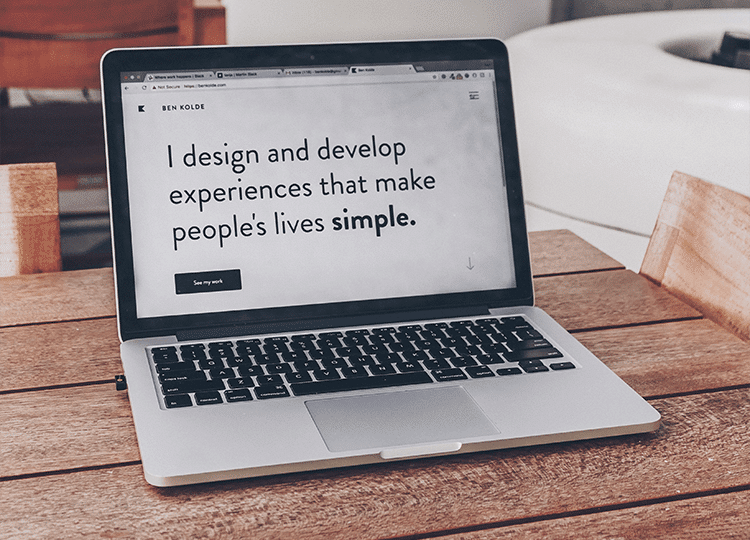
A Content Management System (CMS) is software with a user-friendly interface that provides all necessary tools for creating a web resource. WordPress (WP) is the world’s most popular open-source website builder, which is easy to use and great for creating websites of any kind. According to W3Techs, WordPress is used by 63% of websites built on CMS, which equals 43% of all websites. It is:
- Easy-to-use: The WP interface features a simple and intuitive design, consisting of a control panel or dashboard. The WP Dashboard allows you to create pages, posts, and menus. You can also customize your website’s settings, including the theme, fonts, and colors. Additionally, you can install plugins to gain extra functionality
- Flexible: Build your educational website as you desire: for example, use screen recording to start an online video course or create blog posts with some helpful educational tips and tricks.
- Highly customizable: With so many templates and plugins available, you can easily create a unique website that looks and functions exactly the way you want. Whether you want a simple site with just a few pages or a more complex site with e-learning capabilities, there’s likely a WordPress theme or plugin that will suit your needs.
- Cost-effective: WordPress hosting for education is one of the most popular choices, as you will need to pay only for a hosting plan and a domain name. While the platform itself is free to use. This makes it an excellent choice for how to create an educational website for free. And if you’re on a tight budget, there are plenty of free educational themes and plugins available.
Select a Proper Theme
With so many great WP themes available, you should be able to find one that meets all your needs. You have an opportunity to select a free one and customize it as you want: change the layout, colors, sections, etc.
Some key elements of a good theme include:
- User-friendly design: Your educational web design should be clean and easy to navigate. Visitors should be able to find the information they’re looking for quickly and easily. Avoid clutter and confusing navigation menus.
- SEO capability: Make sure that your theme includes few errors and is optimized for the search engines, so that people can easily find your website when they are looking for educational resources.
- Mobile responsiveness: Web traffic is increasingly driven through mobile devices like tablets and smartphones, so make sure your theme is designed to be viewed on different web browsers, screen sizes, and devices.
Add Essential Plugins and Features
Installing the right plugins transforms your basic WordPress site into a powerful educational platform:
- Security Plugins: Implement Wordfence or Sucuri to protect sensitive student data and course materials.
- LMS Plugins: Install LearnDash, LifterLMS, or TutorLMS to create and manage online courses effectively.
- Page Builder: Use ShopLentor for creating custom educational layouts and designing engaging course pages with drag-and-drop functionality.
- User Management: Add plugins like Ultimate Member or ProfilePress for student registration and profile management.
- Payment Processing: Integrate WooCommerce or Easy Digital Downloads for secure course sales and subscriptions.
- Communication Tools: Install bbPress for forums and BuddyPress for social learning communities.
- Analytics and Tracking: Use HT Easy GA4 for comprehensive Google Analytics 4 tracking to monitor student engagement and website performance.
- Marketing and Conversion: Install Pixelavo Pro for Facebook Pixel integration to track student behavior and optimize marketing campaigns.
Create Your Course Content
Developing engaging educational content requires strategic planning and multimedia integration:
Content Optimization: Ensure all materials are accessible, mobile-friendly, and load quickly across devices.
Structure Your Courses: Organize content into logical modules with clear learning objectives and outcomes.
Multimedia Integration: Combine text, videos, interactive presentations, and downloadable resources for diverse learning styles.
Assessment Creation: Design quizzes, assignments, and projects to evaluate student understanding and progress.
Best Practices for Educational Website Development
Following proven strategies ensures your educational website succeeds in the competitive online learning market. Here’s how to design an educational website effectively:
- Continuous Improvement: Gather student feedback, analyze performance data, and update content based on learning outcomes.
- User Experience Optimization: Design intuitive navigation, clear course structures, and accessible content for all learners.
- Content Organization: Implement logical categorization, searchable content, and progressive learning paths.
- Performance Monitoring: Regularly analyze website speed, user engagement, and conversion rates to identify improvement opportunities.
- Security Maintenance: Keep software up to date, back up data regularly, and monitor for potential security threats.
- Community Building: Foster student interaction through forums, study groups, and peer-to-peer learning opportunities to build a website for online classes that encourages collaboration.
Frequently Asked Questions
What is an educational portal, and how does it support remote learning?
An educational portal is an online platform that provides access to study materials, tutorials, and recordings. It supports remote learning by allowing students to learn anytime, anywhere.
How can I start educational website development using WordPress?
Start by choosing a web hosting provider, registering a domain, and installing WordPress. Then select a suitable theme and add plugins to customize your educational website.
What features should an online learning platform have?
Essential features include course listings, progress tracking, community forums, payment gateways, and content management tools.
Why is mobile responsiveness important for an educational website?
With increasing mobile device usage, mobile responsiveness ensures your website is accessible and user-friendly on tablets and smartphones.
What’s the difference between an educational website and an LMS?
An educational website provides general information and resources, while an LMS (Learning Management System) offers comprehensive course management, tracking, and interactive learning tools.
Can an educational website help improve student engagement?
Yes, by integrating interactive elements such as forums, quizzes, and discussion groups, an educational website can significantly enhance student engagement.
Conclusion
Now that you know how to create an educational website, it’s time to get started. With the help of covered information and a little time and effort, you can create an informative and visually appealing website that will perfectly suit your educational needs.
Remember that successful educational website development requires ongoing maintenance, content updates, and user feedback integration. Focus on creating valuable learning experiences that engage students and support their educational journey.
Whether you’re building an online course website, creating an educational portal, or developing a comprehensive e-learning platform, the key is to prioritize user experience, mobile responsiveness, and interactive features that enhance learning outcomes.
So get creative and have fun with it – the potential for success is limitless!