10 Best Task Management Tools for Your Needs: How to Manage Tasks with Management Software

Is your to-do list starting to look more like a never-ending scroll? You’re not alone in this. With 70% of employees reporting workload-related stress, it’s clear that managing tasks effectively is a universal challenge. But there’s a solution that’s transforming how we work: task management software.
Task management is an important aspect of any business. Whether you’re a one-man show or you have a team of employees, you need to be able to track and manage your tasks in order to stay organized and productive.
There are many different task management software programs on the market, but which one is best for your needs? In this blog post, we will discuss how to manage tasks with management software and the 10 best Task Management tools available. We will also compare their features to help you make an informed decision about which one is right for you.
.
Key takeaways:
- Assess the importance of scalability in task management tools.
- Understand how task management software can reduce workplace stress.
- Learn the essential features of task management tools for different business needs.
- Get an idea about pricing comparisons across 10 popular platforms.
- Evaluate different software options based on specific needs.
- Explore how integrations with third-party apps enhance functionality.
- Compare mobile accessibility features across platforms.
What is Task Management, and Why Do You Need It?
Task management tools and software are essential and must-have management tools for all working professionals as well as businesses and organizations of any size or in any industry.
You need these management tools to increase productivity, meet project deadlines, and as well allow you and your team members to collaborate on different types of projects.
Let’s explore some best task management software to help your business increase productivity and profitability
How to Choose the Right Task Management Tools for Your Business
Choosing the right task management tools for your business can be an overwhelming task. But with the right guidance, you can make the decision easier. Here are some tips on how to choose the right task management tools for your business:
- Identify what you need and research what solutions are available
- Evaluate each solution based on features, cost, and scalability
- Consider integrations with existing systems or software
- Look for user-friendly interfaces that are easy to use
- Ensure security features meet your requirements
- Contact customer support if needed to ensure questions or concerns are addressed quickly
According to a study by ProofHub, implementing project management software can save employees an average of 498 hours per year.
Benefits of Using a Task Management Software
Manage tasks more efficiently with the help of task management software. This software allows for quick and easy organization and scheduling, setting deadlines, assigning tasks to specific team members, tracking their progress, and managing expectations.
To Manage tasks with management software can provide many benefits. Here are eight benefits of managing tasks with task management software:
- Improved Productivity: Task management software can help you stay organized, prioritize, and complete tasks on time. It can lead to improved productivity and efficiency.
- Increased Collaboration: Many task management software allows you to collaborate with team members, assign tasks, and monitor progress.
- Improved Time Management: This software helps to manage your time more effectively by setting deadlines, prioritizing tasks, and using reminders.
- Enhanced Accountability: Task management tools can help increase accountability by tracking progress and completion of tasks. It can help ensure that team members are responsible for their tasks and that deadlines are met.
- Reduced Stress: This software helps reduce stress by providing a clear overview of tasks, deadlines, and progress. It can help you feel more in control and reduce anxiety.
- Increased Flexibility: It offers greater flexibility in how to manage tasks with management software. You can customize your task lists, set reminders, and collaborate with team members from one platform.
How to Manage Tasks with Management Software
Task management software makes organizing work simpler by breaking large projects into smaller, manageable tasks. Managers can assign each task to a specific person or team and track the completion of each step.
Here are the steps of how to manage tasks with management software:
- Choose the Right Software: The first step in managing tasks with management software is to choose the right software. Look for user-friendly, customizable software that allows you to organize tasks according to your preferences.
- Create a Task List: List all the tasks you must complete and prioritize them based on their importance and urgency. Many Task management software allows you to create task lists and organize them into categories, such as personal, work, and team tasks.
- Set Deadlines: Setting deadlines for each task is essential to managing tasks with management software. Deadlines help ensure that you stay on track and complete tasks on time.
- Assign Tasks: If you are working in a team, assigning tasks to the appropriate team member is an important part of managing tasks with management software. They allow you to assign tasks to team members and set deadlines for each task.
- Monitor Progress: Regularly monitoring the task progress and updating the status of tasks is an essential part of managing tasks with management software. It offers progress tracking features, such as progress bars or completion percentages.
- Use Reminders: Reminders are essential to managing tasks with management software. Many software allows you to set reminders for each task, which can help ensure you do not forget important tasks.
- Evaluate Performance: Evaluating your performance is important to manage tasks with management software. Task management software offers to report features that allow you to track your progress and analyze your performance.
- Adjust Your Approach: Finally, adjust your approach as needed based on your experience using the software. Consider factors such as task completion time, accuracy, and efficiency. Use this information to Manage your task management strategy and improve your performance.
So, managing tasks with management software involves choosing the right software, creating a task list, setting deadlines, and assigning tasks. Monitoring progress, utilizing reminders, evaluating performance, and adjusting your approach as needed are also essential for staying organized and improving efficiency.
By following these steps, you can effectively manage your tasks and improve your productivity and efficiency.
Top 10 Task Management Tools for Your Needs
Finding the right task management tool can transform how your team works together. Here are listed 10 popular task management tools we want to recommend. Let’s have a look.
ClickUp
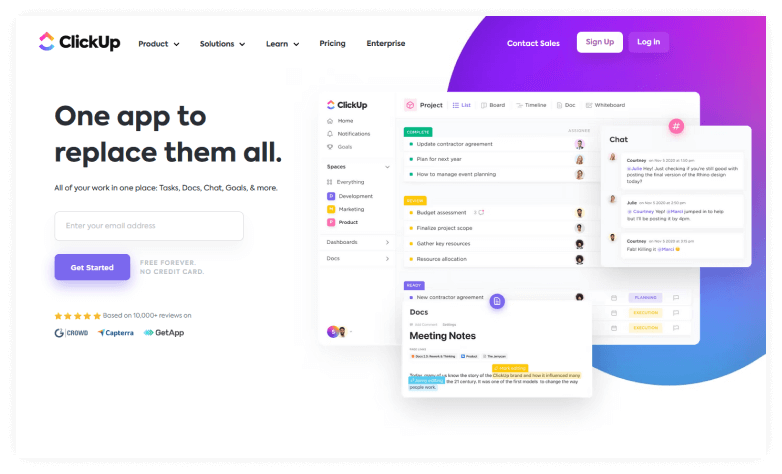
ClickUp is a cloud-based project management software tool that has many excellent features and is affordable as well as user-friendly to use. It allows your team members to collaborate and share task-setting functions like status alerts and project updates to meet your goals.
ClickUp is also easily customizable to meet your specific project needs. It is one of the best project management software tools available today. ClickUp’s easy-to-use interface and comprehensive feature list make it ideal for both small to large enterprise projects.
Highlight Features
- Easy to customize
- Easy collaboration and communication for team members
- Advanced and customizable reports
- Track time at work
- Excellent Mobile App version
- Highly competitive price
Price: ClickUp offers 5 different licenses for its users.
- Free Version License – The free version is best for personal use and is always available for free.
- Unlimited Version License – The unlimited version is best for small businesses and small teams. It costs $7 per user per month (billed annually) or $10 per user per month (billed monthly)
- Business Version License – The business version is best for mid-size businesses and teams. It costs 12 USD per member per month (billed annually) or $19 per user per month (billed monthly).
- Enterprise Version License – The enterprise version is best for large teams and large business that needs custom solutions. Pricing is customized; contact ClickUp for details.
Asana
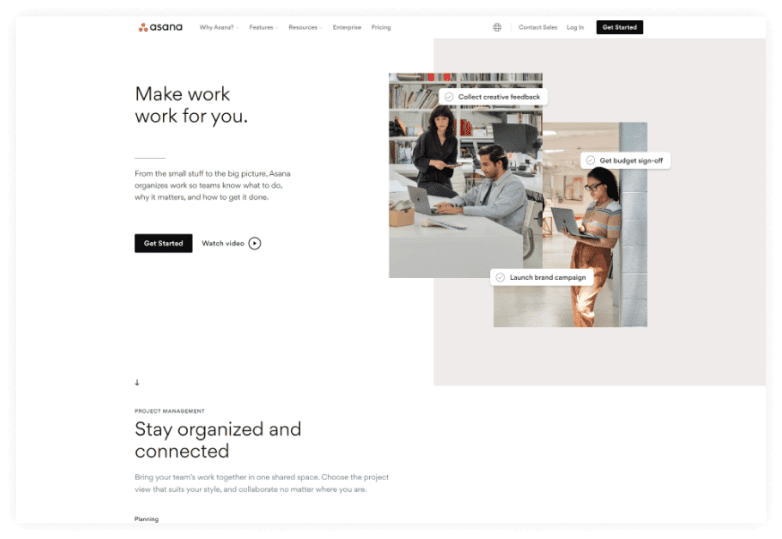
Asana is a project management software that surpasses many other tools for user-friendliness, and intuitive and Kanban-style interface.
t’s one of the best choices for organizations and businesses seeking a simple, user-friendly project management tool. It also offers a wide range of integrated features and functionalities.
With Asana you can get started and join your team in no time. Asana is loaded with many awesome features that make it the best solution for businesses of all sizes.
Asana offers a free trial which means you can use it before making the final purchase decision.
Highlight Features
- Multiple ways to view and manage projects and tasks
- Excellent team collaboration
- Kanban, Agile, and Scrum Support
- Powerful 3rd party integration with platforms such as Zapier, Zoom, Dropbox, etc.
- Affordable Pricing, etc.
Price: Asana offers 5 different licenses for its users.
- Personal: Free
- Starter: $10.99/user/month (annual) or $13.49 (monthly)
- Advanced: $24.99/user/month (annual) or $30.49 (monthly)
- Enterprise & Enterprise+: Custom pricing
Trello
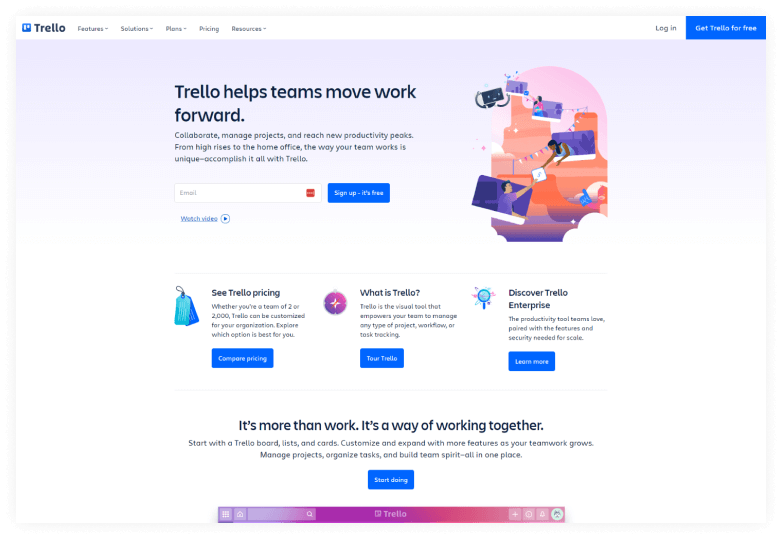
Trello is a one-of-a-kind, simple and easy-to-use task management software. It has an intuitive drag-and-drop Kanban board that allows you to assign tasks, manage tasks, and see their progress along the workflow.
Trello can be used by everyone on your team and also comes with a free plan. Trello is an excellent choice for project management software if you are looking for simplicity and user-friendliness.
Highlight Features
- Intuitive and easy to use
- Allows workflow automation
- Pre-built templates
- Powerful 3rd party integration with platforms such as Slack, Zoom, Google Drive, etc.
- Variety of Pricing Plans, etc.
Price: Trello offers 4 different licenses for its users.
- Free Version License- The free version is most suitable for individuals and teams just looking to organize their projects in order to assign tasks by using task management software. It has limited functionalities and features.
- Standard Version License- The standard version is best suited for small teams looking to manage their workflow and improve collaboration between team members. It costs 5 USD per user per month.
- Enterprise Version License- The enterprise version is for large businesses that need to collaborate between multiple teams and various team members. It costs 17.50 USD per user per month.
SmartTask
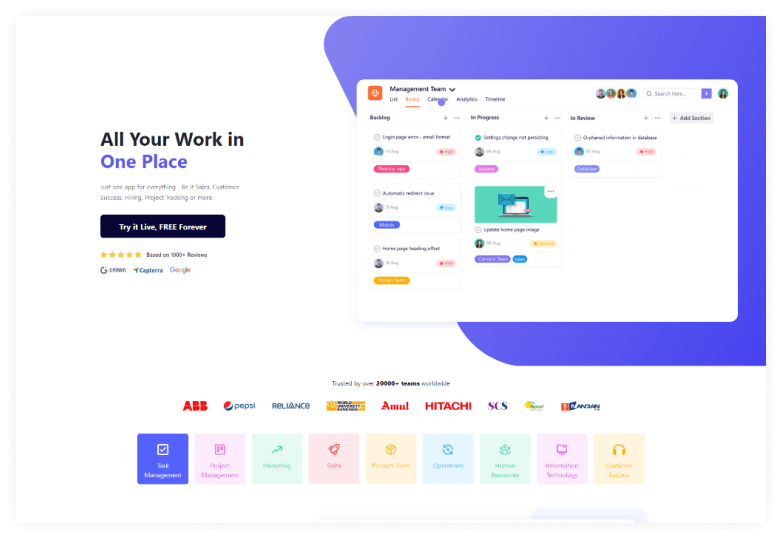
SmartTask is an amazing collaboration software tool for businesses and organizations of all sizes. It can be used by professionals from almost any industry. It is a complete solution and not only a task management software. It also support customer relationship management, location tracking, project management as well as allows you to monitor your teams.
SmartTask is an essential task management tool for project managers and team leaders. It helps assign tasks to individual team members for collaboration.
It comes built-in with lots of modern and up-to-date features like adding and managing project details, auto-schedule tasks, attaching files to tasks or conversations between team members, tracking the location of team members, maintaining log time for any individual project, etc.
Highlight Features
- Allows to assign tasks and manage tasks
- Allows customer relationship management
- Location Tracking of team members
- Allows adding and managing projects
- Auto schedule tasks
- Attach files to tasks or conversations
- Add or manage project details
- Project Templates
- Maintain log time for individual projects
- Great value for money, etc.

Price: SmartTask offers 4 different licenses for its users.
Here are the pricing plans for SmartTask:
- Free Forever: $0 (Unlimited tasks, users, and contacts)
- Business: $15.99/user/month (billed monthly) or $10.99/user/month (billed annually)
- Enterprise: Custom pricing (Contact SmartTask for details)
Nifty
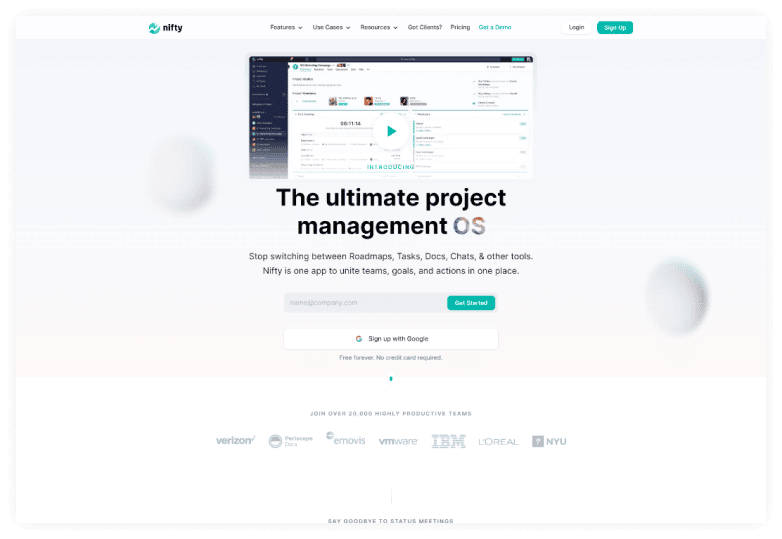
Nifty is one of the best Project and task management software tools that allows you to consolidate different projects, workflows, and communications in a single workspace. It helps you keep track of project milestones, chats and conversations, clients, and teammates.
Nifty is an essential task management software tool for organizations of all sizes including most preferably those with remote teams distributed in different locations and timezones. It provides asynchronous communication helps reduce costs and allows for organizational oversight.
Finally, Nifty is easy and intuitive to use and provides better communication as well as collaboration on projects of any size.
Highlight Features
- Automate Workflows
- Take part in discussions
- Keep track of tasks, assignments, and time logs
- Allows Time Tracking
- Lets you export timesheets
- Built-in Google docs and Google sheets
- Variety of pricing plans, etc.
Price: Nifty offers 5 different licenses for its users.
- Free: $0, unlimited members, 100MB storage, 2 projects.
- Starter: $39/month (billed annually), 10 members, 100GB storage, 40 projects.
- Pro: $79/month (billed annually), 20 members, 500GB storage, 100 projects.
- Business: $124/month (billed annually), 50 members, 1TB storage, unlimited projects.
- Unlimited: $399/month (billed annually), 50+ members, unlimited storage and projects.
14-day free trial, no credit card needed, no per-user fees, cancel anytime. Annual plans get up to 20% off.
Teamwork
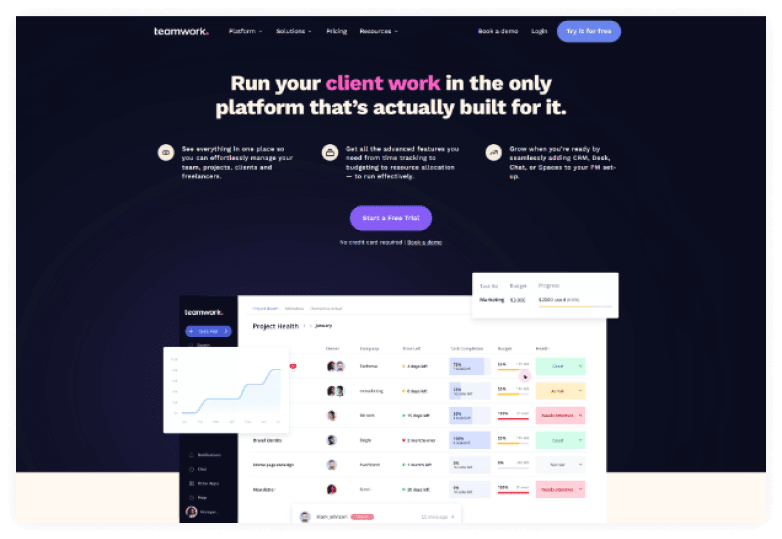
Teamwork is an excellent online platform that makes it easy to manage projects and their individual milestones and tasks. It gives team members an intuitive and user-friendly interface with all the essential tools that they might need to complete any given task or project.
Teamwork task management software includes features such as billing and invoicing that make it ideal for project managers or business owners to handle client work. They can also keep an eye on project deadlines, and workloads of team members as well as bill clients for billable work.
Teamwork allows for easy collaboration as well as knowledge sharing that provides a one-stop solution for business owners looking for the best task management software.
Highlight Features
- Workflow Automation
- Time Tracking
- Gantt Charts
- Collaboration through messages, chats, and file sharing
- Kanban Board
- Personalized dashboards
- Great value for money, etc.
Price: Teamwork offers 4 different licenses for its users.
- Deliver: $10.99/user/month (yearly) | $13.99 (monthly).
- Grow: $19.99/user/month (yearly) | $25.99 (monthly).
- Scale (Popular): $54.99/user/month (yearly) | $69.99 (monthly).
- Enterprise: Custom pricing.
Basecamp
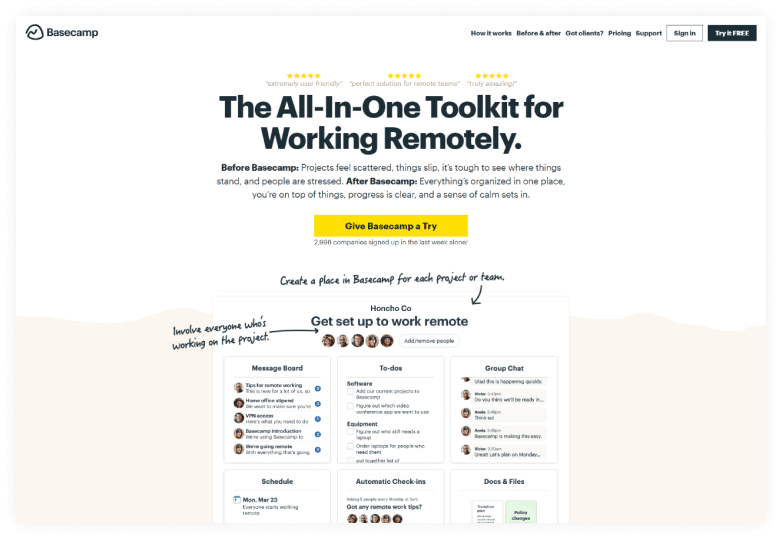
Basecamp is an all-in-one solution for those who work remotely and looking for online task management software. It has a huge list of built-in collaboration tools like real-time group chats, message boards, team schedules, etc.
It also has features like unlimited projects, unlimited users, unlimited clients, project templates, storage space, to-do lists, etc.
Basecamp is more expensive compared to other online task management software and task management apps but has a more inclusive list of advanced features.
Highlight Features
- Support for unlimited projects
- Support for unlimited users
- Support for unlimited clients
- Project templates
- Centralized storage space
- Priority support, etc.
Price: Basecamp offers 2 different licenses for its users.
- Basecamp Free: Free of Costs. It offers one project with 1GB storage and the ability to upgrade later if needed.
- Basecamp Plus: Costs $15 per user monthly. It provides unlimited projects, 500GB storage, and 24/7 support with optional add-ons.
nTask
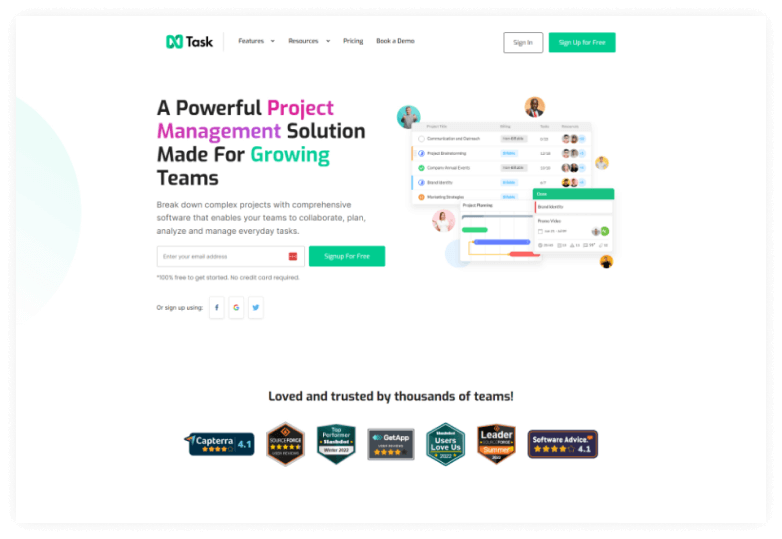
nTask is one of the best task management tools for small businesses and individuals. It is ideal for those looking to collaborate with team members on various projects and tasks.
With nTask, you can easily assign tasks and set recurring tasks. It also allows you to attach files and checklists to tasks. Additionally, you can generate progress reports and monitor project or task schedules effortlessly.
You can also integrate nTask with Google Calendar, Outlook and has built-in meeting scheduling and calendar management features.
nTask also has android and IOS mobile versions that you can access from anywhere to monitor budgets for individual projects, their risks, and issues, and also monitor team members’ time spent on a particular task or project.
Highlight Features
- Project Management Tools such as budget tracking, Resource allocation, Set currency, etc.
- Set task dependencies, set milestones, Optimize progress, etc.
- Link Projects, Visualize with Gantt charts, Assign tasks, track time, etc.
- Kanban Board
- Pre-built board templates
- Online meeting management software
- Bug tracking software
- Flexible Pricing
Price: nTask offers 4 different licenses for its users.
- Basic Version License: The basic version has features such as unlimited tasks, meeting management, time tracking, file storage, support for IOS and Android applications, collaboration, etc.
- Business Version License: The business version costs 8 USD per month billed annually and has an extensive list of up-to-date features that includes priority support, two-factor authentication, custom roles and permissions, Risk tracking, advanced reporting, etc.
- Enterprise Version License: The enterprise version is for custom features and is best suited for businesses looking for custom solutions.
Todoist
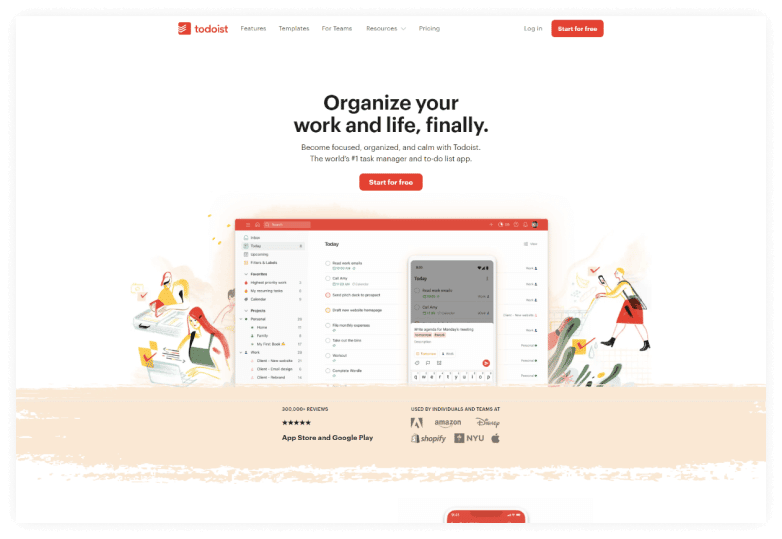
Todoist is one of the best to-do list or task management apps that you can use to organize projects and tasks to increase productivity. This cloud-based task management app is essential for those looking to collaborate on different tasks and projects. It is easy to use and has a user-friendly and intuitive interface.
It can be used by both individuals as well as organizations of any scale. Todoist is one of the best note-taking and to-do list software applications. It is also one of the best task management tools used by over 20 million users.
Highlight Features
- Allows you to delegate tasks
- Personalized workflow
- Set daily or weekly goals
- Allows file uploads and comments
- Add tasks via emails
- Set priority levels and reminders
- Flexible pricing plans, etc.
Price: Todoist offers 3 different licenses for its users.
- Free Version License: The free version offers limited features like only 5 active projects, 5 team member collaboration per project, only 1-week activity history, etc.
- Pro Version License: The Pro version only costs 4 USD per month billed annually and has more built-in features than the free version like 300 active projects, 25 collaborators per project, unlimited activity history, etc.
- Business Version License: The business version costs 6 USD per month billed annually and gives you more features than the Pro version like support for 500 active projects, 50 collaborators per project, etc.
Taskworld
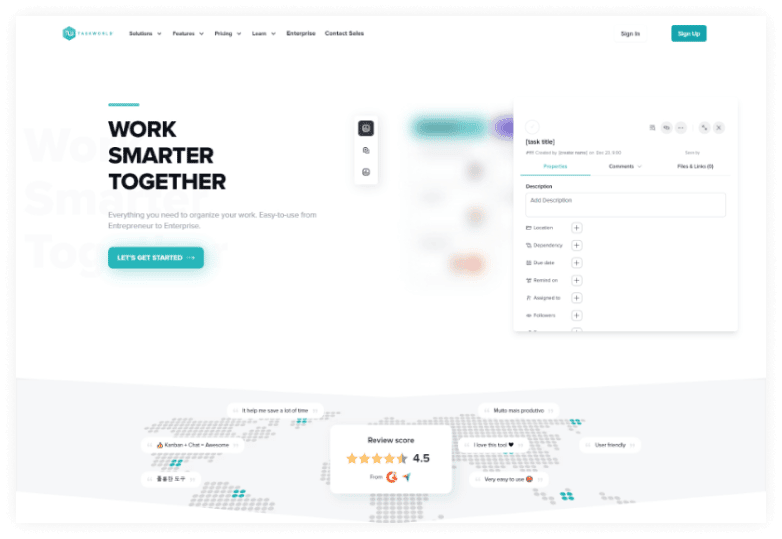
Taskworld is an amazing project management software. It is also one of the best task management tools that come with many prebuilt and up-to-date features. Some of those features include integrated chat, integration with 3rrd party applications, the ability to exchange files and collaborate on any project or task, etc.
Taskworld also comes with a variety of pricing plans that ensures you will always find the right set of features and functionality to best suit your individual or business needs.
Highlight Features
- Easy to use and intuitive interface
- Internal storage space
- 3rd party integration like google drive and dropbox
- API Integration
- User management
- Affordable pricing plans, etc.
Price: Taskworld offers 4 different licenses for its users.
- Free Version License: The free version is for individuals and teams who are just starting out with project management software. It has limited features like only support for 15 users, limited storage, etc.
- Enterprise Version License: The enterprise version costs only 22 USD per month billed annually and gives you unlimited access to all the built-in features.
Frequently Asked Questions
Is task management software suitable for small businesses or just large enterprises?
Task management software is beneficial for businesses of all sizes. Many tools offer scalable solutions, making them suitable for small teams or large enterprises. It enhances organization and collaboration, no matter the size of the team.
What are the main benefits of using task management software?
The key benefits include improved productivity, collaboration, communication, time management, accountability, stress reduction, and flexibility.
How should businesses choose the right task management tool?
Businesses should identify their needs, evaluate solutions based on features and cost, consider integration capabilities, look for user-friendly interfaces, ensure security requirements are met, and check customer support availability.
What are the essential steps in managing tasks with management software?
The essential steps include choosing the right software, creating task lists, setting clear deadlines, assigning team tasks, tracking progress, enabling reminders, measuring success, and refining the process.
Can task management software work for both individuals and teams?
Yes, the article confirms that task management tools are essential for all professionals and businesses, regardless of size or industry, whether working individually or in teams
What should be monitored when evaluating task management performance?
When evaluating performance, users should track task completion time, accuracy, efficiency, and use reporting features to analyze performance and identify areas for improvement.
Final Thoughts
Manage tasks with management software is an effective and efficient way to reduce the stress of managing day-to-day tasks. With a clear overview of your tasks and progress, you’ll feel more in control and less anxious about deadlines. The result? A more focused, productive, and happier team.
In this article, we have reviewed in depth some of the best task management software that are available online in 2025.
All these software platforms provide their users with unique and premium quality features. Select a platform based on your specific needs and transform how your team works together.
We hope this article will help you find the best task management software for your business. Ready to boost your team’s productivity? Start exploring task management software today and take control of your workflow.