
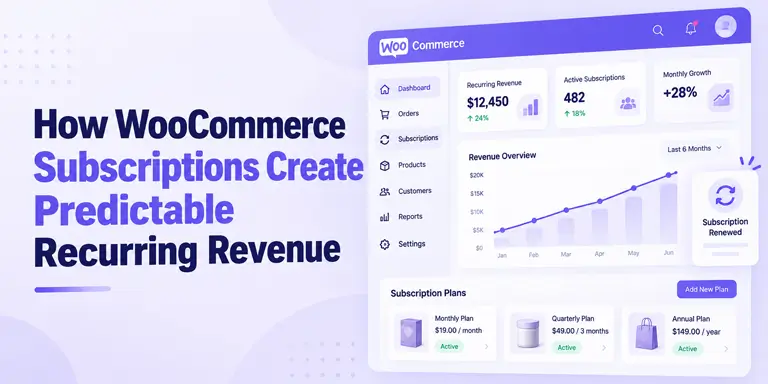
How WooCommerce Subscriptions Create Predictable Recurring Revenue

One-time sales make income hard to predict. A strong month is followed by a slow one, and you start from zero again.
WooCommerce subscriptions change that. Customers pay on a schedule, so part of your revenue repeats without a new sale each month.
But recurring revenue is not guaranteed revenue. Customers cancel, cards fail, and some products do not suit the model. This guide explains how WooCommerce subscriptions work, when they fit, what can go wrong, and which numbers show whether they are working.
Quick Answer: WooCommerce subscriptions let customers pay for a product or service on a repeating schedule. This turns one-time sales into recurring revenue you can forecast. They work best for products people reuse or need regularly. Profit depends on keeping churn and failed renewals low.
Table of Contents
What Is a WooCommerce Subscription?
A WooCommerce subscription is a customer agreement to pay for a product or service again and again. The customer picks a plan at checkout. The store then bills them every week, month, or year until they cancel.
This model works for physical goods like coffee or skincare refills. It also works for digital downloads, memberships, and services.
WooCommerce itself sells one-time products. To sell subscriptions, you add a subscription plugin. The plugin creates the subscription, tracks its status, and creates a renewal order for each billing cycle.
How the WooCommerce Subscription Model Works
Recurring Billing
Every subscription has a billing period, such as monthly or yearly. You can also add a free trial or a sign-up fee. When the period ends, the plugin creates a renewal order and asks for payment.
Automatic vs Manual Renewals
This choice shapes how predictable your revenue is.
- Automatic renewals: The payment gateway charges the saved payment method on the due date. This needs a gateway that supports recurring billing.
- Manual renewals: The customer gets a notice and must pay each time. Some customers will forget or skip it.
Automatic renewals give you steadier income. Manual renewals add friction at every cycle.
Customer Subscription Management
Many subscription plugins let customers manage their own plans from the My Account page. WooCommerce Subscriptions adds self-service features to the My Account area. Depending on your store settings and gateway, customers may be able to cancel, pause, or update their payment method. Other plugins may offer fewer options, so check this before you choose one.
How WooCommerce Subscriptions Change Your Revenue Model
Predictable Recurring Income
With one-time sales, every month starts at zero. With subscriptions, active subscribers renew and form a baseline. You then add new sales on top of it. This makes planning for stock, ads, and hiring easier.
Better Revenue Forecasting
You can estimate next month’s income from the renewals already due. WooCommerce Subscriptions includes an upcoming recurring revenue report that gives a basic forecast. Use it as a guide, not a promise, because cancellations and failed payments will change the final number.
Less Repeat-Purchase Friction
A one-time buyer must decide to come back and order again. A subscriber does not. The product arrives, or access continues, without another checkout. For products people use up, this removes a common reason to drop off.
Stronger Retention Potential
A subscriber has an ongoing relationship with your store. That gives you more chances to deliver value, answer questions, and earn loyalty. Retention is not automatic, though. Customers stay only while the product keeps feeling worth the price.
Automated Subscription Operations
Depending on your plugin and gateway, renewals, receipts, reminders, and payment retries can run without manual work. This saves time as your subscriber count grows. It also lowers the chance of human error.
Example: One-Time Sales vs Subscription Revenue
Here is a simple, made-up example. It assumes every payment lands in the same month. Both stores sell a $40 product and start with 100 customers.One-Time Store Subscription Store Month 1 100 buyers x $40 = $4,000 100 subscribers x $40 = $4,000 Month 2 starting point No renewals due, so you need new buyers 100 subscribers already due to renew Month 2 changes None 8 cancel, 4 renewals fail and 2 are recovered, 25 new subscribers Month 2 paying customers New buyers only 100 – 8 – 2 + 25 = 115 Month 2 monthly revenue (simplified) $4,000 needs 100 new buyers $4,600 (115 x $40)
The subscription store reached $4,600 with 25 new sales. The one-time store would need 115 new buyers to match it.
Now look at the leaks. Ten subscribers were lost in month 2: eight cancellations and two failed renewals. That is $400 of monthly revenue you must refill. Here is the simple formula:
Net new recurring revenue = new subscription revenue – cancelled revenue – lost failed renewals
In this example, that is $1,000 – $320 – $80 = $600. Your base grew from $4,000 to $4,600.
Is a Subscription Model Right for Your WooCommerce Store?
Not every store should sell subscriptions. The model works when customers get repeat value.
Businesses That Are a Strong Fit
- Consumable products, such as food, supplements, or skincare
- Subscription boxes
- Memberships and paid content
- Digital services and software licenses
- Maintenance and service plans
- Replenishment products, such as filters or pet supplies
When Subscriptions May Not Make Sense
- Rare, high-ticket purchases that people make once every few years
- Products with highly unpredictable demand
- Stores where customers have no reason to buy again
- Products where a renewal charge would feel like a surprise
If your customers would not reorder on their own, a subscription may only delay cancellations.
WooCommerce Subscriptions Are Not Automatically Profitable
A subscription adds recurring revenue. It does not add recurring profit. These risks can shrink the gains:
- Voluntary churn: Customers cancel because the product no longer feels worth it. See how to reduce subscription churn with WooCommerce.
- Failed renewals: Cards expire, banks decline charges, and funds run short. Learn why WooCommerce subscription payments fail and how to recover them.
- Dunning gaps: Without clear reminders and retries, failed payments quietly turn into lost customers. See how WooCommerce subscription dunning works.
- Fulfillment costs: Shipping and packaging costs repeat with every order. A low price may not cover them.
- Refund pressure: Customers who forget a renewal often ask for refunds.
- Cancellation friction: Hard-to-cancel plans create angry customers and chargebacks.
- Subscription fatigue: Shoppers now manage many subscriptions. They cut the ones they use least.
- Gateway limits: Not every gateway supports automatic renewals. Check this before you launch.
Metrics That Show Whether Your Subscription Model Is Working
“Transform your store” is only true if the numbers move. Track these every month:Metric What It Tells You Simple Way to Measure MRR (monthly recurring revenue) Your repeating monthly income Sum of all active monthly subscription payments Active subscriptions The size of your recurring base Count of subscriptions in active status Churn rate How many subscribers you lose Cancelled subscribers/subscribers at start of month Renewal rate How reliably renewals succeed Successful renewals/renewals due Failed-payment recovery rate How well you win back failed charges Recovered payments / failed payments Subscriber lifetime value (LTV) What an average subscriber is worth Average monthly revenue per subscriber / monthly churn rate (simple estimate)
WooCommerce Subscriptions includes reports for renewal revenue, retention, and upcoming recurring revenue. Metrics such as MRR may need extra tools or a manual calculation.
For detailed tracking, see subscription analytics for WooCommerce. The LTV figure is a simple revenue estimate. It assumes steady churn and ignores costs, so also track margin, acquisition cost, and fulfillment cost.
What You Need to Add Subscriptions to WooCommerce
You need a subscription plugin and a payment gateway that supports recurring payments. Check three things before you choose:
- Gateway support: Does it support automatic renewals for the gateway you already use?
- Billing options: Can it handle your billing periods, trials, and sign-up fees?
- Reporting and recovery: Does it show renewal data and retry failed payments?
WooCommerce Subscriptions supports over 25 gateways for automatic recurring payments. It also has a failed-payment retry system, but it is off by default. You turn it on in the Subscriptions settings. The default rules retry over seven days, and changing them needs code.
Run WooCommerce subscriptions without the manual work
Recurio processes renewals for you, retries failed payments, and tracks your MRR in one dashboard.
- 17 free features
- Pro from $99 per year
- 30-day money-back guarantee
Recurio is another option built for subscription management and analytics. Our WooCommerce subscription plugin comparison lines up the main choices. If you are deciding between those two, read Recurio vs WooCommerce Subscriptions.
Ready to build? Follow the steps to set up WooCommerce subscriptions.
What WooCommerce Subscription Stores Should Prioritize in 2026
Growth matters less than keeping the customers you already have. Focus on these:
- Renewal reliability: A subscription that misses a renewal loses revenue silently. WooCommerce Subscriptions now has a Subscriptions Health Check under WooCommerce > Status > Subscriptions. It flags subscriptions that are not renewing when they should. You can also turn on nightly scans.
- Failed-payment recovery: Turn on failed-payment retries and send clear payment emails. If a renewal still fails, follow this WooCommerce subscription renewal failure guide to find the cause.
- Retention over acquisition: Retaining subscribers means you need fewer new customers each month, as long as servicing costs stay low.
- Gateway compatibility: Confirm automatic renewal support before you add or switch gateways.
Best Practices for Sustainable Recurring Revenue
- Start simple. Launch with one or two clear plans before you add tiers.
- Offer monthly and annual options. This suits both short-term and long-term buyers.
- Test a renewal before launch. Run a test subscription through a full billing cycle.
- Send renewal reminders. Customers dislike surprise charges.
- Offer a pause option. Some customers will pause instead of cancelling. See how to pause WooCommerce subscriptions.
- Test trials and pricing. Compare free trials vs paid subscriptions to see which keeps more customers.
- Ask why people cancel. A one-question survey shows what to fix.
Frequently Asked Questions
Does WooCommerce support subscriptions by default?
No. WooCommerce sells one-time products out of the box. You need a subscription plugin to add recurring billing, renewals, and subscription management.
What is the difference between recurring billing and subscriptions?
Recurring billing is the repeated charge. A subscription is the full customer agreement. It includes the plan, status, renewal dates, and changes such as pausing. Our guide to recurring billing for WooCommerce goes deeper.
Can WooCommerce subscriptions renew automatically?
Yes, if your gateway supports automatic recurring payments. If it does not, customers must pay each renewal manually.
Which payment gateways support automatic subscription renewals?
It depends on your plugin and gateway. WooCommerce Subscriptions supports over 25 gateways for automatic renewals, including Stripe and PayPal. Always check the plugin’s gateway list first.
Are WooCommerce subscriptions suitable for physical products?
Yes. Consumables, refills, and subscription boxes work well. They work best when customers use the product up and need more.
What happens when a subscription payment fails?
It depends on your plugin. Many can retry the charge on a schedule and email the customer. In WooCommerce Subscriptions, the retry system is off until you turn it on. If every retry fails, the subscription usually moves to an on-hold or cancelled status.
How do I measure subscription profitability?
Track MRR, churn rate, renewal rate, and lifetime value. Then compare them with your margin, acquisition, shipping, and payment costs. Revenue growth alone does not prove profit.
Conclusion
WooCommerce subscriptions give your store a repeating revenue base. That base makes planning easier and cuts the pressure to find new buyers every month. But the model only pays off when customers stay, and renewals succeed.
Start by checking whether your products fit. Then pick a plugin that supports your gateway, set up automatic renewals, and track your core metrics each month. Before you launch, read these WooCommerce subscription mistakes to avoid.