HubSpot CMS vs WordPress: Which one is the best?

Many business leaders struggle with the HubSpot CMS vs WordPress decision for their online presence There are a lot of Content Management Systems (CMS) on the market these days.
So, which one should you choose for your business? In this blog post, we see how HubSpot CMS vs WordPress showdown compares in terms of features to help you make the best decision for your needs.
The HubSpot CMS features continue evolving with quarterly updates aimed at marketing automation integration. Numerous case studies highlight how WordPress features excel for content-heavy websites requiring frequent updates.
HubSpot CMS is a great option for businesses that want an all-in-one platform with built-in marketing features. WordPress is a popular choice among bloggers and small businesses because it is free and customizable.
So, which one is the best? Keep reading to find out.
What is HubSpot CMS, and What are Its Features
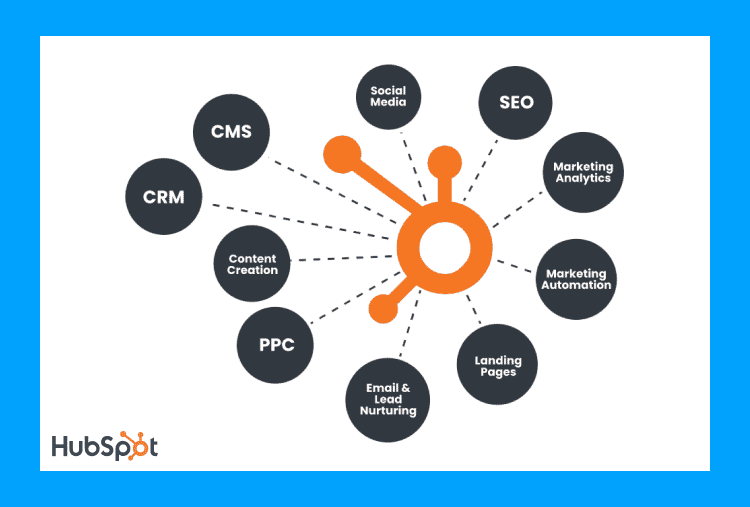
HubSpot CMS is an all-in-one platform designed specifically for marketing-focused business websites. The platform integrates content management with customer relationship management for better lead tracking.
Its drag-and-drop editor simplifies content creation without requiring extensive technical knowledge. HubSpot CMS also includes built-in SEO and social media tools, making it easier for companies to promote their website and reach their target audience.
HubSpot CMS Features
Key HubSpot CMS Features
- Smart Content Tools: Delivers personalized content based on visitor behavior and preferences.
- Built-in CRM Integration: Connects website activities directly to your customer database for better insights.
- Mobile Optimization: Automatically creates responsive designs for different screen sizes and devices.
- SEO Recommendations: Provides real-time suggestions while creating content for better search performance.
- Security Features: Includes SSL, web application firewall, and 24/7 threat monitoring.
- Global CDN: Delivers fast loading times worldwide through distributed content delivery networks.
- HubL Coding Language: Offers templating language for developers to create custom modules.
- Marketing Analytics: Tracks visitor journeys and provides detailed performance reports for content.
What is WordPress and What are Its Features
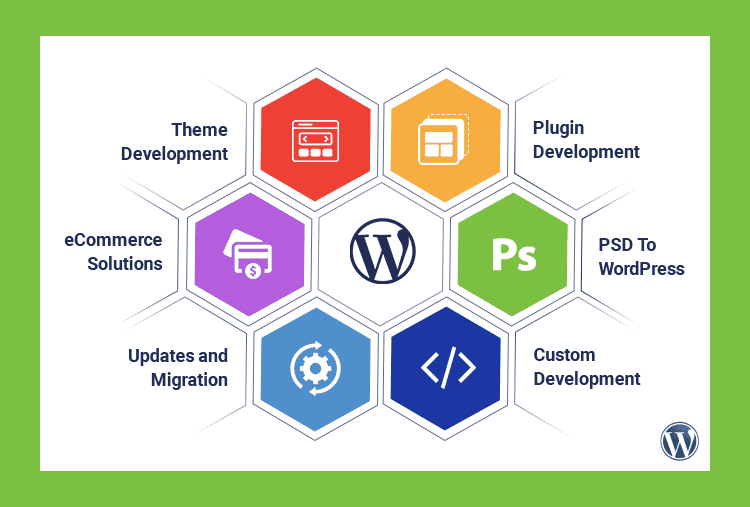
WordPress is a Content Management System (CMS) that enables users to create a website or blog from scratch or improve an existing website. This CMS is a popular choice for many users as it is free to use, and thousands of themes and plugins are available to customize your website looks and feels.
WordPress is also easy to use, even for beginners, which makes it an ideal platform for people who want to create a website without knowing the code. WordPress powers millions of websites and is one of the most popular CMS platforms in the world.
WordPress Features
- Block Editor (Elementor & Gutenberg): Now more stable with improved performance in the 2025 version.
- Plugin Ecosystem: Over 60,000 plugins to extend functionality for any business need.
- Multi-User Capabilities: Advanced user role management for content teams of any size.
- Media Management: Improved media library with better organization and editing capabilities.
- Multilingual Support: Built-in translation capabilities for global business reach.
- REST API: Allows headless CMS implementation for modern development approaches.
- Automatic Updates: Core security updates now deploy automatically for better protection.
Comparison Between HubSpot CMS Vs WordPress
Ease of Use Comparison
HubSpot CMS Usability
HubSpot prioritizes user experience with intuitive controls and contextual guidance throughout the platform. The learning curve remains minimal even for non-technical users managing website content. Most editing happens through visual interfaces rather than requiring code knowledge.
Templates and modules create consistent designs across your entire website with minimal effort. The platform includes comprehensive documentation and video tutorials for any feature questions. Customer support representatives can assist with specific implementation challenges via live chat or phone.
WordPress Usability
WordPress offers an accessible dashboard for basic content management without technical knowledge requirements. However, advanced customizations may require hiring developers or learning basic coding principles. The block editor simplifies content creation with visual components for different content types.
Plugin installations require careful selection to avoid compatibility issues between different tools. Theme customization often demands more technical knowledge than HubSpot’s drag-and-drop approach. The abundance of options sometimes creates decision paralysis for new WordPress users.
Pricing Comparison
HubSpot CMS Pricing
HubSpot operates on a tiered subscription model with increasing features at higher price points:
- CMS Starter: $25/month – Basic website tools with limited marketing features
- CMS Professional: $400/month – Advanced content tools with marketing automation capabilities
- CMS Enterprise: $1,200/month – Enterprise-grade security, permissions, and advanced functionality
All plans include hosting, security, and support with no additional costs required. The platform offers clear pricing without surprise charges for additional functionality. Enterprise customers benefit from dedicated support and advanced user permission controls.
WordPress Pricing
WordPress software remains free to download and use for any business purpose. However, total costs include several required components:
- Hosting: $5-$50/month depending on traffic and performance needs
- Domain: $10-$20/year for standard domain registration
- Essential Plugins: $0-$500/year depending on functionality requirements
- Developer Costs: Variable expense for custom functionality or troubleshooting
Small businesses can start with WordPress for under $100 per year with basics. Enterprise implementations may cost thousands annually with premium plugins and custom development. The flexible cost structure allows scaling based on current business requirements.
Migration Considerations
Moving from WordPress to HubSpot
Transitioning from WordPress to HubSpot requires careful planning for content migration workflows. HubSpot provides migration tools but custom post types need special handling. The platform offers professional migration services for complex website transfers.
Your SEO equity should remain intact with proper 301 redirects from old URLs. Expect approximately 2-4 weeks for a complete migration of a medium-sized website. Custom integrations may need rebuilding within the HubSpot ecosystem.
Moving from HubSpot to WordPress
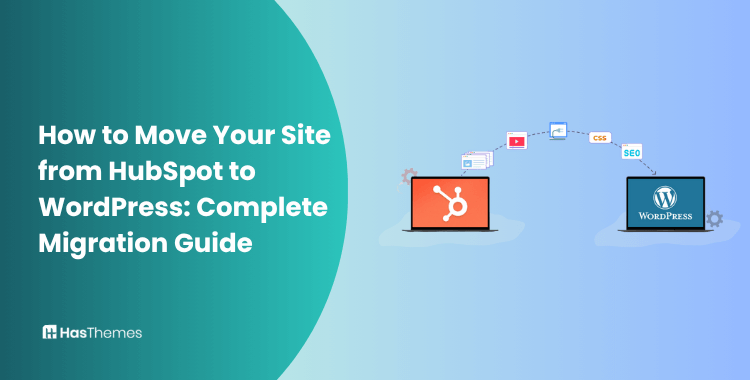
WordPress migration from HubSpot typically involves rebuilding templates and reimplementing marketing features. You’ll need to set up comparable analytics tools in WordPress for data tracking. Custom modules will require redevelopment as WordPress blocks or plugins.
Consider using a staging environment to complete migration before pointing your domain. WordPress developers with HubSpot experience can significantly smooth this transition process. Marketing automation workflows will need careful recreation in WordPress plugins.
Security Comparison
HubSpot CMS Security
HubSpot handles security updates, vulnerability patching, and threat monitoring automatically for all customers. The platform includes enterprise-grade web application firewalls to protect against common attacks. All sites receive free SSL certificates with proper implementation and renewal.
HubSpot maintains SOC 2 Type II certification for proven security practices. User permissions allow granular control over who can edit different website sections. Global CDN provides DDoS protection as a standard feature for all accounts.
WordPress Security
WordPress requires vigilant maintenance with regular core, theme, and plugin updates. Security plugins like Wordfence or Sucuri provide essential protection against common threats. Hosting quality significantly impacts WordPress website security and performance metrics.
Strong password policies and two-factor authentication enhance WordPress admin security. Regular backups are essential as recovery options for potential security incidents. The large WordPress market share makes it a frequent target for automated attacks.
SEO Capabilities
HubSpot SEO Features
HubSpot offers integrated SEO tools that provide recommendations during content creation processes. The platform includes content strategy tools to identify topic clusters and optimization opportunities. On-page SEO elements like meta descriptions and headings have guided optimization tools.
The system automatically generates structured data for better search engine understanding. Mobile optimization ensures your content ranks well in mobile-first indexing environments. HubSpot allows tracking specific keywords and providing performance improvement recommendations.
WordPress SEO Features
WordPress requires plugins like Yoast SEO or Rank Math for comprehensive optimization tools. These plugins provide detailed analysis and recommendations for on-page SEO elements. The platform supports custom permalink structures for SEO-friendly URLs.
XML sitemap generation helps search engines discover and index your content effectively. Schema markup can be implemented through dedicated plugins for rich search results. WordPress performance can be optimized with caching plugins for better page speed.
Here is How HubSpot CMS vs WordPress Showdown Compare in Tterms of Features
HubSpot CMS and WordPress are two of the most popular content management systems. Each platform offers distinct features that appeal to different business requirements.
HubSpot CMS Features
HubSpot offers a proprietary content management system (CMS) that includes hosting, SSL, CDN, and themes. It integrates everything from SEO tools to CRM plugins, with a user-friendly drag-and-drop interface.
Built-in analytics, SEO, and marketing tools make it attractive for businesses seeking “out-of-the-box” solutions. The platform handles technical maintenance, security updates, and performance optimization automatically.
However, subscription costs may increase over time as your business grows or features change. HubSpot CMS works well for businesses prioritizing marketing integration over unlimited customization options.
WordPress Features
WordPress is an open-source platform powering websites from small blogs to enterprise solutions. Its vast ecosystem includes over 60,000 plugins and thousands of themes for unlimited customization.
The software itself is free, giving you complete ownership and control of your website. You’ll need to purchase web hosting, themes, and possibly premium plugins separately.
WordPress excels at content management with its intuitive block editor and extensive media management tools. The platform supports virtually any business model from content publishing to eCommerce operations. Its flexibility makes it suitable for both simple websites and complex digital experiences.
Comparison Table: HubSpot CMS vs WordPress
| Feature | HubSpot CMS | WordPress |
| Ease of Use | Intuitive drag-and-drop interface with minimal learning curve | User-friendly but requires more technical knowledge for advanced customization |
| Cost | Starting at $25/month (CMS Starter), scales to $400/month (Enterprise) | Free software but requires hosting ($5-$50/month) plus premium plugins/themes |
| Built-in Marketing | Comprehensive marketing suite with CRM integration | Limited native marketing tools, requires plugins for marketing automation |
| Customization | Moderate customization with HubL coding language | Extensive customization with thousands of plugins and themes |
| Security | Built-in security with automatic updates | Requires security plugins and regular manual updates |
| SEO Features | Integrated SEO tools with content strategy features | Basic SEO with popular plugins like Yoast or Rank Math |
| Support | 24/7 customer support included | Community forums and paid support through hosting or developers |
Frequently Asked Questions
Can I use HubSpot with WordPress?
Yes, HubSpot offers WordPress plugins for tracking, forms, and live chat integration. This combination gives WordPress sites access to HubSpot’s marketing tools without migration. However, you won’t get the full HubSpot CMS experience with this integration approach.
Which platform offers better performance?
HubSpot provides consistent performance with built-in CDN and optimization features. WordPress performance varies greatly depending on hosting quality and optimization efforts. Both can achieve excellent speed scores with proper implementation and maintenance.
How difficult is it to switch between these platforms?
Migration complexity depends on website size and custom functionality requirements. Most companies should plan for 2-4 weeks of transition time for either direction. Professional assistance is recommended for business-critical website migrations.
Can I sell products on both platforms?
HubSpot offers basic e-commerce functionality through payment links and third-party integrations. WordPress with WooCommerce provides more robust e-commerce capabilities for complex product catalogs. Both support online payments, product listings, and order management workflows.
Which platform offers better support?
HubSpot provides direct customer support through chat, email, and phone channels. WordPress users rely on community forums, hosting support, and hired developers. Enterprise-level HubSpot plans include dedicated technical account managers for priority assistance.
Conclusion
HubSpot CMS works best for marketing-focused businesses seeking integrated tools without technical complexity. The platform offers streamlined workflows connecting website visitors directly to sales processes. Its all-in-one approach suits teams wanting simple management with powerful marketing capabilities.
WordPress remains ideal for businesses needing extensive customization with budget-conscious implementation options. The platform’s flexibility accommodates virtually any business model or content requirement. Technical teams can leverage WordPress for highly specific functionality through custom development.
Choose based on your technical resources, marketing needs, and budget constraints. Consider long-term growth plans when selecting between these powerful content management systems. Both platforms continue evolving with regular updates addressing business website requirements.