7 Best WordPress CRM Plugins in 2026

Quick Answer: FluentCRM is our top pick for established WordPress-native email marketing and automation. Kelune CRM is worth testing if you want a newer self-hosted option for contacts, campaigns, and automation, while Jetpack CRM is better suited to client billing and invoicing.
WordPress CRM plugins can help you manage contacts, email campaigns, automation, client records, and customer data without building a complicated sales stack. However, not every CRM works the same way. Some store data directly in WordPress, while others connect your site to an external CRM platform.
In this guide, we compare seven WordPress CRM options based on contact management, email capabilities, automation, integrations, data ownership, pricing, and ongoing development so you can choose the right setup for your business.
Table of Contents
How We Choose the Best WordPress CRM Plugins
We evaluated each plugin based on contact management, email marketing and automation, data ownership, integrations, reporting, pricing transparency, ease of use, maintenance activity, and suitability for different business needs.
The list includes self-hosted CRMs, cloud-connected CRM platforms, and synchronization tools. Each option is positioned according to its strongest use case rather than treated as an identical type of CRM.
Quick Comparison
| CRM | Best for | Self-hosted data | Email campaigns | Automation | Free version | Pricing |
|---|---|---|---|---|---|---|
| FluentCRM | Established WordPress email marketing and automation | Yes | Yes | Advanced workflows | Yes | Free version; paid plans available |
| Kelune CRM | New self-hosted CRM for contacts, email, and automation | Yes | Yes | Visual automation | Yes | Free version; Pro add-on available |
| Jetpack CRM | Client management, invoicing, and transactions | Yes | Basic | Limited | Yes | Free core; paid plans and extensions available |
| HubSpot | Connecting WordPress to a full cloud CRM | No | Yes | Yes | Yes | Free plan; paid CRM tiers available |
| WP ERP | CRM, HR, and accounting in one dashboard | Yes | Basic | Limited | Yes | Free core; paid extensions available |
| FuseWP | Syncing WordPress users to an external CRM | No | No | Trigger-based sync | Yes | Free Lite version; paid plans available |
| WP-CRM System | Project and client CRM | Yes | No | Limited | Yes | Free core; paid extensions available |
7 Best WordPress CRM Plugins
Not all CRM plugins are built alike. Not all of them give you detailed insights, automation, control, and ease-of-use at a pocket-friendly rate. But these top CRM plugins are have-it-alls. Check them out.
1. FluentCRM
Best for: Businesses that want a mature self-hosted platform for email marketing, customer segmentation, and automation inside WordPress.
FluentCRM is a self-hosted email marketing automation plugin that keeps contact and campaign data within the WordPress environment.
It includes a drag-and-drop email builder, contact segmentation, visual automation workflows, abandoned-cart recovery, and SMS marketing through supported providers.
The plugin also integrates with a wide range of plugins, including Fluent Forms, WooCommerce, LearnDash, MemberPress, BuddyBoss, and Easy Digital Downloads. You can use the vendor’s email SMTP plugin to ensure email deliverability and provide informed and efficient support with the Fluent Support plugin.
That said, FluentCRM gives you limitless automation possibilities within WordPress. Its paid plans are based on the number of websites rather than contact-list size.
Key features:
- Contact segmentation and dynamic lists.
- Visual email automation workflows.
- Drag-and-drop email builder.
- Campaign scheduling and performance reporting.
- WooCommerce and membership-plugin integrations.
- SMS campaigns and automation through supported providers.
- Webhooks, REST API, and WordPress user synchronization.
Consider before choosing: FluentCRM is one of the more mature self-hosted options in this list for WordPress email marketing and automation. Its longer track record and broad integration range make it easier to evaluate than newer plugins.
2. Kelune CRM
Best for: Businesses that want to manage contacts, campaigns, email marketing, and automation inside WordPress while keeping customer data on their own server.
Kelune CRM is a self-hosted CRM and marketing platform that stores contact data in your WordPress database. It works offline by default unless you configure an external sending provider or optional service.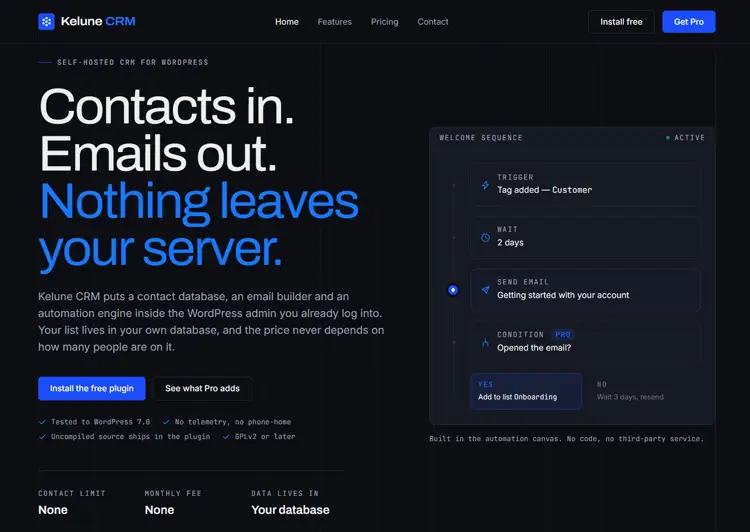
The free version includes contact management, activity timelines, tags, lists, custom fields, notes, and CSV or Excel contact import.
For email marketing, it provides a drag-and-drop email builder, campaign scheduling, open and click tracking, double opt-in, incoming webhooks, and a visual automation canvas with triggers, delays, and actions. It can send through the default WordPress mailer, SMTP, Amazon SES, Mailgun, or SendGrid.
Key features:
- Contact management with activity timelines and notes
- Tags, lists, and custom fields
- Drag-and-drop email builder with CSS inlining
- Campaign scheduling, sending queue, and open/click tracking
- Visual automation with trigger, delay, and action steps
- Double opt-in and subscription-status management
- Incoming webhooks for creating or updating contacts
- CSV, XLSX, and XLS contact import
- WordPress user synchronization
- SMTP, Amazon SES, Mailgun, SendGrid, and default mailer support
Consider before choosing: Kelune CRM is a newly released plugin, so it does not yet have the long public track record, review volume, or integration ecosystem of established tools such as FluentCRM or HubSpot.
Its free version covers a relatively broad mix of contact management, campaigns, automation, webhooks, spreadsheet importing, and email-delivery options. It is worth testing if you want a newer self-hosted CRM, but long-term reliability needs time to be proven.
3. Jetpack CRM
Best for: Freelancers, agencies, consultants, and small businesses that need customer records, quotes, invoices, and transaction management.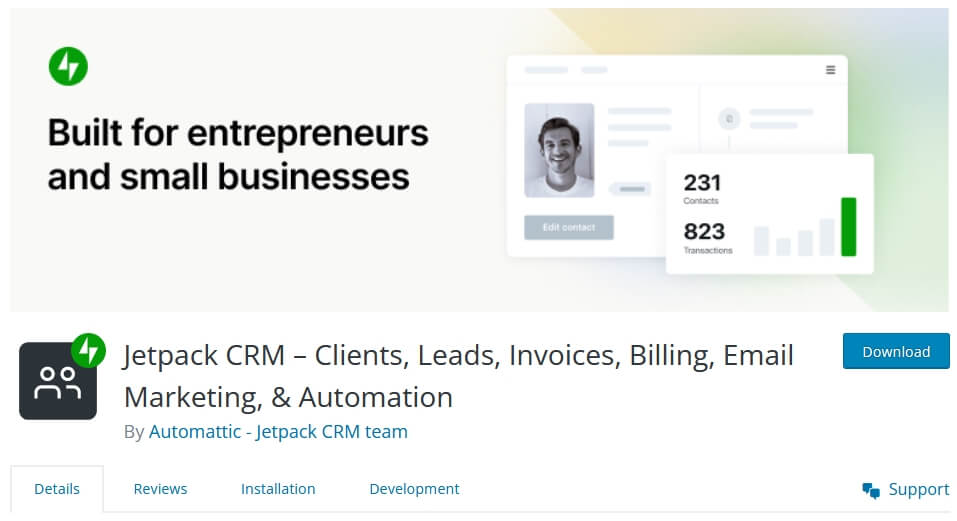
Jetpack CRM is designed around client management and business operations. It is a stronger fit for businesses that need billing and customer records than for businesses focused primarily on advanced email marketing automation.
The product sits within the wider Jetpack ecosystem, which also includes website security, backups, performance tools, analytics, and growth tools.
Key features:
- Customer and organization records
- Quotes, invoices, and transaction tracking
- Client management tools
- Contact and billing workflows
- Integration with the broader Jetpack ecosystem
Consider before choosing: Jetpack CRM’s automation and segmentation capabilities are more limited than those of FluentCRM or Kelune CRM. Choose it when client operations, invoices, and billing workflows matter more than advanced marketing automation.
4. HubSpot
Best for: Businesses that already use HubSpot or want a cloud-based CRM connected to WordPress.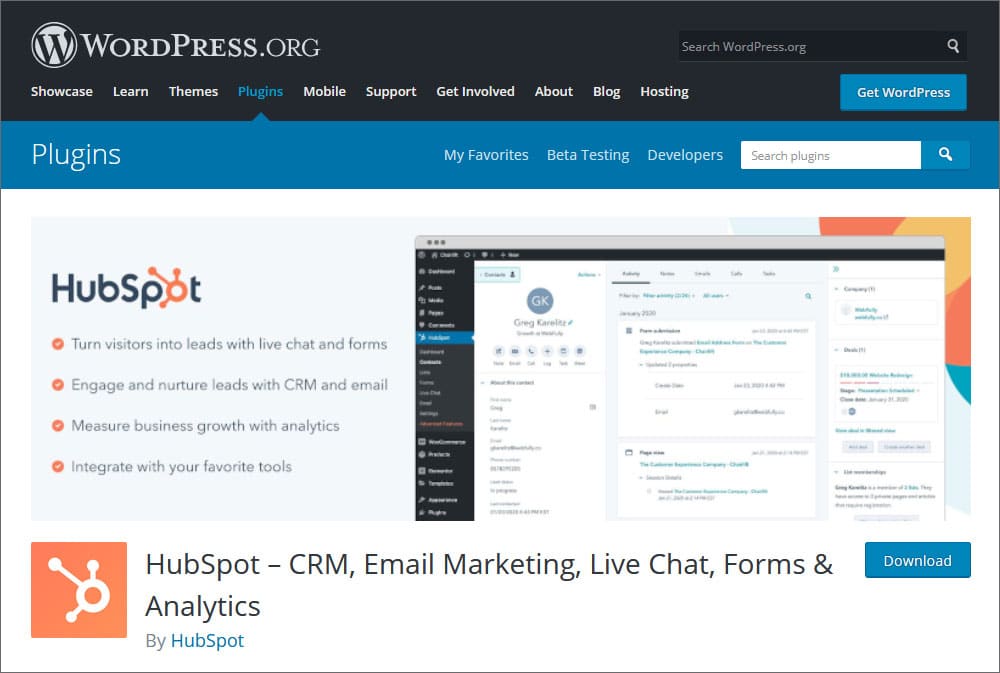
HubSpot connects WordPress to its cloud CRM platform. It can bring forms, live chat, contact collection, marketing tools, and sales data into a connected workflow.
This approach is different from self-hosted CRM plugins because contact records are managed in the cloud CRM rather than primarily inside the WordPress database.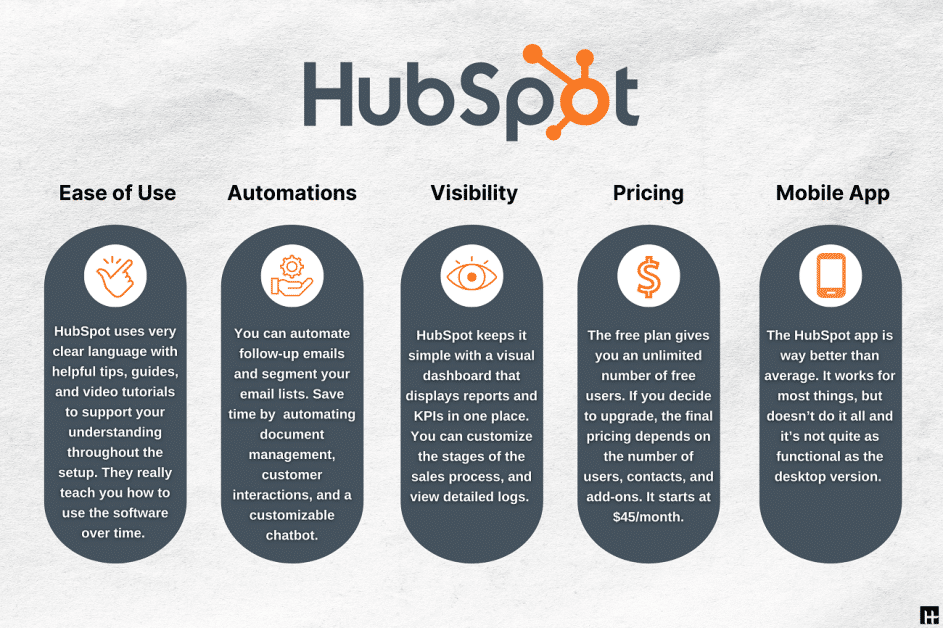
Key features:
- Cloud-based contact and deal management
- Forms, pop-ups, and live chat
- Email marketing and automation tools
- Sales and service tool integration
- Large app and integration marketplace
- Free CRM plan with upgrade paths for advanced features
Consider before choosing: HubSpot is a strong option if your business already uses its cloud ecosystem. It is less suitable if keeping CRM data within your own WordPress hosting environment is a core requirement.
5. FuseWP
Best for: Businesses that already use an external CRM or email marketing platform and need WordPress user, customer, or membership data to sync automatically.
is a WordPress synchronization and automation plugin rather than a standalone native CRM. It sends WordPress user, customer, form, membership, and e-commerce data to connected CRM or email marketing platforms.
It can subscribe users after registration, update records when users change their profiles, and remove or unsubscribe contacts when an account is deleted.
Key features:
- WordPress user and customer synchronization
- Role-based email-list subscription
- Profile and email-address update syncing
- Custom field mapping
- Contact tagging support
- WooCommerce, membership, LMS, form, and e-commerce compatibility
- Connections with external CRM and email marketing platforms
Consider before choosing: FuseWP does not provide its own independent contact database or full CRM dashboard. It is best used as a connector layer when your business already relies on an external CRM or email platform.
6. WP ERP
Best for: Small and mid-sized businesses that want customer relationship management, HR, and basic accounting tools in one WordPress dashboard.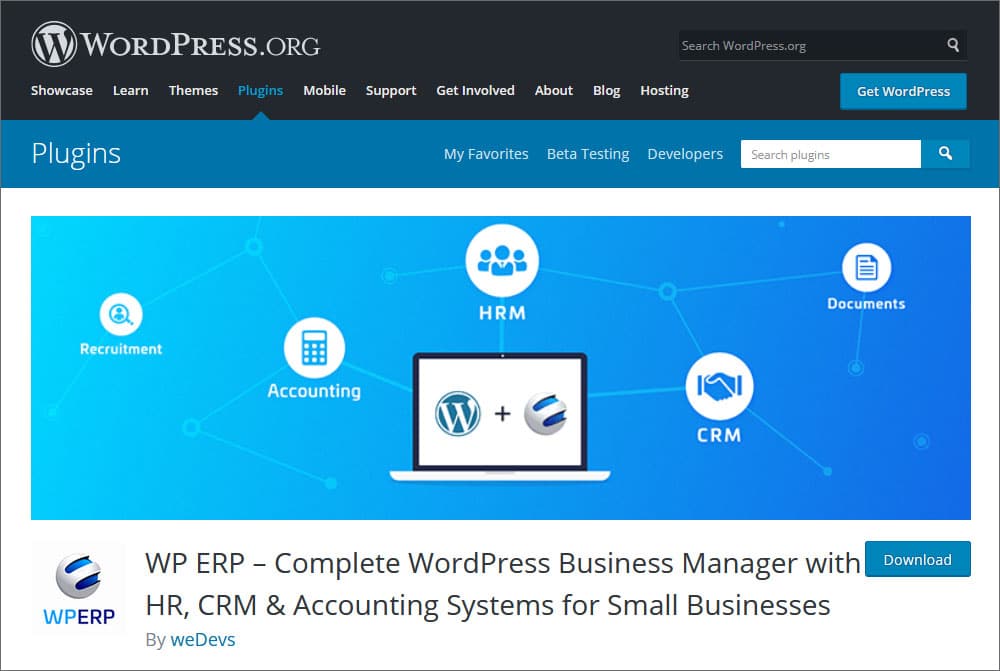
WP ERP combines CRM, HR, and accounting modules. Its CRM tools support contact lifecycle management, contact groups, notes, activity logs, meetings, calls, and reporting.
It can be useful for organizations that need to connect customer management with employee records, leave management, invoicing, and financial tracking.
Key features:
- Contact groups and lifecycle management
- Notes, activity logs, meetings, and call tracking
- CRM reports
- Employee records and leave management
- Accounting, invoicing, income, and expense tracking
- Optional e-commerce integrations through paid extensions
Consider before choosing: Choose WP ERP when you need CRM alongside HR and accounting functionality. If email marketing automation is your main goal, FluentCRM or Kelune CRM may be a more focused fit.
7. WP-CRM System
WP-CRM System is designed to work inside your WordPress installation. It helps teams manage customers, projects, tasks, opportunities, and marketing campaigns without record-count or per-user pricing.
The core plugin includes CSV contact importing, one-click contact creation from existing WordPress users, project and task management, campaign tracking, and GDPR-assist tools.
Key features:
- Customer, organization, opportunity, project, and task management
- Campaign tracking
- CSV imports and exports
- Contact creation from existing WordPress users
- Project and task notifications
- GDPR-focused data export and deletion assistance
- Optional extensions for WooCommerce, invoicing, client areas, Zapier, and form plugins
Consider before choosing: Check the live plugin listing before installation for its latest compatibility and maintenance information. This helps ensure that it suits your current WordPress version and technical requirements.
How to Choose the Right WordPress CRM Plugin
Choose the CRM type based on how you manage customer data, email marketing, sales workflows, and integrations.
- Self-hosted CRM: Choose FluentCRM, Kelune CRM, WP ERP, or WP-CRM System when data ownership matters and you prefer to keep CRM information within your WordPress environment.
- Email marketing and automation: Choose FluentCRM or Kelune CRM when newsletters, campaigns, segmentation, follow-ups, and automation are your main priorities.
- Client management and billing: Choose Jetpack CRM or WP-CRM System if your business relies on client records, quotes, invoices, transactions, projects, or task management.
- Cloud CRM connection: Choose HubSpot if your organization already uses its cloud CRM or needs sales, marketing, and service tools to work through one external platform.
- External CRM synchronization: Choose FuseWP if you already use an external CRM or email marketing platform and need WordPress registration, membership, form, customer, or e-commerce data to sync automatically.
Before deciding, compare required integrations, email-delivery setup, automation limits, pricing, support, maintenance history, and whether you need self-hosted or cloud-based customer data.
If your sales and marketing contacts also interact with customer support tickets, consider pairing your CRM workflow with a dedicated support solution such as SupportGenix.
How to Install a WordPress CRM Plugin
Most WordPress CRM plugins can be installed directly from your dashboard:
- Go to Plugins → Add New Plugin.
- Search for the CRM plugin you want to use.
- Click Install Now, then Activate.
- Open the plugin’s setup or settings page.
- Configure contacts, email sending, integrations, and automation options as needed.
Some CRM tools may also require you to connect an external account or email delivery service during setup. This is especially common with cloud CRM platforms and email-focused tools.
Watch the video about 5 Best WordPress CRM Plugins in 2026, Free CRM Software Guide Included
Frequently Asked Questions
What is the best CRM plugin for WordPress?
FluentCRM is our top pick for established WordPress-native email marketing and automation. Kelune CRM is a newer self-hosted alternative with contact management, email campaigns, and visual automation, while Jetpack CRM is more suitable for client records, billing, and invoicing.
Is there a free CRM plugin for WordPress?
Yes. The plugins in this list offer free versions or free core functionality. Advanced segmentation, automation, extensions, and cloud CRM features may require a paid plan, depending on the product.
Can I manage email marketing from a WordPress CRM?
Yes. Email-focused CRM plugins can include drag-and-drop email builders, campaign scheduling, contact segmentation, tracking, and automation. FluentCRM and Kelune CRM are the most email-marketing-focused options in this list.
Are WordPress CRM plugins self-hosted?
Some are self-hosted, and some are cloud-connected. FluentCRM, Kelune CRM, WP ERP, and WP-CRM System primarily keep CRM data within the WordPress environment. HubSpot uses a cloud CRM, while FuseWP synchronizes data with an external platform.
What is the difference between FluentCRM and HubSpot for WordPress?
FluentCRM is a self-hosted email marketing and automation plugin that works inside WordPress. HubSpot connects WordPress to a cloud CRM platform with broader sales, marketing, and service tools.
Can I keep CRM customer data inside my WordPress database?
Yes. Self-hosted CRM plugins primarily keep customer and CRM data within the WordPress environment. The exact database structure, external-service use, and email-delivery setup vary by plugin, so review the product documentation before choosing.
Do I need a separate email service to send CRM campaigns?
Not always. Some plugins can use the default WordPress mailer, while others can connect to SMTP or specialist email providers. For reliable deliverability, many businesses choose a dedicated transactional or bulk email service.
Final Verdict
FluentCRM is our top choice for businesses that want an established, self-hosted platform for WordPress email marketing and automation. Its broad integration support and longer product history make it a practical option for established sites.
Kelune CRM is worth testing if you want a newer self-hosted alternative with contact management, email campaigns, visual automation, webhooks, spreadsheet importing, and flexible email-delivery options in its free version. Jetpack CRM is more appropriate when client records, invoices, quotes, and transaction management are the main priorities.
Choose HubSpot if your business already uses its cloud CRM. Use FuseWP when you need to synchronize WordPress users, customers, or members with an external CRM or email platform rather than run a native CRM inside WordPress.
For a stronger customer-management workflow, consider how your CRM works alongside WordPress support ticket plugins and your existing lead management process. Keeping marketing, sales, and support data aligned can help teams respond faster and build better customer relationships.