Best Free WordPress LMS Plugins in 2026: What You Actually Get for Free

Choosing from the best free WordPress LMS plugins is harder than it looks. Every plugin says “free.” The real question is what you can do before you hit a paywall.
An LMS (learning management system) plugin lets you build courses, enroll students, run quizzes, and track progress inside WordPress. If you plan to build an online course platform, this comparison shows where each free plan stops. Free plans change often, so check each plugin page before you commit.
Quick Answer: The best free WordPress LMS plugin depends on how you plan to earn. Some include built-in selling tools in the free plan. Others suit free courses or simple setups. Compare payments, quizzes, certificates, instructor tools, and upgrade limits before you install.
Table of Contents
Free WordPress LMS Plugins at a Glance
| Plugin | Key free features | Main free limit | Best for |
|---|---|---|---|
| CourseGlade | Stripe, WooCommerce, manual and free enrollment; 8 quiz types; multi-instructor commissions | Certificates, content drip, and assignments are Pro | Small academies with several instructors |
| Masteriyo | Stripe, PayPal, Mollie, Lemon Squeezy, quizzes, SCORM import, one certificate template | One certificate template; QR verification is Pro | Solo creators selling a first course |
| Tutor LMS | Course builder, quizzes, dashboards, native checkout with PayPal | Certificates and Stripe need Pro | Beginners who want an established plugin |
| LearnPress | Free core, PayPal and offline payments, free add-ons | Stripe, WooCommerce, and certificates are paid add-ons | Site owners who add features step by step |
| Sensei LMS | Free courses, learning mode, basic quizzes, free certificate builder plugin | Selling courses needs Pro | Free courses and block editor users |
How We Selected These Plugins
We looked at what a new course creator needs on day one. Each plugin is judged on the same points:
- Payment support in the free plan
- Quiz tools and question types
- Instructor and commission features
- Certificates
- Theme and page builder compatibility
- Paid upgrade triggers
- Update activity
We compared each plugin’s WordPress.org listing, official documentation, and pricing page as of the date above.
A note on order: CourseGlade is our own plugin, and we list it first for that reason. The order is not a ranking. We use the same format for every plugin, including its limits.
The Best Free WordPress LMS Plugins
1. CourseGlade
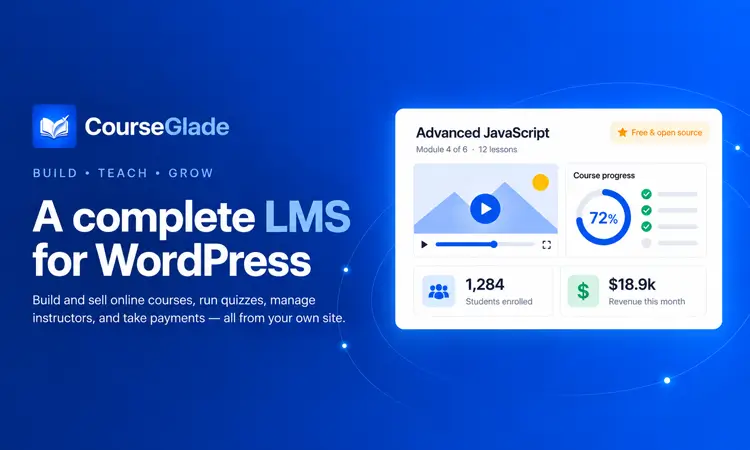
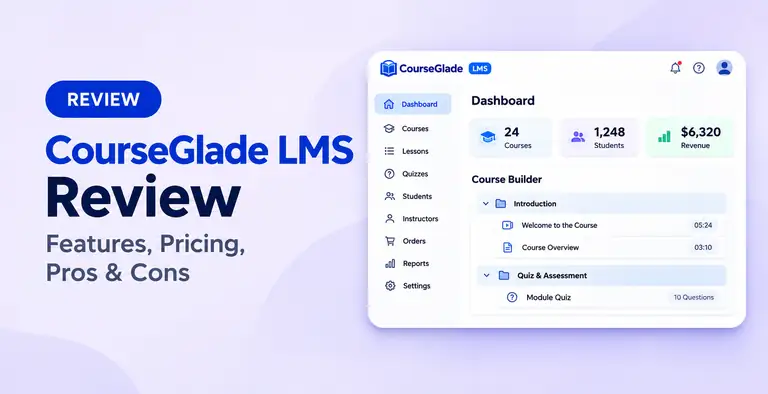
CourseGlade is a newer WordPress LMS that combines course creation, payments, quizzes, and multi-instructor management in its free plugin. Its free plan includes built-in commission and withdrawal management, which suits small academies with several instructors. You can also visit the CourseGlade website to see how it works.
Key free features
- Drag-and-drop course builder with sections, lessons, and quizzes
- Video lessons from YouTube, Vimeo, or self-hosted files, plus audio lessons
- 8 quiz question types, including matching, ordering, and essay
- Stripe, WooCommerce, manual payment, and free enrollment, plus coupons
- Multiple instructors with commission rates, earnings, and withdrawal management
- Instructor application flow with admin approval
- Its own front-end templates, which work with any theme, including block themes
Free limits
Certificates, assignments, content drip, course bundles, subscriptions and memberships, and live classes are Pro add-ons. Moving course content between sites, not just settings, is also Pro. You don’t need WooCommerce, because Stripe, manual payment, and free enrollment work on their own.
Pros
- Commission and withdrawal tools are free
- Works without WooCommerce
- 8 quiz question types in the free plugin
Cons
- Certificates are not in the free plan
- Very small install base and few reviews so far
- Fewer community tutorials than older plugins
Best for: Small academies and marketplace-style course sites with more than one instructor.
2. Masteriyo
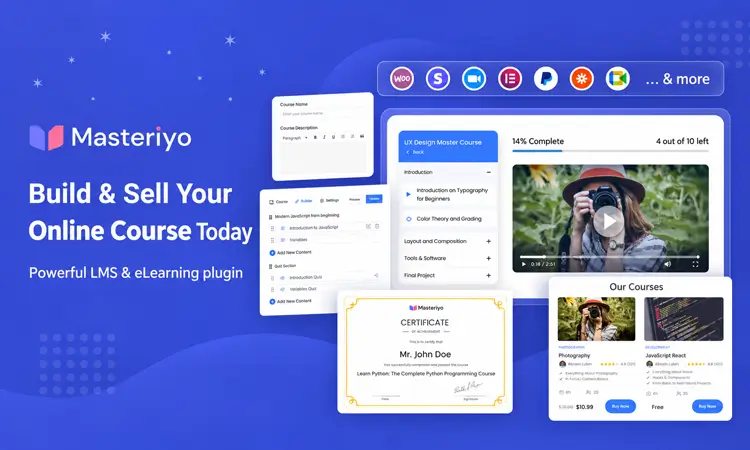
Masteriyo is a self-hosted WordPress LMS with course building, native payments, quizzes, certificates, and SCORM support in its free version. It suits solo creators who want to launch and sell a course without depending on WooCommerce.
Key free features
- Unlimited courses, lessons, chapters, and quizzes
- Free payment options: Stripe, PayPal, Mollie, Lemon Squeezy, and offline payments
- Quizzes with a pass mark, time limit, and attempt limit
- Certificate builder with one free template
- SCORM import, which lets you bring in existing e-learning packages
- H5P support through shortcodes, for interactive content
- No sales cut from the plugin, so you only pay your payment provider’s fees
Free limits
The free version includes one certificate template. More templates and QR-code certificate verification are Pro. Free quizzes use three auto-graded question types. Coupons, subscriptions, and course bundles are also Pro features.
Pros
- Several payment gateways are free
- Free certificate builder and SCORM import
- Works without WooCommerce
Cons
- Only one free certificate template
- Smaller install base than Tutor LMS or LearnPress
- Free quizzes cover three auto-graded question types
Best for: Solo creators who need Stripe checkout and a basic certificate at no cost.
3. Tutor LMS
Tutor LMS is an established WordPress LMS with a course builder, quizzes, student and instructor dashboards, and native eCommerce. Its large install base and detailed documentation make it a practical option for beginners who want a well-supported product.
Key free features
- Unlimited courses, lessons, and quizzes
- Course builder with lessons, topics, and quizzes
- Quiz builder with time limits, attempt limits, and passing grades
- Standard question types such as multiple choice, true/false, matching, and fill in the blank
- Native eCommerce with PayPal checkout, so WooCommerce is optional
- Frontend dashboards for students and instructors
- Compatibility with Elementor, Divi, and other page builders. If you use Elementor, see these Elementor addons for Tutor LMS.
Free limits
Certificates, Stripe and several other payment gateways, content drip, assignments, multi-instructor tools, gradebook, and advanced reports sit behind Tutor LMS Pro. Newer interactive quiz types are Pro too. Check the add-on list before you plan certificates or card payments.
Pros
- Large install base and detailed documentation
- Native checkout works without WooCommerce
- Free student and instructor dashboards
Cons
- Certificates need Pro
- Stripe and several other gateways need Pro
- Multi-instructor tools need Pro
Best for: Beginners who want an established plugin and can start with PayPal checkout.
4. LearnPress
LearnPress is a long-running WordPress LMS built around a free core and optional add-ons. The free version covers course creation, quizzes, and basic payments, while advanced teaching and monetization features are added as needed.
Key free features
- Free core for courses, lessons, and quizzes
- PayPal and offline payments in the free setup
- Free add-ons: Wishlist, Course Review, Prerequisites, bbPress, BuddyPress, Student List, and Coming Soon
- Backup and Migration add-on that can bring in courses from Tutor LMS, LearnDash, and MasterStudy
- Works with any theme, with Elementor and Gutenberg options
- Offline (in-person) course features
- WordPress Multisite support
Free limits
Stripe and WooCommerce integrations are paid add-ons. So are certificates, assignments, content drip, gradebook, commission, co-instructors, collections, H5P, and the front-end editor. A PRO bundle includes all premium add-ons, so compare the bundle price with the single add-ons you need.
Pros
- Add only the features you need
- Free migration add-on for switching from other LMS plugins
- Large install base
Cons
- Stripe, WooCommerce, and certificates are paid add-ons
- Commission and co-instructor tools are paid add-ons
- Costs can build up as you add paid add-ons
Best for: Site owners who want to add features step by step and can start with PayPal.
5. Sensei LMS

Sensei LMS is Automattic’s WordPress LMS and is closely tied to the block editor. Its free version focuses on publishing free courses with quizzes, learning mode, and a certificate builder, rather than running a paid course business.
Key free features
- Unlimited free courses
- Course building in the WordPress block editor
- Learning mode, a distraction-free lesson view
- Basic quiz question types
- Certificate builder, available as a separate free plugin
- A free Course theme made for Sensei
- Works with any WordPress theme
Free limits
The free version is designed for free courses. Selling courses requires Sensei Pro, which adds WooCommerce-powered selling. Pro also adds advanced quizzes, interactive lessons and videos, and groups and cohorts.
Pros
- Free certificate builder
- Built by Automattic, the company behind WordPress.com and WooCommerce
- Works with any theme
Cons
- The free plan cannot sell courses
- Advanced quizzes need Pro
Best for: Creators who publish free courses and prefer the block editor.
What Does “Free” Really Mean in an LMS Plugin?
Free means you can install the plugin at no cost. It does not always mean you can run a full course business without paying.
Watch for these common limits:
- Payment gateways: Some plugins include Stripe or PayPal. Others need Pro, an add-on, or WooCommerce.
- Certificates: Free in some plugins, limited to one template in others, and Pro in the rest.
- Content drip: This releases lessons on a schedule. It is often paid.
- Assignments and grading: Often reserved for paid plans.
- Instructor tools: Commissions and payouts differ a lot.
- Content migration: Moving courses between sites can be paid.
Add-on pricing also matters. A plugin with a free core and many paid add-ons can cost more than one Pro plan. Some LMS plugins, such as LearnDash, are paid from the start, so they are not part of this free comparison.
How to Choose the Right Free LMS Plugin
Follow these steps:
- Decide how you will earn. Free courses, one-time sales, or recurring access need different tools.
- Check payments first. Confirm your gateway is included in the free plan.
- List your must-have features. Certificates, drip, and assignments are the usual upgrade triggers.
- Count your instructors. If several people teach and earn a share, check commission tools early.
- Test on a staging site. Build one sample course and run a test purchase.
- Check your theme. Make sure course pages look right on your theme. Our guide to education WordPress themes can help.
Example: A Small Academy With Three Teachers
Imagine three tutors who want to sell video courses and split earnings. They need payments, quizzes, and commission tracking. A plugin with free commission tools saves them from buying add-ons. They would still need to plan for certificates if students expect them.
Example: A Solo Creator With One Course
A solo coach wants to sell one course with a basic certificate. A plugin with free card payments and a free certificate template fits better. They don’t need commission tools at all.
Common Mistakes When Picking a Free LMS Plugin
- Choosing by install count alone. A large user base helps with support. It doesn’t guarantee your needed feature is free.
- Skipping the payment check. Some people build a full course, then find their gateway needs Pro.
- Ignoring add-on costs. Several small add-ons can cost more than one bundle.
- Not testing the student view. Check lessons, quizzes, and checkout as a student would.
- Using static HTML templates for a real course. Templates don’t handle logins, quizzes, or payments. You need an LMS plugin.
- Forgetting migration. Switching later is easier if the plugin can export your content.
Frequently Asked Questions
What is the best free WordPress LMS plugin?
There is no single best option. Masteriyo suits solo creators who want free Stripe checkout and a basic certificate. CourseGlade suits small academies with several instructors. Tutor LMS suits beginners who want an established plugin. LearnPress suits step-by-step growth. Sensei LMS suits free courses.
Can I sell courses with a free LMS plugin?
Yes, with most of them. CourseGlade and Masteriyo include Stripe in the free plan. Tutor LMS and LearnPress include PayPal. Sensei LMS needs Pro to sell courses. Always confirm your payment gateway before you build your course.
Do I need WooCommerce to sell courses?
No. CourseGlade, Masteriyo, Tutor LMS, and LearnPress include their own checkout options. WooCommerce helps if you already run a store and want courses in the same cart and order history. See our list of WooCommerce payment gateways if you go that route.
Is a free LMS plugin enough for a real course business?
It can be, for a first course. You may need Pro later for certificates, content drip, assignments, or advanced reports. Plan for these upgrades before you grow.
What’s the difference between an LMS plugin and a membership plugin?
A membership plugin restricts content by plan. An LMS plugin adds lessons, quizzes, and progress tracking. If you sell structured courses, an LMS plugin usually fits better.
Which free LMS plugin has free certificates?
Masteriyo includes a certificate builder with one free template. Sensei LMS offers a certificate builder as a separate free plugin. Tutor LMS, LearnPress, and CourseGlade keep certificates in their paid plans. Check each plugin page again, as plans change.
Conclusion
The best free WordPress LMS plugins differ most in what stays free once your course goes live. Start with how you plan to earn. Then check payments, certificates, and instructor tools.
Use this quick guide to narrow your list:
- Multi-instructor academies: CourseGlade
- Solo creators who need a basic certificate: Masteriyo
- An established ecosystem and detailed documentation: Tutor LMS
- Adding features one at a time: LearnPress
- Free courses in the block editor: Sensei LMS
Pick two plugins, test each on a staging site, and run a test purchase. That small step shows you where each free plan stops. For more tools to support your learning site, see our list of WordPress plugins for educational websites.