OpenCart vs WooCommerce: Which is the Best eCommerce Platform?

Choosing an eCommerce platform in 2026 is less about “features on a checklist” and more about ecosystem fit, long-term cost, and how quickly the platform can evolve with your business.
The stakes are high: according to BuiltWith, WooCommerce powers over 3.2 million live sites using its checkout functionality, while OpenCart runs on approximately 184,000 live sites globally.
WordPress, the CMS that WooCommerce runs on, powers 43.0% of all websites worldwide (W3Techs), and WooCommerce itself has over 7 million active installations on WordPress.org.
When it comes to global eCommerce platform market share, the landscape is competitive: Shopify leads with 28.8% among top-traffic sites, but WooCommerce dominates by store count with 33.4% market share (4.53 million stores) according to StoreLeads data from August 2025. By comparison, Shopify powers 2.66 million stores (19.6%), and OpenCart’s market share represents approximately 1.5% of tracked eCommerce platforms.
In this comprehensive guide, the OpenCart vs WooCommerce comparison is framed around real operational decisions: setup effort, customization depth, extensions, SEO capabilities, performance, security, total cost of ownership (TCO), and migration considerations.
Whether you’re launching a new store, scaling an existing business, or evaluating a platform switch, this guide will help you confidently choose the best eCommerce platform that matches your store’s growth plan.
- Overview of OpenCart
- Overview of WooCommerce
- Pricing & Total Cost of Ownership (TCO)
- Ease of Use & Store Management
- Design & Customization
- Extensions, Integrations & Ecosystem
- SEO Capabilities
- Performance & Hosting Requirements
- Payment Gateways & Checkout Flexibility
- Security & Compliance
- Multi-Store Functionality
- Migration Considerations: OpenCart to WooCommerce
- Why Migrate from OpenCart to WooCommerce?
- Migration Options
- What Data Can Be Migrated?
- Migration Process (Typical Steps)
- OpenCart vs WooCommerce: Key Differences at a Glance
- Bonus: Recommended WooCommerce Plugins
- Frequently Asked Questions
- Conclusion
Overview of OpenCart
What is OpenCart?
OpenCart is a free, open-source eCommerce platform designed specifically for online store management. Launched in 2008, OpenCart is a standalone self-hosted shopping cart software that you install on your own hosting. Unlike content management systems (CMS) that also handle blogs and landing pages, OpenCart is purpose-built for commerce operations, product catalogs, orders, customers, payments, and shipping.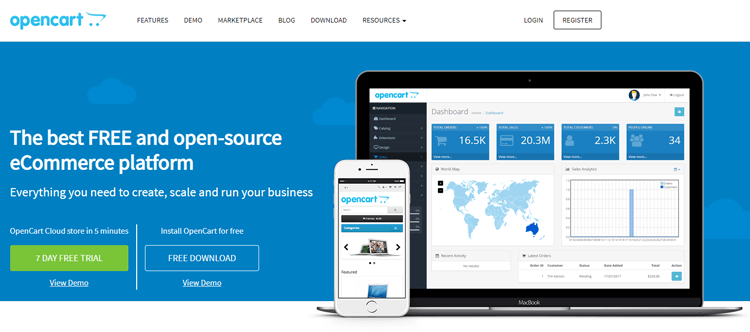
Key Features of OpenCart
- Multi-store management: Manage multiple storefronts from a single admin panel (native feature)
- Multi-language and multi-currency support: Built-in internationalization for global selling
- 13,000+ extensions: Official marketplace with modules for payment gateways, shipping, SEO, marketing, and more
- Open-source: Full control over code and no licensing fees
Latest Version (2026)
As of January 2026, the latest stable version of OpenCart is 4.1.0.3 (released March 25, 2025). OpenCart 4.x introduced significant improvements over 3.x:
- PHP 8 compatibility: Better performance and security
- One-step checkout: Simplified default checkout experience
- Event-based modification system: Replaces the legacy OCMod system for cleaner customization
- GDPR compliance tools: Data management and consent features
Ideal Users for OpenCart
OpenCart works best for:
- Small to medium-sized businesses looking for a low-cost, self-hosted eCommerce solution.
- International sellers who need multi-store or multi-language setups out of the box.
- Tech-savvy entrepreneurs who want full control over their store’s infrastructure.
- Developers and agencies building custom solutions for clients with specific commerce requirements.
- Merchants who prefer a commerce-only admin without the complexity of a full CMS.
Pros and Cons of OpenCart
Pros:
- Free and open-source.
- Native multi-store functionality.
- Lightweight and quick to install.
- Large extension marketplace (13,000+ modules).
- Multi-language and multi-currency support built-in.
- Lower learning curve for basic store operations.
Cons:
- Smaller community compared to WooCommerce.
- May struggle with very large or complex product catalogs.
- Limited SEO capabilities without paid extensions.
- Fewer developers are available compared to WordPress/WooCommerce.
- Extension quality varies; the marketplace has a less strict review process.
- Not ideal for content marketing–driven stores.

Overview of WooCommerce
What is WooCommerce?
WooCommerce is a free, open-source WordPress eCommerce plugin that transforms a WordPress website into a fully functional online store. Launched in 2011, WooCommerce has become the most widely deployed eCommerce solution globally, with over 8 million active installations on WordPress.org. Because WooCommerce runs on WordPress, it inherits the entire WordPress ecosystem—themes, plugins, content management, SEO tools, and a massive developer community.
Key Features of WooCommerce
- Unlimited products and categories: Scalable product management with variations, bundles, and downloadable products
- 100+ payment gateways: Native support for PayPal, Stripe, WooCommerce Payments, and dozens of extensions for other gateways
- Extensive plugin ecosystem: 4,000+ WooCommerce-specific plugins plus the entire WordPress plugin library
- Built-in blogging and content marketing: Full WordPress CMS capabilities for SEO-driven growth
- Highly customizable: Thousands of themes and developers; complete control over design and functionality
- Open-source: No transaction fees (except payment processor fees); full code access
Latest Version (2026)
As of January 2026, the latest stable version of WooCommerce is 10.4.3 (released December 21, 2025). WooCommerce 10.x introduced modern features:
- Cart and Checkout Blocks: Block-based checkout with Gutenberg integration for drag-and-drop customization
- Improved performance: Enhanced caching, lazy loading, and optimized database queries
- Store API security enhancements: Patched vulnerabilities in the Store API (10.4.3)
- Full Site Editing (FSE) support: Better integration with block-based WordPress themes
- Express checkout options: Native support for Apple Pay, Google Pay, and other express payment methods
Ideal Users for WooCommerce
WooCommerce works best for:
- Growing brands that want content marketing and eCommerce in a unified platform
- Content-driven businesses: Blogs, tutorials, landing pages, and SEO-focused stores
- WordPress users: If you’re already familiar with WordPress, WooCommerce is a natural extension
- Small to enterprise-level stores: Scalable with the right hosting and optimization
- Agencies and developers: Massive ecosystem and talent pool make custom development accessible
Pros and Cons of WooCommerce
Pros:
- Free plugin with no transaction fees (only payment processing fees).
- Massive WordPress ecosystem (themes, plugins, developers).
- Excellent for SEO and content marketing (built on WordPress).
- 100+ payment gateway integrations
- Highly customizable and scalable
- Strong community support and documentation
- Regular updates and active development
Cons:
- Requires WordPress (not standalone).
- Performance depends on hosting quality and plugin management.
- Can become complex with many plugins (requires maintenance discipline).
- WordPress memory requirements can be high (256MB+ recommended).
- Security depends on keeping WordPress core, theme, and plugins updated.
- No native multi-store feature (requires WordPress Multisite + plugins).
ShopLentor – WooCommerce Builder for Elementor & Gutenberg
A versatile page builder to build modern and excellent online stores with more than 100k Active Installations.
Pricing & Total Cost of Ownership (TCO)
Both OpenCart and WooCommerce are commonly described as “free,” but real-world stores incur ongoing costs that vary by business model, growth stage, and operational complexity. Understanding the total cost of ownership (TCO) is critical for making an informed platform decision.
Common Costs for Both Platforms
Regardless of whether you choose OpenCart or WooCommerce, expect these baseline costs:
- Domain name: $10–$15/year
- Transactional email service: $10–$100/month (SendGrid, Mailgun, Amazon SES)
- Payment processing fees: 2.5%–3.5% + $0.30 per transaction (Stripe, PayPal, etc.)
- Backups and security: $5–$50/month (cloud backups, malware scanning, firewall)
- Developer time: Varies widely; budget for setup, customizations, troubleshooting, and maintenance
WooCommerce Cost Profile
WooCommerce’s cost profile often starts low and grows with complexity. The WooCommerce plugin is free, but many stores add paid extensions for advanced features:
- Free WooCommerce plugin (core eCommerce functionality)
- Paid extensions (typical costs):
- Subscriptions: $199/year (WooCommerce Subscriptions)
- Bookings: $249/year (WooCommerce Bookings)
- Multi-currency: $79–$129/year (WPML, WooCommerce Multi-Currency)
- Advanced shipping rules: $49–$149/year
- Wholesale/B2B features: $99–$299/year
- Membership systems: $149–$299/year
- Hosting costs (WooCommerce-optimized):
- Managed WordPress hosting: $30–$100/month (Kinsta, WP Engine, SiteGround)
- VPS hosting: $20–$150/month (more control, better performance)
- Enterprise hosting: $200–$1,000+/month (high-traffic stores, dedicated resources)
Hidden costs:
- Plugin management overhead: Compatibility testing, regular updates, potential conflicts
- Performance optimization: Caching plugins, CDN setup, database optimization (often requires developer time)
- Security maintenance: Keeping WordPress core, WooCommerce, theme, and plugins updated
When WooCommerce delivers better ROI:
- Your business values content + commerce (blogs, landing pages, SEO-driven growth)
- You expect frequent marketing iteration (new page templates, funnels, lead capture)
- You need extensive integrations with marketing tools, CRMs, analytics platforms
- Your team is already skilled in WordPress (reduces learning curve and dev costs)
OpenCart Cost Profile
OpenCart’s cost profile is similar in structure but different in ecosystem dynamics:
- Free OpenCart core (self-hosted)
- Paid extensions (typical costs):
- SEO extensions: $99–$150 (SEO Pack PRO, Complete SEO Package)
- Payment gateway modules: $20–$100 per gateway (some free)
- Shipping modules: $20–$80
- Multi-vendor marketplace: $149–$299
- Advanced product filters: $30–$60
- One-page checkout: $20–$50
- Hosting costs (OpenCart-optimized):
- VPS hosting: $15–$100/month (recommended for growing stores)
- Managed OpenCart hosting: $30–$150/month (ScalaHosting, Hostinger VPS with OpenCart template)
- Developer costs: Depending on region, it can be harder to find specialized OpenCart developers compared to WordPress/WooCommerce talent, which may increase hourly rates or project costs.
Hidden costs:
- Extension quality variability: OpenCart marketplace has less strict review process; some extensions may require additional debugging or customization
- Upgrade complexity: Moving from OpenCart 3.x to 4.x can require extension updates and theme modifications
- Limited out-of-the-box marketing tools: May need more paid extensions for email marketing, abandoned cart recovery, advanced analytics
When OpenCart delivers better ROI:
- Your business wants a commerce-only stack without CMS overhead
- You need native multi-store management (WooCommerce requires Multisite + plugins)
- Your store is simple or mid-sized with controlled customization needs
- You prefer lower hosting requirements (OpenCart is lightweight compared to WordPress + WooCommerce + plugins)
Cost Comparison Summary
| Cost Factor | WooCommerce | OpenCart |
|---|---|---|
| Core Software | Free | Free |
| Hosting (entry-level) | $5–$25/month | $5–$20/month |
| Hosting (managed/optimized) | $30–$100/month | $30–$150/month |
| Premium Themes | $50–$150 | $30–$100 |
| Paid Extensions (annual avg) | $200–$800/year | $150–$500/year |
| Developer Talent Pool | Large (WordPress ecosystem) | Smaller (may increase costs) |
| Performance Optimization | Often requires caching plugins, CDN | Lighter out-of-the-box |
| Content Marketing Tools | Built-in (WordPress CMS) | Requires separate CMS or tools |
Verdict: WooCommerce often delivers better ROI for content-driven, SEO-focused businesses that value rapid marketing iteration. OpenCart can be more cost-effective for commerce-only stores with simpler requirements and multi-store needs.
Ease of Use & Store Management
“Ease of use” depends on what phase you’re measuring: initial setup, day-to-day operations, or long-term maintenance. Both platforms have strengths in different areas.
Initial Setup
WooCommerce:
- Requires WordPress installation first (many hosts offer one-click WordPress install)
- WooCommerce Setup Wizard: Guided onboarding for store details, payment gateways, shipping, tax settings
- Easier for WordPress users: If you’re already familiar with WordPress dashboards, pages, and plugins, adding WooCommerce is a natural extension
- Well-documented: Thousands of tutorials, videos, and forum discussions make troubleshooting straightforward
- Setup time: 1–3 hours for basic store (faster with hosting providers offering WooCommerce-optimized plans)
OpenCart:
- Standalone installation: Upload files via FTP or use hosting one-click installers (cPanel, Plesk, Softaculous)
- Straightforward configuration: Admin panel setup for store settings, products, payment methods, shipping
- Commerce-focused interface: No CMS distractions; everything is about store management
- Setup time: 1–2 hours for basic store (slightly faster due to simpler structure)
Verdict: Tie. WooCommerce is easier if you’re already a WordPress user. OpenCart is simpler for merchants who want a dedicated commerce admin without CMS complexity.
Day-to-Day Store Operations
WooCommerce:
- Unified WordPress dashboard: Manage products, orders, customers, content, plugins, and themes from one interface
- Product management: Intuitive product editor; supports simple products, variable products (sizes, colors), grouped products, downloadable products
- Order management: Order dashboard with filters, bulk actions, manual order creation, and refund processing
- Customer management: View customer orders, lifetime value, and contact information
- Content marketing advantage: Easily create blog posts, landing pages, and promotional content without leaving the admin
- Plugin ecosystem: Extend functionality with one-click plugin installs (email marketing, analytics, CRM integrations)
OpenCart:
- Commerce-only dashboard: Clean, focused admin panel for products, orders, customers, sales reports
- Product management: Add products with unlimited categories, options (size, color), attributes, filters
- Order management: View, edit, and track orders; manual order creation; order status customization
- Customer management: Customer groups, reward points, store credit
- Multi-store advantage: Switch between multiple storefronts from a single admin panel (native feature)
- Extension management: Install extensions via FTP or admin panel; may require manual configuration
Verdict: WooCommerce wins for content-driven teams (marketing, blogs, SEO). OpenCart wins for commerce-only operators who prefer a more contained admin experience.
Long-Term Maintenance
WooCommerce:
- Update discipline required: WordPress core, WooCommerce plugin, theme, and all plugins need regular updates
- Plugin management overhead: Compatibility testing, conflict resolution (especially with major WooCommerce updates)
- Security best practices: Keep everything updated; remove unused plugins; use reputable plugin developers
- Backup strategy: Regular backups essential (use plugins like UpdraftPlus, BackupBuddy, or hosting-level backups)
- Performance monitoring: As the site grows, monitor page load times, database queries, plugin performance
OpenCart:
- Fewer dependencies: Standalone application with fewer moving parts (no WordPress core, fewer plugins)
- Extension updates: Extensions need updates for OpenCart version compatibility (especially moving from 3.x to 4.x)
- Smaller attack surface: Fewer third-party components may reduce security risks, but still requires regular updates
- Backup strategy: Regular database and file backups (hosting-level or manual)
- Performance: Lighter out-of-the-box, but large catalogs may require optimization
Verdict: OpenCart may feel simpler for long-term maintenance due to fewer dependencies. WooCommerce requires more disciplined plugin and update management but offers greater flexibility.
Design & Customization
Both platforms offer extensive design flexibility, but the approach and ecosystem differ significantly.
WooCommerce Design & Themes
Theme Options:
- 1,400+ WooCommerce-specific themes (WordPress.org, ThemeForest, StudioPress, Elegant Themes, etc.)
- Full compatibility with WordPress themes: Any WordPress theme can be WooCommerce-ready with proper template overrides
- Block-based themes (FSE): Full Site Editing support in WordPress 6.0+ allows drag-and-drop site building
- Popular WooCommerce theme frameworks: Storefront (official free theme), Astra, OceanWP, Flatsome, Divi
Customization Options:
- Page builders: Elementor, WPBakery, Beaver Builder, Divi Builder (visual drag-and-drop design)
- WooCommerce Blocks: Gutenberg blocks for Cart, Checkout, Product Grids, Filters (no coding required)
- CSS/PHP customization: Full access to theme files, functions.php, child themes for deep customization
- Plugins for design: WooCommerce Product Add-Ons, variation swatches, quick view, image zoom, etc.
Mobile Responsiveness:
- Most modern WooCommerce themes are mobile-responsive by default
- Google mobile-first indexing makes responsive design critical for SEO
Verdict: WooCommerce’s theme ecosystem is massive and mature. The combination of WordPress themes + page builders + WooCommerce Blocks offers unparalleled design flexibility.
OpenCart Design & Themes
Theme Options:
- 500+ OpenCart themes (official marketplace, third-party marketplaces like TemplateMonster, ThemeForest)
- Responsive themes: Most modern OpenCart themes are mobile-responsive
- Popular OpenCart theme frameworks: Journal 3 (highly customizable multi-purpose theme), Pav themes, OC Templates
Customization Options:
- Twig templating engine: OpenCart 3.x and 4.x use Twig for cleaner template syntax
- Theme editor: Some themes include visual editors, but most require CSS/Twig knowledge for deep customization
- Module positioning system: Drag-and-drop module positioning in admin panel (limited compared to page builders)
Mobile Responsiveness:
- OpenCart 4.x admin panel is mobile-responsive
- Most themes are mobile-friendly, but quality varies
Verdict: OpenCart offers decent design flexibility, but the ecosystem is smaller and less mature than WooCommerce. For merchants who want advanced visual design control without coding, WooCommerce (with page builders) is the clear winner.
Extensions, Integrations & Ecosystem
The extension ecosystem is one of the most critical factors in choosing an eCommerce platform. Extensions add functionality for payments, shipping, marketing, SEO, analytics, and more.
WooCommerce Extensions & Plugins
Ecosystem Size:
- 4,000+ WooCommerce-specific extensions (WooCommerce.com marketplace)
- 60,000+ WordPress plugins (WordPress.org plugin directory)
- Many WordPress plugins integrate seamlessly with WooCommerce (SEO, email marketing, forms, analytics)
Key Extension Categories:
- Shipping: USPS, FedEx, UPS, real-time rates, table rate shipping, local pickup, shipping zones
- Marketing: Email marketing (Mailchimp, Klaviyo), abandoned cart recovery, dynamic pricing, coupons, referral programs
- SEO: Yoast SEO, Rank Math, AIOSEO (all WooCommerce-compatible)
- Analytics: Google Analytics integration, WooCommerce Analytics dashboard, conversion tracking
- Subscriptions & Memberships: WooCommerce Subscriptions, WooCommerce Memberships, Paid Member Subscriptions
- Multi-vendor: WC Vendors, Dokan, WCFM Marketplace
- Product variations: Variation swatches, custom product options, product bundles
Integration Strengths:
- CRM integrations: HubSpot, Salesforce, ActiveCampaign, Zoho CRM
- Email marketing: Mailchimp, Klaviyo, ConvertKit, Drip
- Accounting: QuickBooks, Xero, FreshBooks
- Dropshipping: AliExpress, Oberlo, Spocket
Quality Control:
- WordPress.org plugin directory has review and update standards
- Third-party marketplaces (CodeCanyon) have variable quality; read reviews carefully
Verdict: WooCommerce’s ecosystem is unmatched in breadth and depth. The combination of WooCommerce-specific extensions and the entire WordPress plugin ecosystem makes it the most flexible platform for integrations.
OpenCart Extensions & Modules
Ecosystem Size:
- 13,000+ extensions (OpenCart Marketplace)
- Covers payment gateways, shipping methods, themes, marketing, SEO, analytics, multi-vendor, dropshipping
Key Extension Categories:
- Payment gateways: 36+ built-in methods; additional gateways available as extensions
- Shipping: Real-time carrier rates, table rate shipping, distance-based shipping
- SEO: SEO Pack PRO ($99), Complete SEO Package ($99), SEO URL Generator
- Multi-vendor: Multi-Vendor Marketplace extensions (paid, typically $149–$299)
- Product management: Advanced filters, product labels, product comparison, quick view
Integration Strengths:
- Payment gateways: Good coverage for global gateways
- Shipping: Integrates with major carriers (UPS, FedEx, USPS, DHL)
- Accounting: Limited native integrations; may require custom development
- Email marketing: Extensions for Mailchimp, SendGrid, but fewer advanced integrations compared to WooCommerce
Quality Control:
- Variable quality: OpenCart marketplace has less strict review process compared to WordPress.org
- Check reviews carefully: Some extensions may lack updates or support
- Download from trusted developers: Look for established extension providers
Verdict: OpenCart’s 13,000+ extensions cover most needs, but the ecosystem is smaller and less mature than WooCommerce. For stores with standard requirements, OpenCart extensions are sufficient. For complex integrations or advanced marketing automation, WooCommerce’s ecosystem is stronger.
SEO Capabilities
SEO is critical for eCommerce success. Organic search drives sustainable, long-term traffic and revenue. Let’s compare how OpenCart and WooCommerce handle on-page SEO, technical SEO, and content marketing.
WooCommerce SEO Advantages
Built on WordPress (Inherently SEO-Friendly):
- WordPress is recognized as one of the most SEO-friendly CMS platforms globally
- Clean code structure, semantic HTML, customizable permalinks
- WooCommerce inherits WordPress’s SEO foundation
SEO Plugin Ecosystem:
- Yoast SEO: Most popular WordPress SEO plugin (50+ million downloads); full WooCommerce integration
- Product schema markup (price, availability, reviews)
- Rank Math: Feature-rich alternative to Yoast; WooCommerce-specific features
- All in One SEO (AIOSEO): Another powerful option with WooCommerce support
Content Marketing Advantage:
- Built-in blogging: WordPress’s core strength; create SEO-optimized blog posts, tutorials, buying guides
- Landing pages: Easily create high-converting landing pages for campaigns, seasonal promotions, product launches
- Internal linking: Link products to blog posts, categories, and pages for better site structure and crawlability
Technical SEO Features:
- Customizable permalinks: Full control over URL structure (e.g.,
/shop/category/product-name/) - Product schema markup: Automatic rich snippets (star ratings, prices, availability)
- Image optimization: Alt text, lazy loading, image compression plugins (Smush, ShortPixel)
- Core Web Vitals optimization: Caching plugins (WP Rocket, W3 Total Cache), CDN integration, database optimization
- Mobile-first indexing: Responsive themes and mobile optimization are standard
Content-Driven Growth:
- WooCommerce’s biggest SEO advantage is WordPress’s content management. Stores can build organic traffic through blogs, how-to guides, product comparisons, and educational content—then convert that traffic into sales.
Verdict: WooCommerce dominates SEO for content-driven, organic growth strategies. The combination of WordPress CMS + SEO plugins + blogging capabilities is unmatched.
OpenCart SEO Capabilities
Built-In SEO Features (OpenCart 4.x):
- SEO-friendly URLs: Customizable product, category, and page URLs
- XML sitemap: Generate sitemaps for search engines (may require extension)
- Canonical URLs: Prevent duplicate content issues
- Image alt text: Add alt attributes to product images
SEO Extensions (Paid):
- Complete SEO Package ($99): Manage all SEO settings from one place; bulk meta data generation
- AI Content Generator: Generate product descriptions, meta titles, keywords using OpenAI GPT models
Technical SEO:
- Lightweight architecture: Faster page load times out-of-the-box compared to WordPress + WooCommerce + plugins
- Structured data: Extensions available for product schema markup
- Mobile responsiveness: OpenCart 4.x themes are generally mobile-responsive
Content Marketing Limitations:
- No built-in blog: OpenCart is commerce-only; you’ll need a separate CMS (WordPress blog on subdomain) or blog extension
Verdict: OpenCart has decent built-in SEO features and can be optimized with paid extensions. However, for stores that want to build organic traffic through content marketing, WooCommerce is the clear winner.
Performance & Hosting Requirements
Performance directly impacts user experience, conversion rates, and SEO rankings. Let’s break down server requirements, performance optimization, and scalability for both platforms.
WooCommerce Hosting Requirements
Minimum Server Requirements:
- PHP: 7.4 minimum; 8.0+ recommended (PHP 8.3 offers significant performance improvements)
- MySQL: 5.7+ or MariaDB 10.4+
- WordPress Memory Limit: 256MB minimum (default 128MB is often insufficient)
- HTTPS support: Mandatory for secure checkout and SEO
- cURL or fsockopen: Required for payment gateways and API integrations
- SoapClient: Required for some WooCommerce extensions
Memory Allocation by Store Size:
- Small stores (up to 100 products, low traffic): 128–256 MB
- Medium stores (100–500 products, moderate traffic): 256–512 MB
- Large stores (500–5,000 products, high traffic): 512 MB–1 GB
- Enterprise stores (5,000+ products, very high traffic): 1–2 GB minimum; 4–8 GB may be required for plugin-heavy setups
Hosting Types for WooCommerce:
- Managed WordPress hosting ($30–$100/month): Optimized for WooCommerce (Kinsta, WP Engine, Nexcess)
- VPS hosting ($20–$150/month): More control, better performance (DigitalOcean, Vultr, Linode)
- Dedicated hosting ($100–$500+/month): Full server resources for high-traffic stores
Performance Optimization:
- Caching: WP Rocket, W3 Total Cache, LiteSpeed Cache
- CDN: Cloudflare, KeyCDN, StackPath (serve static assets globally)
- Image optimization: Smush, ShortPixel, Imagify (compress images without quality loss)
- Database optimization: WP-Optimize, Advanced Database Cleaner
- Lazy loading: Defer off-screen images and scripts
- Minification: Combine and minify CSS/JS files
Scalability:
- WooCommerce can scale to handle large product catalogs (10,000+ products) with proper hosting and optimization
- High-traffic stores may require enterprise-level hosting or custom cloud infrastructure (AWS, Google Cloud)
Verdict: WooCommerce requires more server resources than OpenCart, especially as you add plugins. Performance depends heavily on hosting quality and optimization discipline.
OpenCart Hosting Requirements
Minimum Server Requirements:
- PHP: 7.3 minimum; 8.1+ recommended (OpenCart 4.x supports PHP 8.3)
- MySQL or MariaDB: Any modern version
- Memory: 2GB RAM
- CPU: 2 CPU cores
- Disk space: 1GB (may need more for large product catalogs and images)
Hosting Types for OpenCart:
- VPS hosting ($15–$100/month): Recommended for growing stores (Hostinger, ScalaHosting)
- Managed OpenCart hosting ($30–$150/month): Pre-configured OpenCart environments with automatic updates
Performance Optimization:
- Caching: Enable OpenCart’s built-in caching or use extensions like RocketBoost
- CDN: Integrate Cloudflare or other CDN services
- Image optimization: Compress product images before upload or use optimization extensions
- Database optimization: Regular database cleanup and indexing
Scalability:
- OpenCart is lightweight and performs well on modest hosting for small to medium-sized stores
- May struggle with very large or complex product catalogs (10,000+ products with many variations)
- Limited built-in performance tuning compared to WooCommerce’s plugin ecosystem
Verdict: OpenCart requires fewer server resources and is lighter out-of-the-box. For simple stores, OpenCart’s performance advantage is noticeable. For large, complex stores, WooCommerce (with optimization) scales better.
Payment Gateways & Checkout Flexibility
Offering multiple payment options and a smooth checkout experience is critical for conversion rates.
WooCommerce Payment Gateways
Built-In Payment Methods:
- Direct bank transfer
- Check payments
- Cash on delivery
Popular Payment Gateway Extensions:
- Stripe (free extension): Credit/debit cards, Apple Pay, Google Pay, ACH, SEPA
- PayPal (free extension): PayPal Checkout, PayPal Payments, PayPal Standard
- Square (free extension): In-person and online payments
- Amazon Pay (free extension)
- WooCommerce Payments (free extension, powered by Stripe): Integrated payments with no setup fees
Total Payment Options:
- 100+ payment gateways (free and paid extensions)
- Cryptocurrency gateways (Bitcoin, Ethereum, Litecoin)
- Buy Now, Pay Later options (Klarna, Afterpay, Affirm)
- Local payment methods (iDEAL, Giropay, Alipay, WeChat Pay)
Checkout Flexibility:
- WooCommerce Checkout Blocks: Modern, block-based checkout with drag-and-drop customization
- Inline form validation (real-time error feedback)
- Express checkout options (Apple Pay, Google Pay, PayPal)
- Mobile-optimized checkout
- Gutenberg integration for visual customization
- One-page checkout plugins: Optimize checkout flow with third-party plugins
- Guest checkout: Allow customers to purchase without account creation
- Custom checkout fields: Add custom fields with plugins or code
Verdict: WooCommerce offers 100+ payment gateway integrations and advanced checkout customization with WooCommerce Checkout Blocks. The flexibility is unmatched.
OpenCart Payment Gateways
Built-In Payment Methods:
- 36+ payment methods included in OpenCart core
Additional Payment Extensions:
- Stripe, Square, 2Checkout, and other gateways available as extensions (many free)
- Cryptocurrency payment gateways are available
- Local payment methods for international markets
Checkout Features:
- One-step checkout (default in OpenCart 4.x): Simplified checkout process on a single page
- Guest checkout: Built-in option
- Custom checkout fields: Available via extensions or code modifications
Verdict: OpenCart supports 36+ payment methods out-of-the-box, which covers most global use cases. However, WooCommerce’s 100+ gateway ecosystem is larger and more flexible.
Security & Compliance
Security is non-negotiable for eCommerce stores. Both platforms require proactive security management.
WooCommerce Security
WordPress Core Security:
- WordPress core is relatively secure with frequent updates
- Most vulnerabilities come from plugins and themes, not WordPress core
- Regular security patches and updates are released by the WordPress Security Team
WooCommerce-Specific Security:
- WooCommerce 10.4.3 (latest version) includes a Store API security patch
- Regular security updates and active development
- WooCommerce.com provides security advisories and guidelines
Security Best Practices:
- Keep everything updated: WordPress core, WooCommerce, themes, and plugins
- Use reputable plugins: Download plugins from WordPress.org or trusted developers
- Remove unused plugins and themes: Reduce attack surface
- SSL certificate (HTTPS): Mandatory for secure checkout and PCI compliance
- Web Application Firewall (WAF): Cloudflare, Sucuri, Wordfence
- Malware scanning: Sucuri, Wordfence, MalCare
- Regular backups: Daily backups with UpdraftPlus, BackupBuddy, or hosting-level backups
- Two-factor authentication (2FA): Secure admin login with 2FA plugins
- Limit login attempts: Prevent brute force attacks with Login Lockdown, Limit Login Attempts Reloaded
PCI Compliance:
- PCI compliance depends on payment architecture, not the platform alone
- Using tokenized/hosted payment methods (Stripe, PayPal, WooCommerce Payments) reduces PCI scope
- Stores that store or transmit cardholder data must undergo PCI compliance audits
Verdict: WooCommerce security is strong when updates and best practices are followed. The main risk is plugin/theme vulnerabilities, which require disciplined maintenance.
OpenCart Security
OpenCart Core Security:
- OpenCart releases regular security updates
- Smaller attack surface due to fewer dependencies (no WordPress core, fewer plugins)
- OpenCart 4.x includes PHP 8 compatibility for better security
Security Best Practices:
- Keep OpenCart updated: Install security patches and updates promptly
- Use reputable extensions: Download from trusted developers; check reviews
- Remove unused extensions: Reduce attack surface
- SSL certificate (HTTPS): Mandatory for secure checkout
- Change admin URL: OpenCart 4.x allows changing the admin URL for added security
- Regular backups: Database and file backups (hosting-level or manual)
- Firewall and malware scanning: Cloudflare, Sucuri, or hosting-level security
PCI Compliance:
- Same as WooCommerce: PCI compliance depends on payment architecture
- Use hosted payment methods (Stripe, PayPal) to reduce PCI scope
Verdict: OpenCart has a smaller attack surface due to fewer dependencies, but still requires regular updates and security best practices.
Multi-Store Functionality
For businesses that want to manage multiple storefronts (different brands, regions, or currencies), multi-store functionality is critical.
OpenCart Multi-Store (Native Feature)
Built-In Multi-Store Management:
- Manage multiple stores from a single admin panel (native feature)
- Each store can have its own:
- Domain or subdomain
- Design (theme)
- Categories
- Languages
- Currencies
- Payment methods
- Shipping methods
Use Cases:
- Different brands under one company
- Regional stores (e.g., US store, EU store, Asia store)
- B2B and B2C stores
- Wholesale and retail stores
Verdict: OpenCart’s native multi-store feature is a major advantage for businesses that need to manage multiple storefronts.
WooCommerce Multi-Store (Requires WordPress Multisite)
No Native Multi-Store Feature:
- WooCommerce does not include built-in multi-store functionality
- Requires WordPress Multisite + plugins to achieve multi-store setup
WordPress Multisite + WooCommerce:
- WordPress Multisite: Allows you to create a network of sites from one WordPress installation
- Each site can have its own domain, WooCommerce store, products, and design
- Centralized management: Manage themes, plugins, and updates across all sites from one dashboard
Multi-Store Plugins:
- WooMultistore ($99–$299): Sync products, inventory, orders, customers, and coupons across multiple WooCommerce stores
- MIPL Multistore Sync: Sync products, stock, orders, customers, coupons, and reviews between main and sub stores
- Advanced features: Centralized order management, network-wide coupon codes, unified analytics
Use Cases:
- Multiple brands under one company
- Regional stores with different currencies and languages
- Franchise or multi-location stores
- Separate B2B and B2C stores
Complexity:
- WordPress Multisite adds complexity (setup, maintenance, plugin compatibility)
- Not all plugins are Multisite-compatible
- Requires more technical expertise than OpenCart’s native multi-store
Verdict: WooCommerce’s multi-store setup is more complex and requires WordPress Multisite + plugins. OpenCart’s native multi-store feature is simpler and more straightforward.
Migration Considerations: OpenCart to WooCommerce
If you’re currently on OpenCart and considering a switch to WooCommerce, here’s what you need to know.
Why Migrate from OpenCart to WooCommerce?
Common reasons for migration:
- Content marketing advantage: WordPress’s blogging and SEO capabilities
- Larger plugin ecosystem: More extensions, integrations, and third-party tools
- Better community support: Massive WordPress community and documentation
- Scalability: WooCommerce scales better for large, complex stores with proper optimization
- Developer talent pool: Easier to find WordPress/WooCommerce developers
Migration Options
1. Official WooCommerce Plugin:
- OpenCart to WooCommerce Migration plugin (free/paid versions available)
- Migrate products, customers, orders, categories, images
- Filter options for selective migration
2. Third-Party Migration Services:
- Cart2Cart (automated migration service, starting at $29)
- Next-Cart (3-step migration with KitConnect package)
- LitExtension (automated migration tool)
3. Free Plugin:
- FG OpenCart to WooCommerce (WordPress plugin)
- Free version: Migrate products, categories, images, and information pages
What Data Can Be Migrated?
Typical migration includes:
- Categories: Product categories and subcategories
- Customers: Names, emails, addresses, order history
- Orders: Order details, order status, payment information
- Images: Product images and galleries
- Reviews: Product reviews and ratings
- Coupons: Discount codes and coupon rules
Migration Process (Typical Steps)
Step 1: Preparation
- Backup your OpenCart store: Database and files
- Set up WordPress + WooCommerce: Install WordPress and WooCommerce on your hosting
- Choose migration method: Plugin, service, or manual migration
Step 2: Migration
- Run demo migration: Test with a small subset of data
- Review results: Check for missing data, formatting issues, image uploads
- Run full migration: Migrate all data
Step 3: Post-Migration
- Set up WooCommerce: Configure payment gateways, shipping methods, tax settings
- Test checkout: Complete test orders to verify payment and email functionality
- SEO redirects: Set up 301 redirects from old OpenCart URLs to new WooCommerce URLs (critical for SEO)
- Review and optimize: Check product pages, categories, images, and content
Migration Costs
- DIY with free plugin: $0 (time investment)
- Automated migration services: $29–$299 (depends on data volume and service)
- Developer-assisted migration: $500–$2,000+ (custom migration, complex data, SEO redirects)
Verdict: Migrating from OpenCart to WooCommerce is feasible with the right tools and planning. For large stores, consider professional migration services to minimize downtime and data loss.
OpenCart vs WooCommerce: Key Differences at a Glance
| Feature | WooCommerce | OpenCart |
|---|---|---|
| Type | WordPress plugin (requires WordPress) | Standalone shopping cart |
| Latest Version (2026) | 10.4.3 (Dec 21, 2025) | 4.1.0.3 (Mar 25, 2025) |
| Active Installations | 7+ million (WordPress.org) | ~184k live sites (BuiltWith) |
| Pricing Model | Free plugin; costs for hosting, extensions, themes | Free software; costs for hosting, extensions, themes |
| Ease of Use | Easier if familiar with WordPress; steeper learning curve for plugin management | Simpler for commerce-only operations; focused admin panel |
| SEO Capabilities | Excellent (inherits WordPress SEO strength + plugins like Yoast, Rank Math) | Good with paid extensions (SEO Pack PRO, Complete SEO Package) |
| Content Marketing | Built-in blogging, landing pages, full CMS | Limited; requires separate CMS for content marketing |
| Multi-Store Management | No native feature; requires WordPress Multisite + plugins | Native multi-store from single backend |
| Extensions/Plugins | 4,000+ WooCommerce-specific + entire WordPress ecosystem | 13,000+ OpenCart extensions |
| Payment Gateways | 100+ integrations | 36+ built-in payment methods |
| Themes | 1,400+ WooCommerce themes | 500+ OpenCart themes |
| Hosting Requirements | PHP 8.0+, MySQL 5.7+, 256MB+ memory, HTTPS | PHP 7.3+, MySQL/MariaDB, 2GB RAM, 2 CPU cores |
| Performance | Scalable with optimization; requires caching and CDN for large catalogs | Lightweight; may struggle with very large/complex catalogs |
| Security | Regular WordPress core updates; most vulnerabilities from plugins/themes | Regular updates; smaller attack surface due to fewer dependencies |
| Community & Support | Massive WordPress community; extensive documentation and forums | Smaller community; paid support available |
| Best For | Content + commerce; SEO-driven stores; WordPress users | Commerce-only stores; multi-store setups; international sellers |
Bonus: Recommended WooCommerce Plugins
We’ve compiled a list of popular and effective plugins for WooCommerce that we recommend. These plugins can assist you in managing various functions, improving your store, creating a better user experience, and rapidly increasing your sales.
ShopLentor
ShopLentor is a plugin for WooCommerce that makes it simple for business owners to create an online store, even if they have no coding experience. It offers a range of features such as widgets, templates, and additional modules, including multistep checkout, pre-order/backorder options, email customization, wishlists, and product comparisons.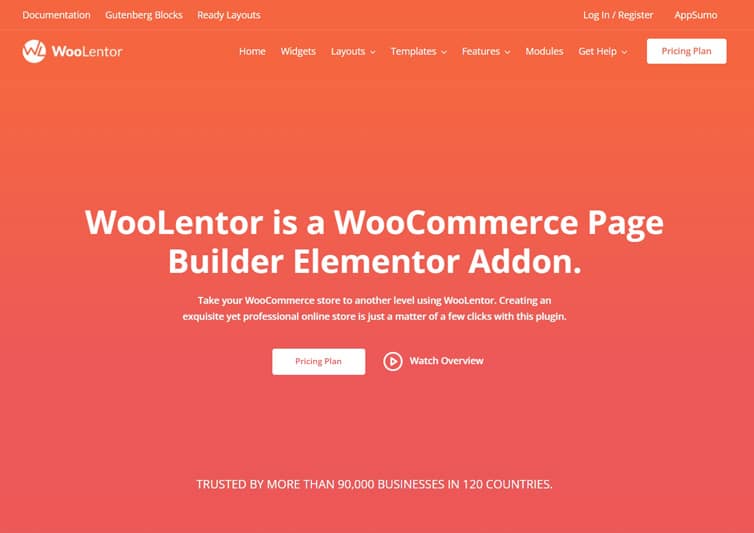
ShopLentor provides a wide range of customization options with its 105 Elementor widgets and 54 Gutenberg blocks. Additionally, it comes with 24+ advanced modules that eliminate the need for various WooCommerce plugins. If you’re seeking a user-friendly yet powerful e-commerce solution, choosing ShopLentor would be a great decision.
Whols
The Whols Plugin is a helpful tool for wholesale online stores to manage wholesale pricing. It simplifies setting and managing pricing structures, allowing shop owners to control wholesale prices with ease.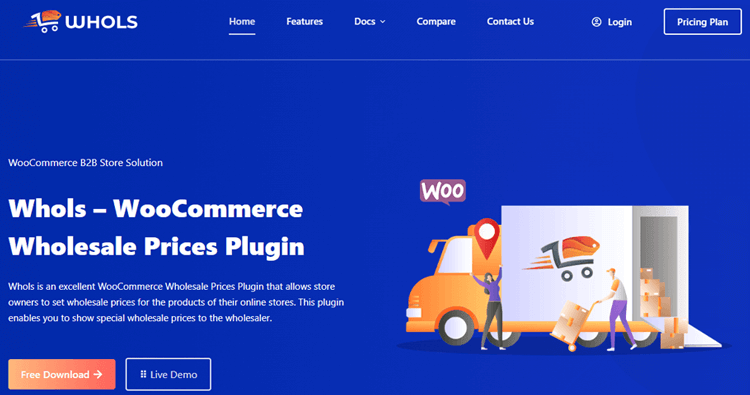
The plugin offers various features such as setting special prices on regular or variable products, assigning custom user roles on the WooCommerce WordPress site, quickly applying global discounts, redirecting users after purchase, and hiding prices from guest users if needed.
JustTables WooCommerce Product Table
The JustTables plugin can be a helpful tool for WordPress users who want to display their WooCommerce products in a table that can be sorted and filtered. This allows customers to easily view important product details and compare attributes without having to navigate multiple pages.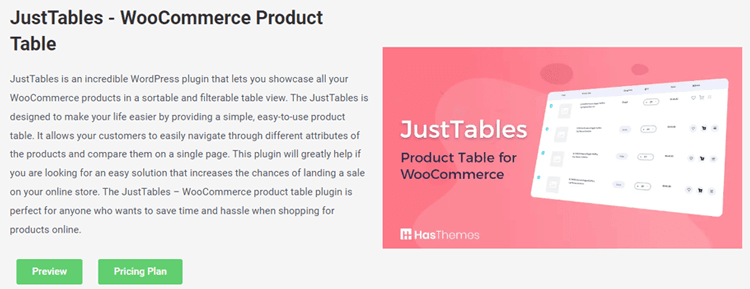
Using the plugin can streamline the sales process for online stores, and it is user-friendly, making shopping for products online more convenient.
Multi-currency Pro for WooCommerce
The Multi-Currency Pro for WooCommerce plugin enables eCommerce stores to allow customers to shop using their desired currency. By using this plugin, online stores can attract an international audience with various payment options specific to each currency.
You can offer unlimited currency options for a seamless shopping experience, which can boost your sales. If you want an online store that is convenient and flexible, Multi-Currency Pro for WooCommerce is the perfect solution for you.
Frequently Asked Questions
Q: OpenCart vs WooCommerce: What is the difference between them?
A: OpenCart is a standalone shopping cart software, while WooCommerce is a WordPress plugin that turns a WordPress site into a store. OpenCart has native multi-store capabilities, whereas WooCommerce relies on the massive WordPress ecosystem for features like SEO, blogging, and unlimited design customization.
Q: Can I use WooCommerce if I don’t have WordPress?
A: No, WooCommerce strictly requires the WordPress software to run. If you do not want to use WordPress, OpenCart is the better choice as it is a standalone, self-hosted platform. To use WooCommerce, you must first install WordPress on your hosting server.
Q: OpenCart vs WooCommerce: Which one is easier to use?
A: WooCommerce is generally easier for beginners who are already familiar with the WordPress dashboard. However, OpenCart offers a dedicated, commerce-only admin panel that some users find simpler to navigate since it lacks the extra complexity of a full content management system.
Q: Does WooCommerce offer better security than OpenCart?
A: Both are secure if updated regularly. WooCommerce benefits from the massive WordPress security ecosystem but requires strict management of third-party plugins. OpenCart has a smaller attack surface as a standalone app. Real security depends on your hosting, SSL, and update discipline.
Q: Are there any additional costs for using OpenCart vs WooCommerce?
A: While both core platforms are free, you will incur costs for hosting, domains, and payment processing. WooCommerce often requires paid plugins for advanced features like subscriptions, while OpenCart may require paid extensions for SEO. Your total cost depends on the specific tools you need.
Conclusion
Choosing between OpenCart and WooCommerce ultimately comes down to your business priorities, technical expertise, and growth strategy.
Choose WooCommerce if you value:
- Content marketing and SEO-driven growth (blogging, tutorials, buying guides)
- Unified content + commerce platform (WordPress CMS + WooCommerce plugin)
- Massive plugin and theme ecosystem (4,000+ WooCommerce extensions + 60,000+ WordPress plugins)
- Community support and documentation (massive WordPress community)
- Advanced customization (page builders, WooCommerce Blocks, custom code)
- Scalability with optimization (large catalogs, high traffic with proper hosting and caching)
Choose OpenCart if you value:
- Commerce-only admin without CMS complexity
- Native multi-store management (manage multiple brands, regions, currencies from one admin)
- Lightweight architecture (lower hosting requirements, faster out-of-the-box)
- Built-in multi-language and multi-currency (no plugins required)
- Simpler operational overhead (fewer dependencies to manage)
- Smaller budget with controlled customization needs
Both platforms are mature, feature-rich, and capable of powering successful online stores. The “best” choice depends on whether your business model is content-driven (WooCommerce) or commerce-focused (OpenCart), and whether you need the flexibility of the WordPress ecosystem or the simplicity of a standalone shopping cart.
If you’re building a brand and planning to invest in organic traffic through SEO and content marketing, WooCommerce is the clear winner. If you’re launching a straightforward eCommerce store and need native multi-store capabilities without CMS overhead, OpenCart is a strong contender.
Whichever platform you choose, focus on hosting quality, security best practices, regular updates, and customer experience optimization; these factors often matter more than platform choice alone.