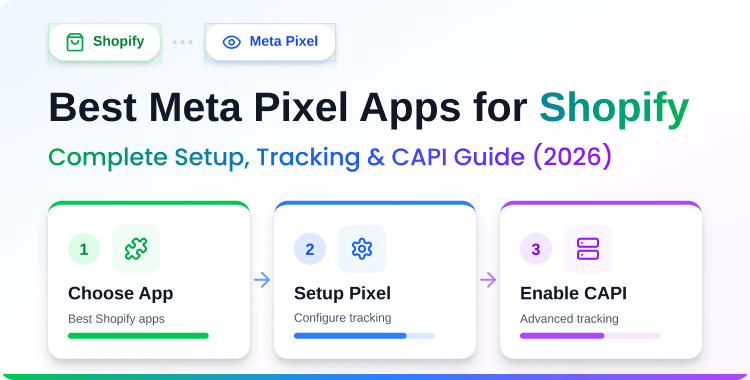
Best Meta Pixel Apps for Shopify (2026): Setup, Tracking & CAPI Guide

Meta Pixel apps for Shopify (formerly Facebook Pixel apps) allow store owners track conversions, build retargeting audiences, and send server-side event data via Conversion API — all without coding. Top apps like Pixee, Omega, and SB Pixel support CAPI, which is now essential for accurate tracking given iOS privacy restrictions and ad blockers.
Key Takeaways
- CAPI-enabled apps recover conversions lost to ad blockers
- Pixee stands out among the Best Meta Pixel Apps for Shopify
- Omega has the highest rating with 1,300+ reviews
- Always test your pixel with the Meta Pixel Helper extension
- Server-side tracking is essential for Shopify stores in 2026
Your Shopify store completed 200 orders/130 of which were reported in Events Manager this month. When shortlisting the Best Meta Pixel Apps for Shopify, this tracking gap is the main problem you’re trying to solve.
You can see them in your dashboard, and your payment processor confirms everyone. But Meta Events Manager only reports 130 purchases. Your ROAS looks 35% worse than reality, and Meta’s algorithm is optimizing on incomplete data — which means it’s barely optimizing at all.
This isn’t a bug. It’s what happens when your store relies on browser-only pixel tracking in 2026. iOS App Tracking Transparency lets users block tracking. Ad blockers strip out pixel scripts before they fire.
Safari’s Intelligent Tracking Prevention limits cookie lifespans. The result: a growing gap between your real conversions and what Meta can see.
The fix is a Shopify Facebook Pixel app that supports Conversion API (CAPI) — server-side tracking that sends event data directly from Shopify’s servers to Meta, bypassing the browser entirely.
If you’ve seen “Facebook Pixel” referenced in older guides, that’s now called Meta Pixel (rebranded in 2022). Same tool, same purpose, new name.
This guide compares the best Shopify Pixel apps for 2026, explains why CAPI matters, walks through a quick setup, and helps you choose the right one for your store.
Why Your Shopify Store Needs a Meta Pixel App?
A Meta Pixel app does more than just drop a tracking snippet on your store. Here’s what it actually enables:
- Conversion tracking: See exactly which Meta Ads drive sales, leads, and signups. No more guessing which campaign is working.
- Retargeting audiences: Build custom audiences from people who viewed products, added to cart, or abandoned checkout. These audiences consistently deliver the highest ROAS.
- Lookalike audiences: Let Meta find new customers who behave like your existing buyers. This is how you scale beyond retargeting.
- Ad optimization: Meta’s algorithm uses pixel data to decide who sees your ads. More complete data = better delivery decisions.
- Server-side tracking (CAPI): Send events from your Shopify server directly to Meta, bypassing ad blockers and iOS restrictions. Non-negotiable in 2026.
- Cross-device attribution: Match conversions when a user clicks your ad on mobile but purchases later on desktop. CAPI + Advanced Matching make this possible.
In Shopify stores we’ve configured, adding server-side tracking typically recovers 20–30% of previously unreported conversions within the first week.
That’s not a marginal improvement; it fundamentally changes how your campaigns optimize and how your eCommerce marketing strategy performs.

Bring your ideas to life for $1/month
The future of business is yours to shape. Sign up for a free trial and enjoy 3 months of Shopify for $1/month on select plans.
Best Meta Pixel Apps for Shopify in 2026
These are the Best Meta Pixel Apps for Shopify based on features, CAPI support, reviews, and pricing.
Pixee ‑ Multi Pixel & Meta Ads
Pixee is an all-in-one pixel tracking and ad management app built by HasThemes. It supports Meta Pixel, TikTok, Snapchat, Pinterest, and Google Ads from a single dashboard, making it one of the most versatile options on the Shopify App Store. 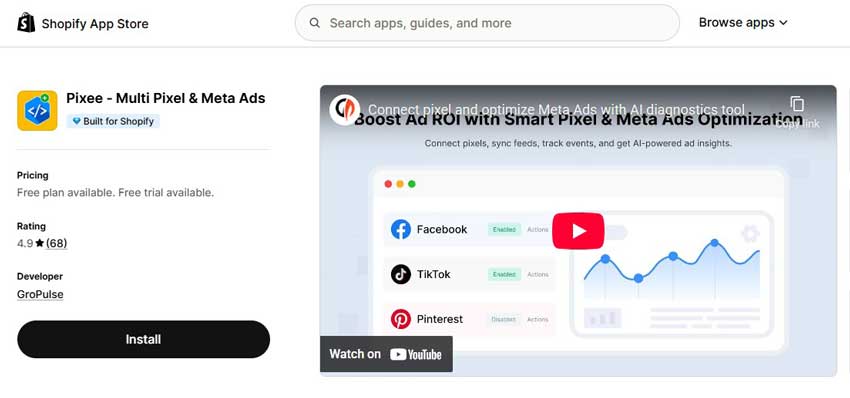
Key Features:
- Multiple Meta Pixel support with Conversion API (CAPI)
- TikTok, Snapchat, Pinterest, and Google Ads pixel tracking
- AI Ad Copy Generator and ad management tools
- Product feed/catalog sync for Dynamic Ads
- UTM tracking and custom audience building
- All standard Shopify events (PageView, ViewContent, AddToCart, InitiateCheckout, Purchase, Search)
Pros:
- Only free Shopify Pixel app combining multi-platform pixels + CAPI + AI ad tools
- Covers 5 ad platforms in one app — replaces multiple single-purpose apps
- No coding required; quick install with Shopify’s app embed
Cons:
- Newer app with fewer reviews compared to Omega (80+ vs 1,300+)
- Advanced ad management features may be more than basic stores need
Best For: Shopify store owners who advertise across multiple platforms (Meta + TikTok + Pinterest) and want pixel tracking, CAPI, and AI ad tools in one free app.
Pricing: Free plan available. Pro from $21/month.
For a full walkthrough with screenshots, see our detailed Pixee setup guide.
🚀 Ready to skyrocket your Shopify store to success?
🚀 Unlock the secrets to success and boost your sales 📈 with ShopiBuffet’s expert services. Don’t miss out, get started now!
Omega Facebook Pixel Meta Feed
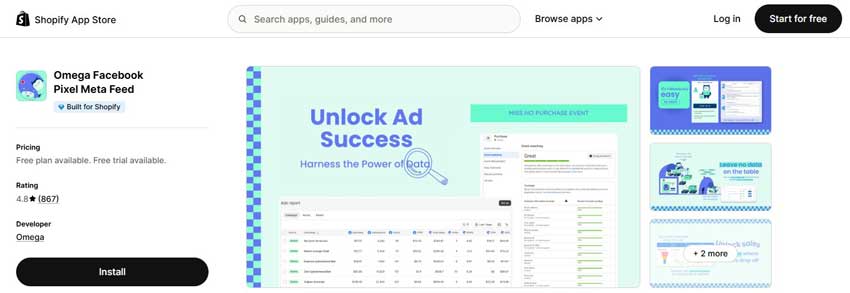
Omega (formerly Facebook Multi Pixels) is the highest-rated Meta Pixel app on Shopify with a 4.9-star rating across 1,300+ reviews. It supports multi-pixel management for Facebook, TikTok, Google, Pinterest, Twitter, and Snapchat, with automatic Conversion API setup. Omega’s product feed sync makes it a strong pick for stores running Dynamic Product Ads at scale.
Key Features:
- Multi-pixel management across 6+ ad platforms
- Automatic Conversion API setup (minimal configuration)
- Product feed/catalog sync for Dynamic Ads
- UTM-based attribution and advanced audience segmentation
- Server-side event tracking with cross-device attribution
- Shopify Flow integration for automation
Pros:
- CAPI auto-setup reduces technical friction
- Broad platform coverage with mature feature set
Cons:
- Free plan limited to 1 pixel — multi-pixel requires paid tier
- No AI ad tools or ad management built in
Best For: Established Shopify stores that need reliable, well-reviewed multi-platform pixel tracking with automatic CAPI configuration and strong Dynamic Ads support.
Pricing: Free (1 pixel).
- Basic: $20.99/month
- Shopify Pro: $35.99/month,
- Shopify Plus: $45.99/month.
SB: Facebook Pixel and TikTok

SB Pixel (formerly FBTrack) balances features and affordability well. Its standout strength is unlimited server-side event tracking on the premium plan — most competitors cap events or features at lower tiers.
This Shopify app also provides in-app video guides that walk you through every setup step, which makes it a good fit for first-time Pixel users.
Key Features:
- Unlimited server-side event tracking (Conversion API)
- Multiple Facebook Pixel support
- TikTok Pixel and Events API integration
- Automatic product feed for Dynamic Ads
- Custom audiences and remarketing tools
- In-app video tutorials and 24/7 support
Pros:
- Excellent onboarding with video guides — beginner-friendly
- Large user base (700+ reviews) with a reliable track record
Cons:
- Limited to Facebook and TikTok — no Pinterest, Snapchat, or Google Ads pixels
- No AI ad tools or ad management features
Best For: Shopify merchants who primarily advertise on Meta and TikTok and want a simple, affordable app with strong CAPI support and helpful onboarding.
Pricing: Free plan available.
- Standard $15/ month
- Unlimited $30/ month
Trackify Facebook Pixel, TikTok
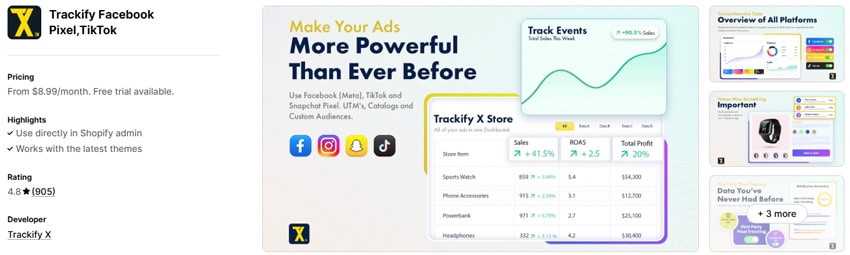
Trackify is the power-user option. It goes beyond basic pixel tracking with advanced audience building (by niche, collection, or user activity), automated catalog management for ad feeds, and real-time event analytics. The trade-off is complexity — Trackify has more settings and options than most stores will need, and pricing scales steeply for agencies.
Key Features:
- Facebook, Instagram, TikTok, Snapchat pixel integration
- Conversion API for server-side tracking
- Custom and lookalike audience builder (niche, collection, activity-based)
- Automated ad feeds and catalog management
- Real-time event tracking and retargeting tools
- UTM attribution and advanced analytics dashboard
Pros:
- Most advanced audience segmentation of any Shopify Pixel app
- Catalog automation saves time for stores with large product ranges
- Multi-platform support including Snapchat
Cons:
- No free plan — starts at $8.99/month, scales to $199.99 for enterprise
- Steeper learning curve; can feel overwhelming for solo store owners
Best For: Agencies and high-volume Shopify stores that need granular audience building, catalog management, and advanced analytics across multiple ad platforms.
Pricing:
- Basic: $8.99/month,
- Growth: $29.99/month,
- Advanced: $59.99/month,
- Enterprise: $199.99/month.
WinAds: Facebook Pixels
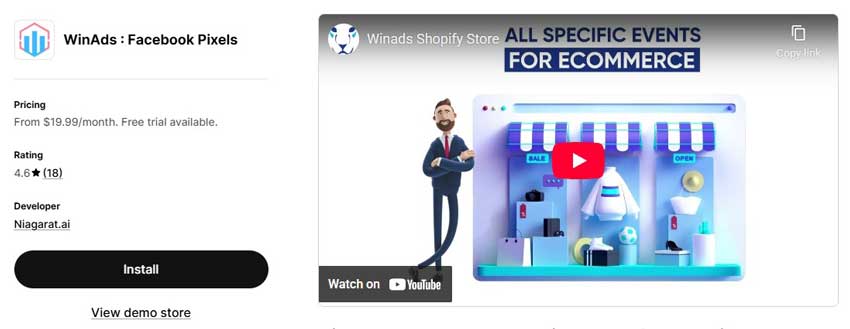
WinAds keeps things straightforward. It handles multiple Facebook Pixel management, server-side tracking, and includes Google Analytics integration, a useful addition if you track both Meta and GA from one place. The free configuration service is a nice touch: WinAds’ team will set up your pixels for you if you’d rather not do it yourself.
Key Features:
- Multiple Facebook Pixel management
- Server-side tracking and Conversion API
- Google Analytics integration
- Cross-device conversion tracking
- Free configuration service (they set it up for you)
- Performance dashboards for monitoring events
Pros:
- Free configuration service removes setup friction entirely.
- Google Analytics integration adds extra value.
- Clean, simple interface with no unnecessary complexity.
Cons:
- No TikTok, Pinterest, or Snapchat pixel support.
- Smaller feature set compared to Pixee, Omega, or Trackify.
Best For: Shopify store owners who only advertise on Meta (Facebook/Instagram), want Google Analytics alongside their pixel data, and prefer a hands-off setup with the free configuration service.
Pricing:
- Essential plan: $19.99/ month
- Pro plan: $39.99/ month
- Enterprise+ plan: $139.99/ month
Grow Your eCommerce Business with Valuable Resources, Tools, and Lead Magnets
- Bring your ideas to life for $1/month
- One platform that lets you sell wherever your customers are—online
- Create a beautiful eCommerce website
- Start for free, then enjoy $1/month for 3 months
- Build your own website in a few steps
- Create a website in minutes easily, secure method
- Turn what you love into what you sell
- Discover the Shopify Point of Sale
- AI Based Business Name Generator
App Comparison Table
| Feature | Pixee | Omega | SB Pixel | Trackify | WinAds |
| Free Plan | ✅ | ✅ (1 pixel) | ✅ | ❌ | ✅ |
| Conversion API (CAPI) | ✅ | ✅ | ✅ | ✅ | ✅ |
| Multiple Pixels | ✅ | ✅ | ✅ | ✅ | ✅ |
| TikTok Pixel | ✅ | ✅ | ✅ | ✅ | ❌ |
| Pinterest / Snapchat | ✅ | ✅ | ❌ | ✅ | ❌ |
| Product Feed / Catalog | ✅ | ✅ | ✅ | ✅ | ❌ |
| AI Ad Tools | ✅ | ❌ | ❌ | ❌ | ❌ |
| Google Ads Pixel | ✅ | ✅ | ❌ | ❌ | ❌ |
| Rating | 4.8★ | 4.9★ | 4.6★ | 4.1★ | 4.6★ |
| Starting Price | Free | Free | Free | $8.99/mo | Free |
How to Add Meta Pixel to Shopify? (Quick Guide)
Here’s the condensed version. You don’t need coding skills — a Pixel app handles the technical parts.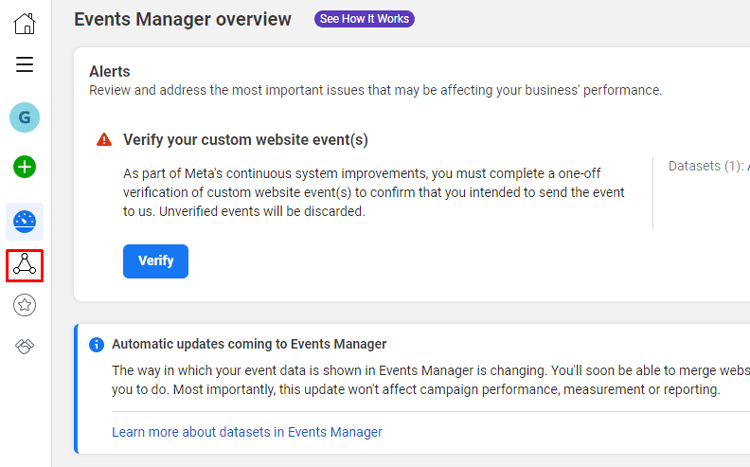
Step 1: Create your Meta Pixel. Go to Meta Events Manager → Connect Data Sources → Web → Meta Pixel.
Name it, add pixel id, select the page, and click Save.
Step 2: Copy your Pixel ID.
In Events Manager, go to Data Sources → select your pixel → copy the 15–16 digit Pixel ID from the right panel.
Step 3: Install a Pixel app. In your Shopify admin, go to the App Store and install your chosen app (e.g., Pixee). Activate the app embedded in your Shopify theme Customizer.
Step 4: Enter your Pixel ID. Open the app dashboard, create a new pixel, paste your ID, and save.
Step 5: Enable CAPI. Toggle Conversion API to active in the app settings. Paste your access token (find it in Events Manager → Settings → Generate access token). For more on how CAPI works and why it matters, see our Meta Conversion API guide.
Step 6: Test your pixel. Install the Meta Pixel Helper Chrome extension. Browse your store, add a product to cart, and check that events fire correctly. Also, verify in Events Manager → Test Events.
For a detailed step-by-step walkthrough with screenshots, check out our complete guide to adding Facebook Pixel to Shopify.
How to Choose the Right Shopify Facebook Pixel App for Your Business
A Shopify Facebook Pixel App can be a valuable tool for any business that relies on Facebook for marketing. However, with so many different apps on the market, it can be difficult to know which one is right for your business.
There are a few key factors to consider when choosing a Shopify Facebook Pixel App.
First, think about the specific needs of your business.
- What kind of data do you need to track?
- What kind of campaigns do you want to run?
Once you have a clear idea of your goals, you can start narrowing down your options. Another important factor to consider is the ease of use.
Some Shopify pixel Facebook apps are designed for experienced marketers, while others are more user-friendly. Choose an app that meets your level of expertise.
Finally, don’t forget to read reviews before making your final decision.
By taking the time to choose the right Shopify Facebook Pixel App, you can ensure that you get the most out of Facebook marketing for your business.
Frequently Asked Questions
What is a Shopify Facebook Pixel App?
A Shopify Facebook Pixel App helps store owners track visitor actions, optimize ad campaigns, and improve conversions by integrating Facebook Pixel with their Shopify store.
Why do I need a Facebook Pixel for my Shopify store?
Using Facebook Pixel enables you to track customer behavior, create targeted remarketing audiences, and run highly optimized ads, resulting in lower ad costs and increased conversions.
Can I use multiple Facebook Pixels on my Shopify store?
Yes, some apps like Pixee and Facebook Multi Pixels allow you to add multiple Facebook Pixel IDs, making it easier to track different campaigns and audiences.
How does Facebook Pixel improve ad targeting?
Facebook Pixel collects data on visitor interactions, helping you retarget users with relevant ads and optimize campaigns based on real customer behavior.
Do I need coding skills to set up a Shopify Facebook Pixel App?
No, most Shopify Facebook Pixel Apps are user-friendly and require minimal setup. They often provide step-by-step guides to help you integrate the Pixel without coding knowledge.
Bring your ideas to life for $1/month
The future of business is yours to shape. Sign up for a free trial and enjoy 3 months of Shopify for $1/month on select plans.
Wrapping Up: Shopify Facebook Pixel Apps to Help Increase Conversions in 2025
Shopify Facebook Pixel App is a powerful tool that can help Shopify merchants increase their online sales.
The pixels Shopify app allows Shopify merchants to track their customers’ behavior on their Shopify store and Facebook page. This data can then be used to create customized audiences for Shopify merchants to target with ads.
Additionally, the Shopify Pixels App can also be used to track conversion events and optimize ad campaigns.
For Shopify merchants who are looking to increase their online sales in 2026, the Shopify Facebook Pixel App is a valuable tool that should not be overlooked. Thanks for reading!