Whols vs B2BKing: Which WooCommerce Wholesale Plugin Is Right for Your Store?

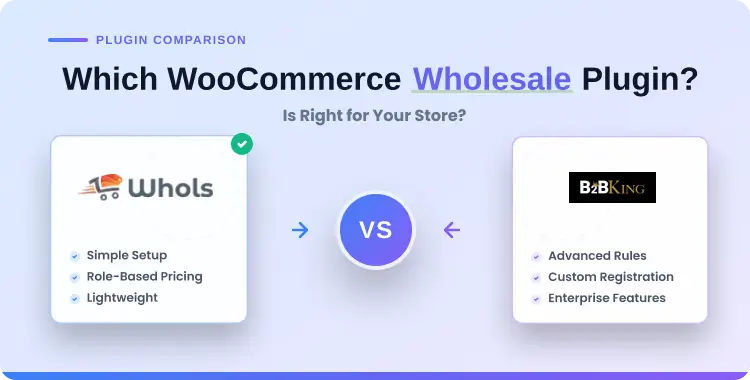
If you are comparing Whols vs B2BKing, the right choice depends less on which plugin has the longer feature list and more on how your store actually sells to business buyers. A simple wholesale store usually needs dependable role-based pricing, customer approval, and private pricing visibility, while a more advanced B2B operation may also need quote-based purchasing, tax handling, account segmentation, and stricter workflow control.
For most small and mid-sized WooCommerce stores, Whols is the easier starting point because it focuses on wholesale pricing, registration, visibility control, and practical B2B store management without pushing you into a heavy enterprise-style setup.
B2BKing is usually the better fit when your store behaves more like a B2B portal, and you need deeper customer groups, dynamic rules, quote workflows, VAT-related tools, and broader B2B controls from one plugin.
In this guide, you will see a practitioner-style comparison of Whols vs B2BKing, with clear guidance on which plugin fits which type of store
Quick Answer: If you run a small or growing WooCommerce wholesale store and mainly need clean wholesale pricing, role-based pricing, approvals, and a straightforward setup, Whols is usually the better fit. If your store runs more advanced B2B workflows with quotes, VAT handling, group-based rules, and complex customer management, B2BKing is usually the stronger choice.
Table of Contents
What are Whols and B2BKing?
What is Whols?
Whols is a WooCommerce wholesale plugin built to add a wholesale layer to an existing WooCommerce store without requiring you to build a second store or duplicate your catalog. Its core positioning centers on wholesale pricing, wholesale registration, user roles, visibility control, and dynamic order rules for B2B or hybrid B2B+B2C stores.
Based on its official product page and WordPress.org listing, Whols supports wholesale pricing globally, by product, by variation, and by category, along with manual approval flows, custom registration forms, quantity rules, visibility restrictions, free shipping rules for wholesale users, quote requests, and bulk ordering features in higher tiers.
In plain terms, it is designed for store owners who want to run wholesale pricing and customer approval inside familiar WooCommerce workflows instead of rebuilding their store around a more complex B2B system.
What is B2BKing?
B2BKing positions itself as an all-in-one WooCommerce B2B and wholesale plugin rather than a lighter wholesale add-on. Its official feature coverage emphasizes advanced B2B registration, customer groups, dynamic pricing, hidden prices, quote requests, tax exemptions, VAT tools, order forms, and broader account-level controls for serious B2B commerce.
That makes B2BKing more suitable when your wholesale operation already includes more structured procurement-like behavior, such as negotiated purchasing, distributor-specific rules, account hierarchies, or group-based product visibility. In other words, B2BKing is not just trying to show a different price to wholesalers; it is trying to turn WooCommerce into a more complete B2B ecommerce environment.
Quick verdict: Which plugin is better for which type of store?
If you want a direct answer, choose Whols when your store mainly needs wholesale pricing, role-based pricing, wholesale registration, approval management, and access control without a steep setup burden.
Choose B2BKing when your operation needs more advanced B2B infrastructure such as quote workflows, VAT and tax-related controls, customer groups, richer catalog restrictions, or more sophisticated business buying rules.
The practical difference is this: Whols is usually better for stores that want to add wholesale to WooCommerce quickly and keep daily administration simple, while B2BKing is better for stores that accept more complexity in exchange for more B2B depth.
If you are a store owner or agency building a straightforward wholesale experience, Whols will often get you live faster; if you are building a true distributor or procurement-style portal, B2BKing is more likely to match your long-term requirements.
Feature comparison table: Whols vs B2BKing
The table below is based on official plugin descriptions, feature pages, and publicly available documentation rather than user forum speculation. Because both plugins evolve over time, you should still verify any must-have feature against the latest docs before making a final decision.Capability Whols B2BKing Better fit Core purpose Wholesale pricing and B2B store setup inside WooCommerce. Full B2B and wholesale suite for WooCommerce. Depends on complexity Role-based pricing Supported, including different prices for different wholesaler roles in higher tiers. Supported with advanced group- and rule-based pricing logic. B2BKing for advanced rules; Whols for simpler setups Product/category pricing Global, product, variation, and category pricing supported. Advanced pricing rules and segmentation supported. Depends on rule complexity Quantity/tiered pricing Supported, including quantity-based discounts and tiered pricing in higher tiers. Supported as part of dynamic and quantity-based B2B pricing. B2BKing for more advanced cases Wholesale registration Built-in registration form, manual approval, role assignment, and field customization. Advanced B2B registration with richer segmentation and business workflows. Whols for simplicity; B2BKing for depth Visibility control Hide prices or products based on login status or role; restrict wholesale access. Hide prices, hide products, and control catalog visibility for B2B groups. B2BKing for granularity Quote requests Included in Whols feature set. Strong quote and offer focus in official B2B feature positioning. B2BKing Bulk ordering Bulk order form available in premium feature set. B2B order form is a major B2B workflow feature. B2BKing for deeper B2B workflows Tax and VAT support Exclude tax for wholesale users is supported. Tax exemptions and VAT-oriented B2B features are emphasized. B2BKing Store type B2B-only or hybrid B2B+B2C from one catalog. B2B-focused store or complex hybrid store with stronger B2B controls. Depends on business model Setup complexity Lower to moderate. Moderate to high due to breadth of features. Whols
Pricing comparison
Here is the clearest current pricing snapshot based on the official pricing pages checked for this article.
Whols has the simpler pricing structure because the plans mainly scale by site count, and all listed plans include the same core wholesale/B2B feature set. B2BKing’s pricing is more tiered by both site count and bundled add-ons.
Ease of use and setup experience
Whols: easier for focused wholesale stores
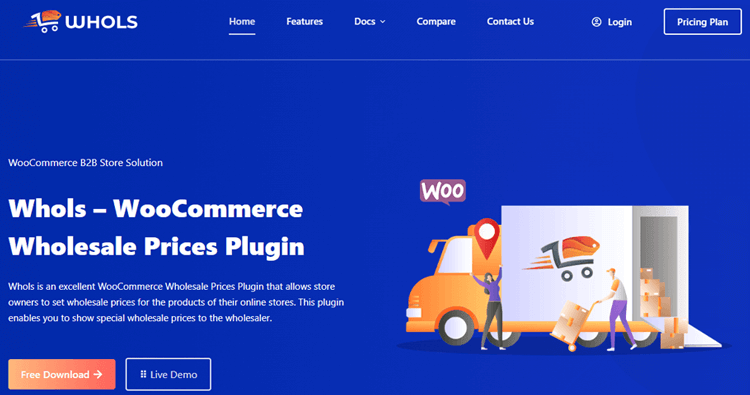
Whols is easier to understand when your main goal is straightforward wholesale selling inside a normal WooCommerce store. Its official positioning and settings architecture revolve around practical actions like setting wholesale prices, creating wholesaler roles, assigning the registration form shortcode, approving wholesale requests, and controlling who can see wholesale products or prices.
That focus matters because many store owners do not need a full B2B operating system; they simply need approved business buyers to see the right prices and place orders without confusion. In those cases, Whols tends to feel lighter, faster to roll out, and easier for non-technical teams to maintain after launch.
B2BKing: More powerful, but heavier to configure
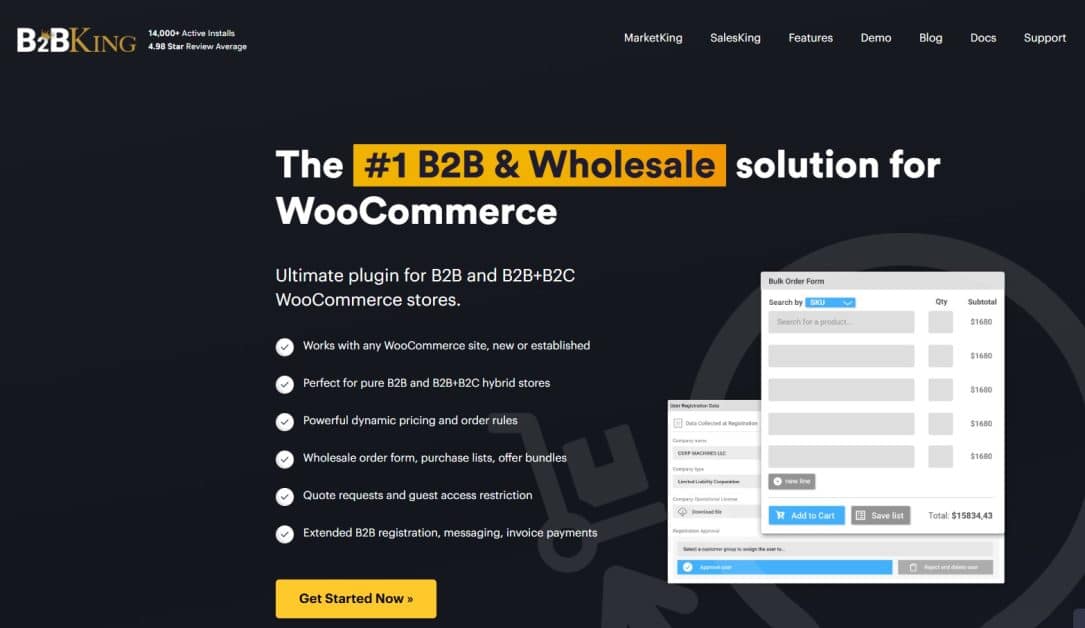
B2BKing offers more B2B depth, but that usually means more setup decisions before you are ready to go live. If you need separate buyer types, richer registration logic, quote-based processes, group-based visibility, and tax-sensitive B2B rules, the plugin can justify that complexity, but you should still expect a longer implementation path.
This does not make B2BKing “hard” in a negative sense; it simply reflects the fact that advanced B2B stores have more moving parts than simple wholesale stores. If your store has multiple customer groups, region-specific rules, and more formal approval processes, the extra configuration depth can be a benefit rather than a drawback.
How a typical setup looks with each plugin
A realistic WooCommerce B2B implementation usually starts with the same business questions no matter which plugin you choose: who is allowed to buy, what pricing each group sees, what must be hidden from the public, and what extra rules apply at checkout or approval time. The difference is how much of that logic each plugin exposes and how many advanced workflows you need to configure before launch.
With Whols, a common setup flow is to install the plugin, create one or more wholesale roles, publish a wholesale registration form using the [whols_registration_form] shortcode, approve applicants, set wholesale pricing rules, and then control visibility so only the right users see private prices or products.
With B2BKing, the setup usually includes defining B2B registration logic, customer groups, dynamic pricing or tax rules, quote-related workflows, and broader visibility controls, which makes it more powerful but also more planning-heavy.
That distinction matters if you are trying to launch quickly. If your team needs a practical wholesale system with fewer moving parts, Whols usually gets you there faster; if your business model already depends on structured B2B controls, B2BKing may save you from future rework even if the initial setup takes longer.
Wholesale pricing and role-based pricing
Wholesale pricing means showing special prices to approved business buyers rather than using the same public retail price for everyone. Role-based pricing is the layer that lets you assign different prices to different buyer types, such as retailers, resellers, distributors, or VIP accounts.
How Whols handles wholesale pricing
Whols is built around this exact use case. Its official documentation and plugin page state that you can set wholesale pricing globally, by product, by variation, and by category, while also creating different prices for different wholesale roles in premium plans and applying quantity-based discounts or tiered pricing where needed.
For a store with a few wholesale customer types, that is often enough. You can maintain a single WooCommerce store, keep pricing logic understandable, and avoid building a maze of custom rules that only one team member knows how to manage.
How B2BKing handles pricing logic
B2BKing also supports wholesale pricing, but its strength is not simply “show a lower price to wholesalers.” Its strength is richer B2B pricing logic tied to customer groups, business rules, account segmentation, and broader B2B workflows.
If your store uses negotiated structures, distributor-specific pricing, or more conditional rule sets, B2BKing is more likely to fit that complexity without relying on multiple separate plugins. That is why B2BKing usually makes more sense for advanced B2B operations, while Whols is often the better choice for focused wholesale implementations.
Registration, approval, and customer management
Why wholesale registration matters
Wholesale registration is not just a form on a page; it is the gatekeeping step that determines who gets access to private pricing, private products, and your business-facing checkout experience. A good registration flow should make it easy for legitimate buyers to apply while still giving you enough control to approve the right customers and assign them the correct role or group.
Whols registration and approvals
Whols includes a built-in wholesale registration flow with manual approval, a dedicated shortcode, customizable fields, wholesaler request handling, email notifications, role assignment, and optional default role settings in higher tiers. It also supports practical onboarding touches such as redirecting users after registration or login and customizing registration-related messages.
This is a good fit for stores that want a clear approval process without overengineering buyer onboarding. If your team simply needs business customers to apply, get reviewed, and then receive access to wholesale prices, Whols covers that problem directly.
B2BKing registration and account structure
B2BKing goes further into B2B customer segmentation and account logic. Its official positioning highlights advanced registration workflows, business-oriented customer grouping, and broader controls that are more aligned with complex B2B onboarding than with a basic “apply for wholesale access” flow.
That matters when your customer approval process includes more than just deciding who is wholesale and who is not. If you need to separate groups by account type, region, tax status, or purchasing workflow, B2BKing’s broader B2B orientation makes it the stronger long-term option.
B2B order workflows
What a B2B order workflow actually means
A B2B order workflow is the path a business buyer follows from account access to repeat purchasing. In a simple store, that may only mean logging in, seeing wholesale prices, adding bulk quantities, and checking out normally; in a more advanced operation, it can include quote requests, approval steps, saved order lists, buyer-specific catalogs, and account-level restrictions.
How Whols supports wholesale ordering
Whols supports the simpler end of that spectrum very well. It offers private pricing visibility, minimum quantity rules, saved order lists, quote requests, free shipping, and tax-related controls for wholesale users, and even a bulk order form in higher tiers, all while keeping the underlying buying experience close to standard WooCommerce.
That is usually ideal for stores where wholesale customers do not need a separate procurement portal and are comfortable ordering through normal product pages with business-specific pricing rules in place. If your B2B buyers already understand your catalog and mainly need the right price and a smoother repeat-order path, Whols can cover that without excessive complexity.
How B2BKing supports advanced B2B workflows
B2BKing is more useful when the order workflow itself becomes a major business requirement. Its official B2B feature set leans more heavily into quotes, offers, group-based conditions, order forms, and advanced buying rules that make WooCommerce behave more like a true B2B sales environment.
That makes it more suitable for wholesalers, manufacturers, distributors, or regional suppliers who handle negotiated deals, account-specific product access, or more formal pre-purchase interactions. If your current B2B process already relies on manual emails, spreadsheets, or account-manager intervention, B2BKing is more likely to help centralize that workflow.
Quick Decision Matrix: Which Plugin Fits Your Situation?
This section gives the shortest practical recommendation path for store owners who do not want to read every feature detail. It is especially useful if you are comparing plugins for a client, a migration project, or a new wholesale launch.Your situation or priority Recommended plugin Why this usually works best You are adding simple wholesale pricing to an existing WooCommerce store Whols It focuses on wholesale pricing, registration, and access control without a heavy B2B setup burden. You want the easiest path for a small wholesale store Whols The feature set is more focused and typically faster to configure for small teams. You need role-based pricing for a few wholesale customer types Whols Role pricing and category/product pricing are built into the wholesale-focused workflow. You need advanced B2B workflows, quotes, and stronger account logic B2BKing Its official feature coverage is broader and more B2B-specific. You sell to distributors or region-specific buyer groups B2BKing Group-based controls and advanced B2B segmentation make more sense here. You need VAT-related or tax-exemption-oriented B2B features B2BKing B2BKing’s B2B positioning more directly emphasizes these needs. You want lower maintenance overhead for a lean team Whols A narrower scope usually means easier long-term administration.
Experience Verdict: What each plugin feels like in real use
What feels easier with Whols
Whols feels more approachable because the plugin’s value proposition is tightly centered on the real problems most WooCommerce wholesale stores face first: who can register, who gets approved, what price they see, and what products or pages should stay private.
That focus usually leads to less menu sprawl, less rule confusion, and a cleaner mental model for store owners who do not want to turn every wholesale requirement into a large B2B configuration project.
Whols also feels operationally lighter for teams that want to train staff quickly. When a plugin is easier to explain internally, it is also easier to maintain after launch, especially when the person managing orders is not the same person who originally configured the site.
What feels stronger with B2BKing
B2BKing feels more like B2B infrastructure than a simple wholesale extension. That is a major strength when your requirements are already beyond basic pricing and approval, because you are less likely to hit a ceiling as customer groups, rules, and negotiation needs become more sophisticated.
The trade-off is that B2BKing demands more planning. If you install it without a clear pricing model, account structure, and workflow map, the plugin can feel heavier than necessary, not because it is poorly positioned, but because advanced B2B commerce itself is more structurally complex.
Best plugin for small and growing wholesale stores
Whols is usually the better plugin for a small or growing wholesale store because it addresses the wholesale fundamentals directly without requiring a full B2B systems mindset from day one.
If your immediate goals are to approve wholesale buyers, apply role-based or category-based pricing, hide public prices where needed, and let approved buyers order from one shared catalog, Whols is well aligned with that stage of business.
This matters more than many comparison posts admit. A plugin that is “more powerful” is not automatically better if your team cannot maintain it, your buyers do not need those extra workflows, or your store is still validating its B2B channel.
Use case: D2C store adding its first wholesale channel
Imagine you run a WooCommerce skincare brand that sells direct to consumers, and now a handful of salons want wholesale access. You likely need a registration form, manual approval, wholesale-only prices, and maybe minimum quantity rules, but you probably do not yet need a complex quote portal or layered account hierarchy.
That is the kind of business stage where Whols usually makes more sense. It lets you keep one store, keep the buyer journey familiar, and add just enough wholesale structure to support growth without overbuilding the system too early.
When Whols is actually the smarter business choice
Whols can remain the smarter long-term business choice even beyond the “beginner” stage when your team values speed, clarity, and lower operational overhead over maximum feature depth.
If your wholesale process is stable and your customers buy through ordinary WooCommerce product pages, the simpler system often wins because fewer moving parts usually mean fewer maintenance headaches.
It is also a smarter choice when your store strategy is to keep WooCommerce lean and only add focused extensions as new requirements appear. In that situation, Whols acts as a strong wholesale core instead of forcing you into an all-in-one B2B platform before you actually need one.
Best plugin for advanced or complex B2B stores
B2BKing is usually the stronger choice for advanced or complex B2B stores because it is built around broader business buying scenarios rather than only around discounted wholesale pricing.
If your customers expect quote requests, account-specific catalog control, tax-sensitive treatment, or more formal B2B account structures, B2BKing is more aligned with those needs.
This is especially relevant for manufacturers, distributors, and established wholesalers whose WooCommerce store has to reflect offline sales complexity rather than just offer cheaper prices to logged-in users. In those environments, B2BKing’s extra configuration effort can pay off because it reduces the need for patchwork plugins or manual workarounds later.
Use case: distributor portal with segmented buyers
Imagine a distributor selling across multiple territories, each with different buyer groups, tax expectations, and product visibility rules. In that scenario, a basic approval-and-discount workflow is rarely enough because the real challenge is controlling who sees what, how quotes are handled, and how account structures reflect actual B2B relationships.
That is where B2BKing makes more sense than a lighter wholesale plugin. It is simply better aligned with stores whose B2B complexity is already part of the business model rather than a future possibility.
When B2BKing becomes worth the complexity
B2BKing becomes worth the added complexity when the complexity already exists in your sales process. If buyers negotiate before ordering, if different customer groups must see different products, or if VAT and tax exemption rules are central to your operation, a broader B2B plugin is often more efficient than trying to stitch those requirements together later.
It also becomes worthwhile when the cost of underbuilding is high. If the wrong setup causes sales friction, account confusion, or manual admin work every week, the more advanced plugin may be the more economical decision, even if setup takes longer.
Read More:
👉 7 Best WooCommerce Private Store Plugins for Your Wholesale Online Store
👉 A Comprehensive Review of Whols – WooCommerce Wholesale Prices Plugin
👉 10 Best WooCommerce Wholesale Plugins Reviewed: Start Your Wholesale Business
How these plugins scale as your wholesale business grows
Scaling with Whols
Whols scales well when growth means more wholesale customers, more approved roles, and more pricing rules within a still-manageable wholesale model. It is particularly strong when your store remains close to standard WooCommerce behavior, and your team wants to preserve a simple operating model as the business grows.
The main limitation appears when the business starts demanding more advanced B2B processes than the original setup was designed for.
At that point, you may need additional tools or more custom logic for deeper quote handling, more formal account relationships, or more complex procurement-style buying paths.
Scaling with B2BKing
B2BKing is better suited to stores where growth brings more buyer types, more contractual logic, and more account segmentation. Instead of outgrowing the plugin because your rules become more advanced, you are more likely to keep using the same B2B framework and expand within it.
The trade-off is administrative complexity. As rules, groups, and workflows grow, someone on your team usually needs to own that logic clearly so the store does not become difficult to manage or explain internally.
Pros and cons of each plugin
Whols pros
- Easier to adopt for straightforward wholesale stores because the plugin stays close to the core wholesale use case.
- Supports practical wholesale pricing structures, registration, approvals, visibility control, quantity logic, and hybrid B2B+B2C setups from one store.
- Makes sense for smaller teams that want lower setup friction and lower day-to-day maintenance overhead.
Whols cons
- Less naturally suited to advanced B2B complexity than a fuller B2B suite.
- As your business model becomes more contract-heavy or procurement-like, you may eventually need extra tools or a more advanced framework.
B2BKing pros
- Better aligned with advanced B2B commerce, including richer account logic, group controls, quotes, and tax-sensitive workflows.
- More likely to support complex B2B stores without needing several separate plugins for core workflows.
- Stronger fit for distributor, manufacturer, and structured B2B portal use cases.
B2BKing cons
- More setup planning is usually required before launch.
- Can be more than you need if your store only requires straightforward wholesale pricing and approvals.
Frequently Asked Questions
Is Whols better than B2BKing?
Whols is better for stores that want simple wholesale pricing, easy approvals, and lower setup complexity, while B2BKing is better for more advanced B2B workflows and stricter business rules.
Which plugin is easier for beginners?
Whols is generally easier for beginners because its feature set is more focused on a straightforward wholesale store setup inside WooCommerce. B2BKing offers greater power but usually requires more planning and configuration.
Which plugin is better for advanced B2B stores?
B2BKing is usually better for advanced B2B stores because its official feature positioning covers more sophisticated account logic, quote workflows, group-based controls, and tax-sensitive B2B requirements.
Can both plugins manage wholesale pricing?
Yes. Both plugins support wholesale pricing, but Whols is more focused on a clean wholesale implementation, while B2BKing is more oriented toward broader B2B rule systems and business workflows.
Which plugin is better for small WooCommerce stores?
For most small WooCommerce stores that are just starting wholesale, Whols is usually the better fit because it covers the core wholesale problems without a heavy B2B setup burden.
Can Whols run a hybrid B2B and B2C store?
Yes. Whols explicitly positions itself as a solution for B2B-only or hybrid B2B+B2C stores that run on a single WooCommerce installation and a single product catalog.
Can B2BKing handle more structured buyer segmentation?
Yes. B2BKing is positioned around deeper B2B customer grouping, segmentation, and business-oriented rule handling than a lighter wholesale-only workflow.
Final Recommendation
If your store needs simple wholesale pricing, customer approval, private pricing visibility, and a clean way to run B2B and B2C from one WooCommerce store, Whols is usually the better choice. It is easier to implement, easier to explain internally, and better aligned with the real needs of many small and mid-sized wholesale stores.
If your store needs advanced B2B workflows, such as quote-based purchasing, richer customer segmentation, stronger catalog restrictions, and more structured business rules, B2BKing is usually the better long-term choice. Its extra complexity makes sense when your business model already depends on that complexity.
The safest next step is to map your store against a short checklist before choosing: do you need only wholesale pricing and approvals, or do you also need quotes, group-based visibility, tax-sensitive rules, and account-level controls?
After that, compare the current feature pages and test your preferred option on a staging site before launching it on your live store.