WooCommerce Gutenberg Blocks by WooLentor

The Gutenberg editor is a new feature that has been introduced in WordPress 5.0. WooCommerce Gutenberg Blocks are an exciting new development for stores using the WooCommerce plugin to power their online store.
The Gutenberg block editor has transformed how we build WordPress websites. It brings a visual, user friendly approach that makes website creation easier than ever. This is especially exciting for WooCommerce store owners.
WooCommerce Blocks is a collection of Gutenberg blocks that you may utilize to develop and personalize your online store. These blocks will allow users to show the product grid, category grid, and different layouts for the online store without knowing any code!
WooCommerce Blocks takes this convenience further. It lets you customize your online store through simple drag-and-drop blocks. No coding needed – you can create product grids, category layouts, and more just by clicking and arranging blocks.
This guide focuses on ShopLentor, one of the most trusted names in WooCommerce plugins. ShopLentor, initially known for its Elementor WooCommerce integration, now offers powerful Gutenberg block support, making it flexible for users of both platforms.
With Gutenberg’s block-based editor, store owners can create visually appealing, fully functional WooCommerce stores without needing any coding skills.
With over 100,000 stores using it worldwide, WooLentor offers 84+ powerful Gutenberg blocks to help you build your dream store. We’ll show you each block type available and what they can do for your store.
- What is WooLentor?
- What is WooCommerce Blocks?
- A list of WooCommerce Gutenberg Blocks provided by WooLentor.
- General Blocks
- Single Product Page Blocks
- Shop/Archive Page Blocks
- Cart Page Blocks
- Checkout Page Blocks
- My Account Page Blocks
- Thank You Page Blocks
- Additional Blocks
- Frequently Asked Questions
- Pros and cons of WooCommerce Gutenberg Blocks
- Conclusion
Key Takeaways
- Understand why ShopLentor is a trusted choice for over 100,000 stores and how it can help you design the perfect WooCommerce store effortlessly.
- Learn how WooCommerce Gutenberg blocks simplify designing and customizing WooCommerce stores using the WordPress Gutenberg editor.
- Discover the wide range of WooCommerce Gutenberg Blocks offered by WooLentor.
- Understand how these WooCommerce blocks enhance your store’s functionality and design without requiring any coding knowledge.
- Explore how drag-and-drop tools and Gutenberg eCommerce tools make building a visually appealing store accessible to everyone.
- Get ideas on how to use ShopLentor blocks for your online store.
What is WooLentor?
WooLentor is a WooCommerce plugin for WordPress. It allows online store owners to build products, trends, and categories with Gutenberg Blocks and create Gutenberg Blocks layouts for their shops like product grids and category grids.
WooLentor is the most popular WooCommerce Elementor plugin in the WordPress repository. Over 1,00,000 online stores across the world use this plugin. While this plugin was originally designed for use with Elementor, they are now adding WooCommerce Gutenberg blocks.
Free Download WooLentor Plugin
What is WooCommerce Blocks?
WooCommerce Blocks is a feature that extends the WordPress block editor (Gutenberg) with specialized eCommerce functionality. These blocks are designed specifically for online stores, making it easy to create and customize your shop’s layout and presentation.
With WooCommerce Blocks, you can:
- Display products in various grid layouts.
- Create engaging category showcases.
- Design custom shop pages.
- Add product filters and search functionality.
- Customize product displays without writing code.
These blocks work seamlessly within the Gutenberg editor, allowing you to preview changes in real-time as you build your store pages. The WordPress WooCommerce Blocks are regularly updated for compatibility with the latest versions of WordPress and WooCommerce, which enhances performance and security.
Whether you’re creating a homepage, category page, or custom product collection, WooCommerce Blocks provides the building blocks needed to achieve your desired layout.
For example, you can use this Gutenberg Block to create grids and layouts for the products and categories pages in your WooCommerce store without having to know any code.
A list of WooCommerce Gutenberg Blocks provided by WooLentor.
WooLentor offers a comprehensive range of WooCommerce Gutenberg Blocks that simplify store customization and design. These blocks are specifically crafted to enhance your WordPress eCommerce blocks experience. They make it easy to create engaging layouts and showcase products effectively.
Here’s what ShopLentor provides:
General Blocks
General blocks form the foundation of your store’s content layout and presentation. These versatile blocks help create engaging storefronts and landing pages.
Total Blocks: 14
Notable blocks include:
Product Tab/Grid Block
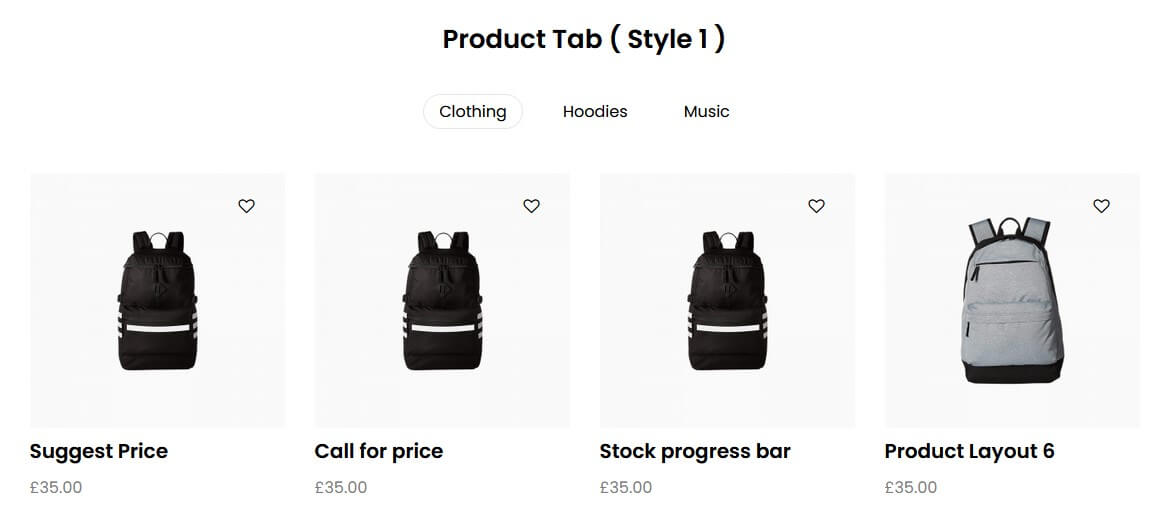
Product Tabs are Gutenberg Blocks that allow users to create Gutenberg Blocks layouts for product grids/tabs. These blocks will let users show the products in an easy-to-read way that is mobile-friendly.
Category Grid Block
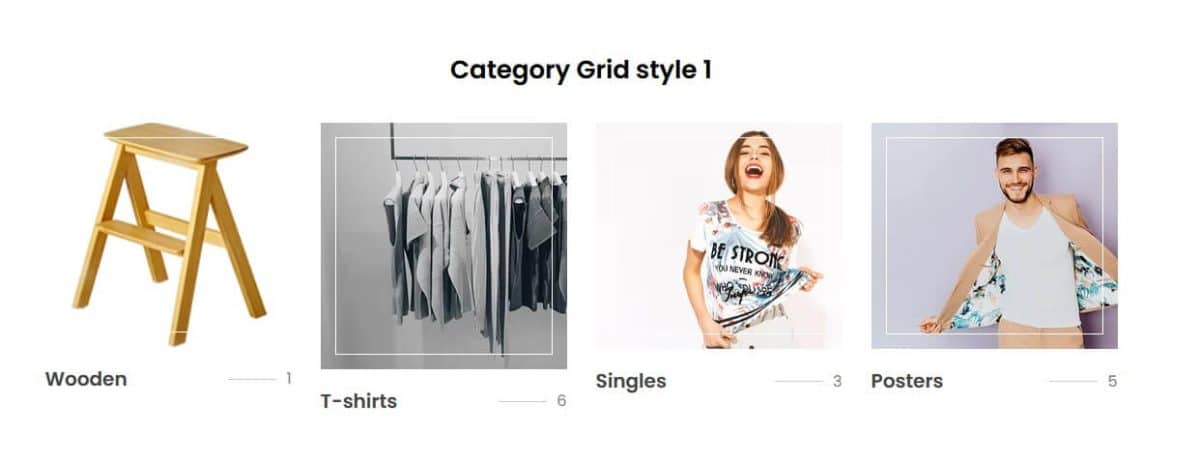
Category Tabs are Gutenberg Blocks that allow users to create layouts for category grids. These blocks will also enable users to show all related products of a single category, making it easier for customers to find what they are looking for without having to search through various pages of categories. This means less browsing time and more sales!
Special Day offer banner Block

Special Day offer banner Blocks are Gutenberg WooCommerce Blocks that are designed to show banners for special days.
Product Image Marker Block
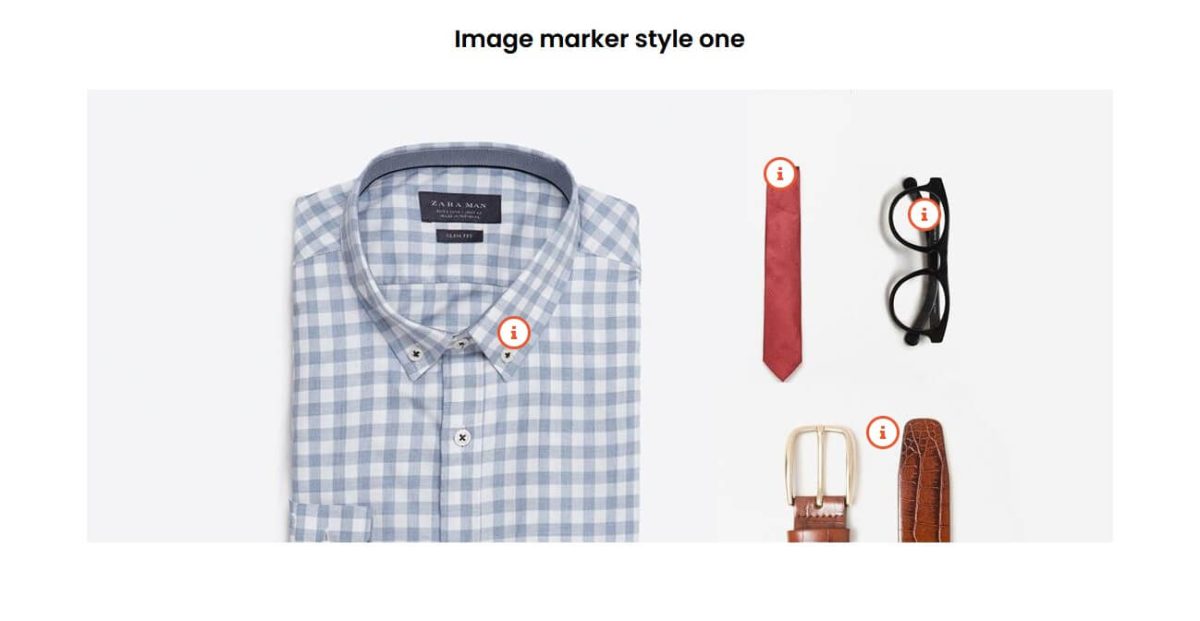
Product Image Marker Gutenberg blocks are Gutenberg WooCommerce Blocks that allow users to add product image markers (also known as highlights) on their Gutenberg Blocks layouts. This will enable users to highlight specific areas of the product image and help boost sales by guiding customers towards certain products they may be interested in!
Product Curvy Grid Block
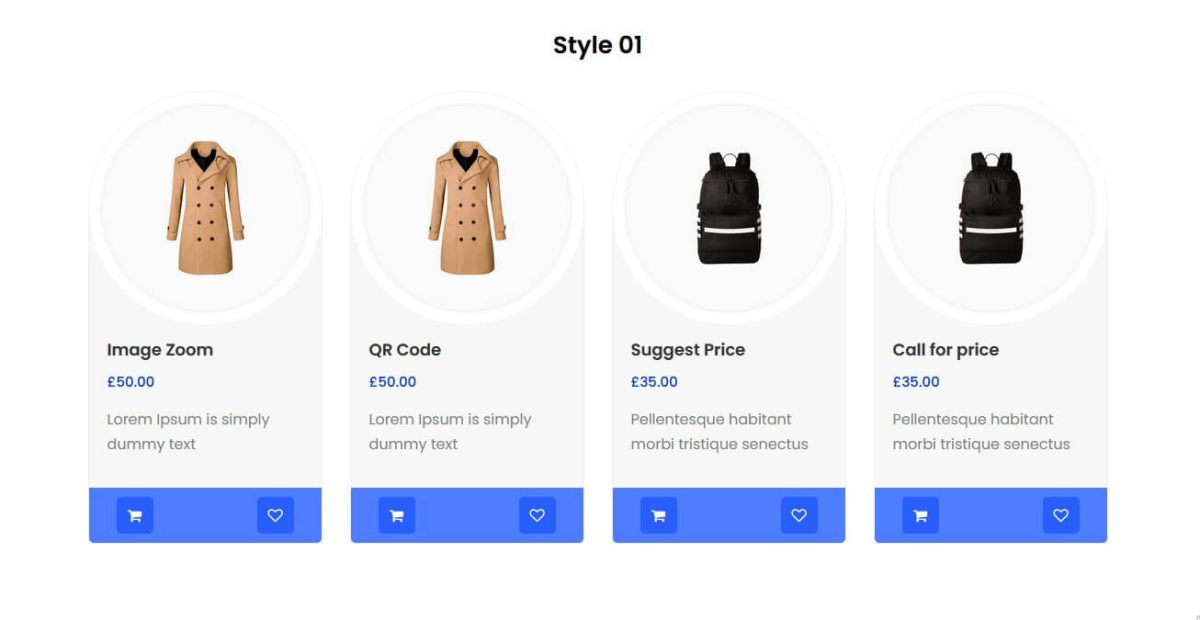
This Gutenberg WooCommerce block is used for creating curvy Gutenberg Blocks layout for Gutenberg blocks.
Brand Logo Gutenberg blocks (Free Shipping, Support, etc.)
One of the Gutenberg WooCommerce blocks is the brand logo Gutenberg Block. This Gutenberg WooCommerce block allows the store owners to show their company’s logo or partners’ logo.
Promotional Banner Gutenberg Block
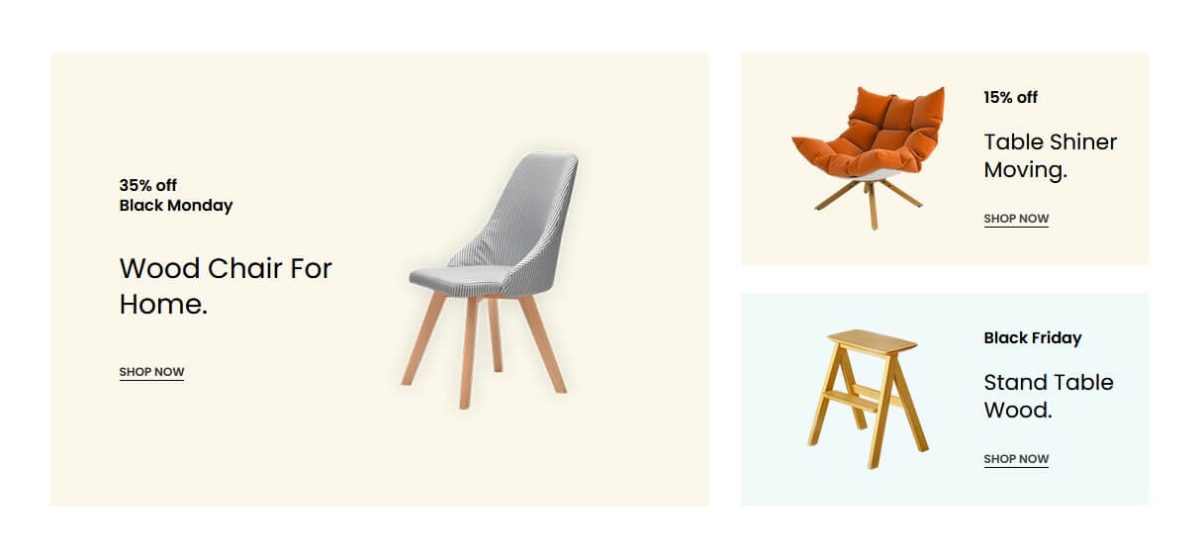
The Promotional banner Gutenberg block is designed to help users create promotional banners for their online stores. These banners will show up on all pages, so it is best used in places where it is most noticeable, like the homepage or special offers page!
Single Product Page Blocks
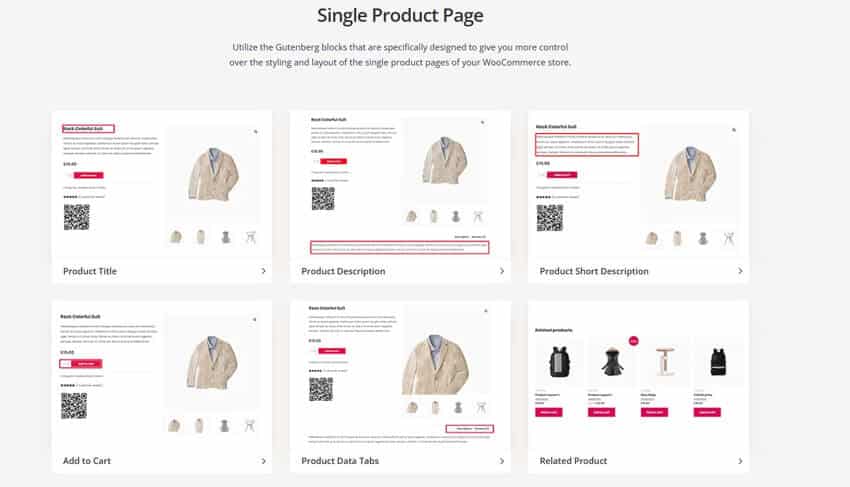
These blocks enhance individual product pages with detailed information and interactive elements. They help create comprehensive product presentations.
Total Blocks: 27
Key blocks include:
- Product Video Gallery: Embed videos alongside images to provide dynamic product visualization. Videos improve engagement and offer customers a closer look at product features.
- Advanced Product Image: Create interactive galleries with Zoom and Lightbox effects for better engagement. This helps showcase product details with high-resolution clarity.
- Product QR Code: Generate QR codes that offer quick and easy product access for mobile users. This improves mobile shopping convenience and speeds up product discovery.
- Stock Progressbar: Display stock levels visually, encouraging urgency and driving more purchases. It also helps manage customer expectations about product availability.
Shop/Archive Page Blocks
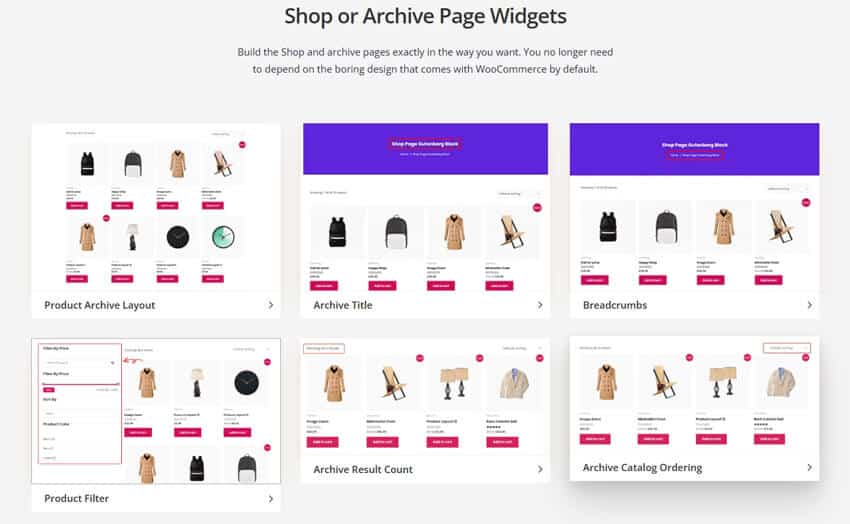
Shop and archive blocks organize product collections and improve customer navigation. They enhance the browsing experience and make product discovery easier.
Total Blocks: 5
Key blocks include:
- Product Archive: Display products using customizable grid or list layouts for better organization. This helps present products cleanly, enhancing overall user experience.
- Product Filter: Add advanced filtering options to help customers find products quickly. Filters can be customized by categories, prices, and other attributes.
- Archive Catalog Ordering: Enable sorting options for product listings to improve shopping experience. Customers can sort by price, popularity, or new arrivals.
Cart Page Blocks
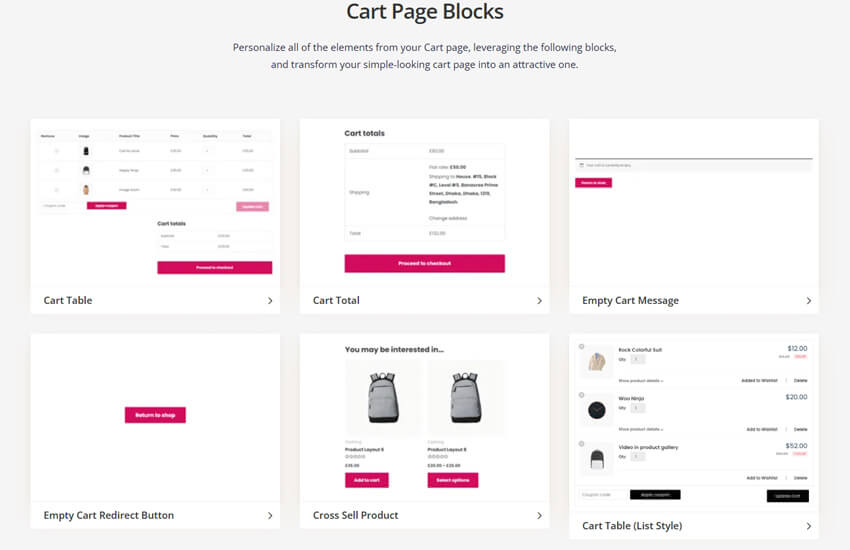
Cart blocks manage the shopping cart interface, making the pre-checkout process smooth and user-friendly. They offer customization options to enhance the customer’s cart experience.
Total Blocks: 6
Essential blocks include:
- Product Cart Table: Display cart items in a customizable table layout for easy review. This helps customers review their selections before checking out.
- Cart Total: Show detailed order summaries, including taxes and shipping costs. This keeps pricing transparent and reduces cart abandonment.
- Empty Cart Message: Customize messages displayed when a customer’s cart is empty. Personalized messages can re-engage users and encourage further browsing.
Checkout Page Blocks
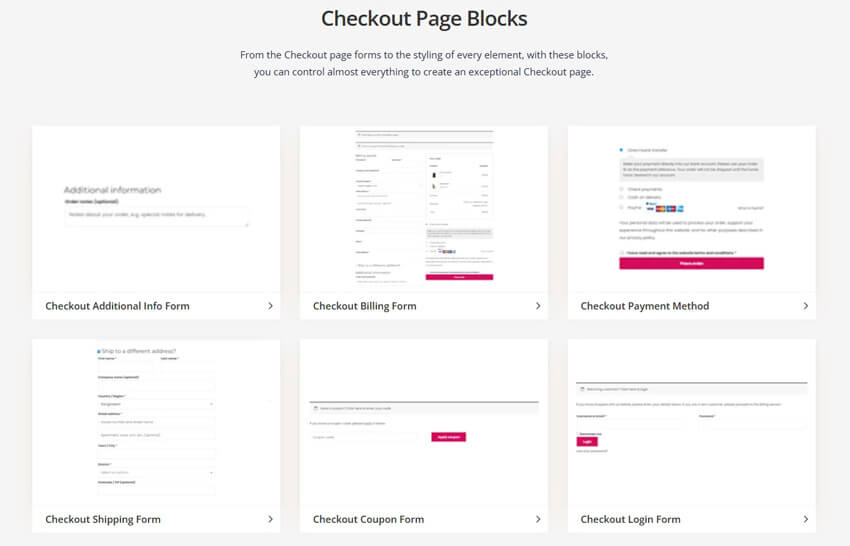
Checkout blocks streamline the payment and order process, creating a smooth and efficient checkout. They help reduce friction and improve conversion rates.
Total Blocks: 8
Primary blocks include:
- Checkout Billing Form: Collect essential billing information from customers during checkout. This ensures secure and accurate billing details.
- Payment Method: Display and manage various payment options for customer convenience. Supporting multiple payment methods improves accessibility.
- Coupon Form: Allow customers to apply discount codes easily during checkout. This incentivizes purchases and promotes special offers.
- Order Review: Provide a summary of the order for customers before completing their purchase. It ensures accuracy and boosts customer confidence.
My Account Page Blocks
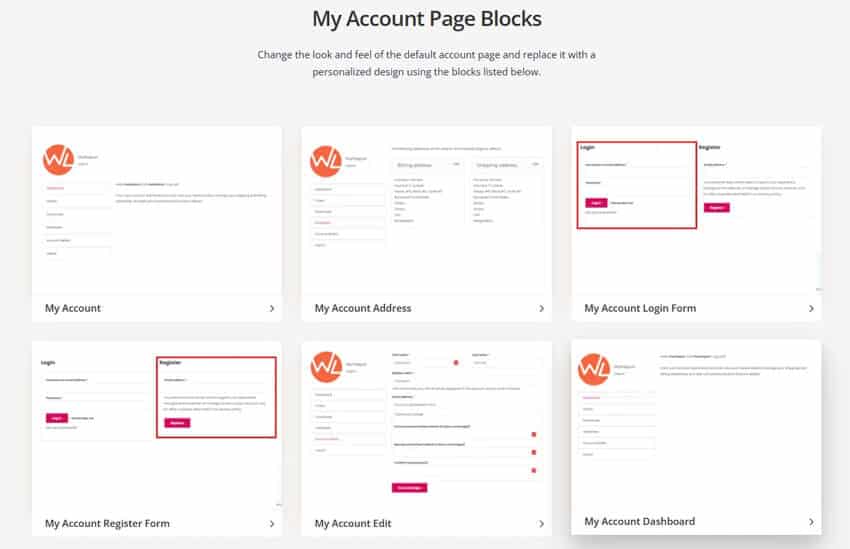
My Account blocks help customers manage their personal information and purchase history easily. These blocks improve user autonomy and enhance the shopping experience.
Total Blocks: 12
Key blocks include:
- Order History: Display a detailed history of past orders and their current statuses. This allows customers to track their purchases easily.
- Address Management: Enable customers to manage their billing and shipping addresses conveniently. This simplifies future checkouts and order fulfillment.
Thank You Page Blocks
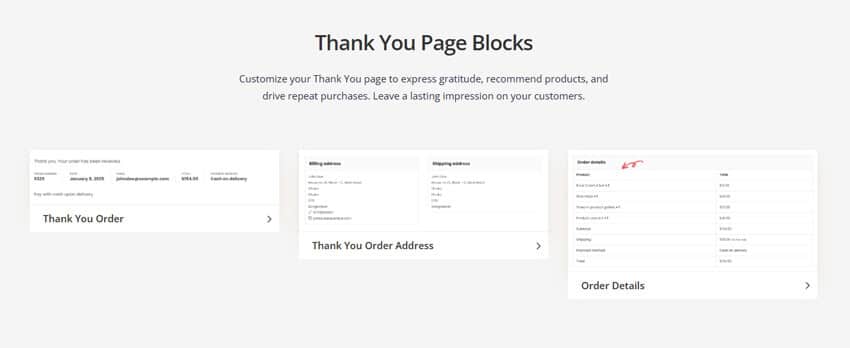
Thank You blocks enhance post-purchase experiences, providing confirmation and important order details. They leave a lasting impression and encourage repeat business.
Total Blocks: 3
Key blocks include:
- Order Details: Show complete order summaries, including products purchased and prices. This keeps customers informed and builds trust.
- Shipping Address: Display delivery information clearly for customer reference. It reassures customers that their order is on the way.
- Thank You Message: Customize thank you messages to express appreciation after purchases. Personalized messages foster brand loyalty and customer satisfaction.
Additional Blocks
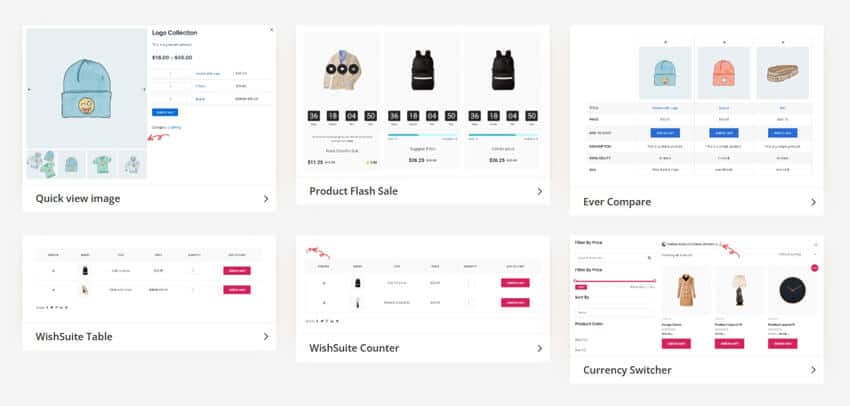
Additional WooLentor blocks add functionality to enhance user experience and sales potential. These blocks bring extra features to make stores more interactive and user-friendly.
- WishSuite Table: Add wishlist functionality to help customers save products for later. Wishlists encourage future purchases and improve engagement.
- Currency Switcher: Enable multi-currency support to cater to international customers. This expands your store’s global reach and simplifies transactions.
- Ever Compare: Allow customers to compare products side-by-side for better purchasing decisions. This aids in making informed choices and boosts satisfaction.
These are the current WooCommerce Gutenberg Blocks provided by the WooLentor plugin. When future widgets are added to their website, we will add them here.
Watch the video about WooCommerce Gutenberg Blocks | Gutenberg Blocks by WooLentor
Frequently Asked Questions
What is Gutenberg in WordPress?
Gutenberg is WordPress’s modern block-based editor, introduced in WordPress 5.0. It transforms content creation by:
- Supporting custom blocks for e-commerce and other functionalities.
- Breaking content into reusable blocks instead of using a single text field.
- Providing a visual, drag-and-drop interface.
- Enabling rich media integration without coding.
What is Gutenberg Block Editor?
The Gutenberg Block Editor is a new feature that allows users to create content using customizable blocks for posts, pages, and sidebars. It offers a modern layout with a block library, enabling easy insertion and formatting of text, images, widgets, and more.
What are the system requirements for ShopLentor’s Gutenberg blocks?
Your site needs WordPress 5.9+, WooCommerce 6.0+, and PHP 7.4+. The blocks work best with modern themes that fully support the block editor.
Can I use ShopLentor blocks with my existing theme?
Most WordPress themes compatible with Gutenberg will work well. However, some custom themes may require minor adjustments for optimal display.
How do the blocks affect site performance?
ShopLentor’s blocks are optimized for performance. They load resources only when needed and include built-in caching mechanisms.
Can I customize block styles without coding?
Yes, each block includes visual style controls. You can adjust colors, spacing, typography, and layouts through the block editor.
Pros and cons of WooCommerce Gutenberg Blocks
Pros of WooCommerce Gutenberg Blocks
- WooCommerce Gutenberg Blocks provides an easy way for users to show WooCommerce product grids, category grids, and different layouts without knowing any code!
- The Gutenberg Blocks are an exciting new development that can help store owners customize their online stores.
- Blocks are a great way to quickly add custom content and design to your WooCommerce store without having to write any code!
Cons of WooCommerce Gutenberg Blocks
- WooCommerce Gutenberg blocks may not be compatible with all WooCommerce themes.
- There is a limited number of Gutenberg blocks available.
- These blocks may not work with all WordPress plugins.
Watch the video about How to add WooCommerce Gutenberg Blocks on your online store
Conclusion
ShopLentor’s WooCommerce Gutenberg blocks offer a complete solution for modern e-commerce websites. With over 84 specialized blocks across seven categories, you can create a professional online store without writing code. From dynamic product grids to seamless checkout experiences, these blocks provide the building blocks for success.Ready to take your WooCommerce store to the next level? Explore ShopLentor’s Gutenberg e-commerce tools today and unlock endless possibilities for your online store. Start building your dream layout now!