ShopLentor vs CoDesigner WooCommerce Plugin: Which is the Best for You?

Quick Answer: ShopLentor and CoDesigner are no-code WooCommerce builders with different strengths. ShopLentor supports Elementor and Gutenberg and provides a larger library of widgets, blocks, modules, and templates. CoDesigner focuses on Elementor and stands out with Invoice Builder and pricing-table widgets. Choose according to your editor, required features, and license scope.
Choosing the right WooCommerce builder affects how easily you can customize product pages, improve checkout flows, and create a consistent shopping experience. ShopLentor and CoDesigner both help you build custom store layouts without coding, but their editor support, modules, templates, and licensing differ. This ShopLentor vs CoDesigner comparison covers the features, pricing, free and premium options, and ideal use cases of both plugins to help you make an informed choice.
Editorial disclosure: ShopLentor is developed by HasThemes. CoDesigner information in this comparison was checked against its official website and public plugin listing. Product details and pricing were reviewed on September, 2026, but they may change after publication.
Table of Contents
ShopLentor vs CoDesigner at a Glance
| Comparison | ShopLentor | CoDesigner |
|---|---|---|
| Previous name | WooLentor | Woolementor |
| Core purpose | WooCommerce builder and store enhancement toolkit | Elementor-focused WooCommerce builder |
| Elementor support | Yes | Yes |
| Gutenberg support | Yes | Not advertised |
| Elementor widgets | 125+ | 94+ |
| Gutenberg blocks | 89+ | — |
| Modules | 37+ | 15 listed on the dedicated modules page |
| Templates | 281+ | 150+ |
| Wishlist | Yes | Yes |
| Product Compare | Yes | Yes |
| Currency Switcher | Yes | Yes |
| Variation Swatches | Yes | Yes |
| Backorder | Yes | Yes |
| Flash Sale | Yes | Yes |
| Preorder | Yes | Yes |
| Email Designer or Customizer | Yes | Yes |
| Invoice Builder | No direct equivalent highlighted | Yes |
| Multi-Step Checkout | Yes | Checkout Builder available; verify the required layout before purchase |
| Product Filter | Yes | Yes |
| Partial Payment | Yes | Yes |
| Active installations on the public plugin directory | 80,000+ | 5,000+ |
| Rating on the public plugin directory | 4.5/5 | 4.4/5 |
| Reported downloads | 5M+ | Not prominently published |
| Launch or brand history | Launched in 2016 | Previously known as Woolementor |
| Five-site yearly plan | $99/year | $99.99/year |
| Lifetime option | Available | Available |
The table separates active installations from broader marketing claims such as total users or stores. Public plugin-directory data currently shows 80,000+ active installations for ShopLentor and 5,000+ for CoDesigner, while ShopLentor’s product website also states that it is used by more than 100,000 store owners.
What Is ShopLentor?
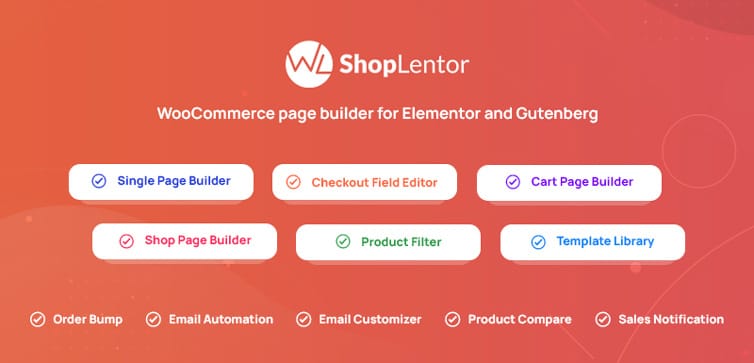
ShopLentor, formerly WooLentor, is an all-in-one WooCommerce builder and store enhancement plugin for Elementor and Gutenberg. It lets store owners customize product, shop, cart, checkout, account, thank-you, and email layouts without writing code.
Its current feature set includes:
- 125+ Elementor widgets
- 89+ Gutenberg blocks
- 37+ store modules
- 281+ professionally designed templates
- Template-building tools for shop, archive, single-product, cart, checkout, account, and thank-you pages
- Conversion features such as Variation Swatches, Product Badges, Quick View, Size Chart, Sticky Add to Cart, Wishlist, Product Compare, Free Shipping Bar, and cross-sell tools
- Checkout tools such as Multi-Step Checkout, Shopify-style checkout, Checkout Fields Manager, Quick Checkout, Partial Payment, and Order Bump
- Email customization and email automation options
ShopLentor’s main advantage in this comparison is its dual-editor support. Users can build with Elementor, Gutenberg, or a combination of both. If product-page design is your priority, this guide on building a custom WooCommerce single-product page shows how a template builder fits into the workflow.
For setup instructions and feature guidance, visit the ShopLentor documentation.
ShopLentor Pricing
ShopLentor pricing includes yearly and lifetime licenses.
- Half-Year Haven: $39 for 5 websites, billed every 6 months (regularly $59; limited-time offer).
- Plus: $99/year for up to 5 websites.
- Growth: $199/year for up to 100 websites.
- Growth One Time: $299 lifetime for up to 100 websites (regularly $399; limited-time offer).
Using the official pricing page before purchasing is important because discounts, plan names, included sites, and promotional prices may change. The five-site yearly license is the fairest ShopLentor plan to compare with CoDesigner’s Professional plan.
What is CoDesigner?
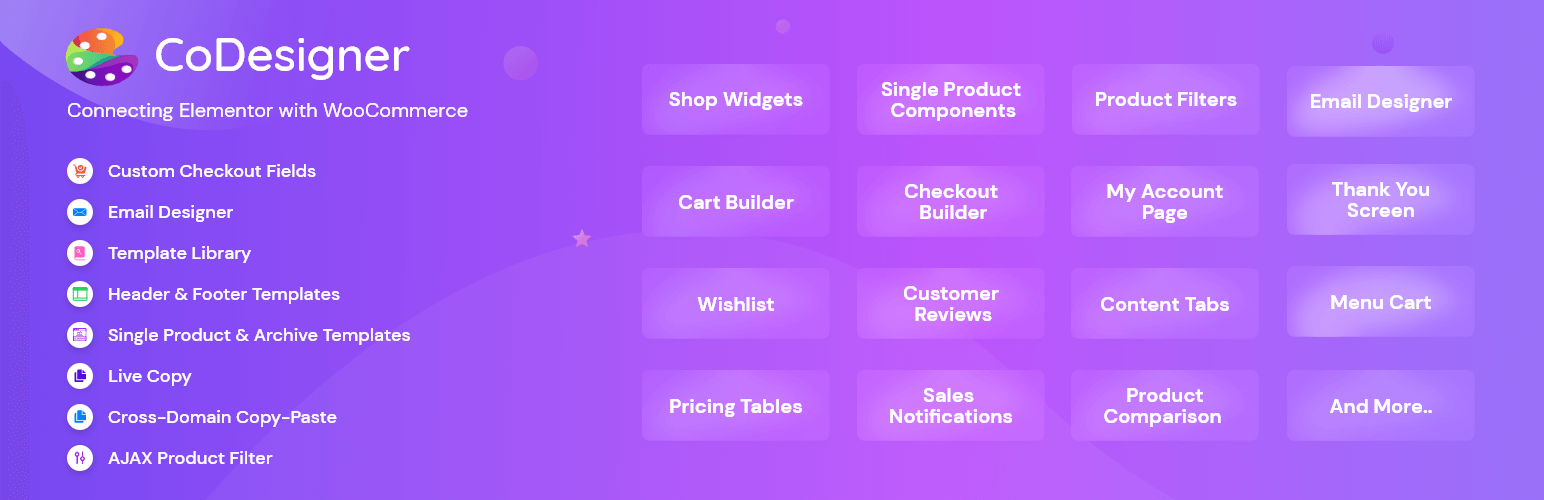
CoDesigner, previously known as Woolementor, is an Elementor-focused WooCommerce builder. It connects Elementor with WooCommerce so users can visually customize product displays, shop layouts, filters, cart and checkout elements, account pages, emails, and other store areas.
Its current feature set includes:
- 94+ Elementor widgets
- 15 modules
- 150+ ready-made templates
- Product, shop, cart, checkout, account, and thank-you page-building tools
- AJAX-based filtering and pagination
- Multiple pricing-table widget styles
- Modules for invoices, bulk discounts, product brands, preorders, partial payments, email design, and checkout customization
CoDesigner’s 15 listed modules are:
- Currency Switcher
- Email Designer
- Preorder
- Variation Swatches
- Product Brands
- Skip Cart Page
- Flash Sale
- Backorder
- Badges
- Single Product AJAX Add to Cart
- Checkout Builder
- Invoice Builder
- Bulk Purchase Discount
- Add to Cart Text
- Partial Payment
CoDesigner is particularly relevant to Elementor-only users who need an Invoice Builder, product-brand tools, bulk purchase discounts, or purpose-built pricing-table widgets. Its focused Elementor workflow may also appeal to users who do not need Gutenberg blocks.
For setup instructions and module guidance, visit the CoDesigner documentation.
CoDesigner Pricing
CoDesigner pricing starts at $49.99 per year for one website. Its Professional plan costs $99.99 per year for five websites, while the Agency plan covers unlimited websites. Lifetime plans are also available, with the single-site lifetime license starting at $149.99.
The single-site yearly plan gives CoDesigner a lower entry price than ShopLentor. However, the five-site annual plans are nearly the same price, so license scope should be considered before deciding which plugin is cheaper.
Elementor vs Gutenberg Support
Editor compatibility is one of the most important differences in the ShopLentor vs CoDesigner comparison.
- ShopLentor: Supports Elementor and Gutenberg with 125+ Elementor widgets and 89+ Gutenberg blocks.
- CoDesigner: Focuses on Elementor and does not advertise a comparable Gutenberg block library.
ShopLentor is the more flexible option if your store already uses Gutenberg, if you plan to move toward block-based editing, or if different pages use different editors. CoDesigner remains a relevant option when the entire store-building workflow is based on Elementor.
For a deeper editor-level comparison, read Elementor vs Gutenberg for WooCommerce.
Feature Comparison
Both plugins cover many of the same essential store-building tasks. The practical difference often comes from how a feature is packaged, which editor it supports, and whether it is included in the free or premium version.Feature ShopLentor CoDesigner Custom shop and archive layouts Yes Yes Custom single-product layouts Yes Yes Cart customization Yes Yes Checkout customization Yes Yes Account-page customization Yes Yes Thank-you page customization Yes Yes Wishlist Yes Yes Product comparison Yes Yes Product filtering Yes Yes Variation swatches Yes Yes Currency switching Yes Yes Flash-sale tools Yes Yes Backorder Yes Yes Preorder Yes Yes Partial payments Yes Yes Email customization Yes Yes Invoice creation No directly equivalent module highlighted Yes Bulk purchase discounts Other promotional and pricing tools available Yes Gutenberg blocks 89+ Not advertised
Feature availability can differ by license tier. Confirm that the specific module or widget you need is included in your intended plan before purchasing.
Pricing on Equal Terms
Comparing the lowest advertised prices alone can be misleading because the entry plans cover different numbers of websites. CoDesigner’s $49.99 yearly plan covers one website, while ShopLentor’s $99 yearly plan covers five websites.License scope ShopLentor CoDesigner Single-site yearly No directly comparable entry tier highlighted $49.99/year Five-site yearly $99/year $99.99/year Lifetime license Available Available from $149.99 for one site Six-month license Available for five sites Not listed Free version Available Available
At the five-site level, the annual prices differ by only $0.99. CoDesigner is less expensive for a single website, while ShopLentor offers an additional six-month option and includes support for two page-building environments.
Pricing should not be the only deciding factor. Compare the editor, modules, templates, site limit, update period, and support terms included in each plan.
For broader store-planning ideas, see this guide to essential WooCommerce plugins.
Free vs Premium Features
Both plugins have free versions, but their most advanced store-building and conversion features require premium plans.
ShopLentor Free and Pro
ShopLentor’s free version includes useful store features such as Wishlist, Product Compare, Backorder, Flash Sale Countdown, Shopify-style checkout, AJAX Search, and single-product AJAX Add to Cart.
ShopLentor Pro adds advanced tools such as Multi-Step Checkout, Email Customizer, Email Automation, Order Bump, Product Filter, Partial Payment, Preorders, Side Mini Cart, conversion tracking, Checkout Fields Manager, and Quick Checkout.
The exact free and premium allocation may change, so review the current ShopLentor Free vs Pro information before choosing a plan.
CoDesigner Free and Pro
CoDesigner’s free version provides a collection of Elementor widgets and store-building features, while CoDesigner Pro unlocks additional widgets, templates, and advanced modules.
Premium capabilities include tools such as Checkout Builder, Invoice Builder, Email Designer, and other commercial store modules.
Because CoDesigner’s homepage, pricing page, and module directory do not always present totals in exactly the same way, check the current CoDesigner pricing table and modules directory for the exact plan assignment of any required feature.
Which Plugin Fits Your Use Case?
There is no universal winner. The better plugin is the one that matches your editor, required modules, number of websites, and budget.
Choose ShopLentor If You Need
- Elementor and Gutenberg compatibility
- A larger combined library of widgets, blocks, modules, and templates
- Extensive checkout and store-optimization tools in one package
- Multi-site licensing for client or agency projects
- The option to move between Elementor and block-based editing
- More flexibility across product, cart, checkout, account, email, and post-purchase layouts
Choose CoDesigner If You Need
- An Elementor-focused WooCommerce workflow
- A lower-priced yearly license for one website
- A dedicated Invoice Builder
- Multiple ready-made pricing-table widgets
- Built-in Bulk Purchase Discount and Product Brands modules
- A focused set of Elementor widgets and store modules without a Gutenberg requirement
If the store depends heavily on Elementor, compare both products at the individual widget and module level. This roundup of the best Elementor addons for WooCommerce provides additional context.
If you are planning a complete redesign, review these WooCommerce themes before selecting the builder.
Frequently Asked Questions
Is ShopLentor better than CoDesigner?
ShopLentor is a better fit when you need Elementor and Gutenberg support, a larger feature library, or a five-site package. CoDesigner may be a better fit for an Elementor-only store that needs Invoice Builder, pricing-table widgets, or a lower-cost single-site yearly license. Compare the ShopLentor modules and CoDesigner modules before deciding.
Is ShopLentor free to use?
Yes. ShopLentor has a free version available on WordPress org. Premium plans add advanced widgets, modules, templates, updates, and support.
Is CoDesigner free to use?
Yes. CoDesigner has a free version available on WordPress org. CoDesigner Pro adds premium widgets, templates, and advanced modules.
Can both plugins customize the checkout page?
Yes. ShopLentor provides checkout widgets and advanced options such as Multi-Step Checkout, Shopify-style checkout, Quick Checkout, and Checkout Fields Manager. CoDesigner offers checkout widgets and a dedicated Checkout Builder module. The available layouts and plan requirements differ, so review the product pages before choosing.
Can ShopLentor and CoDesigner run on the same store?
Both plugins may be installed on the same site, but they overlap across product pages, shop templates, cart, checkout, wishlist, comparison, swatches, emails, and other store functions. Avoid enabling duplicate features, back up the site, and test the combination on a staging environment before using it on a live store.
Final Thoughts
ShopLentor vs CoDesigner is not a simple winner-takes-all comparison. ShopLentor is the stronger choice for users who need both Elementor and Gutenberg, a broader integrated feature set, and agency-friendly five-site licensing. CoDesigner is a practical alternative for Elementor-only users who value Invoice Builder, pricing-table widgets, bulk discounts, or a lower-cost single-site plan.
List the features your store actually needs, confirm their free or premium status, and compare equal license scopes before purchasing. Then test the chosen plugin with your theme, checkout flow, payment method, and other extensions on a staging site.
Ready to supercharge your WooCommerce store? Try ShopLentor or CoDesigner today and see which plugin best suits your business