Benefits of Multi-Step Checkout: When and Why It Works

Quick Answer: The benefits of multi-step checkout come from splitting one long form into short stages like contact, shipping, payment, and review. This makes long forms easier to finish, especially on mobile. It is not automatically better than a one-page checkout, though. Good design matters more than the number of steps.
A long checkout form can make shoppers hesitate. Splitting it into steps is a common fix, but it does not suit every store. In this guide, we explain the benefits of multi-step checkout and compare it with a one-page checkout. We also cover the drawbacks, best practices, an example flow, and WooCommerce plugins you can try.
Table of Contents
What Is a Multi-Step Checkout?
A multi-step checkout is a checkout flow that divides the purchase form into separate stages. A common flow is contact details, shipping, payment, and order review. Shoppers see only the fields for the current stage. They move forward with a “Next” button or by clicking a step.
This is different from a one-page checkout, where every field sits on one screen. The goal of both formats is the same: help shoppers finish the order with less effort.
ShopLentor – WooCommerce Builder for Elementor & Gutenberg
A versatile page builder to build modern and excellent online stores with more than 100k Active Installations.
What Are the Benefits of Multi-Step Checkout?
The benefits of multi-step checkout are mostly about reducing effort and confusion. Here are the six that matter most.
Makes Long Checkout Forms Easier to Process
A long form can feel heavy, even when each field is simple. Splitting it into stages shows shoppers a small task at a time. Each step feels quick, so the whole checkout feels more manageable.
Creates a Clearer Checkout Experience
Each step has one job, such as shipping details or payment. Shoppers always know what to do next. This clear order also helps them spot and fix mistakes within a single stage.
Gives Shoppers Better Progress Visibility
A progress bar or step labels, such as “Step 2 of 4”, show how much is left. Shoppers can see the finish line. That knowledge can make them more willing to continue.
Supports Progressive Data Collection
You ask for information in a logical order instead of showing every field at once. Still, collect only what you need to complete the order. Extra fields add friction in any checkout format.
Can Improve the Mobile Checkout Experience
Small screens leave little room for long forms. A step-based layout shows fewer fields per screen, so there is less scrolling and less pinching. Mobile shoppers can focus on one task at a time.
Makes Each Step Easier to Test
With separate stages, you can see where shoppers drop off. You can then test one change at a time, such as the number of steps, the field order, or the progress indicator. This helps you improve the checkout with real data.
Multi-Step Checkout vs One-Page Checkout
Multi-step checkout is not always the winner. A one-page checkout works well for simple purchases. The right choice depends on how many fields shoppers must fill in and how much friction each step adds.Factor Multi-Step Checkout One-Page Checkout Long forms with many fields Better fit Can feel crowded Very simple purchases May add extra clicks Often a better fit Mobile screens Works well when steps are short Depends on the layout Progress visibility Easy with a step indicator Whole form is visible at once Testing Test step by step Test the whole form
A badly built checkout fails in either format. If you want a shorter, cleaner flow, read our guide on Shopify-style checkout in WooCommerce.
Are There Any Disadvantages to Multi-Step Checkout?
Yes. A multi-step checkout has some trade-offs you should know before using it:
- Extra clicks: Every step adds a click. For one-product, low-effort orders, this can slow people down.
- Too many steps: Long step lists feel like more work, not less.
- Hidden costs: If shoppers see shipping or tax only on the last step, they may leave. Keep the order total visible.
- Lost progress: If the form forgets entered details when someone goes back, shoppers get frustrated.
- Weak error handling: Errors that appear only at the end force shoppers to hunt through earlier steps.
When Should You Use a Multi-Step Checkout?
Use it when your checkout needs more information than a short form can hold. It fits these cases well:
- Stores with many required fields, such as business details or delivery notes
- Orders that need shipping choices, add-ons, or custom options
- Stores where most shoppers use mobile phones
- Higher-priced products, where shoppers want to review the order before paying
Avoid it when your checkout is already short. A store that sells one simple product with three fields may do better with a one-page layout.
Best Practices for a Multi-Step Checkout
These habits help you get the benefits of multi-step checkout without the drawbacks:
- Keep the steps few. Use as few steps as your checkout needs. Three or four work for many stores, but test the flow with your own customers.
- Show a progress indicator. Label every step clearly.
- Ask only for what you need. Remove optional fields that do not help complete the order.
- Keep the order summary visible. Shoppers should always see items and the total.
- Save entered details. Do not make people retype when they go back.
- Show errors on the step where they happen. Validate each step before moving on.
- Check it on a phone. Buttons and fields must be easy to tap.
Example of a Multi-Step Checkout Flow
Here is one example of a four-step flow. The exact steps differ by plugin and store:
- Contact: Email address and phone number
- Shipping: Address and delivery method
- Payment: Payment method and coupon
- Review: Order summary and the final “Place Order” button
In this example, a shopper on step 2 sees only the shipping fields, not every field at once. A label like “Step 2 of 4” shows how much is left. That is the core idea behind the benefits of multi-step checkout.
How to Add a Multi-Step Checkout to WooCommerce
WooCommerce does not split checkout into steps by default. You can add a multi-step checkout using a compatible plugin, often without writing code. Before you install one, check that it supports your checkout setup, theme, and payment methods. The usual process is:
- Choose a plugin that fits your theme and builder.
- Install and activate it.
- Set your step names and order.
- Pick a layout and match the colors to your store.
- Test the full checkout on desktop and mobile.
For a ShopLentor-based walkthrough, follow our guide on how to create a multi-step checkout for WooCommerce.
Recommended WooCommerce Multi-Step Checkout Plugins
These plugins take different approaches to multi-step checkout. We reviewed their published features, including layouts, navigation options, mobile support, and customization. Features and prices change, so check each official page for current details. You can also compare more options in our list of WooCommerce multi-step checkout plugins.
ShopLentor
Best for: WooCommerce stores that want to customize a multi-step checkout using Elementor.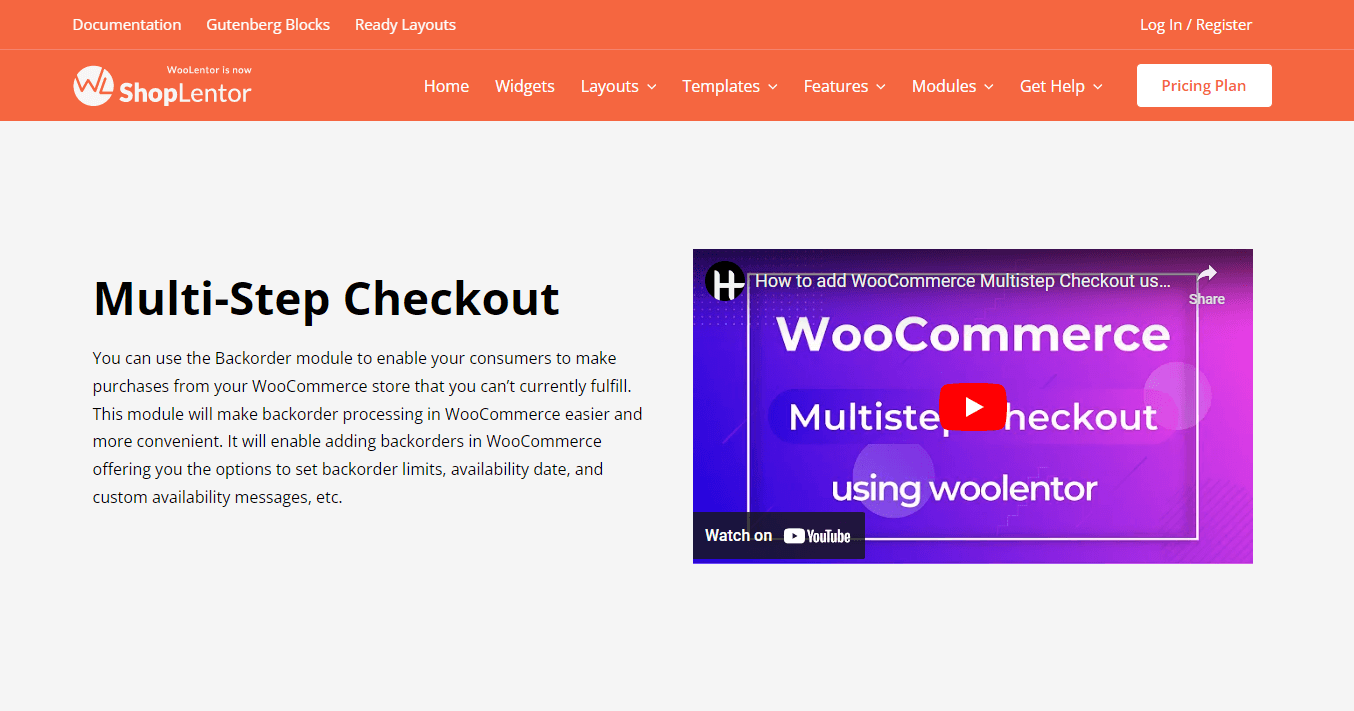
ShopLentor is a WooCommerce builder for Elementor and Gutenberg. Its Multi-Step Checkout module splits the checkout into steps, and the setup uses an Elementor widget. This is a Pro module, so you need ShopLentor Pro to use it.
You turn on the module, open the Template Builder, and add the “WL: Multi-Step Checkout” widget to your checkout template. From there, you can rename the step labels and style the steps and buttons.
For its other features, read our ShopLentor WooCommerce page builder review.
Highlighted Features:
- Step-based checkout layout
- Editable step labels
- Customizable Next and Previous buttons
- Responsive design for mobile screens
Pricing: There are 2 different pricing plans for ShopLentor:
One Year Plan
- Half Year Haven Plan: $39/ Half Yearly (Offer price)
- Plus Plan: $99/ Yearly
- Growth Plan: $199/ Yearly
- Growth One Time Plan: $299/ Lifetime(Offer Price)
YITH WooCommerce Multi-step Checkout
Best for: Stores that want many timeline styles and a simple setup.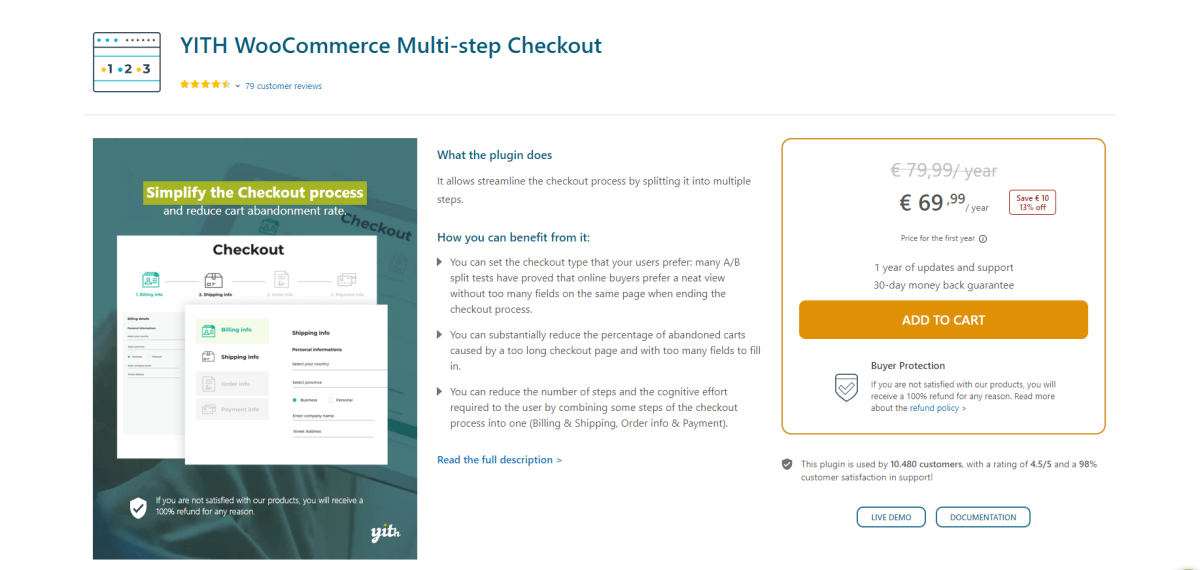
YITH lets you choose from ten timeline layouts, five vertical and five horizontal. You can change the colors of each step and show icons or numbers. You can also merge billing with shipping, and order info with payment, to cut the number of steps. Optional AJAX validation stops shoppers from moving on until required fields are filled in.
Highlighted Features:
- 10 timeline layouts
- Custom timeline colors
- Merge steps to reduce the step count
- Option to hide the shipping step
Pricing: The pricing plan for YITH WooCommerce Multi-step Checkout starts from:
Regular license: €69.99/ year
Multi-Step Checkout for WooCommerce(SilkyPress)
Best for: Stores that want to start with a free, lightweight option.
As an online business owner, you want your customers to have the best possible experience when shopping with you. One way to achieve this is by using a multi-step checkout process for your WooCommerce store. This approach breaks down the checkout process into manageable steps, making it easier for shoppers to complete their purchases.
This plugin splits the default WooCommerce checkout into steps. It uses standard WooCommerce templates, so it works with many themes. The free version offers a responsive layout, color matching, and keyboard navigation. A Pro version adds extras such as step-by-step validation.
Highlighted Features:
- Free version on WordPress.org
- Responsive, mobile-friendly layout
- Main color matches your theme
Pricing: There are 3 different pricing plans for Multi-Step Checkout for WooCommerce:
- Personal Plan: $89.90/ Year
- Developer Plan: $179.90/ Year
- Big Agency Plan: $364.90/ Year
ThemeHigh – Multi-Step Checkout for WooCommerce
Best for: Stores that need flexible steps and many layout options.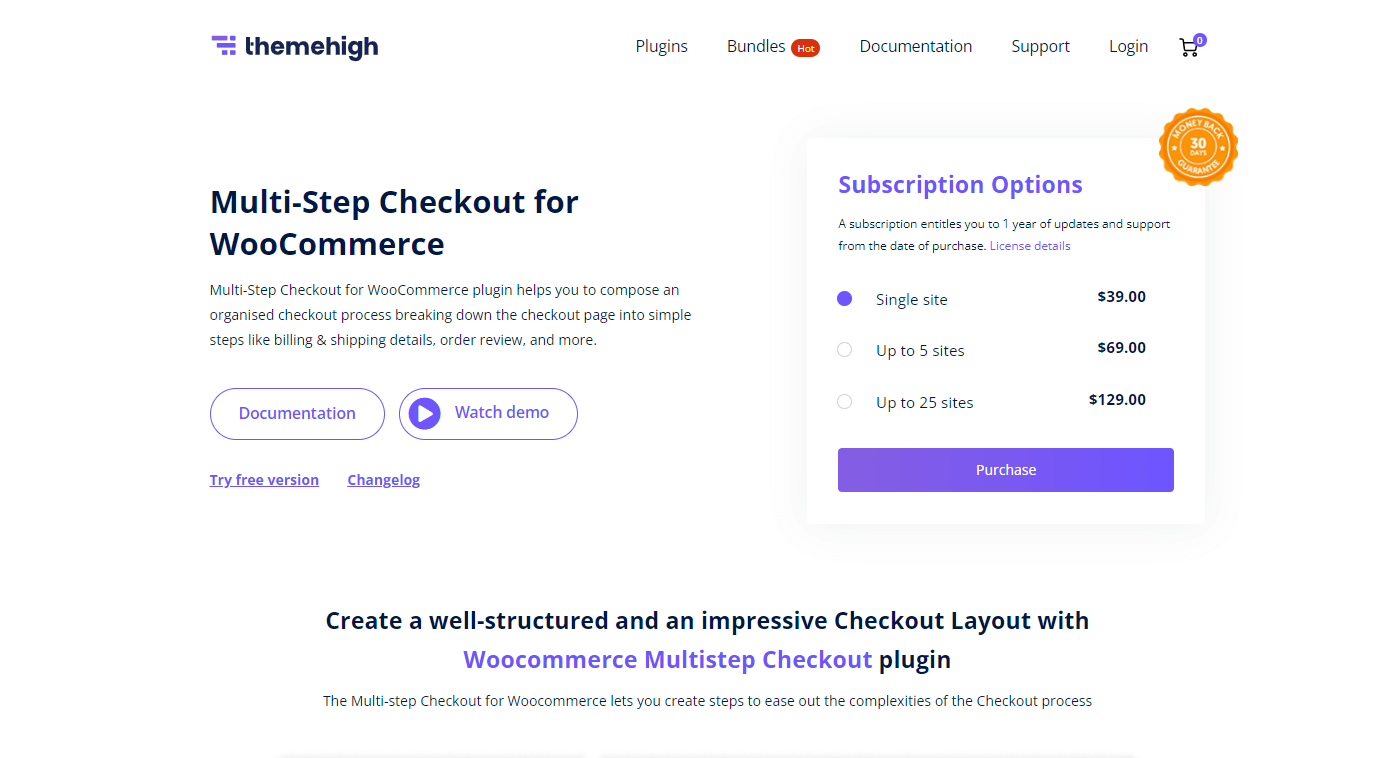
Online shopping is the norm nowadays, but a lengthy checkout process can be a hassle for customers. This is where ThemeHigh’s Multi-Step Checkout for WooCommerce comes to the rescue. With this plugin, you can create a streamlined checkout process that simplifies the entire one-page checkout into easy-to-follow steps. There are options to add new steps and even combine or split existing ones.
ThemeHigh offers 14 layouts, including horizontal, vertical, and accordion styles. You can add new steps, and combine or split existing ones. It also supports a login step and a coupon step, so shoppers can sign in or apply a discount without leaving the flow.
Highlighted Features:
- 14 different Layouts
- Mobile Responsive Layout
- Login & Coupon Step
- Combine & Split The Steps
Pricing: There are 3 different pricing plans for ThemeHigh- Multi-Step Checkout for WooCommerce:
- Single site: $39.00/ Year
- Up to 5 sites: $69.00/ Year
- Up to 25 sites: $129.00/ Year
ShopLentor – WooCommerce Builder for Elementor & Gutenberg
A versatile page builder to build modern and excellent online stores with more than 100k Active Installations.
Frequently Asked Questions
Is multi-step checkout better than one-page checkout?
Not always. A multi-step checkout works well for long forms and complex orders. A one-page checkout often suits short, simple purchases. A clean, well-tested design in either format will beat a messy one.
Does multi-step checkout reduce cart abandonment?
It can, when it makes a long form feel easier. But the step format alone does not guarantee better results. Field count, clear costs, error handling, and mobile design matter just as much.
How many steps should a checkout have?
Keep it as short as possible. Three or four steps may work well for many stores, such as contact, shipping, payment, and review. The right number depends on your checkout, so test it with your own customers. Merge steps when you can.
What should each checkout step contain?
Each step should have one clear job. Contact details go first, then shipping, then payment, then a final review. Keep the order summary visible on every step.
Can I still collect the customer information I need?
Yes. You collect the same required details, just in stages. Ask only for fields you need to complete and deliver the order.
Will a multi-step checkout work well on mobile devices?
It can. Short steps mean fewer fields per screen, which suits small displays. Test it on real phones to make sure buttons, fields, and progress labels are easy to use.
How can I add a multi-step checkout to my WooCommerce store?
Use a multi-step checkout plugin that supports your theme and payment methods. Install it, set your steps, choose a layout, and test the full checkout on desktop and mobile.
Conclusion
The benefits of multi-step checkout are real, but they depend on good design. Splitting a long form into clear stages can make checkout easier to follow, especially on mobile. It also gives you a way to see where shoppers drop off and improve each step.
Keep the steps few, show progress, ask only for what you need, and test the result in your own store. Then choose a plugin that fits your theme and builder. If you build with Elementor, ShopLentor Pro is a good place to start.