8 Best Elementor Gallery Addons in 2026

If you’re searching for the best Elementor gallery addons to make your WordPress website visually stand out, you’ve come to the right place. Whether you’re a photographer showcasing a portfolio, a business owner running a WooCommerce store, or a blogger wanting to display images beautifully, the right Elementor gallery addon can transform a flat, ordinary page into an engaging, professional-looking experience without touching a single line of code.
The problem? The market is flooded with options. A quick search for “best Elementor gallery addons” returns dozens of plugins, each claiming to be the best.
After personally testing these tools on a live WordPress setup through early 2026, I’ve narrowed the list down to the 8 best Elementor gallery addons that actually deliver on layout quality, ease of use, performance, and long-term support.
This guide covers everything you need to make the right choice, from a quick comparison table and individual deep dives to performance tips and a full FAQ section. Whether you’re a complete beginner or an experienced Elementor developer, this post will help you pick the best Elementor gallery addon for your specific needs in 2026.
What Does an Image Gallery Addon Do?
With the Image Gallery Add-on, you can easily create great-looking galleries for your visitors. Featuring a simple and intuitive interface, this add-on makes it easy to add images to your galleries, order them however you like, and customize their appearance.
Plus, with support for both lightbox and carousel viewing modes, your galleries will look great no matter what device your visitors are using. The WordPress Elementor image gallery makes it easy for visitors to browse through your photos and find the ones they’re interested in.
Quick Answer (TL;DR)
What are the best Elementor gallery addons in 2026?
The best Elementor gallery addons in 2026 are HT Mega, Move Addons, Envira Gallery, Qi Addons for Elementor, Essential Addons for Elementor, WP Social Ninja, Elementor Pro’s built-in Gallery Widget, and Pixel Gallery. Each offers drag-and-drop gallery creation with masonry, grid, and filterable layouts, no coding required. For most users, HT Mega (best all-rounder) or Pixel Gallery (best for creative layouts) are the top picks in 2026.
What Is an Elementor Gallery Addon?
An Elementor gallery addon is a plugin or widget extension that adds advanced photo and video gallery functionality to the Elementor page builder. While Elementor includes a basic image gallery widget, these addons unlock features like filterable galleries, masonry layouts, lightbox effects, carousels, Pinterest-style grids, and social media feed integration, all without writing a single line of code.
If you’re running a photography site, portfolio, WooCommerce store, or creative agency website, gallery addons help you present images in a polished, professional way that keeps visitors engaged longer.
How I Tested These Plugins
I personally installed and tested each plugin on a local WordPress environment running WordPress 6.7 and Elementor Free (v3.28). My evaluation criteria for 2026:
- Performance impact: Does it slow down Core Web Vitals? (LCP, INP, CLS)
- Ease of use: How quickly can a non-developer build a gallery?
- Layout variety: Grid, masonry, justified, filterable, carousel.
- Responsiveness: Mobile, tablet, and desktop behavior.
- Compatibility: Works with both free Elementor and Elementor Pro.
- Active support & update frequency: Is the plugin regularly maintained and supported?
Quick Comparison Table
| Plugin | Best For | Free Version | Filterable Gallery | Lightbox | Active Installs |
|---|---|---|---|---|---|
| HT Mega | All-round power users | ✅ | ✅ | ✅ | 100K+ |
| Move Addons | Design-forward portfolios | ✅ | ✅ | ✅ | 30K+ |
| Envira Gallery | Photographers / power users | ✅ | ✅ | ✅ | 40K+ |
| Qi Addons | Creative widget variety | ✅ | ✅ | ✅ | 200K+ |
| Essential Addons | Beginners, all-purpose | ✅ | ✅ | ✅ | 2M+ |
| WP Social Ninja | Social media feeds | ✅ | ✅ | ❌ | 20K+ |
| Elementor Pro | Native Elementor users | ❌ (Pro only) | ✅ | ✅ | Built-in |
| Pixel Gallery | Creative/advanced layouts | ✅ | ✅ | ✅ | 5K+ |
8 Best Gallery Addons for Elementor in 2026(Plugins and Widgets)
8 Best Plugins that offer Gallery Widget
HT Mega Addon
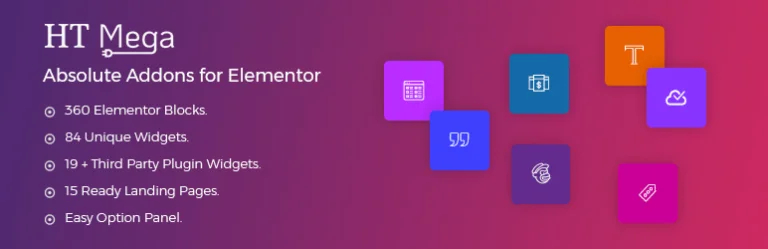
HT Mega is one of the most comprehensive Elementor addon suites available, and its gallery widgets are among the strongest in its lineup. With no coding required, you get access to multiple dedicated gallery widgets that cover almost every layout style you’d need.
Gallery widgets included:
- Image Masonry Widget.
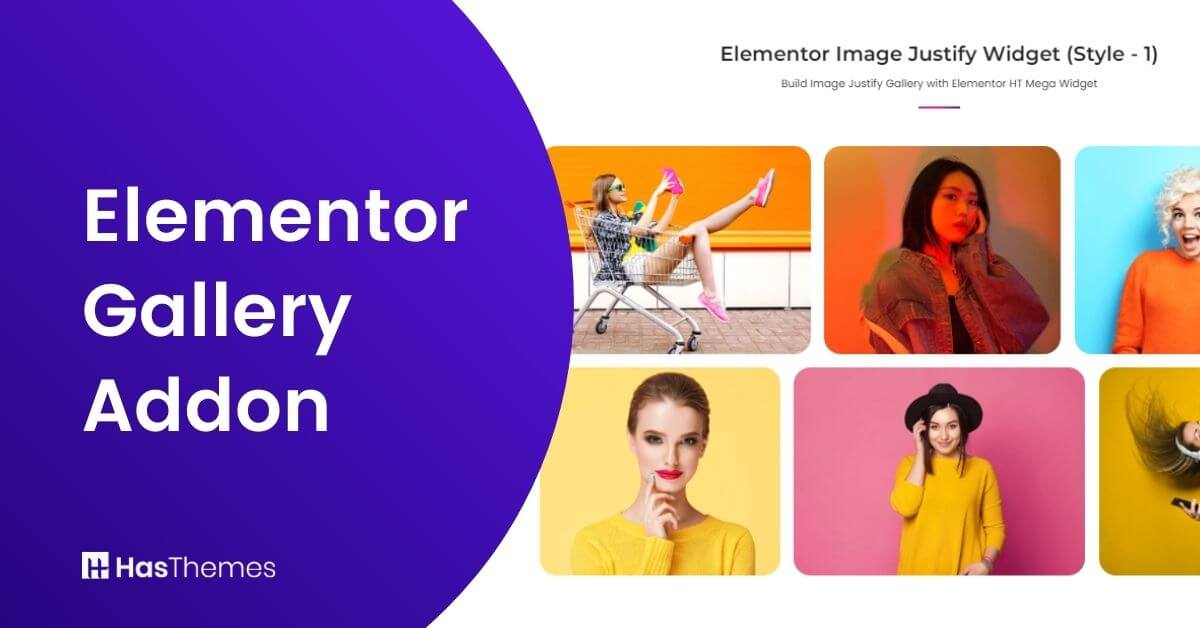
- Image Justify Widget.
- Grid Image Gallery Widget.
- Thumbnails Gallery Widget.

What makes HT Mega stand out in 2026 is its balance of power and page speed. The plugin uses conditional loading — only scripts needed for the widgets you actually place on a page are loaded, which keeps your site fast and your Core Web Vitals healthy.
Best for: WordPress users who want a single plugin that covers galleries and dozens of other Elementor widgets (sliders, pricing tables, forms, etc.) without installing multiple plugins.
Pricing: Free version available; Pro plans start from reasonable annual pricing.
Watch the video about How to use the Elementor Gallery Widget using HT Mega Elementor Addon
MoveAddons

Move Addons is a clean, design-forward Elementor plugin that takes gallery presentation seriously. If your priority is a modern-looking portfolio or product gallery with visual flair, this is an excellent choice.
Standout gallery features:
- Filterable Gallery with smooth AJAX filtering
- Image Masonry with creative grid variations
- Multiple hover effects and entrance animations
- Clean, minimal UI that matches modern design trends

The Move Addons filterable gallery is one of the better implementations of category-based filtering I’ve tested — it’s smooth, accessible, and doesn’t cause layout shift (good CLS scores). The drag-and-drop interface is genuinely intuitive, and the gallery widgets come with enough pre-built styling presets that you can go from install to a live gallery in under 15 minutes.
Best for: Designers and agencies who want a polished, premium-looking gallery without heavy customization work.

Envira Gallery Plugin

Envira Gallery occupies a different tier from most Elementor addon galleries — it’s a full-featured, standalone gallery plugin that integrates with Elementor. This makes it the strongest option for photographers, visual artists, and anyone who needs serious image management capabilities alongside beautiful front-end display.
Key features:
- Lightbox and carousel viewing modes
- Social sharing and watermarking
- Client proofing tools
- Album support
- Adobe Lightroom integration
- Video gallery support
- Mobile-optimized layouts
Envira Gallery also supports deep integration with WooCommerce, making it useful for product photography galleries on online stores. In 2026, it remains the go-to recommendation for professional photographers who need to go beyond a simple image grid.
Best for: Photographers, visual creatives, and anyone who needs advanced image management, client-facing proofing, or photo sales functionality.
Pricing: Free version available on WordPress.org; Premium plans unlock advanced add-ons.
Qi Addons for Elementor

Qi Addons is an impressive widget collection with one of the broadest ranges of gallery display styles I’ve seen in a single plugin. Beyond a standard image gallery, it offers genuinely innovative options that set portfolios and creative sites apart.
Gallery widgets included:
- Standard Image Gallery
- Masonry Image Gallery
- Pinterest Image Gallery
- Cards Gallery (stack of cards that shuffles left/right)
The Cards Gallery widget in particular is a genuine differentiator — it creates an interactive, swipeable card stack that works brilliantly on touch devices. This kind of engagement mechanic can meaningfully reduce bounce rates, which has become a more weighted signal.
Beyond galleries, Qi Addons covers typography, infographics, business widgets, SEO helpers, forms, and WooCommerce-specific elements, making it a strong value if you want an all-in-one Elementor expansion pack.
Best for: Creative professionals who want visually distinctive gallery formats that stand out from standard grid/masonry layouts.
Pricing: Free on WordPress.org with premium extension options.
Essential Addons for Elementor
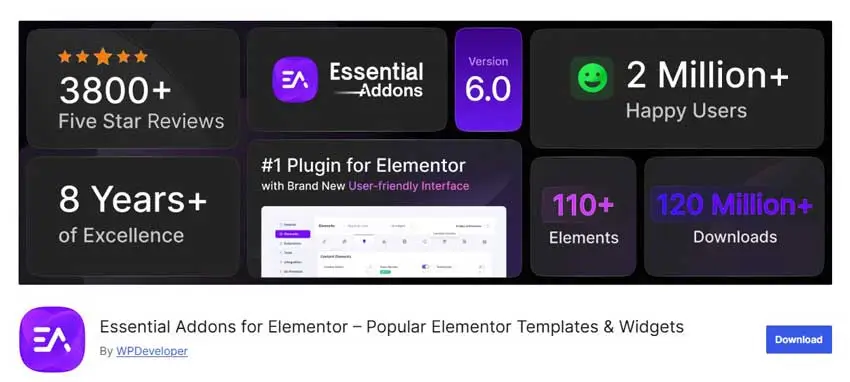
Essential Addons is the most widely installed Elementor addon plugin in the WordPress ecosystem, with over 2 million active installs. Its gallery features are solid and reliable, and it’s the easiest recommendation for beginners or users who are already running Essential Addons for other widgets.
Gallery-related features:
- Filterable Gallery widget
- Image Accordion with hover effects
- WooCommerce Product Gallery (EA Woo Product Gallery)
- Image Carousel
The Filterable Gallery widget supports category-based filtering with smooth transitions and is genuinely beginner-friendly. The WooCommerce Product Gallery integration is notably strong for eCommerce stores using Elementor — you get quick-view popups, multiple layout presets, and tight WooCommerce data integration.
Best for: Beginners, WooCommerce store owners, and users who already rely on Essential Addons for other Elementor functionality.
Pricing: Free version with extensive features; Pro unlocks advanced widgets and dynamic content.
WP Social Ninja

WP Social Ninja takes a different approach to galleries; instead of displaying your own uploaded images, it pulls in and displays your social media feeds as gallery-style content on your website. This is a highly practical tool for businesses and creators who are active on social platforms.
Supported platforms:
- Instagram feeds
- Facebook feeds
- YouTube feeds
- TikTok feeds
- Reviews from 10+ platforms (Google, Yelp, etc.)
This plugin renders these feeds as customizable gallery layouts that match your brand. The setup is single-click for most platforms, and the layout customization tools let you control column count, spacing, image size, and card styling within Elementor.
Best for: Businesses, influencers, and creators who want to display their Instagram, YouTube, or TikTok content as a gallery feed or showcase review/social proof galleries.
Pricing: Free version is available and Pro version start with $44/Year.
Elementor Pro Image Gallery(Built-in Widget)
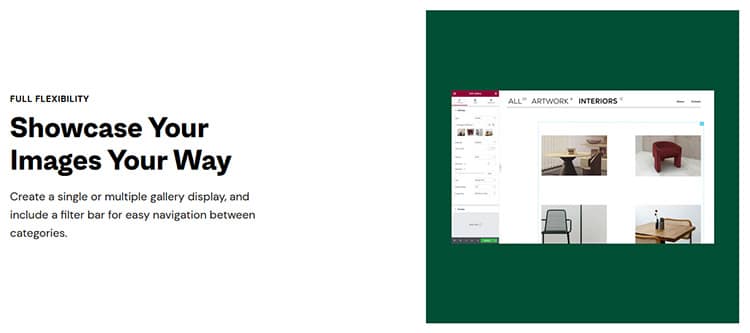
If you’re already subscribed to Elementor Pro, the built-in Image Gallery widget is worth using before reaching for a third-party addon. It’s well-optimized, tightly integrated, and fully supported by the Elementor team.
Features:
- Masonry and justified layout options
- Hover and sequence animations
- Full lightbox functionality (full-screen view)
- Deep integration with Elementor’s design controls (no style conflicts)
- Compatible with Elementor’s Theme Builder and dynamic data
The native widget won’t bloat your plugin stack or add external scripts, which keeps your site lean and fast, a practical advantage if you’re already paying for Elementor Pro and don’t want to layer additional plugins on top.
Best for: Existing Elementor Pro users who need a reliable, performant gallery without installing additional plugins.
Pricing: Included with Elementor Pro subscription.
Pixel Gallery
Pixel Gallery is a newer addition to the Elementor gallery addon landscape that has earned its place in this list through genuine quality. Built by BdThemes (the same team behind popular Elementor addons), it brings over 60 gallery widgets designed specifically around modern visual trends.
What makes it worth trying:
- 60+ gallery widget variations
- Unique layout styles (Grid, Masonry, Justified, Carousel, and creative variants)
- Supports image and video galleries (YouTube, Vimeo, self-hosted)
- Works with both free and Pro versions of Elementor
- Lightweight, performance-optimized codebase
- Individual widget on/off switching to reduce script load
Pixel Gallery is particularly strong for creative portfolio sites that want gallery layouts that don’t look like every other WordPress site. Its performance footprint is notably lean for the number of widgets it offers, making it a smart choice if you want variety without sacrificing speed.
Best for: Creative professionals, photographers, and developers building portfolio or agency sites who want fresh, distinctive gallery layouts with strong performance.
Pricing: Free version available; Pro unlocks the full widget library.
Which Elementor Gallery Plugin Should You Choose?
Here’s a practical guide based on your use case:
You’re a photographer or sell images online → Envira Gallery (best image management, client proofing, and sales tools)
You run a WooCommerce store → Essential Addons for Elementor (strong WooCommerce gallery widgets) or HT Mega
You want the most visual variety for a portfolio or agency site → Pixel Gallery or Qi Addons for Elementor
You already have Elementor Pro → Start with the built-in Gallery widget; add Qi Addons if you need more layout options
You want to display social media content as a gallery → WP Social Ninja (only real option for this use case)
You’re a beginner and want a simple setup → Essential Addons for Elementor (2M+ installs, excellent documentation)
You want one plugin for galleries AND all other Elementor widgets → HT Mega
Performance Tips for Elementor Galleries in 2026
Gallery pages can easily become slow if not set up carefully, lots of large images in one place will do that. Here are the most practical steps to keep your gallery pages loading fast:
Enable lazy loading: All reputable gallery plugins support lazy loading in 2026. Make sure it’s turned on, this prevents off-screen images from loading until they’re needed, which dramatically improves LCP scores.
Optimize images before uploading: Use WebP format where possible (WordPress has supported it natively since version 5.8). Aim for gallery images under 150KB without visible quality loss using tools like ShortPixel or Imagify.
Disable widgets you’re not using: Plugins like HT Mega, Pixel Gallery, and Essential Addons all offer a widget manager. Turn off any gallery widgets you don’t actively use to reduce script load.
Use a CDN: If your gallery has 20+ high-res images, a CDN (Cloudflare, BunnyCDN, or similar) will make a measurable difference in load times for visitors outside your server’s geography.
Test with PageSpeed Insights: After building a gallery page, run it through Google’s PageSpeed Insights and address any flagged issues before publishing. Aim for LCP under 2.5 seconds and CLS under 0.1.
Frequently Asked Questions
What is the best free Elementor gallery addon?
The best free option depends on your needs. For an all-rounder, HT Mega and Essential Addons both offer strong free gallery widgets. For creative layouts specifically, Pixel Gallery’s free version is impressive.
Do I need Elementor Pro to use gallery addons?
Most gallery addons on this list — including HT Mega, Move Addons, Qi Addons, Essential Addons, and Pixel Gallery — work with the free version of Elementor. Only Elementor Pro’s native gallery widget requires a Pro subscription.
Will gallery addons slow down my website?
They can if not configured correctly. Choose plugins with conditional/selective script loading (HT Mega, Pixel Gallery, and Essential Addons all offer this), lazy-load your images, and use WebP format to minimize file sizes.
Can I use multiple Elementor gallery addons at the same time?
Technically yes, but it’s not recommended. Running multiple large addon suites simultaneously increases script conflicts, CSS bloat, and page load time. Pick one primary addon suite and supplement with a specialized plugin only if absolutely necessary.
What gallery layouts are available with Elementor addons?
Most addons support grid, masonry, justified, filterable (with category buttons), carousel/slider, and lightbox layouts. Advanced options like Pinterest-style, card stacks (Qi Addons), and social feed galleries (WP Social Ninja) are also available.
Are these plugins compatible with the latest version of WordPress and Elementor in 2026?
Yes. All plugins on this list are actively maintained and compatible with WordPress 6.7+ and Elementor 3.x in 2026. Always check the plugin’s changelog before updating to verify compatibility with your specific setup.
How do I create a filterable gallery in Elementor without coding?
Install any of the plugins listed above (HT Mega, Move Addons, Essential Addons, or Qi Addons are good starting points), drag the Filterable Gallery widget onto your page, upload your images, assign categories to each image, and the filter buttons are generated automatically. No code required.
Watch the Video About the 5 Best Elementor Gallery Addons in 2026
Final Words
For individuals that need to create galleries on the go, the Elementor Addon is a great solution. The Elementor gallery addon landscape is well-stocked in 2026, and most of the plugins on this list offer genuinely strong free tiers.
Our top overall recommendation remains HT Mega for users who want a full-featured suite, Pixel Gallery for creative professionals who want modern layouts with strong performance, and Envira Gallery for photographers who need advanced image management.
Whichever plugin you choose, make sure to optimize your images, enable lazy loading, and keep your plugin stack lean. A fast, well-structured gallery page isn’t just good for your visitors — it makes your whole site feel more professional and trustworthy.