
Elementor Timeline Widget: A Compete Review

Have you ever used an Elementor Timeline Widget before? Well, if you haven’t yet, an Elementor timeline widget is a great way to showcase different types of stories, events, processes, and so on in a beautiful timeline.
By combining different sorts of content in one location with a timeline widget for Elementor, you can make your website more captivating.
As you will be designing the timeline in Elementor page builder, you will have the flexibility to use the intuitive drag and drop interface. With the WordPress Elementor timeline widget, you can create a visually appealing timeline that engages your visitors and helps you tell your story more compellingly.
According to W3Techs data, Elementor is used by 18.2% of all websites with a known CMS, representing approximately 13% of all websites globally.
With over 10 million active installations on WordPress.org, Elementor has become the most popular page builder in the WordPress ecosystem, making timeline widgets for Elementor an essential tool for modern web design.
If you are not familiar with Elementor, it is one of the best WordPress page builders that allows you to build or design web pages simply by dragging and dropping elements. Additionally, you can instantly see all the changes you make on the Elementor Canvas.
Key Takeaways:
- Understanding the Elementor Timeline Widget to learn what it is and how it can enhance your website’s storytelling.
- Discover the best timeline widget for Elementor to create stunning timelines.
- Get insights into styling and animating your timelines using Elementor timeline animation and Elementor timeline custom CSS.
- Ensure your Elementor timeline responsive layouts look great on all devices.
- Explore how to implement timelines for various purposes, like Elementor company timeline, Elementor milestone widget, and Elementor event timeline.
Why Use a Timeline Widget for Your Website?
The Elementor Timeline Widget helps you present information in a clear, step-by-step format. It’s perfect for showing how things progress over time. Whether you’re sharing your brand’s journey, project milestones, or upcoming events, using a timeline in Elementor can make your content more engaging and easier to follow.
If you’re new to it, think of a timeline as a visual storytelling tool. Instead of listing events or updates as plain text, you can create a timeline in Elementor that organizes them chronologically with icons, images, and animations. This not only improves the user experience but also keeps visitors interested as they scroll.
Customization & Animation Features
What’s great is that you can enhance your timeline with Elementor timeline animation for smooth transitions. You can also customize it using Elementor timeline CSS to match your website’s design style. You can apply Elementor timeline custom CSS to personalize your timeline further.
Alternatively, use prebuilt Elementor timeline templates for a faster and easier setup. For beginners wondering how to add a timeline in Elementor, these widgets make the process super simple. The drag-and-drop functionality ensures you can design your timeline effortlessly, no coding required!
Layout Options & Responsive Design
Create dynamic layouts such as Elementor vertical timeline, Elementor timeline slider, or Elementor timeline carousel with ease. All these layouts are fully Elementor timeline responsive and look great on any device, including mobile (Elementor timeline mobile view).
Whether you’re using the Elementor Pro timeline or an Elementor timeline widget free version, flexibility remains high. With the Elementor timeline design options available, you can ensure your timeline works perfectly across all screen sizes and devices.
Timeline Plugins: HT Mega & Move Addons
There are many plugin development companies out there that offer timeline widgets for Elementor. Some of them are free to use, while the others come with a price. In this article, we are going to share with you 2 amazing WordPress plugins that provide all the necessary functionalities needed to create an engaging timeline for Elementor.
To be exact, those 2 plugins include a separate timeline Elementor widget, using which you can easily create an attractive timeline to share different types of stories. One of the widgets for the timeline Elementor is free, while another has a price tag – but don’t worry, as it’s worth every penny!
The plugins are the following:
- HT Mega – Absolute Addons for Elementor Page Builder
- Move Addons for Elementor
Now, let me walk you through the Elementor timeline widget addon offered by the plugins mentioned above.
Horizontal Elementor Timeline Widget by HT Mega
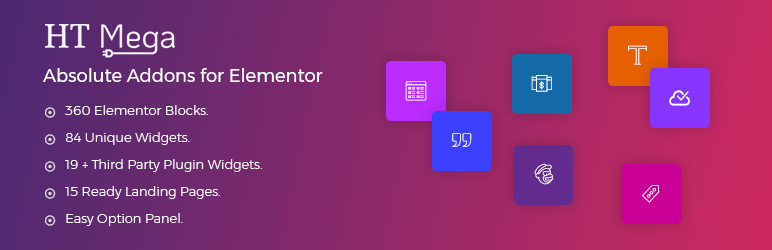
HT Mega comes with an individual horizontal timeline elementor widget, especially developed by keeping the Elementor page builder in mind. This timeline widget addon for Elementor is a unique addon for the Elementor page builder.
You can have a chronological display for your events on any particular page with the support of this unique horizontal timeline Elementor widget. The widget is mainly focused on displaying a vertical timeline on your website to present your company history or any other event based on the year and date.
Features & Customization Options
The Elementor timeline widget is easy to use and comes with a variety of features, making it a great choice for anyone who wants to create a timeline for their website. There are three layouts available for the timeline widget, so you can choose the one you like.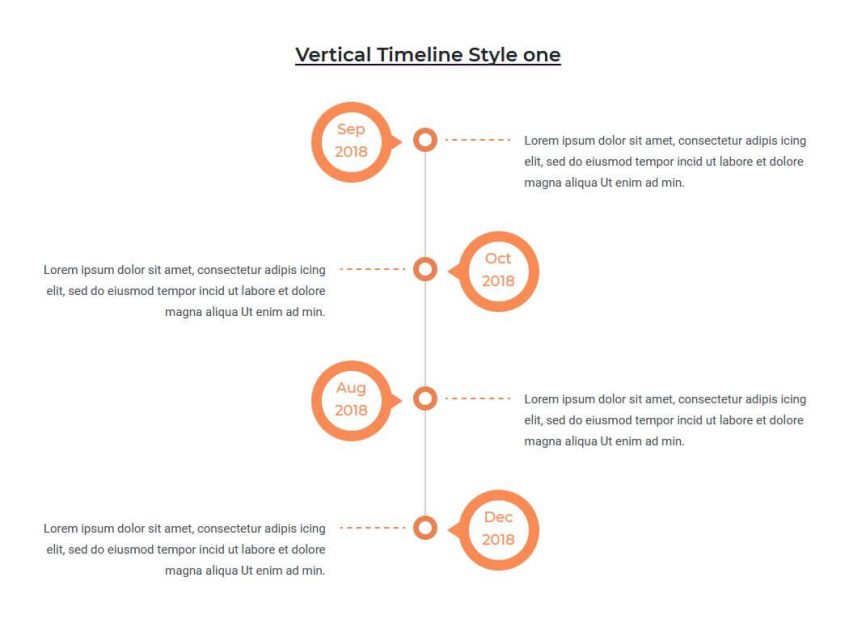
If you’re looking for a timeline addon for Elementor, this is the perfect widget for you. With this widget, a timeline doesn’t necessarily have to be in chronological order. All you need to do is insert a date, title, and content for each event of the timeline. This vertical timeline Elementor widget allows you to make a timeline in any sequence.
Another feature you will find very user-friendly is that you can create events for your timeline as much as you need using the repeater fields of this timeline widget. This Elementor timeline vertical widget is very user-friendly and will help you to create a great-looking timeline for your website.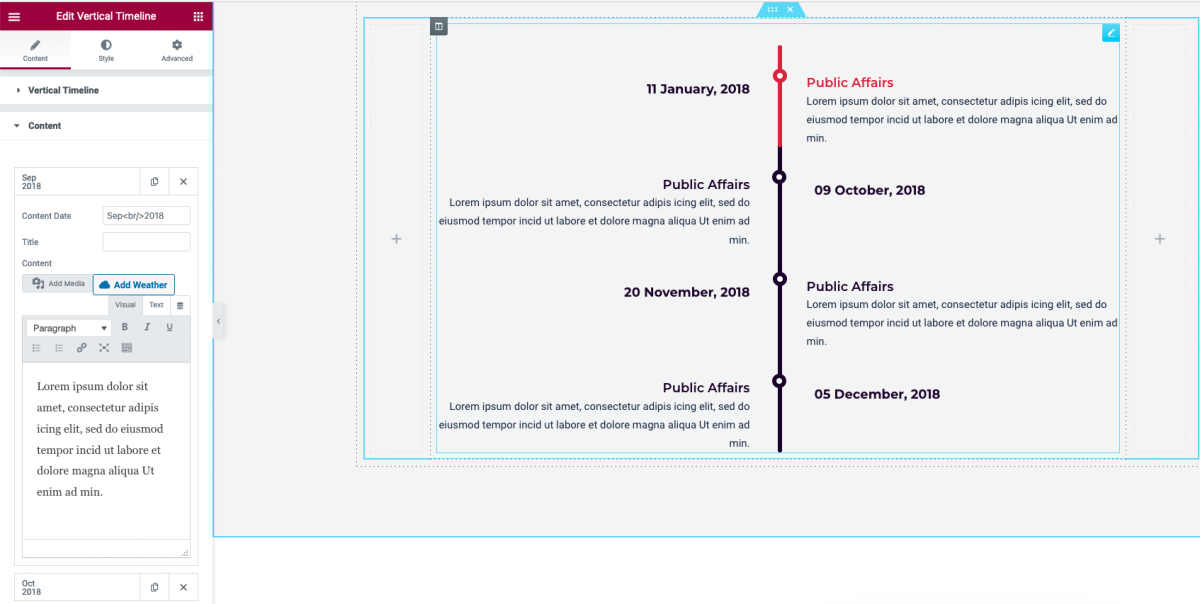
Although HT Mega offers the timeline widget in its free version, its features are not limited to changing the layout and content of the timeline. You can also customize the default styles for almost all the elements of this widget.
Styling Options
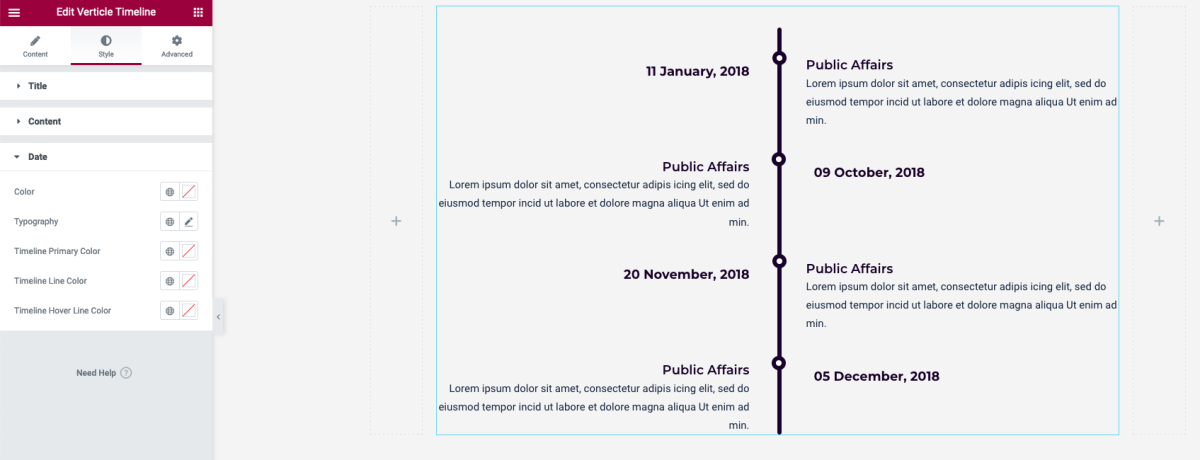
Since the widget gives you complete control over typography, text color, and other styles, it won’t take much effort to personalize the design to your brand’s requirements.
In addition, the Elementor timeline addon is responsive and mobile-friendly, so you can be sure that your timelines will look great on all devices.
To name a few of the styling options:
- Options to control all of the typography-related properties, such as font family, size, weight, etc.
- Primary color of the timeline.
- Line color of the timeline.
Features:
- Offers a horizontal Elementor timeline widget specifically designed for Elementor.
- Provides three distinct layouts to choose from (Elementor timeline design).
- Allows customization of typography, colors, and other style elements (Elementor timeline CSS).
- Ensures Elementor timeline mobile view across devices.
Elementor Timeline Widget by Move Addons

If you are someone who doesn’t want to compromise any customization options of a plugin, then the pro version of Move Addons could be an excellent solution for you. Move Addons is a powerful tool that comprises numerous Elementor widgets and useful features that are more than enough to build an outstanding WordPress website.
As the main purpose of the article is to teach you how to create a visually appealing timeline using a timeline widget for Elementor, I’ll show you how to do so with the help of the Move Addons.
Layout Options & Flexibility
Unlike HT Mega, the Move Addons doesn’t offer any widgets to create timelines on your website for free. That said, the pro version provides you with an exclusive Elementor timeline widget addon that is far richer in terms of customizability and features.
If you want to maintain a modern design aesthetic while designing an awesome timeline section, you are going to love this plugin for sure.
All of the widgets of this plugin are beautifully designed with the modern trends of UI and UX in mind. Hence, you don’t require any sort of design skills to build a website to grab the attention of the users.
The same goes for the timeline widget. It comes with plenty of remarkable layouts and customization options that you can leverage to showcase your story or the company history in a creative way.
Let’s explore what kind of customization the timeline widget of the Move Addons plugin offers.
First of all, it gives you a total of 6 great-looking layouts for the timeline.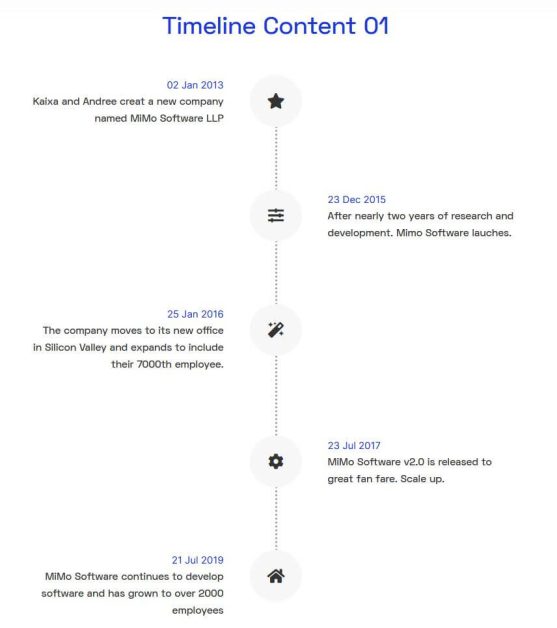
These layouts will not limit you to a vertical timeline only. This widget also lets you create a horizontal timeline using Elementor. You can even present a timeline within a draggable carousel layout. 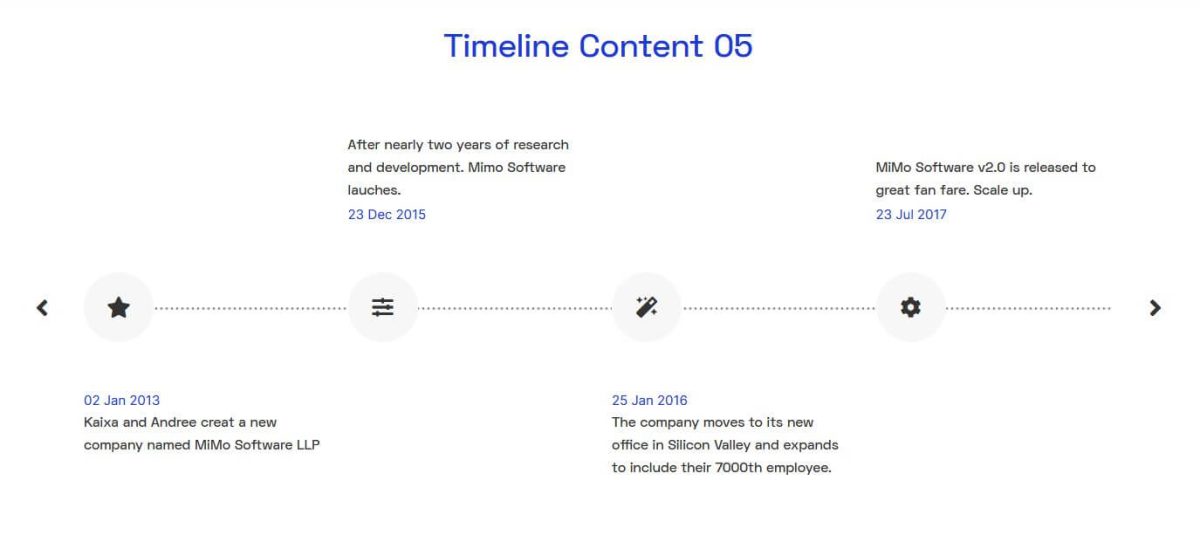
Content Management & Animation
As for the content, you can manage the title, description, date, and content for every event of the timeline. 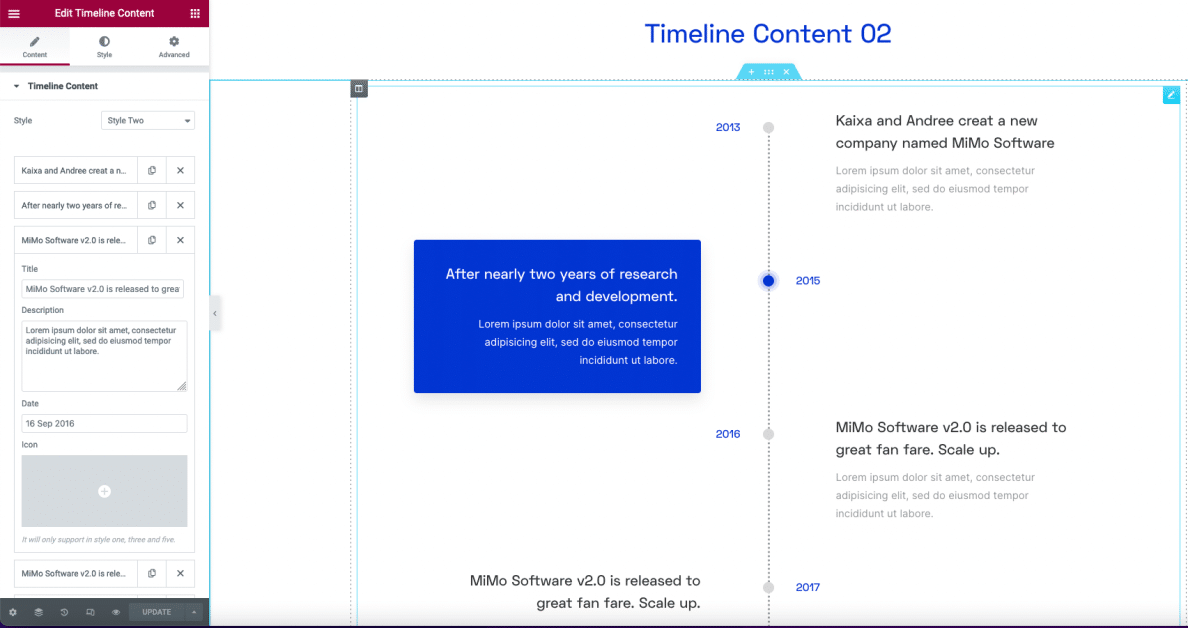
When it comes to customizing the styles, this widget has a plethora of options. From the content background color to all the font-related settings, everything is manageable from the “Style” tab of the widget. Let’s see some of the options:
- Options to manage the content background color on both normal and hover states.
- Every aspect of typography is customizable such as font family, size, weight, and many more.
- Text color for all the elements.
- Timeline bar color.
- Icon color and so on.
Features:
- Provides six unique timeline layouts, including vertical, horizontal, and Elementor timeline carousel styles.
- Extensive customization options for colors, typography, and animations (Elementor timeline animation, Elementor timeline custom CSS).
- Supports the inclusion of images and videos within timeline events (Elementor timeline showcase).
What are the Use Cases of a Timeline Widget on a Website?
A timeline section can help you tremendously convey your brand or company’s history to your audience. The timeline WordPress Elementor widget is particularly useful for websites if you want to inform more people, such as potential consumers, about what’s going on in a straightforward manner.
On top of that, you can use a timeline widget on your website for multiple purposes such as:
- Step-by-step process to accomplish something.
- Exhibit your achievements in chronological order.
- Share your experience based on year and date.
- Showing a roadmap of a particular product.
- Setting up an event Schedule and many more.
Practical Timeline Examples
Here are a few practical Elementor timeline examples you can explore:
- Educational Journeys: Demonstrate learning paths or course progress with a clean Elementor process timeline to inspire your audience.
- Company Histories: Use the Elementor company timeline to visually display how your business started, evolved, and grew over the years.
- Project Milestones: Highlight your major achievements with the Elementor milestone widget or Elementor project timeline to show progress and success stories.
- Event Schedules: Plan and organize upcoming events or launches using the Elementor event timeline, which makes it easy for visitors to keep track of dates.
Pricing Plan: HT Mega and Move Addons
Check the pricing table for Move Addons and HT Mega plugins.HT Mega Move Addons 1 Website: $49/year 1 Website: $39/year 5 Websites: $79/Year 5 Websites: $89/Year 999 (Growth Package) Websites: $99/Year Unlimited Websites: $179/Year Buy Now or Check Pricing Plan Buy Now or Check Pricing Plan
Frequently Asked Questions
Can I create a timeline in Elementor without using any plugins?
Yes, it’s possible to create a basic timeline using Elementor’s native features. However, using dedicated timeline plugins can provide more advanced features and customization options.
Are these timeline widgets compatible with all Elementor themes?
Most Elementor timeline widgets are designed to be compatible with all themes. However, it’s always recommended to check the plugin’s documentation for specific compatibility details.
Can I add videos or images to each timeline event?
Yes, many Elementor timeline widgets allow you to enrich each event with images, videos, and other media to enhance storytelling.
Do I need coding skills to customize the timeline widget?
No, most timeline widgets offer user-friendly interfaces that allow customization without any coding knowledge.
How can I ensure my timeline looks good on mobile devices?
Most Elementor timeline widgets are responsive by default. However, it’s essential to preview your timeline on different devices and make adjustments as needed to ensure optimal display.
Final Thoughts
The Elementor timeline widget is an excellent tool for visually showcasing your story, projects, or brand journey. Whether you’re creating an Elementor project timeline, an Elementor company timeline, or a simple Elementor process timeline, it helps make your content engaging and easy to follow.
If you’re looking to create timeline in Elementor without any hassle, this widget is your go-to solution. Explore different Elementor timeline examples and templates to find inspiration for your next design.
Start designing your own Elementor timeline today and transform the way you showcase your story!


