What are Popup Builders? A Beginner’s Guide

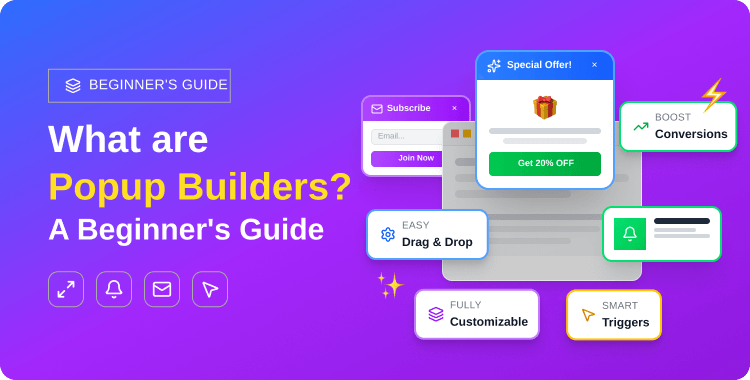
TL;DR: Popup builders are WordPress plugins that allows you create customizable pop-up windows without coding. They use drag-and-drop editors, pre-made templates, and smart targeting to display email opt-ins, promotional offers, exit-intent messages, and more.
The average popup conversion rate in 2026 is 4.82%, with top-performing campaigns reaching up to 42%.
Whether you run a blog or a WooCommerce store, popup builders are one of the most effective tools for growing your email list, reducing cart abandonment, and boosting sales.
Pop-up builders are WordPress plugins that allow you to create customizable Pop-up windows for your website — without writing a single line of code. These tools come with drag-and-drop editors, ready-made templates, and smart targeting options so you can display email opt-ins, promotional offers, exit-intent messages, and more. Popular Pop-up builders for WordPress include ShopLentor, OptinMonster, Pop-up Maker, and HT Mega.
Or you’re interested in offering exclusive discounts to your email subscribers but feel overwhelmed by the technicalities of building a popup?
Have you ever wondered how online stores and blogs display those eye-catching Pop-ups that collect emails, announce flash sales, or recover abandoned visitors? Behind every one of those Pop-ups is a Pop-up builder, a tool designed to make Pop-up creation simple, visual, and effective.
In this guide, we’ll break down everything you need to know about Pop-up builders: what they are, why WordPress users need them, the different types of Pop-ups you can create, and how to choose the right tool for your site. Whether you run a personal blog, a business website, or a full-scale WooCommerce store, this guide has you covered.
- What Are Pop-up Builders?
- Why Do You Need a Popup Builder for WordPress?
- What Types of Pop-ups Can You Create with Pop-up Builders?
- What Features Should a Good Pop-up Builder Have?
- How Do You Choose the Right Pop-up Builder for Your WordPress Site?
- Step 1: Identify Your Primary Use Case
- Step 2: Evaluate Your Budget
- Step 3: Check Compatibility
- Step 4: Test the User Experience
- How Do You Add a Pop-up to Your WordPress Site?
- What Are Some Popular Pop-up Builders for WordPress?
- ShopLentor (Pop-up Builder Module)
- Popup Box – Best WordPress Popup Plugin
- Elementor Modal Widget(HT Mega)
- Popup Maker
- Frequently Asked Question
- Final Thoughts
What Are Pop-up Builders?
Pop-up builders are WordPress plugins or standalone tools that allow you to design, configure, and display Pop-ups on your website without any coding knowledge. They provide a visual interface, usually a drag-and-drop editor, where you can build Pop-ups from scratch or customize pre-made templates to match your brand.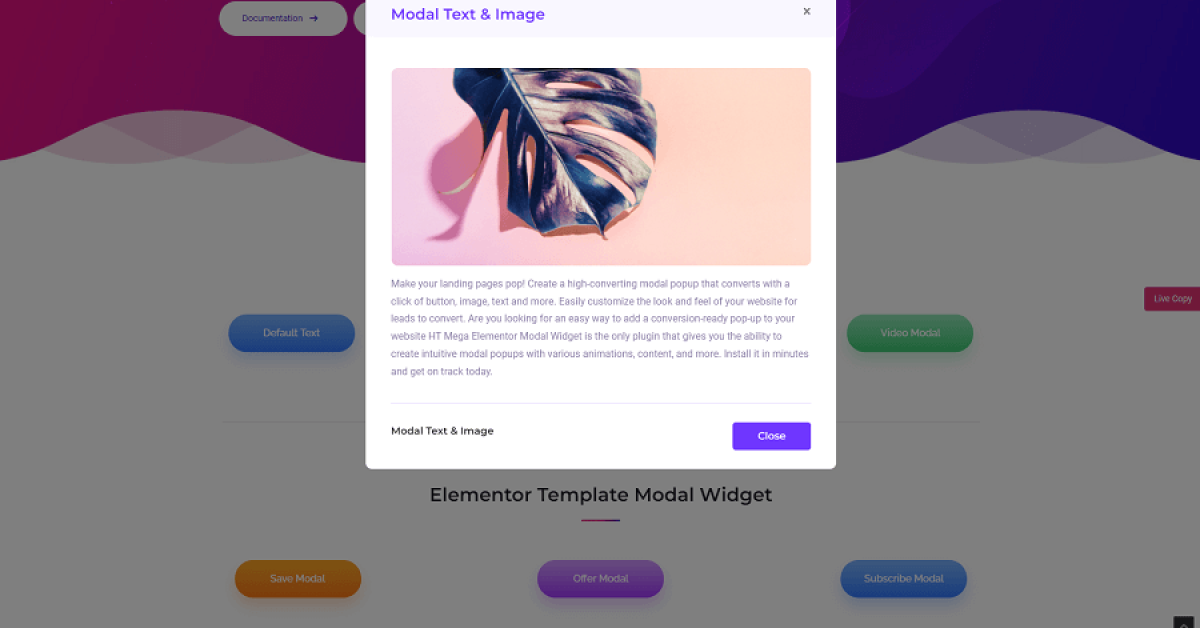
At their core, Pop-up builders handle three things:
- Targeting: You decide who sees the Pop-up: all visitors, returning users, visitors from a specific country, or people on a particular page.
Modern Pop-up builders work seamlessly with WordPress, WooCommerce, and popular page builders like Elementor. Some, like ShopLentor’s Pop-up Builder module are built specifically for WooCommerce stores and integrate directly with Elementor’s design interface.
👉 If you’re looking for a side-by-side comparison of the best tools available, check out our guide to the 10+ best WordPress Pop-up plugins.
Why Do You Need a Popup Builder for WordPress?
Popup builders save you time, eliminate the need for custom code, and dramatically increase your website’s conversion rates. The numbers tell the story: the average pop-up conversion rate in 2026 is 4.82% (Wisepops, based on 1 billion displays), while the top 10% of pop-up campaigns achieve a staggering 42.35% conversion rate (OptiMonk, 2026 data). Here’s why pop-up builders have become essential for WordPress site owners:
No Coding Required
Visual editors make Pop-up creation accessible to everyone. You don’t need to hire a developer or write CSS, HTML, or JavaScript. Just drag, drop, style, and publish. Most Pop-up builders let you go from zero to a live Pop-up in under 15 minutes.
Targeted Messaging
Instead of showing the same message to every visitor, Pop-up builders let you segment your audience. You can display different Pop-ups based on:
- Visitor behavior: First-time vs. returning visitor
- Page context: Product page vs. blog post
- Geographic location: Country, region, or city
- Device type: desktop vs. mobile
- Referral source: Google, Facebook, or direct traffic
Higher Conversions
Pop-ups capture attention at critical decision-making moments. Whether it’s an email signup form that appears when someone is about to leave, a discount code that triggers during checkout, or a product recommendation based on cart contents — Pop-ups convert because they appear at the right time. Adding a countdown timer to a pop-up increases the average conversion rate from 9.86% to 14.41%, thanks to the urgency effect.
Save Time and Money
Here’s how Pop-up builders compare to hiring a developer for custom-coded Pop-ups:Feature Pop-up Builder Plugin Custom-Coded Pop-up Setup Time 5–15 minutes Hours to days Cost Free or $49–$199/year $500+ developer fee Maintenance Automatic plugin updates Manual code updates required Targeting Options Built-in (exit-intent, page rules, geolocation) Must be coded manually A/B Testing Included in most premium plans Requires custom implementation Template Library Dozens of ready-made designs Built from scratch every time
For most WordPress users, a Pop-up builder plugin delivers better results at a fraction of the cost.
ShopLentor- WooCommerce Builder for Elementor & Gutenberg
A versatile page builder to build modern and excellent online stores with more than 100k+ Active Installations.
What Types of Pop-ups Can You Create with Pop-up Builders?
Pop-up builders support a wide variety of Pop-up formats, each designed for a specific marketing goal. Here are the most common types you’ll encounter:
- Slide-in Pop-up: A less intrusive option that slides in from the corner or bottom of the screen as the user scrolls. Great for blog posts where you don’t want to interrupt the reading experience.
- Welcome Mat: A full-screen overlay that greets new visitors. Typically used for first-time visitor offers or major announcements. Use sparingly — it’s the most aggressive Pop-up format.
- Video Pop-up (Lightbox): Opens a video player in a modal overlay. Perfect for product demos, tutorials, testimonials, or promotional videos from YouTube or Vimeo.
- WooCommerce-Specific Pop-ups: Designed for online stores. These include cart abandonment Pop-ups, upsell/cross-sell suggestions, coupon code offers, free shipping thresholds, and low-stock urgency notifications.
- Gamification Pop-ups: Interactive Pop-ups like “Spin the Wheel” or scratch cards that offer randomized discounts. These boost engagement and make the signup process fun.
👉Looking for real-world design inspiration? Browse our collection of 15+ best email Pop-up examples from brands like Dolce & Gabbana, Tommy Hilfiger, and more.
What Features Should a Good Pop-up Builder Have?
The best Pop-up builders combine design flexibility with powerful targeting and analytics. When evaluating options, look for these essential features:
- Drag-and-Drop Editor: Build and customize Pop-ups visually. Move elements around, resize them, and preview your design in real time — no code needed.
- Pre-Built Templates: Start with professionally designed templates and customize them to match your brand. This saves hours compared to designing from a blank canvas.
- Advanced Trigger Options: Control exactly when your Pop-up appears. Essential triggers include:
- Exit intent (detects when a user is about to leave)
- Time delay (shows Pop-up after X seconds)
- Scroll depth (triggers at a specific scroll percentage)
- Inactivity trigger (appears when a user stops interacting)
- Targeting & Conditions: Display Pop-ups on specific pages, to specific user roles, based on referral source, device type, or geographic location. The more granular your targeting, the higher your conversion rates.
- Mobile Responsiveness: Your Pop-ups must look and work perfectly on phones and tablets. Google penalizes sites that show intrusive interstitials on mobile, so responsive design isn’t optional — it’s mandatory.
- A/B Testing: Test different headlines, designs, offers, or trigger timings to find what converts best. Even small changes can significantly improve performance.
- Email Service Integration: Connect your Pop-up forms directly to email marketing platforms like Mailchimp, ConvertKit, FluentCRM, ActiveCampaign, or Brevo (formerly Sendinblue).
- Analytics & Reporting: Track Pop-up impressions, conversion rates, and click-through rates. Without data, you’re guessing. Good analytics help you optimize over time.
How Do You Choose the Right Pop-up Builder for Your WordPress Site?
Choosing the right Pop-up builder comes down to four factors: your use case, budget, compatibility, and user experience. Here’s a simple decision framework:
Step 1: Identify Your Primary Use Case
Your main goal determines which features matter most:
- Email list building → Prioritize opt-in form templates, email service integrations, and A/B testing capabilities.
- WooCommerce promotions → Look for WooCommerce-specific triggers (cart value, product page, checkout behavior) and features like coupon Pop-ups and cart abandonment recovery.
- Elementor users → Choose an Elementor-native addon so you can design Pop-ups inside the same editor you already use for your pages.
Step 2: Evaluate Your Budget
Pop-up builders range from completely free to several hundred dollars per year:
- Free plugins (Pop-up Maker free, ShopLentor free, WP Pop-ups) offer basic Pop-up creation, simple triggers, and limited targeting. Good for personal blogs and small sites.
Step 3: Check Compatibility
Before you install anything, verify:
- Does the Pop-up builder work with your WordPress theme?
- Is it compatible with your page builder (Elementor, Gutenberg, Divi)?
- Does it integrate with your email marketing service?
- Does it support WooCommerce if you run an online store?
Step 4: Test the User Experience
Install the free version or activate a demo. Build a test Pop-up. Check:
- How intuitive is the editor?
- Does the Pop-up look good on mobile?
- What’s the impact on your site’s page load speed? (Use Google PageSpeed Insights to measure before and after.)
👉 For a detailed comparison, see our guide to the 10+ best WordPress Pop-up plugins
👉 If you build your pages with Elementor, check out the 7+ best Elementor Pop-up & modal addons for solutions designed specifically for that ecosystem.
How Do You Add a Pop-up to Your WordPress Site?
Adding a Pop-up to WordPress takes just a few steps, regardless of which plugin you choose. Here’s the general process:
- Install and activate a Pop-up builder plugin: Go to Plugins → Add New in your WordPress dashboard, search for your chosen Pop-up builder (e.g., ShopLentor, Pop-up Maker, or HT Mega), install it, and activate.
- Create a new Pop-up template: Open the Pop-up builder’s editor. Most plugins allow you start from a pre-designed template or build from a blank canvas using a drag-and-drop interface.
- Set targeting rules and triggers: Define where the Pop-up appears (all pages, specific pages, product pages) and when it triggers (on page load, after scrolling, on exit intent, after a delay).
- Connect your email service (optional): If your Pop-up collects emails, integrate it with your email marketing platform so new subscribers are automatically added to your list.
- Preview, test, and publish: Check the Pop-up on desktop and mobile. Test the trigger to make sure it fires correctly. Then hit publish.
This is a high-level overview.
👉 For a complete walkthrough with screenshots and detailed instructions, read our step-by-step guide on how to add a Pop-up in WordPress & WooCommerce.
What Are Some Popular Pop-up Builders for WordPress?
If you want to add a pop-up on your WordPress WooCommerce site, there are Several Pop-up builders that stand out in 2026. Each of them has different strengths. Here’s a quick overview of the most popular options:
ShopLentor (Pop-up Builder Module)
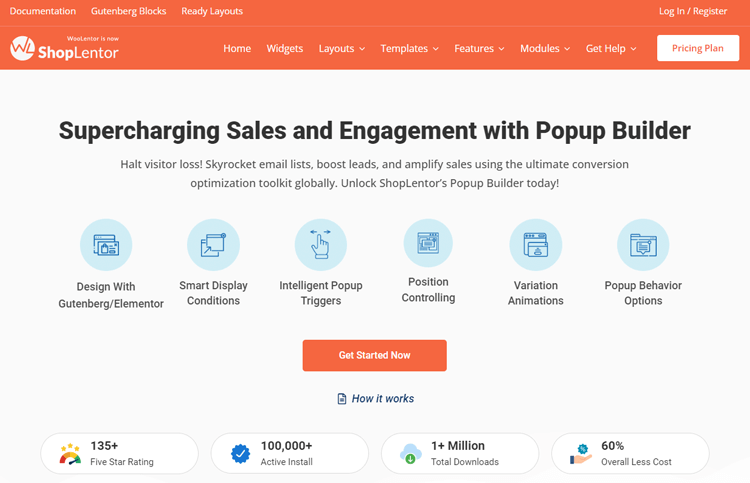
ShopLentor’s is an all-in-one WooCommerce solution that includes a built-in Pop-up Builder module. It integrates directly with Elementor and Gutenberg, offers pre-designed Pop-up templates, and provides WooCommerce-specific targeting options like cart-based triggers and product page conditions.
If you already use ShopLentor for your WooCommerce store, the Pop-up builder is included at no extra cost.
Key Features:
- Design unlimited popup templates
- Personalize triggers and conditions
- Customize user interactions and experiences
- Attain visual excellence with customization options
- Access prebuilt popup templates
- Utilize a drag-and-drop popup builder
- Manage popups through an intuitive dashboard
- Target specific display locations
- Trigger pop-ups with page builders
- Establish multiple conditions for precise control.
Price: Shoplentor offers both free and premium versions. Starting at $59 half year, the premium version provides additional features.
Popup Box – Best WordPress Popup Plugin
Explore the Popup Box plugin, a simple yet powerful tool enabling the creation of captivating popups on your website. This plugin redefines traditional popups, ensuring they’re engaging without being intrusive.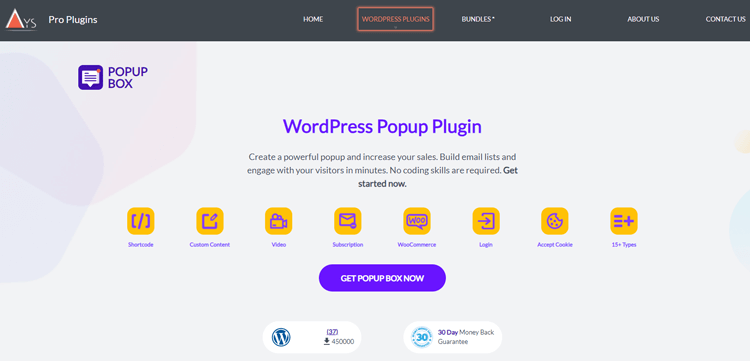
Regardless of your technical expertise, this plugin provides an extensive range of user-friendly features. With its collection of 15 versatile popup designs, it enables the effortless creation of responsive, promotional, and conversational popups.
Key Features:
- Display popups at specific intervals
- Customizable popup positioning
- Capture visitor attention by Element-Targeted Popups
- Flexible Popup Positioning
- Target visitors based on their browser or operating system
- Schedule popups to appear on specific days or limit their display count.
- Monitor popup impressions and performance with detailed reports.
- Import and Export Popups.
Price: The Popup Box provides both free and paid options. Pro plans begin at just $49, with a one-time payment.
Elementor Modal Widget(HT Mega)
HT Mega is an Elementor addon that includes a modal Pop-up widget alongside 100+ other widgets. If you’re an Elementor user, HT Mega lets you design Pop-ups using the same drag-and-drop editor you use for your pages — no separate plugin needed.
Key Features:
- Display custom content or Elementor templates.
- Smooth animation effects for engaging popups.
- Extensive styling controls for colors and typography.
- Responsive design for all device screen sizes.
- Highly Customizable.
Price: The regular license costs $49/year.
HT Mega Elementor Addons
The ultimate Elementor page builder addons to build stunning websites.
Popup Maker
Popup Maker is an exceptional WordPress popup plugin, especially if you want to create email opt-ins for your website. It is one of the most popular free Pop-up plugins on WordPress.org, with over 900,000 active installations. It uses a familiar WordPress interface, supports shortcodes and custom triggers, and offers a library of extensions for added functionality. Great for beginners on a budget.
Key Features:
- Opt-in forms for email subscriptions, content upgrades, and lead generation (and more)
- Smooth integration with form builders
- Triggers based on timing and user clicks
- Targeting based on specific conditions
Price: Both free and paid plans are available, with premium pricing starting at $87 per year for usage on one site.
👉 Want the full breakdown? Read our detailed comparison: 10+ Best WordPress Pop-up Plugins to Boost Conversions (2026).
Frequently Asked Question
Are Pop-up builders bad for SEO?
No. Pop-up builders themselves don’t hurt your SEO. However, Google does penalize websites that use intrusive interstitials — Pop-ups that cover the main content on mobile devices and make it difficult to access the page. To stay safe, ensure your mobile Pop-ups are easy to close, don’t cover the entire screen immediately, and comply with Google’s interstitial guidelines. Most modern Pop-up plugins include built-in mobile compliance settings.
Can I use a Pop-up builder with Elementor?
Yes. Several Pop-up builders integrate directly with Elementor. HT Mega and ShopLentor are Elementor addons that let you design Pop-ups inside Elementor’s editor. Other tools like OptinMonster and Pop-up Maker work alongside Elementor without requiring the Elementor editor specifically.
Do Pop-up builders slow down my website?
Well-coded Pop-up plugins have minimal impact on site speed. They typically load Pop-up assets only when the trigger condition is met, not on initial page load. To be safe, test your site speed using Google PageSpeed Insights or GTmetrix before and after installing a Pop-up plugin. Avoid running multiple Pop-up plugins simultaneously.
Can I create WooCommerce-specific Pop-ups?
Yes. WooCommerce-focused Pop-up builders like ShopLentor allow you create cart abandonment Pop-ups, product upsell offers, coupon code Pop-ups, free shipping threshold notifications, and more. You can target Pop-ups based on cart value, specific products, checkout page behavior, and customer purchase history.
Can I display video in a Pop-up?
Yes. Most Pop-up builders support embedded videos from YouTube, Vimeo, or self-hosted files. Video Pop-ups (also called lightbox Pop-ups) are effective for product demos, customer testimonials, course previews, and promotional videos. The video loads only when the Pop-up triggers, so it doesn’t affect your initial page load time.
What’s the difference between a Pop-up and a modal?
In WordPress, “Pop-up” and “modal” are often used interchangeably. Technically, a modal is a specific type of Pop-up that creates a separate interaction layer — it darkens or blurs the background and requires the user to either take an action (like filling a form) or close the window before returning to the page. Most WordPress Pop-up builders create modal-style Pop-ups by default.
Can I use Pop-ups on mobile devices?
Yes, but with important caveats. Google’s guidelines state that Pop-ups on mobile should not cover the main content immediately when a user arrives from search. Use scroll-triggered or exit-intent Pop-ups on mobile, keep them small and dismissible, and always test on actual mobile devices before publishing.
Final Thoughts
Pop-up builders have become indispensable tools for WordPress site owners who want to grow their email lists, reduce cart abandonment, promote special offers, and engage visitors at the right moment. The best part? You don’t need any technical skills to create professional, high-converting Pop-ups.
Choosing the right Pop-up builder depends on your specific needs. If you run a WooCommerce store and use Elementor, a tool like ShopLentor’s Pop-up Builder module gives you everything in one package.
If you need enterprise-level targeting and A/B testing, OptinMonster is a strong choice. And if you’re just getting started and want something free, Pop-up Maker is a proven option.
No matter which tool you choose, the key to Pop-up success is thoughtful implementation: target the right audience, trigger at the right moment, and deliver genuine value.
Ready to dive deeper? Explore these related guides from HasThemes: