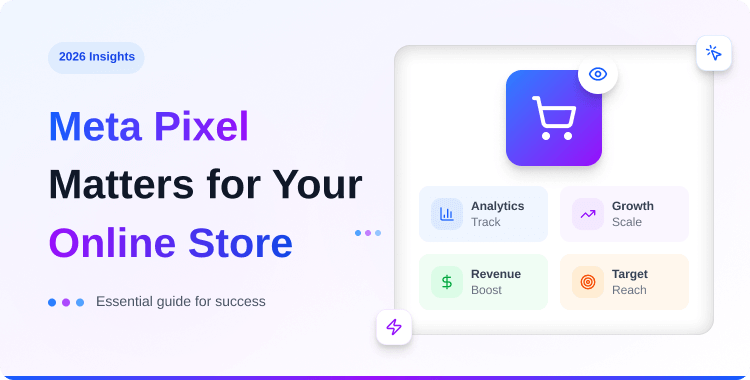
Why Meta Pixel Matters for Your Online Store in 2026

Meta Pixel (formerly Facebook Pixel) is a tracking code that monitors what visitors do on your site and sends that data to Meta so its algorithm can optimize your ads, build retargeting audiences, and measure conversions.
This is why Meta Pixel matters for any store running Meta Ads, but in 2026, relying on the browser pixel alone misses a lot of conversions due to iOS privacy and ad blockers. Pairing Pixel with Conversion API gives you complete, reliable data.
Key Takeaways
- Meta Pixel tracks which ads actually drive sales
- Retargeting audiences deliver the highest return on ad spend
- Pixel data powers lookalike audiences for scaling campaigns
- Ad blockers and iOS privacy now limit browser-only tracking
- Pairing Pixel with Conversion API recovers lost conversion data
If you’ve ever wondered why Meta Pixel matters, it comes down to knowing exactly which ads are responsible for real revenue. You’re spending $3,000 a month on Meta Ads across five campaigns. Some are bringing in orders.
Some aren’t. But which ones? Without conversion tracking, you can’t tell. You’re making budget decisions based on clicks and impressions, vanity metrics that say nothing about revenue. Every dollar you shift between campaigns is a guess.
Meta Pixel eliminates the guessing. It’s a small piece of code on your website that tells Meta exactly what visitors do after clicking your ad — whether they browse a product, add something to cart, or complete a purchase. That data flows back to Meta and powers everything from ad optimization to retargeting.
You might know it as Facebook Pixel – Meta renamed it in 2022 when the company rebranded. Same tool, same purpose, new name.
This post covers what Meta Pixel actually does, seven specific reasons it matters for your business, what’s changed in 2026 that makes pixel-only tracking risky, and how to get started on WordPress or Shopify.
- Key Takeaways
- What Meta Pixel Actually Does on Your Website?
- 7 Reasons Why Meta Pixel Matters for Your Business
- 1. Conversion Tracking
- 2. Retargeting Warm Audiences
- 3. Lookalike Audience Creation
- 4. Ad Delivery Optimization
- 5. Dynamic Product Ads
- 6. ROAS Measurement
- 7. Cross-device and Cross-session Attribution
- Why Pixel Alone Isn’t Enough Anymore
- How to Set Up Meta Pixel on Your Store
- Video Presentation: How to Setup Meta Pixel(Formerly Facebook Pixel) to WordPress
- Frequently Asked Questions
- Conclusion
What Meta Pixel Actually Does on Your Website?
Meta Pixel works by tracking specific visitor actions, called events, on your site. When someone views a product page, that’s a ViewContent event. When they add an item to the cart, that’s AddToCart. Complete a purchase? Purchase.
Each event gets sent to Meta in real time. Meta uses this data in three ways:
- Measures ad performance – connects each conversion back to the specific ad, ad set, and campaign that drove it.
- Optimizes delivery – shows your ads to people who are most likely to take the action you’re optimizing for (purchases, leads, signups).
- Builds audiences – every visitor who triggers an event enters an audience pool you can retarget or use to create lookalikes.
Without Pixel, Meta sees the click but has no idea what happened next. With Pixel, it sees the full journey from ad impression to checkout. Once you see how these events work together, it becomes obvious why Meta Pixel matters so much for performance marketing.
7 Reasons Why Meta Pixel Matters for Your Business
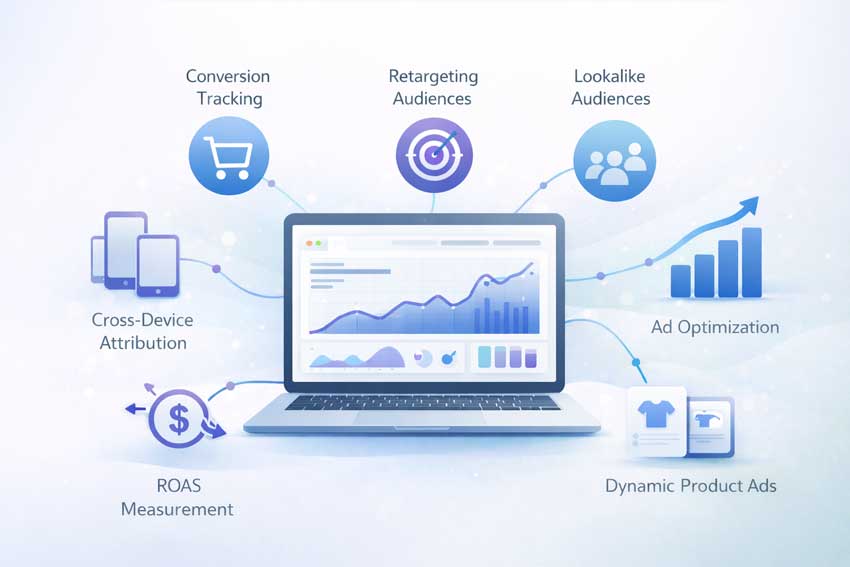
When clients ask why Meta Pixel matters in 2026, these seven reasons usually change their minds about running ads without it.
1. Conversion Tracking
See exactly which ads, ad sets, and campaigns drive real purchases — not just clicks or traffic. This is the difference between optimizing based on data and optimizing based on hope. In ecommerce stores we manage, disabling even one underperforming ad set based on Pixel conversion data often frees up budget that immediately performs better elsewhere.
2. Retargeting Warm Audiences
Show ads to people who already visited your store, viewed specific products, or started checkout but didn’t finish. These warm audiences consistently convert at 3–5× the rate of cold traffic because they’ve already shown buying intent. Retargeting is where most stores see their best cost per acquisition and one of the clearest Meta Pixel tracking benefits.
🚀 Supercharge Your Facebook Advertising with Pixelavo!
Unlock the full potential of your Facebook ads. Boost conversions, increase ROI, and reach new heights with Pixelavo’s powerful features.
3. Lookalike Audience Creation
Meta takes your Pixel conversion data — say, everyone who purchased in the last 90 days — and finds new users across Facebook and Instagram who share similar characteristics. Lookalike audiences are how you scale beyond retargeting without reverting to broad, untargeted campaigns.
4. Ad Delivery Optimization
When you optimize a campaign for “Purchase” events, Meta’s algorithm learns which types of users convert on your store. The more Purchase events it receives, the smarter it gets at finding similar buyers. This directly lowers your cost per acquisition over time. Without Pixel data, the algorithm is flying blind.
5. Dynamic Product Ads
Pixel tracks which specific products a visitor viewed or added to cart. Meta then automatically shows those exact products to the visitor in their Facebook or Instagram feed — personalized, product-level retargeting without you creating individual ads. This requires ViewContent and AddToCart events firing correctly.
6. ROAS Measurement
When your Purchase events include order value and currency, you can calculate exact return on ad spend at every level — per campaign, per ad set, per creative. No more relying on traffic metrics as a proxy for revenue. You see the actual dollars coming in versus the actual dollars going out and can clearly articulate the Meta Pixel’s importance to non-technical stakeholders.
7. Cross-device and Cross-session Attribution
A customer clicks your ad on their phone during lunch, browses your store, then comes back on their laptop that evening to buy. Without proper tracking, that purchase looks organic. With Meta Pixel — especially when paired with Conversion API and Advanced Matching — Meta connects the dots across devices and sessions, giving you accurate attribution.
Why Pixel Alone Isn’t Enough Anymore
This is the section that separates a 2026 tracking strategy from a 2020 one. Meta Pixel still matters — but relying on it as your only tracking method is a problem. It’s also the context you need to really understand why Meta Pixel matters beyond basic pageview tracking.
- iOS App Tracking Transparency: Since iOS 14.5 in 2021, Apple requires apps to ask users for permission before tracking. The majority of iPhone users opt out. When they do, browser-side pixel events from these users either don’t fire or arrive with limited data. Given that mobile drives 70%+ of ecommerce traffic in most stores, this is a significant blind spot.
- Ad blockers: Extensions like uBlock Origin, Adblock Plus, and Brave’s built-in blocker prevent Meta Pixel’s JavaScript from loading entirely. Depending on your audience, ad blockers can affect 15–30% of desktop sessions. Those visitors browse, add to cart, and purchase — but the pixel never fires, so Meta never knows. For brands trying to understand why Meta Pixel matters and then seeing “missing” conversions, this is usually the reason.
- Pixel + CAPI together is the standard: The recommended setup in 2026 is running both simultaneously. Pixel catches browser events when it can. CAPI sends server events for everything. Meta uses event deduplication (matching by event_id) to count each conversion once. You get complete coverage without double-counting.
- Event Match Quality improves: CAPI can send hashed user data — email, phone number, name — directly from your server. This helps Meta match events to real user profiles more accurately, improving your Event Match Quality (EMQ) score. Higher EMQ means better attribution, better optimization, and ultimately better ad performance.
In stores we’ve migrated from Pixel-only to Pixel + CAPI, we typically see a 20–30% increase in reported conversions within the first week – not because more people are buying, but because more purchases are finally being tracked. That’s another concrete proof of why Meta Pixel matters when combined with modern server-side tracking.
For a full walkthrough on setting up CAPI, see our Meta Conversion API guide for WordPress.
How to Set Up Meta Pixel on Your Store
You don’t need a developer. On most platforms, a plugin or app handles everything — pixel installation, event tracking, and CAPI — from a single dashboard. These steps are not a full tutorial, but they show why using Meta Pixel and CAPI is better than relying solely on your platform’s basic reports.
WordPress/WooCommerce: Install a CAPI-ready plugin like Pixelavo. It adds Meta Pixel, configures server-side tracking, and manages events automatically. For a full comparison of options, see our guide to the best Meta Pixel plugins for WordPress.
Shopify: Install a Pixel app like Pixee from the Shopify App Store. It handles Meta Pixel, CAPI, and multi-platform tracking in one free app. See our best Meta Pixel apps for Shopify comparison or follow our step-by-step Shopify Pixel setup guide.
Other platforms: Most website builders (Wix, Squarespace, BigCommerce) support Meta Pixel natively or through integrations. Check your platform’s documentation for specific setup instructions, but the goal is always the same: accurate Meta Pixel conversion tracking that Meta can trust.
Video Presentation: How to Setup Meta Pixel(Formerly Facebook Pixel) to WordPress
Frequently Asked Questions
Q1: Is Meta Pixel the same as Facebook Pixel?
Yes. Meta rebranded Facebook Pixel in 2022 when Facebook became Meta. It’s the same tracking tool with the same features – just a new name.
Q2: Is Meta Pixel free?
Yes. Creating and using Meta Pixel is completely free. You only pay for the ads themselves, not for the tracking code.
Q3: Do I need Meta Pixel if I use Google Analytics?
Yes. They serve different purposes. Meta Pixel feeds conversion data directly to Meta’s ad algorithm for optimization and retargeting. Google Analytics tracks all your website traffic, but can’t optimize your Meta campaigns. See our Meta Pixel vs Google Analytics comparison for a detailed breakdown.
Q4: Does Meta Pixel slow down my website?
The impact is minimal. The pixel script is lightweight (~2 KB) and loads asynchronously, meaning it doesn’t block your page content from rendering. Running Pixel alongside CAPI has no additional client-side performance cost since CAPI operates server-side.
Q5: Can Meta Pixel track offline conversions?
Yes, through the Offline Conversions API. You can upload in-store purchase data or CRM records to Meta, which matches them against ad interactions. This is useful for businesses with both online and physical retail.
Q6: Is Meta Pixel suitable for businesses of all sizes?
Yes, Meta Pixel is beneficial for businesses of all sizes. Whether you’re a small startup or a large enterprise, the insights and capabilities it offers can significantly enhance your marketing efforts.
Q7: How do I install Meta Pixel on my website?
Installing Meta Pixel involves adding the pixel code to your website’s header. You can generate the code from your Facebook Ads Manager account and then integrate it into your site’s code or use a plugin.
Conclusion
If you care about profitable Meta Ads, this is why Meta Pixel matters more than almost any other tracking tag you install. Without it, you can’t track conversions, build retargeting audiences, create lookalikes, or give Meta’s algorithm the data it needs to find your best customers.
But in 2026, Pixel alone leaves gaps. iOS privacy, ad blockers, and cookie restrictions mean browser-only tracking misses real conversions — which hurts your reported ROAS and limits how well your campaigns can optimize. Pairing Pixel with Conversion API closes those gaps and gives Meta the complete picture.
If you haven’t set up Pixel yet — or if you’re running Pixel without CAPI — now is the time. Start with our WordPress plugin guide or Shopify app guide to get both running in under 10 minutes.aigns.