Shopify to WooCommerce: How to Migrate in 6 Simple Steps

This post is for you if you’ve tried running a Shopify business before but found it wasn’t flexible enough to satisfy your needs. And WooCommerce is what you are going for. However, Shopify to WooCommerce migration is complex due to their dissimilar database architecture.
Many store owners seek reliable methods to transfer Shopify to WooCommerce without losing valuable business data. Lucky for you, we are here to help! In today’s article, we will shed some light on migrating from Shopify to WooCommerce with simple steps:
- Step 1: Back up your Shopify data.
- Step 2: Build your WooCommerce website.
- Step 3: Set up Source Cart and Target Cart.
- Step 4: Select entities to migrate.
- Step 5: Run the full migration.
- Step 6: Go through the post-migration checklist.
Our comprehensive guide explains how to migrate from Shopify to WooCommerce successfully, ensuring business continuity. No more beating around the bush; let’s get cracking!
- Key Takeaways
- Why Should You Go for WooCommerce Over Shopify?
- How Much Does It Cost to Migrate from Shopify to WooCommerce?
- Switching from Shopify to WooCommerce – Preparation
- Shopify to WooCommerce – During the Migration
- What to Do After the Shopify to WooCommerce Migration?
- Run Post-migration Services
- Change DNS and Switch Domain
- Customize your storefront
- Install additional apps
- Frequently Asked Questions
- Conclusion
Key Takeaways
- Migration tools automate complex database conversions between platforms.
- Comprehensive data backup prevents information loss during platform switches.
- API credentials enable efficient product and customer data transfer.
- Post-migration verification ensures complete data integrity across platforms.
- Domain reconfiguration and storefront customization complete the migration process.
Why Should You Go for WooCommerce Over Shopify?
Both WooCommerce and Shopify are the giants when it comes to eCommerce platforms. They are the foundation of multiple successful online businesses across the globe.
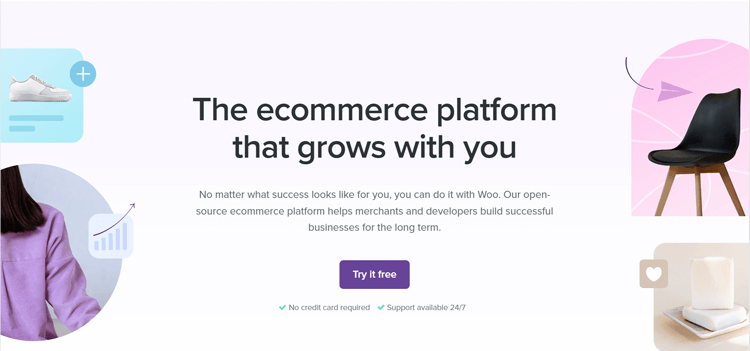
Businesses that switch from Shopify to WooCommerce often cite greater control as their primary motivation. However, when putting the two together, WooCommerce seems to be ahead of the game for the following reasons:
Flexibility and Control
WordPress, an open-source content management system, is the foundation for WooCommerce. This implies that you can customize your online store to whatever you want.
You have complete creative control over the look and feel of your online shop, down to the coding. The decision to convert Shopify to WooCommerce gives merchants complete backend control.
WooCommerce provides developers with more flexibility to create custom features for their stores. Shopify is a hosted platform with limited backend access for advanced modifications or integrations.
Although Shopify uses Liquid, it restricts editing core features, such as the checkout page. Developers may find WooCommerce more adaptable for creating tailored eCommerce functionality.
Compared to Shopify, which requires a monthly subscription fee, WooCommerce gives you more flexibility in price. You have complete control over all your website expenses, including hosting and extensions. You decide what features to pay for and what tools to install yourself.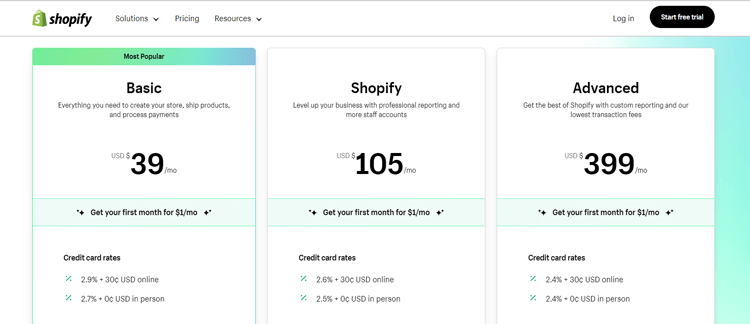
Scalability
WooCommerce can expand with your company’s growth. It’s scalable to manage high traffic and extensive product catalogs without increasing per-transaction costs.
A successful Shopify to WooCommerce data migration enables unlimited business growth without platform restrictions. As long as you are going with the correct hosting infrastructure, the potential for your profits is limitless.
On the other hand, if you wish to scale your business, you may have to upgrade to Shopify Plus. This premium version of Shopify is designed for larger businesses and high-volume stores.
The only downside is that its monthly fee starts from $2000/month, which is quite expensive compared to WooCommerce. 
SEO
Using the WordPress editor, you can quickly and easily optimize individual product pages. You can make quick changes like meta descriptions, alt tags URL slugs, and page body text.
On the contrary, there are certain SEO-related restrictions with Shopify. In fact, we were unable to change their URLs to our liking. This is because some parts of your store’s URLs cannot be changed owing to Shopify’s inflexible URL structure. In addition, it is not easy to create new sub-categories on this site, too. 
How Much Does It Cost to Migrate from Shopify to WooCommerce?
Several Shopify to WooCommerce migration services offer different pricing tiers based on store size. The overall price of switching from Shopify to WooCommerce will vary significantly depending on your migration method.
To save money, you can consider performing the task yourself. We do not recommend this method because it requires complex technical knowledge to execute. You might also face serious issues during data migration that could affect functionality.
Hiring a developer or web agency is another way to help you move Shopify to WooCommerce. Most of the time, they will charge you between $50 and $80 per hour.
Depending on how intricate your needs are, you should expect to spend anything from $500 to $2500, and that’s just for the migration itself.
Finding a skilled web designer with platform knowledge can sometimes be really difficult. Errors in data processing might delay your project and increase unnecessary development costs. Poor table structure may lead to costly repairs and extra hours of work.
Based on the mentioned methods, we recommend LitExtension. They have successfully completed over 280,000 cart migration jobs for 150,000+ customers worldwide. They continue to prove their position as the #1 Shopping Cart Migration Expert.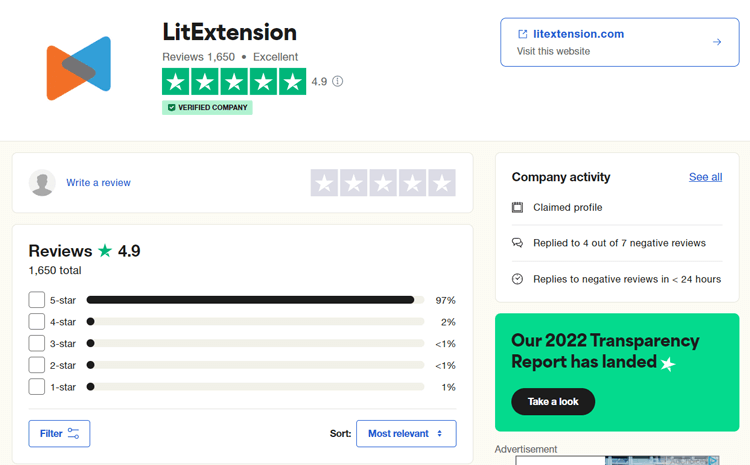
With over 10 years of experience, LitExtension’s technical team is well-versed in all of WooCommerce and Shopify’s functions. As a result, they can minimize the possibility of data errors and ensure that everything stays consistent. 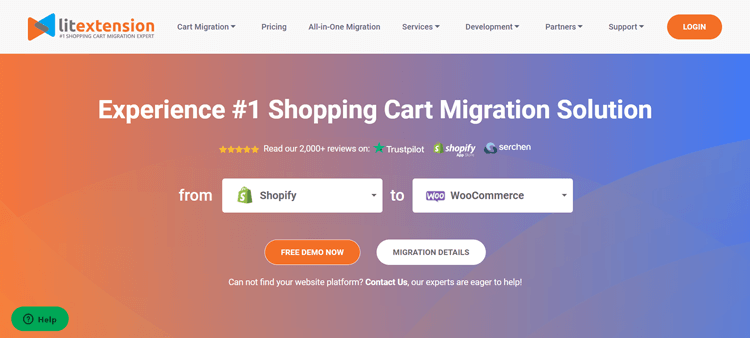
Switching from Shopify to WooCommerce – Preparation
Now that you have had all the necessary information related to Shopify to WooCommerce data migration, it’s time to get into the actual work! Proper preparation ensures a smooth migration from shopify to the WooCommerce experience with minimal business disruption.
Backup Shopify Data
From our experience, saving all data into a single file is essential before making any changes to your store. You can avoid problems like crashes, slow performance, and data loss during the Shopify to WooCommerce migration process. 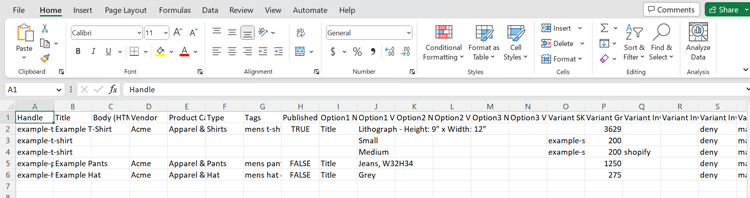
Quality Shopify to WooCommerce migration tools automate comprehensive backup procedures for data safety.
Shopify CSV template
Your Shopify data can be easily exported to CSV files with simple clicks. However, the platform only allows users to save their customers, orders, gift cards, discount codes, and financial data information. Hence, you must manually copy and paste the information that can’t be exported.
The ability to export Shopify products to WooCommerce efficiently requires systematic catalog organization. Just a single mistake can significantly affect the entire subset of data.
As a result, we recommend checking everything twice before saving a copy of your Shopify shop. To export products from Shopify, follow these steps:
- Click on “Export”.
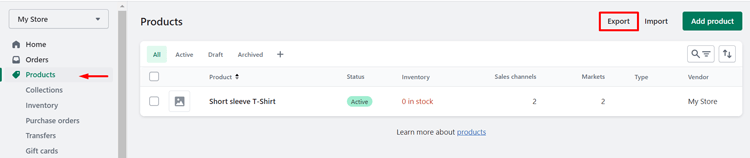
Click on Export from the Products page
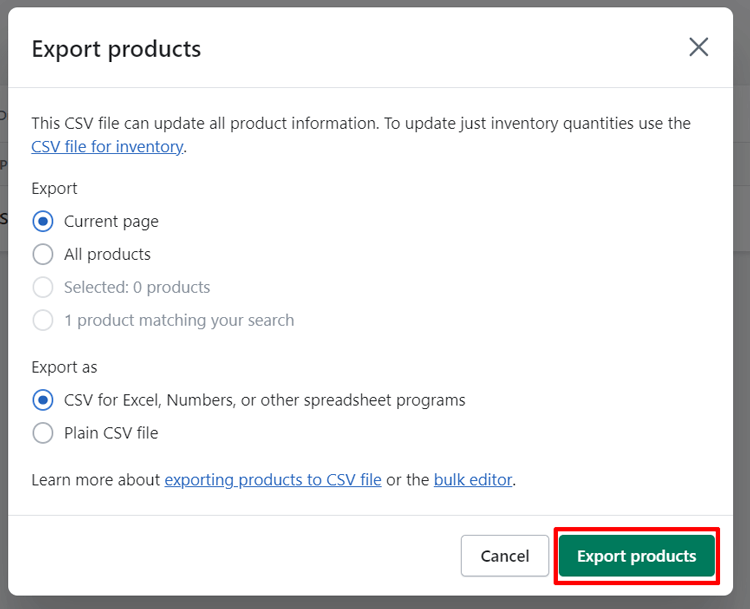
- Define the type of information and file you want to export.
- Select “Export products”, and you’re good to go!
Create a WooCommerce store
Once you have finished backing up the Shopify export data, it’s time to build your WooCommerce website. If you’ve already created one, then you can skip this step.
Keep in mind that WooCommerce is a plugin for the WordPress platform, so you’ll need to install it first. Once your WordPress site is up and running, you can set up WooCommerce.
Go to Plugins > Add New menu on the left-hand sidebar from the WordPress admin panel. 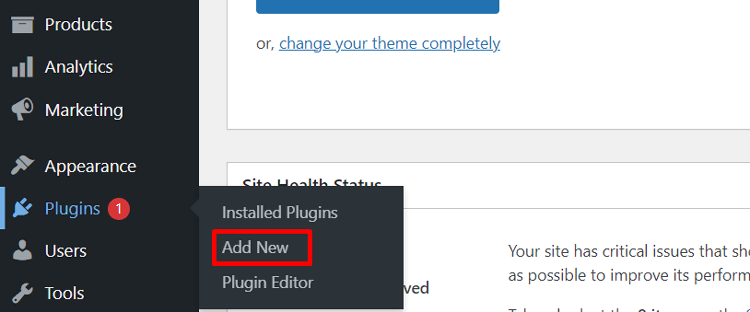
Now, type “WooCommerce” into the search bar, and click on Install Now > Activate Now right next to the icon. Now, you’re ready to kickstart your business with WooCommerce Wizards!
To get your WooCommerce store up and running, we suggest you follow the 5 steps outlined in this guide.
- Store Setup
- Payment
- Shipping
- Recommended
- Activate
Shopify to WooCommerce – During the Migration
Here comes the most exciting part – the actual migration. In this section, we will guide you through a tutorial on Shopify migration to WooCommerce with LitExtension:
Set up Source Cart and Target Cart
Initially, navigate the LitExtension website and sign up for a new account. You will be asked to enter your email address, full name, and password. You can consider signing up via Facebook or Google Plus to save time. 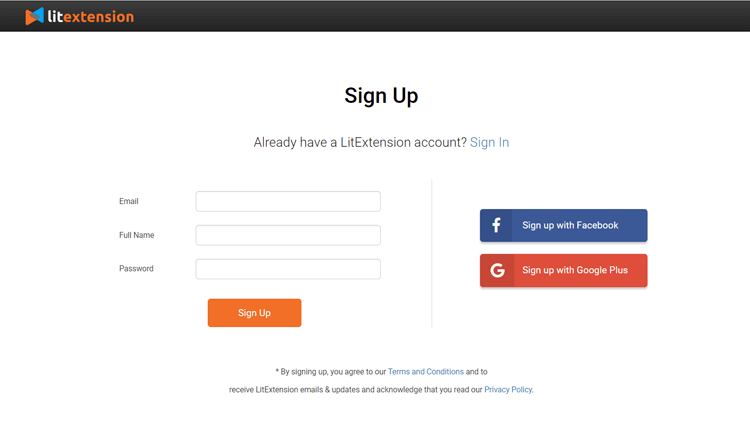
Back to the LitExtension Homepage, go to the “Create Migration” tab to configure your Source Cart and Target Cart.
Since you are moving from Shopify to WooCommerce, choose “Shopify” from the Source Cart Type dropdown.
Then, fill in the Source Cart Url and API Password. Efficiently migrate from Shopify to WooCommerce by obtaining proper API credentials beforehand.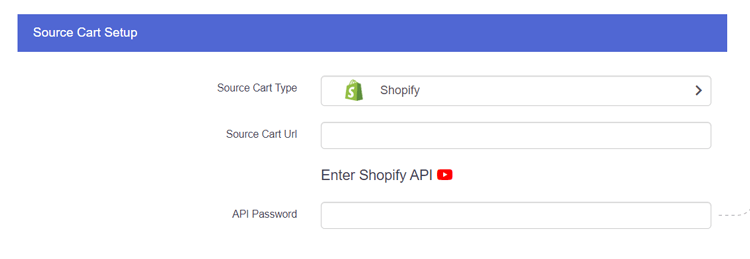
Moving on, we have “WooCommerce” as the Target Cart. The system requires you to install the “le_connector” file to your backend root folder until you receive a message saying, “Connection was successfully installed”.
The Connector file is a special access gateway created by LitExtension. Your unique Security Token protects each account for maximum security. As a result, each account is associated with only a single connector file. 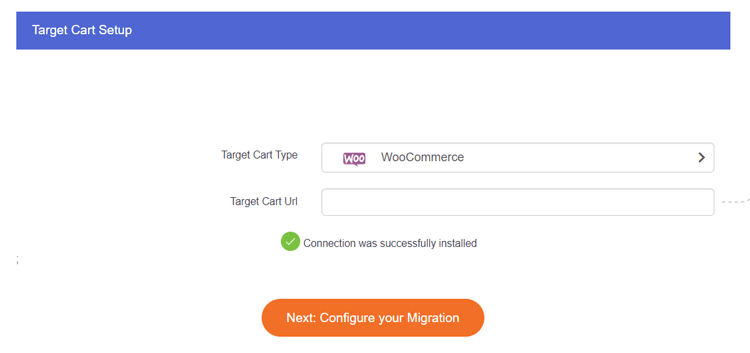
When you see the notification, hit “Next: Configure your Migration” to jump to the next step!
Select the migration entities
LitExtension lets you decide which data will be delivered via the migration. These could be products, customers, pages, blog posts, etc. Pick out the best one for your store or simply click “Select All” in case all the checkboxes match your needs. 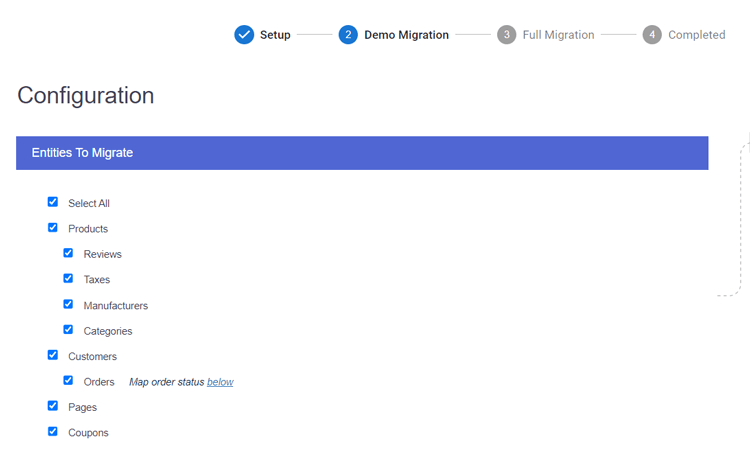
For further settings, you can make use of LitExtension’s Additional Options. Some of the most common choices among business owners who are considering a Shopify to WooCommerce migration include:
- Migrate customers’ passwords: If your Shopify store uses the standard settings, you can migrate passwords to WooCommerce. This is possible with LitExtension, as long as no custom code changes have been made. Thus, your customers can maintain their customer’s accounts despite switching platforms.
- Preserve Order IDs on Target Store: Your Shopify product IDs will remain the same on the Target Store. This applies if you choose this option during the migration process. Hence, you can guarantee that your management system won’t be interrupted.
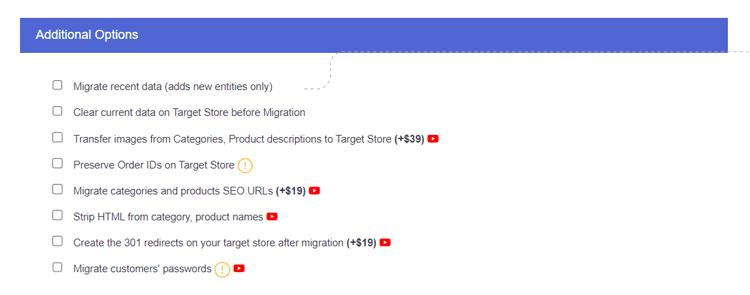
Before moving on, we recommend looking at language and order status mapping between the platforms. The order statuses shown on your Source and Target Cart may not be an exact match. Thus, make any relevant changes if you want: 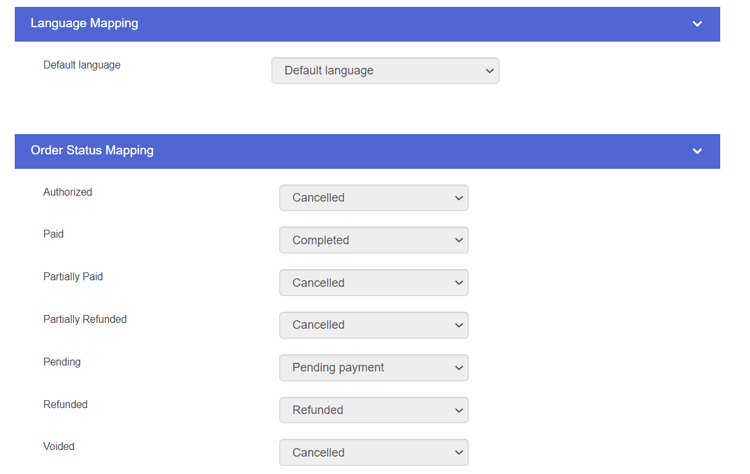
Run the Full Migration
Professional Shopify to WooCommerce migration services typically offer test migrations before final execution. Here, you will be able to activate the Free Demo Migration to see how the actual process works.
Otherwise, you can immediately run the full migration by ticking the checkbox “Skip Demo Migration” and clicking on “Next: Start Full Migration”.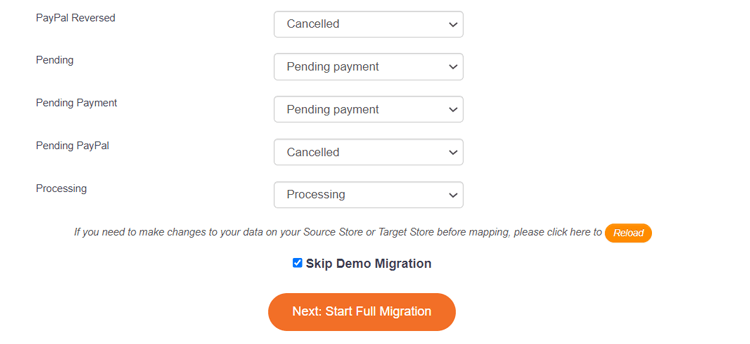
One of the perks of using the LitExtension service is that you don’t have to keep the device running during the data migration. Lay back and let the system run itself!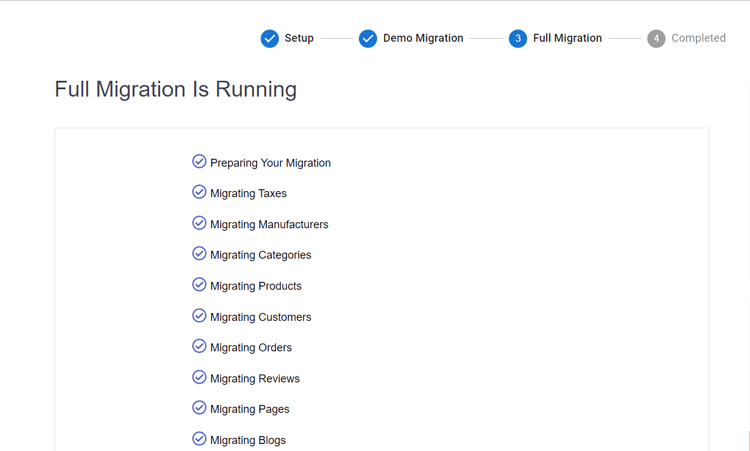
The moment when the whole migration process is finished, you’ll receive a message on the screen saying: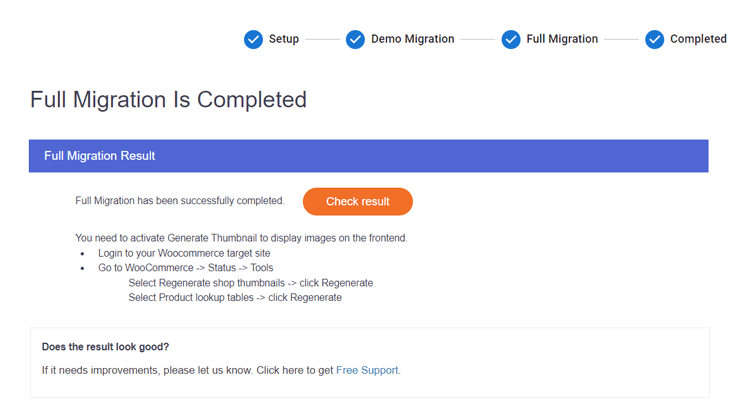
There you go, a successful Shopify to WooCommerce migration. It’s time to kickstart your business!
What to Do After the Shopify to WooCommerce Migration?
After the Shopify to WooCommerce transfer is complete, you should invest a significant amount of work into setting up your new store. After you import Shopify to WooCommerce verify all product attributes and customer information.
Run Post-migration Services
LitExtension ensures that your Shopify store continues functioning normally during the Shopify to WooCommerce migration process. That is to say, even while you work on the configuration and setup, your Shopify store can still receive new orders and customers like usual.
Currently, they are offering three post-migration services for your reference. All of these are free of charge within the first 3 months after full migration. This applies if the number of additional entities is less than 10% of the total
- Recent data migration: This allows you to import all the newly created data.
- Smart update: All of your data modifications in the old store and newly appearing entities will be updated using this service.
- Re-migration: You may transfer your data once again, just in case there are errors or the previous migration hasn’t fulfilled your requirements.
Change DNS and Switch Domain
Additionally, you’ll have to do a DNS and domain name server change. Web browsers rely on the Domain Name System (DNS) to access online content. DNS transforms domain names into IP addresses to complete this process.
The IP address of your network may be discovered using your DNS settings. For this reason, you must update your DNS settings to reflect the new IP address. This applies when creating a custom domain or if the server’s IP address changes
Customize your storefront
Due to WooCommerce’s structure, you can’t maintain the same storefront design as Shopify. Hence, you may have to spend some time customizing your website from scratch when moving to WooCommerce.
Fortunately, a wide variety of WooCommerce themes go well with all types of businesses. You can purchase one from the WooCommerce theme store or a third party. ThemeForest is a great place to look for WooCommerce website templates and get yourself one.
Install additional apps
Then, you may improve your store’s efficiency even more by installing additional WooCommerce plugins. Over 60,000 plugins are available for WordPress, many of which are optimized for use with WooCommerce. You may also hire a developer to create a customized app.
Frequently Asked Questions
How do I import Shopify orders into WooCommerce?
First, export your Shopify orders into a CSV file for backup purposes. When migrating with LitExtension, you check the tickbox “Orders” as one of the migration entities. By doing so, LitExtension will help move all of your order information to WooCommerce with ease.
Why move from Shopify to WooCommerce?
As an open-source platform, WooCommerce allows you more freedom to tailor your business to your customer’s preferences. WooCommerce offers more choices in themes and plugins for customization and flexibility. It helps you create a unique, extensible store that matches your brand and needs. Hence, it is an excellent alternative to Shopify.
Can you transfer from Shopify to WooCommerce?
Of course, you can do it yourself or hire a developer or a migration expert. LitExtension is a trusted choice for Shopify to WooCommerce migration tasks. It saves time, effort, and money compared to other available migration methods out there.
Is it difficult to migrate customer accounts?
Most merchants who move from Shopify to WooCommerce worry about preserving customer accounts and passwords. Modern migration tools handle this efficiently with proper API access.
Conclusion
With various options available for Shopify to WooCommerce migration, finding the most effective one should be your top priority. Since there is lots of work waiting for you after switching to a new platform, try to go for the method that saves you time and money.
We hope you’ve found this article helpful in learning more about the procedures involved in transitioning from Shopify to WooCommerce. Once you follow the steps closely, you’ll be surprised by how simple the process is.