Tips for Lead Generation Using CRM: 9 Practical Strategies for WordPress

Quick Answer: A CRM improves lead generation by capturing incoming contacts in one place, organizing prospects with tags and lists, segmenting contacts by behavior or source, automating follow-up sequences, and tracking which channels produce results. WordPress CRM tools keep this workflow inside your dashboard, reducing manual work and helping teams respond more consistently.Most businesses don’t have a lead shortage. They have a lead management problem. Inquiries come in from forms, social media, referrals, and paid ads and then get lost in inboxes, spreadsheets, or someone’s memory. A CRM doesn’t fix your traffic. It fixes what happens after a prospect arrives.
This guide explains how a WordPress CRM supports lead generation by capturing, organizing, segmenting, and following up with contacts — and what to avoid assuming it can do.
Table of Contents

Key Takeaways
- A CRM manages leads after they enter your system — it does not generate traffic or demand by itself.
- The biggest benefit is structure: contacts organized, sources tracked, follow-ups automated.
- Segmentation lets you send relevant messages to the right prospects at the right time.
- Automation prevents cold leads caused by delayed or missed follow-ups.
- WordPress CRM tools reduce tool-switching by keeping contact data close to your website activity.
- Lead source tracking shows which channels are worth continuing and which are wasting budget
What Is CRM Lead Generation?
CRM lead generation means using a CRM to capture, organize, track, nurture, and follow up with potential customers. A CRM does not typically create demand or generate traffic by itself.
Leads come from forms, ads, referrals, organic search, social media, and other channels. The CRM then receives those contacts, organizes them, and helps your team move them toward a decision. Understanding this distinction prevents misplaced expectations and helps you use the tool correctly.
What Lead Generation Really Means
Lead generation is the process of attracting people who might buy from you and getting their contact information. It includes blog content, paid advertising, social media, referral programs, webinars, and landing pages. These channels create interest and bring people to your site or inbox.
What happens after that is lead management, and this is where a CRM does its actual work. Without a structured system, leads pile up, go uncontacted, or receive inconsistent follow-up. A CRM prevents this by giving every incoming contact a defined home, a source label, and a path forward.
Why Lead Generation Without a CRM Breaks Down
When businesses manage leads without a CRM, a few predictable problems appear:
- Contacts get missed. Form submissions that go only to email inboxes are easy to overlook, especially when volume increases or staff change.
- Follow-up is inconsistent. Without automation, follow-up timing depends entirely on someone remembering. Leads that don’t hear back quickly often move on.
- Data is scattered. Contact information spread across email, spreadsheets, and messaging apps makes it nearly impossible to see the full picture of a prospect.
- Source attribution is lost. Without tracking where leads come from, you can’t make informed decisions about which marketing channels to keep investing in.
A CRM addresses all four of these directly.
How CRM Helps With Lead Generation: 9 Practical Tips
Implementing these tips for lead generation transforms how businesses capture and convert prospects. Each strategy leverages CRM capabilities to maximize results.
1. Capture Leads from Multiple Sources Into One Place
Every lead that comes in from a form, a referral, or a campaign should land in one centralized database. Manual data entry creates gaps; automation creates consistency.
WordPress CRM tools can receive contact data through incoming webhooks, which means any tool that can send a webhook – including most form builders, scheduling tools, and landing page platforms can push submissions directly into your CRM. Once a contact is created, it can be organized using lists, tags, and custom fields without requiring any additional manual work.
Kelune CRM accepts contacts through incoming webhooks and stores them inside your WordPress dashboard using lists and custom fields. This makes it a practical option when your lead sources can send data to a webhook endpoint.
2. Label Every Lead by Source
When a new contact arrives, the first question worth answering is: where did they come from?
A CRM lets you tag contacts by source: organic search, paid ad, referral, specific campaign, newsletter signup, event, or contact form. Over time, this data shows you which channels consistently produce useful prospects and which ones generate volume without conversions.
This isn’t just a reporting exercise. It directly informs where you should spend marketing budget next quarter.
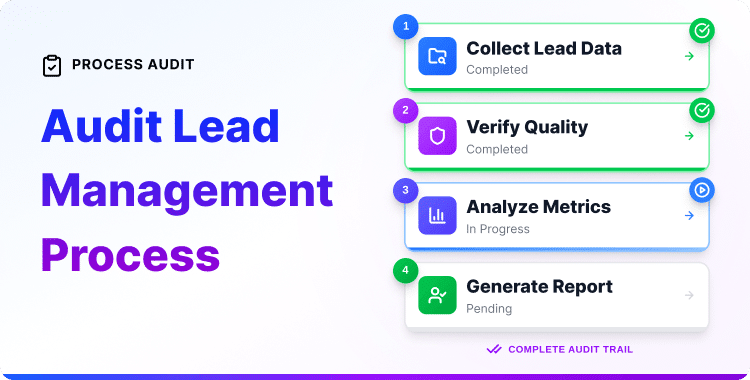
For a deeper look at how to evaluate and clean up your existing lead data, see Audit Your Lead Management Processes.
3. Segment Leads Based on Behavior and Intent
Not all leads are at the same stage. Someone who visited your pricing page twice is in a different position than someone who read a blog post once. Treating them the same way wastes both their time and yours.
A CRM with segmentation lets you group contacts by:
- Tags applied at the point of entry (e.g., “content download,” “demo request,” “referral”)
- Lists based on which campaign they came from
- Custom fields that capture intent signals like industry, role, or specific interest
- Behavior-triggered segments that update automatically as contacts take action
This is where Kelune CRM fits well. Its tag, list, and custom field system lets you create distinct contact groups based on how and why a contact entered your database. Pro plan users get dynamic segmentation and conditional automation — meaning segments update automatically without manual work as contact behavior changes.
Accurate segmentation is the foundation for sending relevant messages. Without it, you’re sending the same email to everyone and hoping something sticks.
4. Automate Follow-Ups to Prevent Cold Leads
Speed and consistency matter in follow-up. A lead that reaches out and hears nothing for several days has likely already moved on or contacted a competitor. Automation solves this without requiring your team to be available around the clock.
A CRM automation workflow typically works like this:
- A new contact is created (trigger)
- A delay is set (e.g., 10 minutes, 24 hours, 3 days)
- An action fires — usually an email, a tag update, or a task assignment
In Kelune CRM, this is handled through a visual automation builder. You can create sequences that begin when a contact is added, respond when they open an email or click a link, and branch into different paths based on what they do. Pro users get conditional branching, which means the automation responds differently depending on whether a contact engaged or went quiet.
This kind of automation ensures every lead gets follow-up, not just the ones someone remembered to contact.
If you want to build out the full nurturing side of this workflow, the CRM Lead Nurturing Strategy guide covers the next steps in detail.
5. Track Lead Engagement to Prioritize Your Time
Not every contact in your CRM deserves equal attention right now. Engagement tracking tells you who is actively interacting with your emails and content, which lets your team focus on prospects that are showing genuine interest.
Signals worth tracking include:
- Email opens and click-through rates
- Which links a contact clicked in a campaign
- Whether they’ve visited specific pages on your site (if your CRM supports this)
- Time since last interaction
A CRM that tracks email engagement lets you separate active contacts from those who’ve gone cold. This is more useful than working through a flat list of everyone in alphabetical order.
6. Run Targeted Email Campaigns to Warm Up Prospects
Many leads aren’t ready to buy immediately. They need time, information, and repeated exposure to your product or service before making a decision. Email campaigns let you stay present during this period without relying on manual outreach.
The key is relevance. A campaign sent to everyone in your database with the same message performs poorly because it’s irrelevant to most of the recipients. A campaign sent specifically to contacts tagged “downloaded pricing guide” is relevant by definition.
Kelune CRM includes an email campaign feature that works alongside its list and tag system. You can send campaigns to specific segments and track delivery, opens, and clicks from inside your WordPress dashboard.
For a broader look at email tools that integrate with WooCommerce-based workflows, see Best WooCommerce Email Marketing Plugins.
7. Use Lead Forms That Feed Directly Into Your CRM
A lead form that sends submissions to an email inbox is only half the workflow. The other half is getting that data into your CRM automatically, without manual copying.
Most WordPress form builders support either native CRM integrations or webhooks. Setting up a webhook connection between your form and your CRM means every new submission creates a contact record immediately, with fields mapped correctly and any relevant tags applied.
This is one of the most practical setup improvements you can make. Even a simple form that captures a name, email, and how the person heard about you gives your CRM enough to begin organizing the contact correctly.
See How to Create Lead Forms in WordPress CRM for setup guidance.
8. Avoid Letting Leads Go Cold with Re-Engagement Sequences
A lead that hasn’t engaged in 60 or 90 days isn’t necessarily lost — but they need a different approach than active prospects. Re-engagement sequences are short automation workflows designed to bring quiet contacts back to attention or remove them from active lists if they remain unresponsive.
A simple re-engagement sequence might look like:
- Contact hasn’t opened an email in 60 days
- Send a direct, short email acknowledging the gap and offering something useful
- If they open or click, move them back to an active segment
- If they don’t respond after 2–3 attempts, tag them as inactive and stop sending
This keeps your active contact list clean and improves overall engagement rates by reducing the percentage of unresponsive contacts receiving your campaigns.
9. Measure What’s Working and Refine
A CRM is most useful over time when you treat it as a data source, not just a contact database. Regularly reviewing what it tells you helps you improve your lead generation approach.
Questions worth reviewing monthly:
- Which lead sources are producing contacts that actually convert?
- Which campaigns produced the most engagement?
- Where are contacts dropping out of your follow-up sequences?
- Which contact segments respond best to which types of messages?
Even basic tracking answers these questions well enough to make decisions. The goal is not to build a complex analytics stack; it’s to stop making marketing decisions based on guesses.
Why Use a WordPress CRM for Lead Management?
Most WordPress businesses don’t need a separate SaaS platform with its own login, subscription, and data export process. A WordPress-native tool offers three practical advantages:
- Contact data stays close to website activity. When your CRM lives inside WordPress, it’s easier to connect form submissions, page activity, and customer interactions without moving data between platforms.
- Reduced tool-switching. Managing contacts in the same dashboard where you manage your site reduces context-switching and the lag that happens when teams use different tools for different parts of the workflow.
- Direct integration with WordPress forms and automation. Most WordPress form plugins and webhook-capable tools can feed data directly into a WordPress CRM without third-party connectors or paid middleware.
For a full overview of available options, see Best WordPress CRM Plugins.
Common Lead Management Mistakes to Avoid
Avoiding these errors helps businesses maximize their lead generation investments and CRM implementations.
- Treating the CRM as optional. A CRM only works if it receives data consistently. If team members are still managing some leads outside the system, you’ll have gaps that undermine the whole workflow.
- Skipping source labels. Not tagging contacts by lead source from the beginning means you’ll never have clean data for attribution. Add this to your intake process before your contact list grows.
- Sending the same message to everyone. Generic campaigns produce generic results. Even basic segmentation – splitting contacts into two or three groups by interest or stage – outperforms a single broadcast to your entire list.
- Ignoring engagement data. If you’re not looking at who opens your emails and who doesn’t, you’re managing a database, not a lead pipeline.
- Over-automating without testing. Automation is only as good as the logic behind it. A sequence that sends 6 emails in 3 days to a cold contact will damage your sender reputation. Start simple, test before scaling.
CRM Lead Generation Checklist
Use this before and after setting up your WordPress CRM workflow:
Setup
- Plugin installed and contacts database created
- Form builder connected via webhook or native integration
- Lead source fields or tags configured at point of entry
- Contact lists or segments defined by type or campaign
Workflow
- At least one follow-up automation created for new contacts
- Email campaign linked to a specific segment (not full database)
- Re-engagement sequence created for contacts inactive 60+ days
- Team knows where to log contact interactions
Review (monthly)
- Lead source data reviewed for attribution
- Email engagement rates checked by segment
- Inactive contacts identified and handled
- Automation sequences reviewed for drop-off points
Want to Manage Contacts, Segmentation, and Automated Follow-Ups Inside WordPress?
Kelune CRM gives you a self-hosted CRM workflow directly inside your WordPress dashboard. It handles contacts, tags, lists, custom fields, email campaigns, and visual automation — keeping your lead management close to your website without requiring external tools. A free version is available to get started.
Frequently Asked Questions
What is lead generation in CRM?
Lead generation in CRM refers to the process of capturing potential customer information and managing it within a Customer Relationship Management system. The CRM stores lead data, tracks interactions, and facilitates the nurturing process that converts prospects into customers.
How does CRM help with lead generation?
A CRM helps by storing leads in one place, organizing contact data, segmenting prospects by behavior or source, automating follow-ups, tracking email engagement, and showing where leads come from. This makes it easier to respond consistently and move qualified prospects toward a decision.
Does CRM software generate leads?
A CRM does not usually generate traffic or demand on its own. Leads typically come from forms, ads, content, referrals, social media, or direct outreach. The CRM then captures, organizes, nurtures, tracks, and helps your team convert those leads.
Do I need a CRM for lead generation?
You can manage a small number of leads manually, but a CRM becomes useful as lead volume and follow-up complexity grow. It helps prevent missed contacts, keeps lead data organized, supports automation, and gives your team better visibility into each prospect’s status.
What is the difference between lead generation and CRM?
Lead generation attracts and captures potential customers. CRM manages those prospects after they enter your system — storing their information, tracking interactions, organizing follow-ups, segmenting contacts, and helping teams move leads toward a decision.
How does a WordPress CRM work?
A WordPress CRM adds contact and lead-management capabilities to a WordPress site. Depending on the plugin, it can store contacts, organize them with tags or lists, connect with lead sources via forms or webhooks, send email campaigns, track engagement, and automate follow-up workflows — all from inside the WordPress dashboard.
What is a lead source in CRM?
A lead source identifies where a prospect first came from — organic search, a contact form, paid advertising, social media, email, a referral, or an event. Tracking lead sources helps you compare channels and understand which ones consistently produce contacts worth following up with.
Further Reading