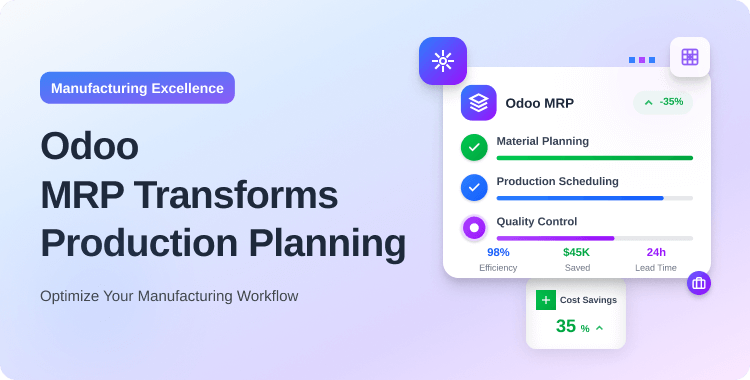
How Odoo MRP Improves Production Planning and Helps Control Manufacturing Costs

Quick answer: Odoo MRP improves production planning by connecting Bills of Materials, inventory, manufacturing orders, work centers, quality, and production reporting in one system. This helps manufacturers check material availability, plan capacity, schedule work orders, track shop-floor activity, and analyze production costs instead of relying on disconnected spreadsheets. Results still depend on accurate data, correct configuration, and consistent shop-floor adoption.
Manufacturers running production planning on spreadsheets or several disconnected systems often face the same recurring problems. Nobody is fully sure what materials are on hand until someone manually checks, machines get overbooked because nobody sees true capacity, and quality or maintenance issues surface only after they’ve already disrupted the schedule.
Odoo MRP, the Material Requirements Planning capability inside Odoo’s Manufacturing app, is built to address this by linking bills of materials, inventory, work centers, quality, and cost data inside one connected system.
This guide explains what Odoo MRP actually does, how its production planning workflow functions step by step, which planning problems it can help solve, and how to judge whether it fits your operation.
ShopLentor- WooCommerce Builder for Elementor & Gutenberg
A versatile page builder to build modern and excellent online stores with more than 100k+ Active Installations.
What Is Odoo MRP?
MRP (Material Requirements Planning) is a planning methodology that calculates which materials are needed, in what quantities, and by when, based on demand and current inventory.
Odoo’s Manufacturing app implements this methodology through connected records: products, Bills of Materials, manufacturing orders, work orders, and work centers, all tied into Odoo’s Inventory and Purchase apps.
Odoo Manufacturing is one application within Odoo’s broader suite, meaning production data such as material consumption, costs, and quality flows into Inventory, Purchase, and Accounting without manual re-entry, since these apps share the same underlying database.
Depending on how replenishment routes, reordering rules, and production planning are configured, demand and inventory data can trigger or inform procurement and manufacturing requirements automatically.
For a broader feature-level overview of everything included in the Manufacturing app, see our complete guide to the Odoo Manufacturing MRP module, which covers the module’s full feature set rather than the production planning workflow this article focuses on.
How Does Odoo MRP Improve Production Planning?
Plan Material Requirements With Bills of Materials
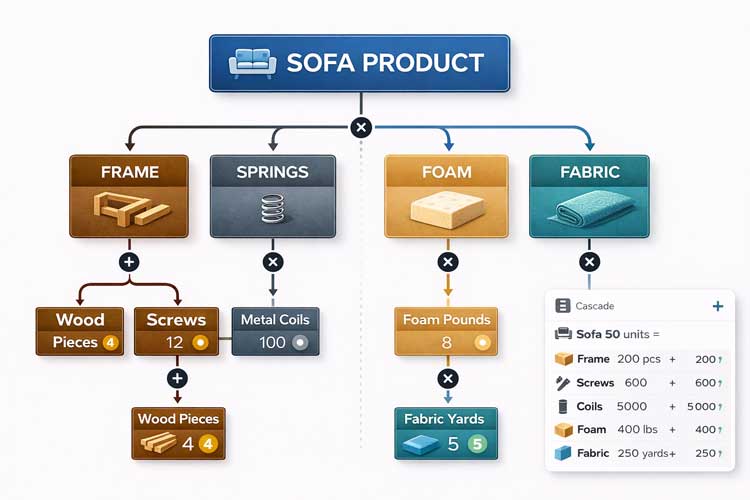
The Bill of Materials (BoM) is the record that defines which components, in what quantities, are required to build a product, and can include the manufacturing operations and instructions needed to produce it. For products built from subassemblies, Odoo supports multi-level BoMs, where a top-level product’s BoM references sublevel products that each have their own BoM — for example, a keyboard BoM referencing a separately-built PCB and keycap assembly. When a manufacturing order is confirmed for the top-level product, production or procurement of the necessary sublevel components can be triggered automatically through reordering rules or make-to-order routes.
Check Material Availability Before Scheduling
Before releasing a manufacturing order to the shop floor, Odoo checks component availability against current stock and incoming purchase orders. This lets planners see, before starting a job, whether all required materials are on hand or which components are still pending, helping reduce the risk of starting production on a job that stalls mid-run for lack of parts.
Schedule Manufacturing Orders and Work Orders
A Manufacturing Order specifies the product, quantity, and timeline for a production run. Enabling the Work Orders feature breaks that order into discrete steps, such as cutting, assembly, and finishing, each assigned to a specific work center. Depending on configuration, manufacturing can run as a one-, two-, or three-step process, which determines how granularly material movement is tracked through the plant.
Plan Work-Center Capacity
Work centers represent the physical or logical locations, such as machines, assembly lines, or teams, where work orders are processed, and each one carries configurable settings for capacity, efficiency, cost per hour, and setup and cleanup time. These values factor into scheduling calculations, so the planned duration of a work order reflects the work center’s real throughput characteristics rather than just a base operation time. This capacity data is what allows planners to see, before committing to a schedule, whether a work center is likely to be overloaded. For a deeper look at how capacity planning works across Odoo’s broader ERP setup, see our guide on capacity planning in Odoo ERP.
Manage Shop-Floor Execution
Once work orders are scheduled, operators use a shop floor interface, often on tablets, to start, pause, block, or complete work orders, including scanning barcodes for materials and recording lot or serial numbers as units are produced. If a work center becomes unavailable, for a machine issue or material shortage, operators can flag it as blocked with a documented reason, which also feeds into performance reporting.
Connect Quality and Maintenance
Quality Control Points can be configured at specific stages of the manufacturing process. When a manufacturing order reaches a checkpoint, a quality check is automatically created, allowing teams to validate defined quality criteria as production progresses; how a failed check is handled depends on how the quality process is configured. Separately, equipment maintenance can be tracked as either preventive maintenance, scheduled on time or usage intervals, or corrective maintenance, triggered by unplanned failures, with a maintenance history and equipment register that production planners can reference when scheduling around known equipment risk.
Analyze Manufacturing Performance and Costs
Production analysis reporting tracks measures such as cost per unit (component, labor, and operation cost), total production cost, operation duration per unit, and yield percentage, broken down by manufacturing order. Separately, an Overall Equipment Effectiveness (OEE) report calculates work-center productivity based on availability, performance, and quality, using actual data recorded against expected work order duration. Both reports require the relevant tracking, such as costing methods and work order timing, to be configured correctly, since the data is only as reliable as the setup behind it.
How Odoo MRP Production Planning Works: Step by Step
- Production requirement identified: A sales order, forecast, or manual demand signal creates the need to produce a product.
- Bill of Materials applied: The BoM for that product determines the exact components and quantities required, including any sublevel BoMs.
- Material availability checked: Required components are compared against current stock and incoming purchase orders, flagging shortages.
- Manufacturing order created: A production record is generated, manually or automatically via reordering rules, specifying product, quantity, and BoM.
- Work orders generated: If Work Orders are enabled, the manufacturing order is broken into sequenced operations assigned to specific work centers.
- Work-center scheduling applied: Planned duration per operation is calculated using each work center’s configured capacity, efficiency, and setup and cleanup time.
- Shop-floor execution tracked: Operators start, complete, or block work orders and record materials consumed, lots, or serial numbers as production proceeds.
- Quality and inventory updates applied: Quality checkpoints validate output at defined stages, and completed production automatically updates inventory and, where enabled, accounting valuation.
- Production analyzed: Cost, duration, yield, and OEE data become available for review against plan, informing the next planning cycle.
Which Production Planning Problems Can Odoo MRP Help Solve?
| Manufacturing Problem | Relevant Odoo Capability | How It Helps |
|---|---|---|
| Material shortages discovered mid-production | Material availability check on manufacturing orders | Flags missing components before a job is released to the floor rather than during it |
| Excess or obsolete inventory | Inventory-linked replenishment tied to Bills of Materials | Ties purchasing recommendations to actual demand instead of manual guesswork |
| Scheduling conflicts across jobs | Work-center scheduling using configured capacity and duration | Surfaces overlapping or overloaded schedules before they cause missed deadlines |
| Overloaded or underused work centers | Work-center capacity and efficiency settings | Makes true machine and team throughput visible for balancing workload |
| Limited production visibility | Shop floor execution tracking | Gives near-real-time status of work orders instead of end-of-day or end-of-week updates |
| Disconnected quality processes | Quality Control Points tied to manufacturing orders | Embeds inspection directly into the production workflow rather than as a separate system |
| Unexpected equipment downtime | Preventive and corrective maintenance tracking | Surfaces maintenance history and scheduling to help reduce, though not eliminate, surprise failures |
| Weak product traceability | Lot and serial number tracking through production | Links specific components to specific finished units for recall or investigation purposes |
| Difficulty analyzing manufacturing costs | Production analysis and cost-per-unit reporting | Breaks down material, labor, and overhead cost per manufacturing order for margin review |
Outcomes depend on how accurately Bills of Materials, work centers, and inventory data are configured and maintained. Odoo surfaces the information; it does not guarantee a specific result.
Odoo MRP vs. Spreadsheet-Based Production Planning
| Area | Spreadsheets | Odoo MRP |
|---|---|---|
| Bills of Materials | Manually maintained, prone to version drift | Structured records with version history and multi-level support |
| Inventory visibility | Manually updated, often lags reality | Connected to inventory data, updated as stock moves |
| Material planning | Manual calculation of requirements | Automated planning run against demand and stock |
| Production scheduling | Manual, hard to see conflicts across jobs | Work-center-aware scheduling with configured capacity |
| Work orders | Requires custom sheets and manual coordination | Structured work orders tied to work centers |
| Data synchronization | Requires manual re-entry across systems | Shared data across manufacturing, inventory, and accounting |
| Traceability | Manual logs, error-prone | Lot and serial tracking through production |
| Quality processes | Usually a separate checklist or document | Quality checks embedded in the manufacturing order workflow |
| Reporting | Typically requires manual refreshes or integrations | Built-in cost, OEE, and production analysis reports |
| Scalability | Becomes harder to manage as SKU count and complexity grow | Designed to handle multi-level BoMs and multiple work centers |
For a very small operation with few SKUs, simple routings, and a single person overseeing all production, a well-maintained spreadsheet can still be workable.
Spreadsheets typically become harder to sustain once a business manages multiple BoMs, several work centers, or needs to coordinate production with real-time inventory and quality data, at which point the manual reconciliation work spreadsheets require tends to outweigh their simplicity. It can improve production efficiency by 15-25% in the first year.
How Can Odoo MRP Help Control Manufacturing Costs?
Odoo MRP does not set or guarantee cost reductions; it provides the data and automation that can support better cost-control decisions. Relevant mechanisms include:
- Better material planning — planning-driven procurement ties purchasing to actual demand and Bill of Materials requirements, which can reduce unnecessary buying when configured and maintained accurately.
- Reduced excess inventory where applicable — connected inventory data helps planners see real stock positions rather than relying on estimates, supporting more informed replenishment decisions.
- Improved scheduling — capacity-aware work-center scheduling can reduce idle time and rework caused by uncoordinated job assignment.
- Bottleneck visibility — work-center load and OEE reporting can highlight which resources are constraining output, informing where to invest or rebalance.
- Production cost analysis — cost-per-unit reporting breaks down material, labor, and operation cost per unit, helping identify which products or jobs run over budget.
- Quality and maintenance coordination — catching defects at defined checkpoints and tracking maintenance history can reduce rework and unplanned downtime, though the degree of reduction depends on how consistently these processes are followed.
These are software capabilities. Actual cost outcomes depend on data accuracy, process discipline, and how well the implementation matches real operations. The software can support better decisions, but it does not by itself guarantee a specific percentage of savings.
Who Is Odoo MRP Best Suited For?
Odoo MRP tends to fit manufacturers that:
- Build products from multiple components and rely on Bills of Materials to define them
- Operate more than one work center or production line that needs coordinated scheduling
- Struggle with visibility into material availability or production status
- Need inventory, quality, and production data to stay synchronized rather than living in separate tools
- Currently rely on spreadsheets or disconnected software and are hitting the limits of manual coordination
- Want to track manufacturing costs and performance, including OEE and cost per unit, more systematically
When Odoo MRP May Be More Than You Need
Very small manufacturing operations with a single product line, minimal component complexity, and no multi-step routing may not need a full MRP system immediately. If a spreadsheet or basic inventory tool is still accurately tracking materials and one person can reasonably oversee the whole production process, the overhead of configuring and maintaining an MRP system may outweigh the benefit until the business grows in product complexity or volume.
Common Odoo MRP Implementation Mistakes
- Inaccurate Bills of Materials — if BoM quantities or components don’t match actual production, every downstream planning calculation inherits the error; validate BoMs against real production runs before going live.
- Poor inventory and master data — unreliable stock counts and inconsistent legacy data undermine planning accuracy from day one; a physical count and cycle-counting discipline should precede rollout.
- Unrealistic work-center configuration — misconfigured capacity, efficiency, or setup and cleanup times, combined with assuming machines run at full availability, distorts every schedule built on top of them; values should reflect real, measured performance.
- Automating a broken workflow — MRP automates whatever process it is configured to follow, so automating an inefficient process simply makes the inefficiency run faster.
- Weak shop-floor training — shop-floor adoption, correctly starting, completing, and recording work orders, is what keeps the data behind MRP accurate; skipping training undermines the whole system.
- No KPI baseline defined upfront — without agreed metrics before go-live, it becomes difficult to evaluate whether the implementation is delivering value.
- Over-customizing too early — heavy customization before understanding standard workflows can make future upgrades harder and delay time-to-value.
Production KPIs to Track After Odoo MRP Implementation
| KPI | Native in Odoo? | Notes |
|---|
| KPI | Native in Odoo? | Notes |
|---|---|---|
| Overall Equipment Effectiveness (OEE) | Yes | Requires Work Orders and OEE targets to be configured |
| Manufacturing cost per unit | Yes | Accuracy depends on correct costing method setup |
| Production yield percentage | Yes | Compares quantity produced against quantity demanded |
| Work-center utilization and load | Yes | Reflects configured capacity and efficiency values |
| Manufacturing lead time or order duration | Partially | Operation duration is tracked; end-to-end lead time may require combining data across the manufacturing and delivery process |
| Schedule adherence | Not a single native metric | Typically requires comparing planned versus actual manufacturing order dates manually or via custom reporting |
| Inventory accuracy | Supported through inventory counts and adjustments | Depends on consistent counting discipline, not automatic |
| Scrap and rework rate | Supported through quality and scrap tracking | Requires quality checkpoints and scrap reasons to be configured |
Example Manufacturing Scenario: Moving From Disconnected Planning to Odoo MRP
Consider a manufacturer that manages production with spreadsheets, separate inventory records, and manual production updates. As order volume and product complexity grow, this setup can make it difficult to answer basic planning questions quickly:
- Are all required components available for the next production run?
- Which work centers have enough capacity?
- Which manufacturing orders are delayed?
- Where are quality issues occurring?
- How much did a production order actually cost?
Odoo MRP can help bring these activities into a connected manufacturing workflow.
The Challenge
A growing manufacturer may rely on separate tools for inventory, production scheduling, purchasing, quality control, and accounting.
This often creates problems such as:
- outdated or inconsistent inventory information
- manual production scheduling
- limited visibility into work-center capacity
- delayed identification of material shortages
- duplicated data entry across departments
- disconnected quality and maintenance records
- difficulty comparing planned and actual manufacturing costs
These problems do not necessarily mean the business needs more people. In many cases, the bigger issue is that important production information is spread across multiple systems.
How Odoo MRP Can Help
With Odoo Manufacturing and its connected applications, manufacturers can bring several production-planning activities into the same environment.
For example, teams can use Odoo to:
- Manage Bills of Materials: Define the components and operations required to manufacture a product, including multi-level BoMs for subassemblies.
- Check material availability: Review whether required components are available before or during production planning.
- Create and schedule manufacturing orders: Organize production requirements around manufacturing orders and planned dates.
- Plan work-center capacity: Assign operations to work centers and use configured capacity, efficiency, setup time, and cleanup time when planning work.
- Track shop-floor activity: Allow operators to process work orders and record production progress through Odoo’s Shop Floor tools.
- Connect quality checks with manufacturing: Add quality checks at defined points in the production workflow.
- Coordinate maintenance: Track preventive and corrective maintenance activities for production equipment.
- Analyze manufacturing performance: Review production costs, operation duration, yield, and work-center performance using Odoo reporting tools.
The main advantage is not that Odoo automatically guarantees lower costs or faster production. The advantage is that planners, operators, inventory teams, and managers can work from connected production data instead of relying on several disconnected sources.
What Manufacturers Can Learn From This Scenario
1. Connected data improves production visibility
When manufacturing, inventory, purchasing, quality, and related processes share connected information, production planners can make decisions using more current operational data.
Instead of repeatedly comparing spreadsheets and separate systems, teams can see how material availability, manufacturing orders, and work-center activity relate to one another.
2. Earlier visibility can improve planning decisions
Production problems are easier to manage when teams identify them before they interrupt a manufacturing order.
For example, checking component availability before production starts can help planners identify material shortages earlier. Capacity planning can also make overloaded work centers easier to recognize before schedules are finalized.
3. Automation can reduce repetitive coordination
Manufacturing teams often spend significant time updating records, checking stock, communicating production status, and transferring information between systems.
A connected ERP and MRP workflow can reduce some of this manual coordination by keeping related production records linked together.
However, automation works best when Bills of Materials, inventory records, routings, and work-center settings are accurate.
4. Better information supports cost-control decisions
Cost control does not come from installing MRP software alone.
Manufacturers still need accurate data, realistic production standards, and disciplined operating processes.
What Odoo can provide is better visibility into areas such as material consumption, operation costs, production duration, work-center performance, and manufacturing-order costs. Teams can then use that information to investigate inefficiencies and make better operational decisions.
5. Implementation quality matters
An MRP system can only work with the information and processes configured inside it.
Incorrect BoMs, unreliable stock counts, unrealistic work-center capacity, or poor employee adoption can reduce the value of even a well-designed system.
For this reason, manufacturers should map their existing production process carefully before configuring Odoo.
Partnering With HasTech for Odoo Implementation

Choosing an ERP or MRP platform is only one part of improving a manufacturing operation. The system also needs to reflect how your products, Bills of Materials, work centers, inventory processes, purchasing workflows, and reporting requirements actually work.
HasTech IT Limited is listed as an Odoo partner and provides Odoo implementation and related services for businesses evaluating or deploying Odoo.
A structured implementation process can help manufacturers:
- map existing manufacturing workflows before configuration
- configure Bills of Materials, manufacturing orders, and work centers
- connect manufacturing with inventory and purchasing processes
- identify where standard Odoo workflows are sufficient
- determine where customization or integration is genuinely required
- prepare users for new production and shop-floor workflows
- establish reporting requirements before go-live
Why Work With an Experienced Odoo Implementation Partner?
Process Mapping
Before configuring the software, an implementation team can document how materials, production orders, work centers, quality processes, and inventory currently move through the business.
This helps prevent the new system from simply reproducing inefficient legacy processes.
Configuration and Integration
Manufacturing businesses rarely operate through a single isolated process.
Odoo may need to connect manufacturing with inventory, purchasing, sales, accounting, eCommerce, or other systems. An implementation partner can help determine which workflows should use standard Odoo functionality and which genuinely require additional integration or customization.
Data Preparation
Accurate master data is especially important in manufacturing.
Bills of Materials, products, stock quantities, work centers, routings, and supplier information should be reviewed before migration. Poor data quality can make production-planning results unreliable after implementation.
User Training and Adoption
Production planners and shop-floor employees interact with the system differently.
Training should therefore focus on the tasks each team performs, such as processing manufacturing orders, recording work orders, checking materials, or reviewing production reports.
Post-Implementation Improvement
Manufacturing requirements can change as products, volumes, suppliers, and production processes evolve.
Periodic review can help teams refine work-center settings, reporting, automation, and production workflows after the initial implementation.
Is Odoo MRP the Right Fit for Your Manufacturing Operation?
Odoo MRP can be worth evaluating if your manufacturing team is struggling with disconnected spreadsheets, complex Bills of Materials, multiple work centers, material shortages, or limited visibility into production activity.
The best way to evaluate fit is not to start with a generic promise of cost savings. Instead, map your current production process and determine where Odoo’s manufacturing, inventory, quality, maintenance, and reporting capabilities match the problems your team is trying to solve.
If your business is considering Odoo Manufacturing, HasTech IT Limited can help assess your current production workflow, identify relevant Odoo capabilities, and determine what a practical implementation could involve.
Frequently Asked Questions
Q: What is Odoo MRP?
A: Odoo MRP is the Material Requirements Planning capability within Odoo’s Manufacturing app. It calculates material and production needs from Bills of Materials, current inventory, and demand, and connects that planning to work orders, work centers, quality, and cost reporting.
Q: How does Odoo MRP help production planning?
A: It gives planners a single connected view of material availability, work-center capacity, and manufacturing order status, so schedules can be built against real constraints instead of assumptions, and shortages or bottlenecks can be identified earlier.
Q: Does Odoo support multi-level Bills of Materials?
A: Yes. A finished product’s Bill of Materials can reference subassemblies that each have their own BoM, with production of sublevel components triggered automatically through reordering rules or make-to-order routes.
Q: Can Odoo plan work-center capacity?
A: Yes. Each work center has configurable capacity, efficiency, and setup and cleanup time settings used to calculate realistic work order durations and identify scheduling conflicts.
Q: Does Odoo Manufacturing integrate with inventory?
A: Yes. Manufacturing and inventory data are connected, so material consumption, stock levels, and replenishment recommendations stay synchronized without manual re-entry.
Is Odoo MRP suitable for small manufacturers?
It can be, particularly for small manufacturers managing multiple components, BoMs, or work centers. Very simple, single-product operations may not need the full system until complexity grows.
Can Odoo track manufacturing costs?
Yes, through production analysis reporting, which breaks down material, labor, and operation costs per unit and per manufacturing order, provided costing methods and labor rates are configured correctly.
Conclusion
Odoo MRP is most valuable to manufacturers who are outgrowing spreadsheets or disconnected tools and need Bills of Materials, inventory, scheduling, quality, and cost data working from one system rather than several.
It is not a guarantee of specific cost or efficiency outcomes; those depend on accurate data, realistic work-center configuration, and consistent shop-floor adoption after go-live.
For manufacturers evaluating whether Odoo Manufacturing fits their production environment, the next practical step is usually a scoping conversation that maps current BoMs, work centers, and pain points against Odoo’s configuration options before committing to an implementation timeline.
Businesses further along in this process may also find it useful to review what an Odoo ERP implementation service typically involves.
If you’re assessing whether an Odoo Manufacturing implementation makes sense for your production environment, HasTech IT Limited can walk through your current BoM, work-center, and inventory setup to identify what a realistic Odoo configuration would look like for your operation.