How to Use Webflow Templates: A Comprehensive Guide

Building a professional website traditionally takes months and costs thousands. Learning how to use Webflow templates changes everything.
Webflow now powers 493,226 active websites with a 1.2% CMS market share, growing at 10% annually. The platform generated $213 million in revenue during 2024, reflecting massive user adoption.
Website templates save businesses 50-70% on design costs compared to custom development. Over 50% of all websites now use templates, making them the standard for modern web creation.
This comprehensive guide reveals how to use Webflow templates. . Learn the exact strategies used by successful Webflow users to select, customize, and optimize templates for maximum impact.
- Key Takeaways:
- What are Webflow Templates and How Do They Work
- How to use Webflow Templates to Create a Website
- Tips for using Webflow templates effectively
- Recommended Webflow Template
- Saisio – SaaS Website Template
- Cozilex – Agency Website Template
- Purely- food website template
- Bokify – Book Website Template
- Optitech – IT Company Website Template
- Novelio – Agency Website Template
- Enron – Portfolio Website Template
- Biznov – Agency Website Template
- Farnic – Furniture Website Template
- Mendo- Consulting Website Template
- Gamic – Game Website Template
- Bizio – Consulting Website Template
- Frequently Asked Questions
- Final Thoughts
Key Takeaways:
- Learn to convert standard templates into fully functional online stores using custom Webflow eCommerce templates
- Learn how to use Webflow templates effectively for rapid website deployment
- Discover how to leverage CMS Webflow templates to automatically populate content across multiple pages
- Understand the critical editing hierarchy that prevents design breaks
What are Webflow Templates and How Do They Work
Webflow templates are pre-designed website frameworks that you can customize to fit your specific needs. These customizable templates provide complete page layouts, styling, and functionality out of the box.
Templates work as starting points for your design process. You can use them exactly as provided or modify every aspect to match your brand.
Each template includes responsive design elements. Your website automatically adapts to desktop, tablet, and mobile devices without additional coding.
YWebflow templates feature clean, well-organized code. This makes customization straightforward even for beginners. Professional developers appreciate the semantic HTML structure and efficient CSS organization.
Templates can create various website types. Build landing pages, , eCommerce sites, portfolios, and business websites using specialized templates for each purpose.
Webflow provides extensive tutorials and customer support. Access comprehensive documentation and community resources to maximize your template’s potential.
How to use Webflow Templates to Create a Website
Build Your Website in Minutes with Webflow AI
Webflow’s AI Site Builder helps you create stunning, responsive websites using simple prompts. Enjoy complete design freedom with professional results, no tech skills needed.
Activate Coming Soon Page
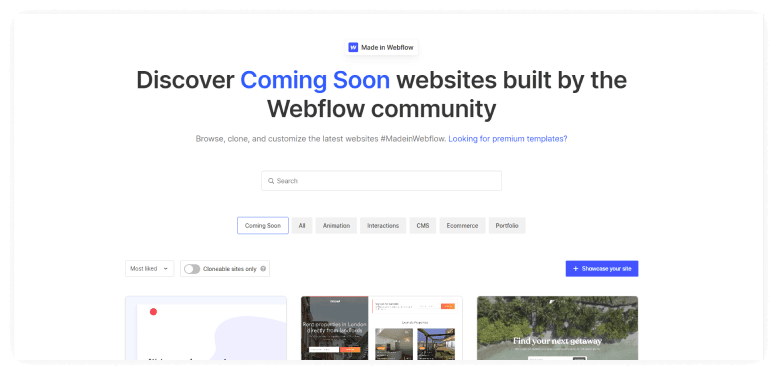
Webflow templates are a great way to create a website quickly and easily. These customizable templates provide the perfect foundation for any project.
One of the first things you should do when working with Webflow templates is to activate the Coming Soon (Password) Page. This will help protect your work in progress from being accessed by others until you are ready to launch.
To do this, simply go to the Project Settings under the Tab General and find the Website Password section. Turn it on and enter a password to complete the process. By taking this simple step, you can ensure that your project is safe and secure while you work on it.
Go to the StyleGuide Page
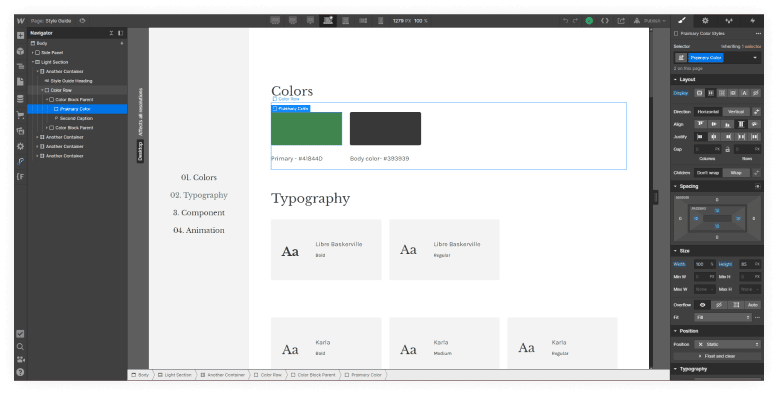
All Webflow templates come with a pre-built style guide that can be easily customized to fit your brand colors, fonts, and styles. These easy-to-customize templates make brand customization incredibly straightforward.
Simply open the template folder and locate the style guide page. Update the elements as desired and save your changes. Your Webflow template will now be updated with your own personal touch.
Custom Webflow template design starts with understanding these fundamental styling elements. Webflow makes it easy to create a professional-looking website without any coding experience necessary.
Customize Colors
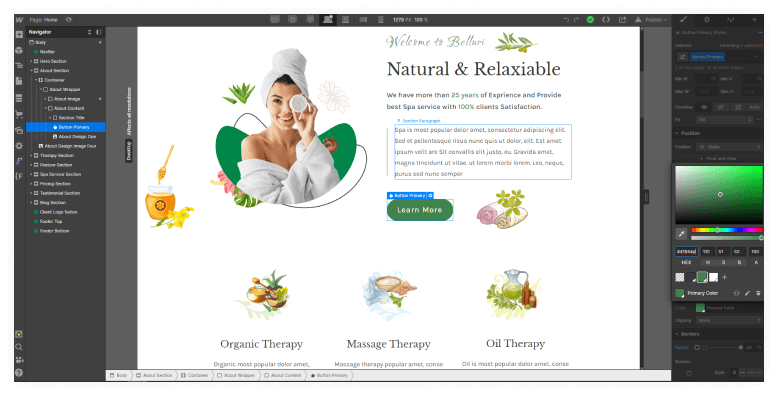
If you’re using a Webflow template for your site, you can easily customize the colors to match your brand. Just click on the edit icon on the color palette and select your desired colors. You can also use Webflow’s built-in hex color picker to ensure that your colors are exactly what you want.
Once you’ve made your changes, be sure to save them so that they’ll be applied to your entire site. With just a few clicks, you can easily make sure that your site looks and feels exactly the way you want it to.
Recommended Blog for You:
👉 Top Tips for Successful Blogging with Webflow
👉 How Much Does Webflow Cost?: Everything You Need to Know
👉 Wix vs Weebly vs Webflow: Exploring the Battle of Website Builders
👉 The Best Webflow Apps for Easier Website Management
👉 10 Webflow SaaS Templates to Help You Build Your Website
Custom Fonts
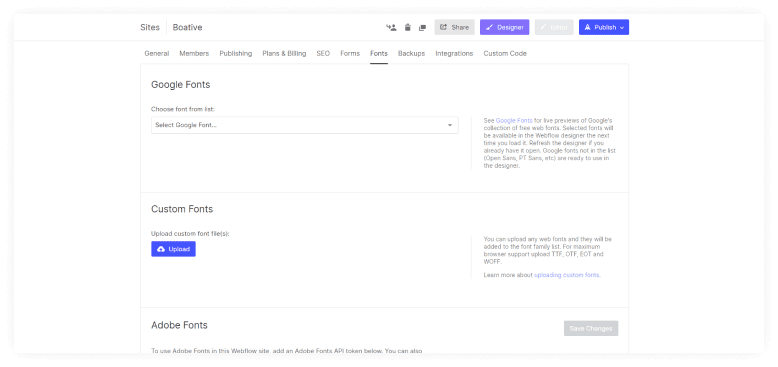
Webflow’s templates come with a great selection of fonts to choose from, but sometimes you’ll want to use a specific font that isn’t included in the default options. Fortunately, Webflow makes it easy to upload custom fonts.
Simply go to the Project Settings tab and find the Fonts section. Here you can either connect to Google Fonts or upload a custom font file. Once you’ve done this, your custom font will be available for use in any Webflow project.
Setup the main font for all the pages
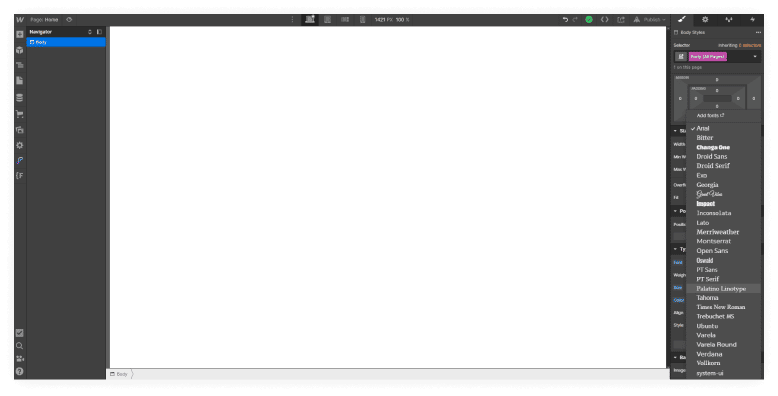
The font is one of the most crucial factors to take into account when selecting a template. Select the Body in the Navigator, click on Select a Class or Tag, and then pick the root tag Body (All Pages), which will be highlighted in purple, to ensure that the main font is the same on all of the pages.
All of the pages’ font settings would be adjusted once you made your selection. By doing this, you can make sure that your website has a unified look and feel.
Customize Headings
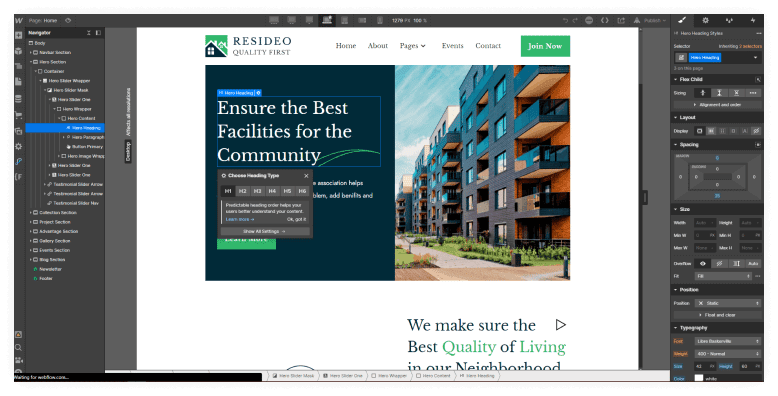
Webflow makes it easy to customize headings across your entire site with just a few clicks. First, click on the “Select a Class or Tag” button and choose the root tag. This will highlight all of the headings on your site in purple.
Next, simply click on the heading you want to change and type in the new text. Webflow will automatically apply your changes to all of the other headings on your site, so you can be sure that your website always looks its best.
Remove or Hide Extra Pages
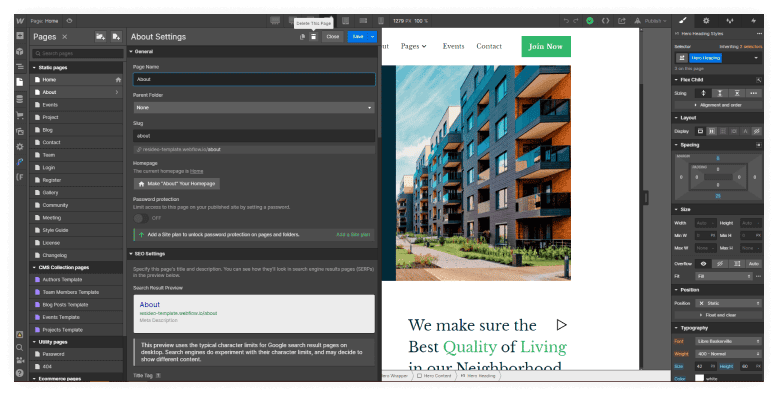
Webflow templates are a great way to get started on your website. However, you may find that you don’t need all of the template pages. Learning how to edit Webflow templates includes managing unnecessary pages effectively.
In this case, you can unlink the unused pages from the main menu and remove all links from other places.
If you don’t want the unused pages to be found by search engines, you can add a simple line of code to the Customs Code area. This process shows how Webflow deletes a page properly. This will prevent the search engines from indexing the unused pages.
Replace Static Images
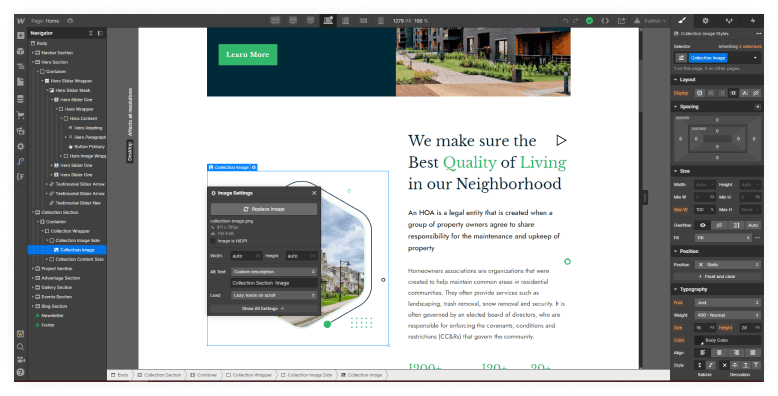
Webflow has a lot of great templates that you can use for your website. However, if you want to replace static images, you will have to do it manually. You can either delete the image from the Webflow template or simply upload your own image.
If you delete the image, make sure to also delete the URL link so that your website does not redirect to the old image. If you upload your own image, Webflow will automatically replace the static image with your new one.
Replace Static Texts
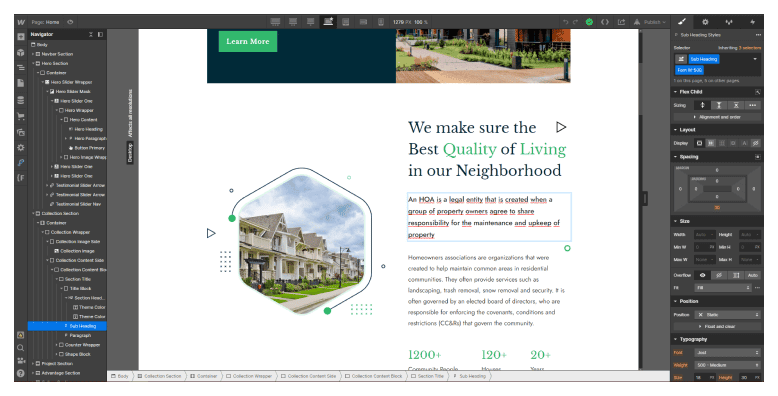
Webflow templates are great for quickly building websites. But one of the downsides is that they can be difficult to update. Static texts can be particularly tricky, as you often need to find the layer with the text inside the navigator in order to edit it.
But with a little patience, it’s usually possible to update all the static texts on a Webflow template. And once you’ve done it, you’ll have a website that looks even more amazing than before.
Add Dynamic Content using CMS
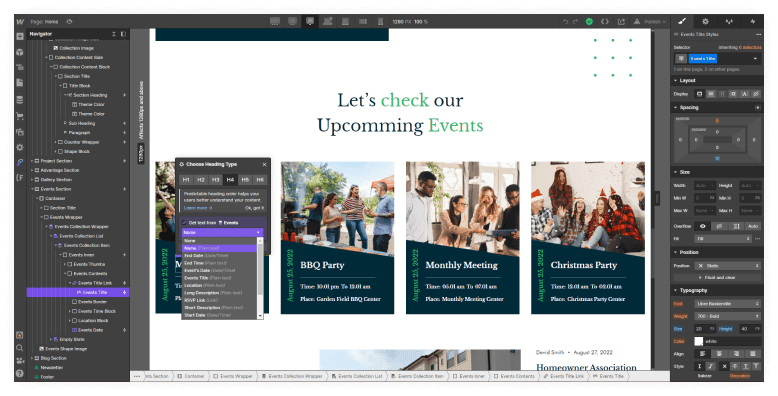
One of the great things about Webflow templates is that they often come with dynamic content already set up. CMS Webflow templates provide powerful content management capabilities for growing websites. This means that all you need to do is upload your own content and hit publish.
However, if you’re not using a template with dynamic content, don’t worry – you can still add it yourself.
All you need to do is set up a CMS collection and then link it to your pages. Webflow CMS template functionality enables automatic content updates across pages. This way, when you add new content, it will automatically be added to your pages as well. Webflow dynamic pages offer unlimited scalability for content-heavy websites.
Upload E-commerce Products & Collections
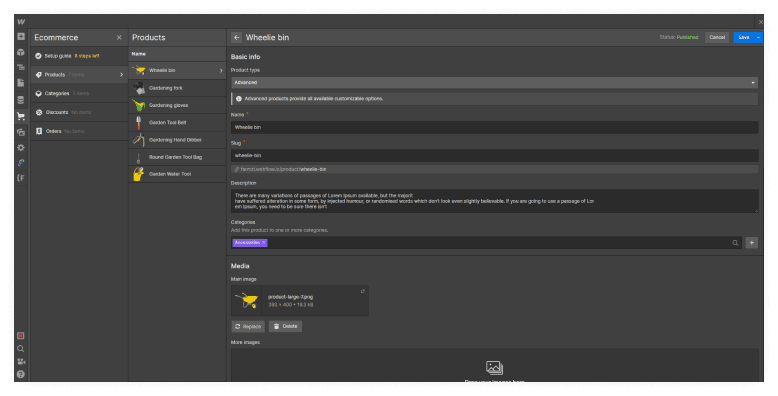
Webflow templates make it easy to upload your products and collections. Custom Webflow eCommerce templates provide advanced selling capabilities for online stores. Simply go to the Ecommerce tab, and select the “Products” or “Categories” option. Then, drag and drop your files into the appropriate field.
Webflow will automatically generate the necessary code for your website. You can also use Webflow’s “Templates” feature to create custom templates for your products and collections. This is a great way to ensure that your website always looks its best.
Setup SEO & Open Graph
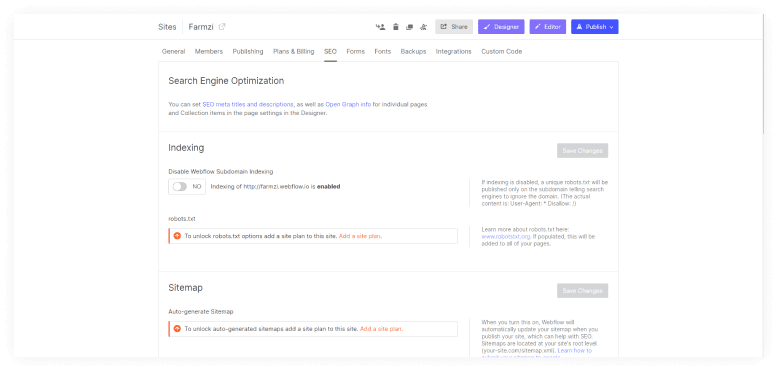
Webflow takes care of the SEO basics for you. But, if you want to ensure that your site is getting the most love from Google, make sure you’re using Webflow’s built-in SEO features to your advantage.
Webflow templates are automatically set up with the proper title tags and meta descriptions, so all you have to do is fill in the blanks. In addition, Webflow’s Open Graph feature makes it easy to share your site on social media.
Setup Hosting and Connect Your Domain
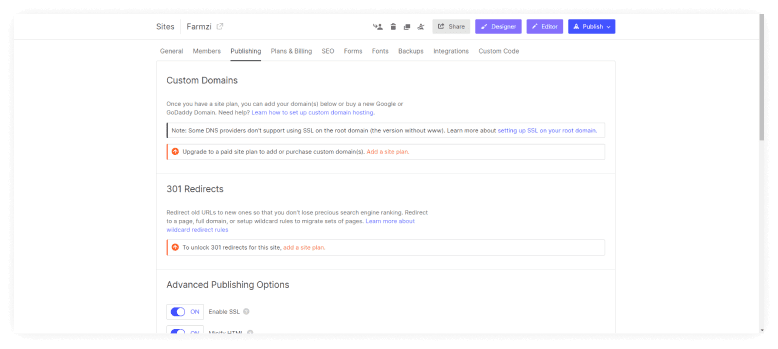
Whether you’re starting a blog, promoting your business, or just sharing your thoughts with the world, having a website is a great way to reach your audience. But before you can start sharing your content with the world, you need to set up hosting and connect your domain.
Fortunately, Webflow makes it easy to get started with templates that are pre-built and ready to go. Just select the template that best suits your needs, enter your information, and you’re ready to start sharing your content with the world.
Build Your Website in Minutes with Webflow AI
Webflow’s AI Site Builder helps you create stunning, responsive websites using simple prompts. Enjoy complete design freedom with professional results, no tech skills needed.
Tips for using Webflow templates effectively
Webflow templates can be a great way to get started on a new web design project. However, it’s important to use them effectively in order to get the most out of them. Here are a few tips:
- First, take some time to explore the template and get familiar with its structure and features. This will help you determine how best to customize it for your specific needs.
- Once you have a good understanding of the template, start making changes to suit your own preferences. Don’t be afraid to experiment – you can always revert back to the original if you need to.
- Pay attention to the details, such as colors, fonts, and images. These can all be customized to create a unique look for your site.
- Finally, test your site thoroughly before publishing it live. This will help ensure that everything is working as it should and that there are no glitches or errors.
By following these tips, you can make great use of Webflow templates and create a stylish and successful website.
Recommended Webflow Template
Saisio – SaaS Website Template
Saisio SaaS Website Template is the perfect solution that seamlessly combines stylish design with functionality, catering to the various needs of SaaS companies. With 15+ reusable sections and 5 components, it creates a flexible layout across 25 pages. 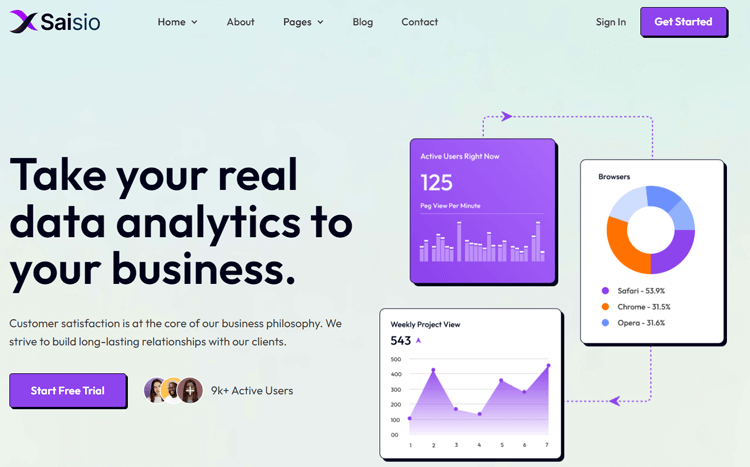
The advanced page editor ensures easy customization. Saisio is an excellent choice for SaaS businesses seeking to make a lasting impression and boasting responsive design, full customization capabilities, and speed optimization. Elevate your online platform and stay ahead with Saisio.
Feature List:
- 15 reusable sections
- Responsive Design
- Fully Customized
- Speed Optimized
- Retina Ready
Pricing plan: $49 USD
Cozilex – Agency Website Template
In the world of digital marketing, a positive user experience is key to success. That’s where Cozilex comes in, offering a professional and easy-to-use website platform for agencies. With seamless integration with Webflow CMS, Cozilex allows for a tailored content management system specifically designed for your needs. 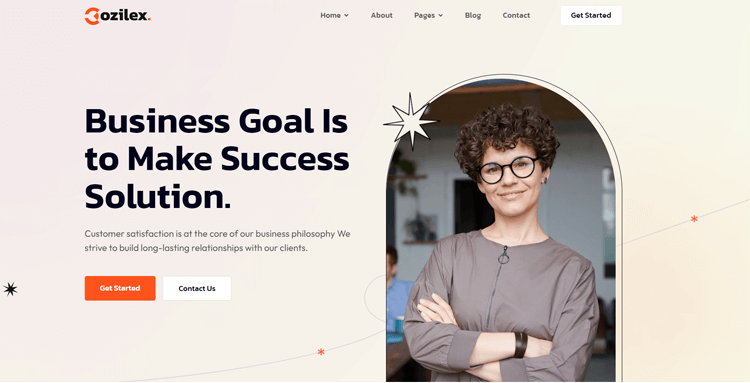
Plus, speed optimization ensures that your site loads quickly, keeping visitors engaged and improving your SEO rankings. Cozilex offers extensive customization options, including colors, fonts, and layouts. You can fully personalize it to match your unique brand identity and business requirements.
Highlighted Features:
- 22 Pages
- Retina Ready
- Seamless Animations
- Webflow CMS
- Speed Optimized:
Price: $49
Purely- food website template
Purely is a food website template that is an excellent solution for transforming a basic online store into an exceptional eCommerce shop.
Whether you own a fruit shop or an organic food business, this cutting-edge Webflow template is a great choice. It offers outstanding features and a user-friendly interface.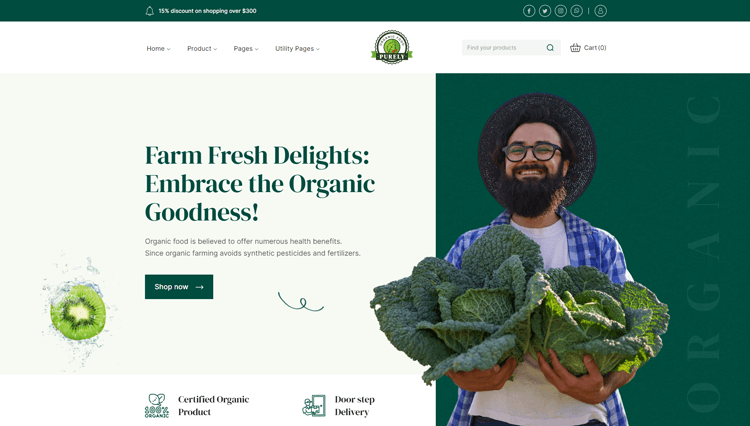
With its visually stunning platform, Purely streamlines the process of creating a retail website and showcases your products visually appealingly. In addition, the template’s responsive design ensures that your website looks equally stunning on both desktops and mobile devices.
Highlighted Features:
- 27 Pages
- Responsive Design
- Speed Optimized
- SEO-friendly
- Fully Customizable pages
- Interactions & Animations
Price: $79
Bokify – Book Website Template
Bokify is a stunning book website template that will impress with its elegant design and exceptional functionality. With a seamless user experience across all devices, this template has been optimized for speed and compatibility across multiple browsers. Boasting 29 pages and a user-friendly layout, Bokify is the perfect choice for both bookstores looking to expand their online presence. 
With its eCommerce functionality, you can easily sell your products online, making it an all-in-one solution that will cater to your every need. Overall, Bokify is the perfect platform for book enthusiasts looking to showcase their love for literature in a beautiful, functional way.
Highlighted Features:
- 29 Pages
- Responsive Design
- Speed Optimized
- Cross-Browser Compatible
- eCommerce Functionality
Price: $79
Optitech – IT Company Website Template
Optitech is a stunning Webflow template that is tailored for IT service providers and organizations. This top-notch website template boasts modern and responsive designs that capture your online audience’s attention. It is meticulously designed with careful attention to detail to give a polished and professional look. 
Optitech is perfect for IT professionals who are looking to showcase their services online. With its clean and impressive layout, this technology company website template sets you apart from the competition. It’s time to take your online presence to the next level, and Optitech is the perfect choice for you.
Key Features
- Awesome & Creative Design
- Fully Responsive
- Seamless Animations
- Fully Customizable
Price: $49
Novelio – Agency Website Template
As the digital world continues to evolve, the need for professional and sleek website templates has become increasingly crucial. That’s where Novelio comes in. This Agency Website Template is specifically designed for IT companies, tech entrepreneurs, and startups. With its modern and customizable design, Novelio offers a range of customized features for tech startups.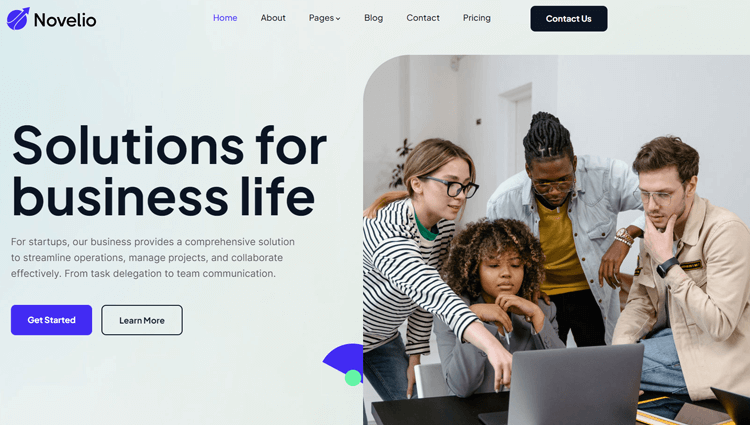
This template includes exclusive pre-designed sections and web pages that cater specifically to agencies in the tech industry.Novelio includes 24 pages, with 10 static pages, 4 CMS Collection pages, and 10 utility pages. This comprehensive web template offers both versatility and flexibility.
With this template, you can create visually appealing web pages that connect with your desired audience and encourage interaction.
Feature List:
- Awesome & Creative Design
- Retina Ready
- Seamless Animations
- Fully Customizable
- Webflow CMS
Price: $49
Enron – Portfolio Website Template
Built with photographers in mind, Enron Portfolio Website Webflow Template is a sleek and modern option that surpasses typical website design standards. The balance of professionalism and functionality creates a user-friendly and responsive platform that is perfect for businesses, agencies, and personal websites alike. 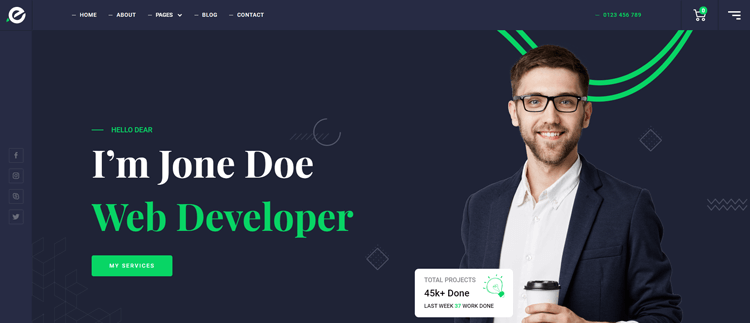
Enron’s minimalist design and stylish typography are a nod to contemporary aesthetics, making it particularly appealing for those keen on keeping up with the latest trends.
The advanced theme customizations will help to turn your website into a captivating digital experience, leaving a lasting impression on visitors. The Enron portfolio template truly sets itself apart as one of the most dynamic options available through Webflow Templates.
Biznov – Agency Website Template
Are you looking for a professional website template that can showcase your services and leave a lasting impression on customers? Look no further than Biznov – Agency Website Template.
This ultimate Webflow business website template is crafted with both functionality and aesthetics in mind. It offers a sleek design for tech startups, IT companies, agencies, and corporate ventures..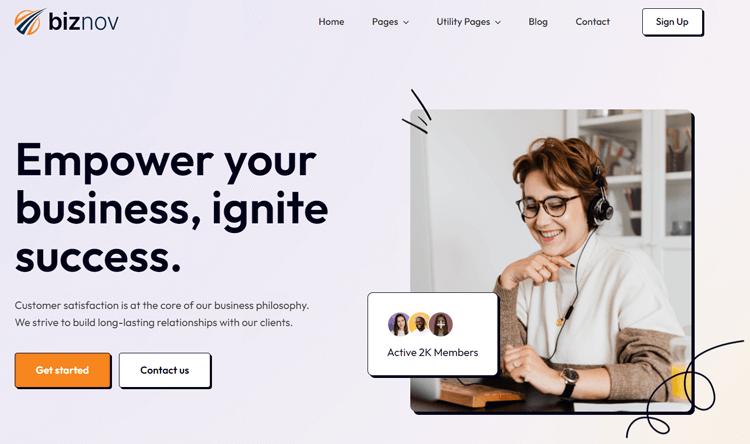
With 17 comprehensive pages, including 11 static pages, 4 CMS collection pages, and 2 utility pages, Biznov gives you all the tools you need to showcase your blog posts, products, services, and brand identity effectively.
The template also includes 22 reusable sections and 2 reusable components, allowing you to mix and match layouts and streamline design consistency and efficiency.
Give your website a professional edge with Biznov – Agency Website Template today.
Key Features of Biznov – Business Website Template
- Awesome & Creative Design
- Speed Optimized
- Retina Ready
- Webflow CMS
- Fully Customizable
- Reusable Sections and Components
Price: $49
Farnic – Furniture Website Template
For those looking to create a stunning and contemporary eCommerce store, look no further than Farnic. This Webflow eCommerce template is exclusively designed for furniture stores.
Powered by Webflow CMS, this modern furniture website template includes a wide range of robust features. These functionalities help you create an online store that is both sleek and efficient.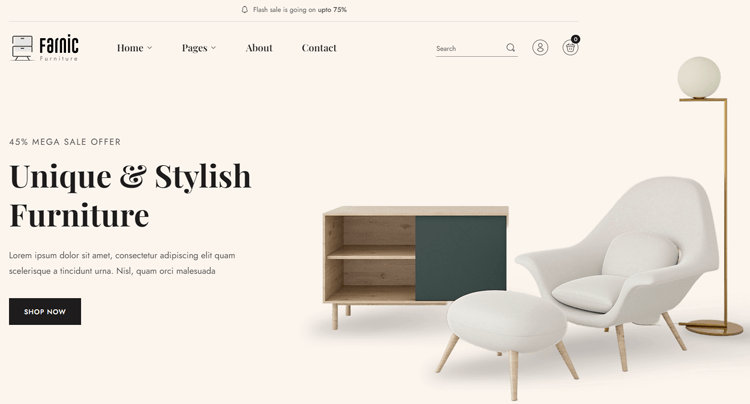
Whether you’re creating a new eCommerce store or revamping an existing one on Webflow, the Farnic website template is an excellent choice. It’s perfect for anyone looking to make a bold statement online.
And with a responsive layout, your website will look great on any device. Take advantage of the power of this Webflow template and give your furniture business the online presence it deserves.
Mendo- Consulting Website Template
Introducing Mendo- Consulting Website Template, the ultimate solution for your immigration consulting website. With its sophisticated design and user-friendly interface, building a professional site becomes a breeze. Experience seamless adaptability with full responsiveness across all devices. 
Unleash your creativity and tailor your online presence effortlessly with 21 customizable pages, including 11 static pages, 7 CMS collection pages, and 3 utility pages. Showcase your uniqueness with captivating color schemes, custom fonts, and top-notch imagery. So, with the potential of your consulting business with Mendo- Consulting Website Template, captivate your audience with a stunning digital home.
Feature List:
- 100% Customizable
- Speed Optimized
- Fully Responsive
- Webflow CMS
Price: $49
Gamic – Game Website Template
The Gamic is a cutting-edge Game Webflow template and is revolutionizing the world of gaming website design. With its captivating design tailored for gaming and esports enthusiasts, Gamic offers an unmatched solution for building immersive gaming platforms. 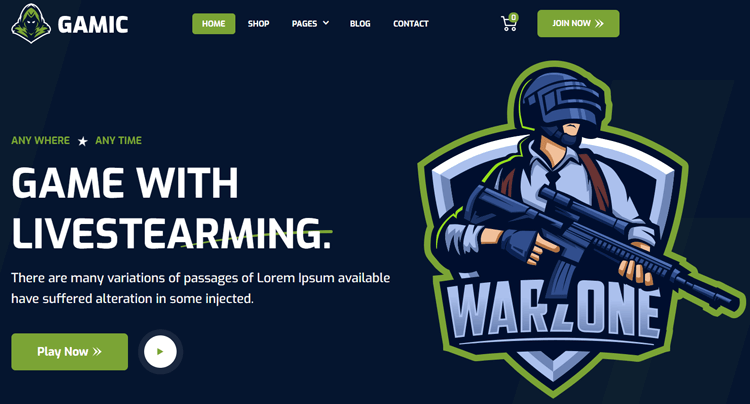
Boasting a diverse set of 24 pages, including Home, Match, Team, and Game pages, Gamic provides both static and dynamic content options. Its sleek aesthetics, combined with smooth scrolling animations, provide a seamless user experience that perfectly highlights video games, studios, and industry events.
Say goodbye to website design challenges – Gamic empowers you with the tools to effortlessly craft a standout gaming website and leave a lasting impression on visitors.
Feature list:
- Responsive design
- eCommerce capabilities
- Blogging capabilities
- Great Customizability
Price: $49
Bizio – Consulting Website Template
Bizio is a top-tier business consulting website template designed for consultants, coaches, and digital agencies. This Webflow template is built to help you attract new clients and grow your business efficiently. Its user-friendly interface and responsive design make it ideal for any device. 
This template has 27 pages, including two captivating homepages, a Team Page, an About Us page, a Service page, etc. Bizio’s page layouts provide everything needed to showcase your consulting expertise. Elevate your online presence with this fully customizable, easy-to-use platform.
Feature list:
- Fully responsive design:
- Speed optimization
- Interactions & animations:
- SEO friendly:
Price:$29
Frequently Asked Questions
Can I create a Webflow template from scratch?
Yes, you can create Webflow template designs from existing projects. Save customized templates for future use. Webflow template reuse helps maintain consistency across multiple projects.
How do I set up a Webflow CMS template?
CMS Webflow templates come with pre-built dynamic content structures. Create collections in the CMS tab and link them to pages. Webflow CMS template functionality automatically updates content site-wide.
What is the difference between Webflow store templates and regular templates?
Webflow store template options include built-in eCommerce functionality. Custom Webflow eCommerce templates offer shopping carts and checkout processes. Regular templates focus on content presentation and lead generation.
How to edit Webflow templates without breaking the design?
How to edit Webflow templates safely involves starting with the style guide. Use the navigator to locate elements and test changes on staging sites. Easy-to-customize templates maintain structure when following proper editing practices.
Are there SEO agency Webflow template options available?
Yes, SEO agency Webflow template designs include built-in SEO features. These templates provide client portfolio sections and service pages. They include proper meta tags and schema
Final Thoughts
Mastering how to use Webflow templates provides the fastest path to professional website creation. They offer comprehensive features and customization options for various business needs.
Understanding how to use Webflow templates effectively serves users from beginners to experienced developers. The platform’s flexibility accommodates simple customizations and complex modifications.
Professional support and extensive documentation ensure success when learning how to use Webflow templates. Webflow’s expert team provides ongoing assistance for template users.
Whether you’re launching your first website or building for clients, knowing how to use Webflow templates delivers impressive results. Create stunning websites that engage visitors and drive business growth with these proven strategies.