Best WooCommerce Plugins to Build and Grow Your Store in 2026

We reviewed the plugin information and availability referenced in this guide against current plugin documentation and listings in September 2026.
Quick Answer: Most WooCommerce stores need plugins for payments, security, backups, analytics, and SEO. Additional tools for design, product comparison, wishlists, wholesale pricing, customer support, or advanced discounts should be added only when your specific business actually requires them. The goal is the smallest functional plugin stack, not the longest list.
WooCommerce gives you a solid foundation for selling online. But out of the box, it doesn’t handle everything—design customization, advanced analytics, customer support, B2B pricing, or marketing automation typically require additional tools.
The challenge isn’t finding plugins. It’s choosing the right ones without unnecessarily slowing down your store, creating compatibility headaches, or adding maintenance overhead.
This guide organizes WooCommerce plugins by what they actually do and who needs them.
You’ll find essential tools that most stores benefit from, alongside specialized plugins that only make sense for particular business models, fashion stores, B2B operations, or support-heavy businesses.
- WooLentor – WooCommerce Elementor Addons + Builder
- Support Genix
- Swatchly – WooCommerce Variation Swatches for Products
- Ever Compare – Products Compare Plugin for WooCommerce
- Pixelavo Pro – Facebook Pixel Analytics
- Pixelavo (Free)
- Whols – WooCommerce Wholesale Prices
- Extensions For CF7 (Contact Form 7 Database, Conditional Fields, and Redirection)
- WishSuite – Wishlist for WooCommerce
- HT Easy GA4 (Google Analytics 4)
- JustTables – WooCommerce Product Table
- QuickSwish – WooCommerce Product Quick View
- WooCommerce PDF Invoice, Packing slips, Delivery notes, and Shipping Label Plugin
- WooCommerce Multi-lingual
- PayPal Express Checkout Payment Gateway Plugin for WooCommerce
- Sucuri for WooCommerce
- WordPress Backup and Migration
- Conditional Discounts For WooCommerce
- Product Feed Pro for WooCommerce
- Yoast SEO for WooCommerce
- Smart Coupons for WooCommerce
- 3CX LiveChat
- WooCommerce Advanced Free Shipping
- Direct Checkout for WooCommerce
What Plugins Does a WooCommerce Store Actually Need?
The answer depends on your business model. A simple store selling a handful of products might need only:
- A payment gateway
- Basic security and backup
- Analytics
- SEO
A fashion store with variable products (sizes, colors) benefits from swatch plugins. A B2B operation needs wholesale pricing and role management. A store with many customer inquiries needs a support ticketing system.
The principle: Install only what solves a real problem. Every additional plugin adds maintenance, potential conflicts, update dependencies, and performance considerations.
Best WooCommerce Plugins at a Glance
| Plugin | Best For | Main Function | Free Version | Who Should Consider It |
| ShopLentor | Store design | Visual page builder for WooCommerce pages | Yes | Stores wanting custom product, shop, or checkout layouts |
| Swatchly | Variable products | Visual variation swatches | Yes | Fashion, apparel, or any store with product variations |
| WishSuite | Customer retention | Wishlist functionality | Yes | Stores where customers often save products and return to purchase later |
| Ever Compare | Product selection | Product comparison tables | Yes | Stores where customers compare multiple similar items |
| QuickSwish | Browsing experience | Quick view popups | Yes | Stores with large catalogs |
| JustTables | Dense catalogs | Product tables with sorting/filtering | Yes | Wholesale, restaurant, or catalog-heavy stores |
| Direct Checkout | Checkout speed | Shortened checkout flow with skip-cart functionality | Yes | Stores wanting to reduce checkout friction |
| Conditional Discounts | Dynamic pricing | Rule-based discounts and fees | Yes | Stores needing complex discount logic |
| Advanced Free Shipping | Shipping rules | Conditional free shipping | Yes | Stores with complex shipping requirements |
| Recurio | Subscription management | Recurring payments, billing automation, and subscriber analytics | Yes | Stores selling subscription products, memberships, or SaaS |
| Pixelavo | Ad tracking | Meta Pixel + Conversions API | Yes | Stores running Meta/Facebook ad campaigns |
| Product Feed Pro | Product feeds | Google Shopping and channel feeds | Free + Premium | Stores advertising on Google, Facebook, or other channels |
| Kelune CRM | Email marketing | Self-hosted CRM with email campaigns and automation | Paid | Stores wanting to manage contacts and send email campaigns from their own server |
| Support Genix | Customer support | Ticket management + AI chatbot | Yes | Stores handling customer support tickets |
| Whols | B2B/wholesale | Wholesale pricing and role management | Yes | B2B or hybrid B2B+B2C stores |
| HT Easy GA4 | Analytics | Google Analytics 4 integration | Yes | Any store wanting GA4 tracking |
| Yoast WooCommerce SEO | Search visibility | Product and store SEO optimization | Paid add-on | Stores wanting more control over product SEO, metadata, and structured data |
| PDF Invoices & Packing Slips | Invoicing | Professional PDF invoices and packing slips | Yes | Stores needing professional invoices and packing slips |
How We Selected These WooCommerce Plugins
We evaluated plugins based on:
- Relevance to WooCommerce workflows: Each plugin addresses a specific, common need for WooCommerce store owners.
- Clear use case: Every recommendation serves a defined purpose; we avoided plugins that try to do everything poorly.
- Active maintenance and documentation: Plugins that are regularly updated and well-documented are safer long-term bets.
- Ease of use: We prioritized tools that don’t require development skills.
- Free versus premium value: We note what’s available for free and what requires payment.
- Avoiding duplicate functionality: We don’t recommend two plugins that do the same thing.
Disclosure: Some plugins in this guide are developed by HasThemes. We’ve identified them clearly so you can evaluate them alongside third-party options.
Essential Plugins for Running a WooCommerce Store
These tools address core operational needs that apply to most WooCommerce stores.
Payment Gateways: Start With the Payment Methods Your Customers Use
Every WooCommerce store needs a way to accept payments, but you don’t need every payment gateway available. Choose one or two reliable options based on where you sell and how your customers prefer to pay.
WooPayments, Stripe, PayPal, and other payment gateway extensions can connect WooCommerce with different payment methods. Before adding one, check its availability in your country, supported currencies, transaction fees, and the payment options your customers actually expect.
HT Easy GA4 – Google Analytics Plugin
Best for: Store analytics and visitor behavior tracking.
What it does: HT Easy GA4 adds Google Analytics 4 tracking to your WooCommerce store without requiring code. It tracks standard ecommerce events—purchases, product views, add-to-cart actions—and supports custom events for deeper insights into how visitors interact with your store.
Key features:
- One-click GA4 setup with Google authentication
- Ecommerce event tracking out of the box
- Custom event creation for specific user actions
- Role-based exclusion to keep your own visits out of analytics data
Free or premium: Free version available; Pro adds advanced features.
Potential limitation: Requires a Google Analytics 4 property. Setup is straightforward but you’ll need a Google account.
Yoast WooCommerce SEO
Best for: Optimizing product and store content for search engines.
What it does: Yoast WooCommerce SEO optimizes product pages, categories, and store content for search engines. It helps you write better titles and descriptions, adds product schema markup for rich results, and provides bulk editing tools to manage SEO across your catalog.
Key features:
- Product and category SEO optimization
- Schema markup for rich product results
- AI-assisted title and description writing
- Bulk editing for product SEO data
Consider it if: You want more control over product SEO, metadata, and structured data.
Free or premium: Premium WooCommerce-specific features require a paid extension. Check the official Yoast website for current pricing.
Potential limitation: Requires Yoast SEO (free or premium) as a base. The WooCommerce-specific features are not available as a standalone free plugin.
UpdraftPlus – Backup & Migration Plugin

Best for: Website backups and disaster recovery.
What it does: UpdraftPlus backs up your WordPress files and database, stores them remotely (Google Drive, Dropbox, Amazon S3, FTP, and others), and lets you restore with one click.
Key features:
- Scheduled or manual backups
- Remote storage to multiple cloud services
- One-click restore
- Site migration to new hosts or domains
Consider it if: You want automated, reliable backups without manual effort.
Free or premium: Free version covers core backup needs; Premium adds features like incremental backups, multisite support, and migration tools.
Potential limitation: The free version doesn’t include incremental backups, so large sites may experience longer backup windows.
Sucuri Security

Best for: Website security monitoring and hardening.
What it does: Sucuri Security provides security activity auditing, file integrity monitoring, malware scanning, and security hardening for WordPress sites. It alerts you to suspicious activity and helps you identify compromises.
Key features:
- Security activity audit log
- File integrity monitoring
- Malware scanner
- Security hardening recommendations
- Post-hack security actions
Consider it if: You want proactive security monitoring and incident response capabilities.
Free or premium: Free plugin provides monitoring and scanning. Paid firewall and cleanup services are available separately.
Potential limitation: The free version offers monitoring but not active blocking. Active firewall protection requires Sucuri’s separate firewall service.
Best Plugins for WooCommerce Store Design and Product Experience
These plugins enhance how customers browse and interact with your products.
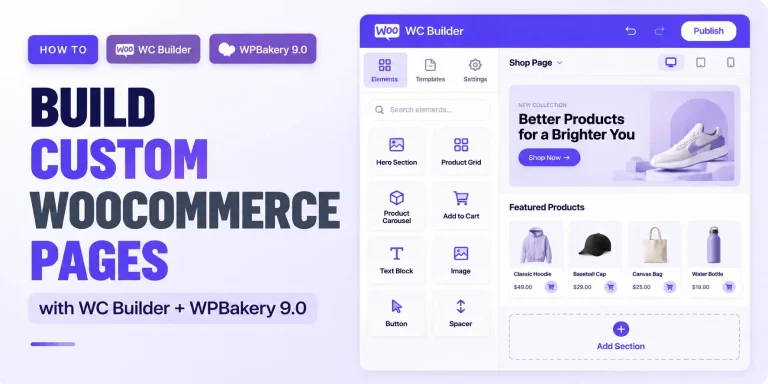
ShopLentor – WooCommerce Builder for Elementor & Gutenberg
Best for: Visual design of WooCommerce pages without coding.
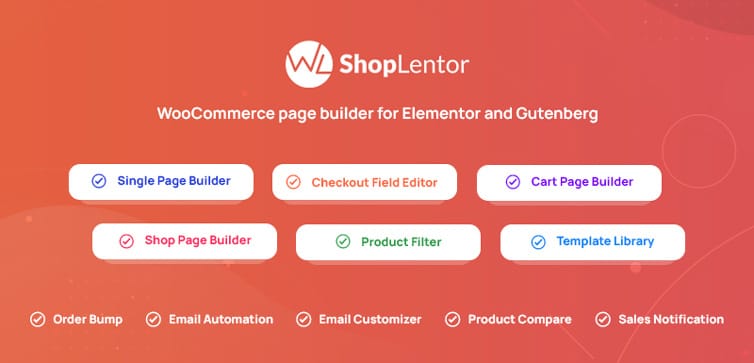
What it does: ShopLentor gives you drag-and-drop control over product, shop, cart, checkout, and account pages using Elementor or Gutenberg. It includes a large library of WooCommerce templates, widgets, blocks, and store-building modules.
Key features:
- Visual builder for all key WooCommerce pages
- Pre-built templates for quick setup
- Custom product page layouts per product or category
- Works with Elementor and Gutenberg
Consider it if: You want to customize your store’s appearance without hiring a developer or writing code.
Free or premium: Free version includes essential builder features and select Gutenberg blocks. Pro unlocks all blocks, advanced templates, and additional modules.
Potential limitation: If you don’t use Elementor or Gutenberg, ShopLentor may not be the right fit.
Swatchly – Product Variation Swatches for WooCommerce
Best for: Replacing dropdown variation menus with visual swatches.
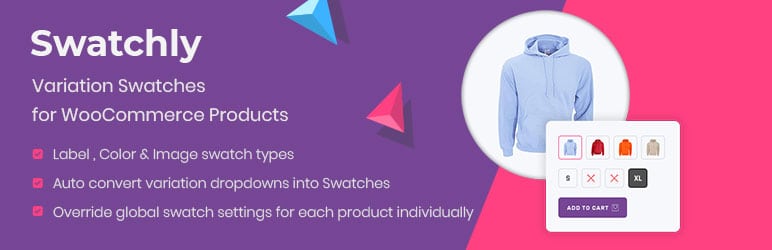
What it does: Swatchly replaces standard dropdown variation menus with visual color, image, or label swatches, making product options more intuitive for customers. This helps shoppers make faster decisions when selecting product variations. Swatchly also supports accessibility improvements, variation URLs, and compatibility with multiple quick-view systems depending on configuration.
Key features:
- Color, image, and label swatch types
- Auto-convert existing dropdowns
- Shop page swatches (display variations on category pages)
- Product thumbnail switching when variations are selected
Consider it if: You sell products with variations—clothing sizes, colors, materials, or any product where visual selection improves the shopping experience.
Free or premium: Free version covers core swatch functionality. Pro unlocks additional styling options, tooltip customization, and advanced features.
Potential limitation: Adds visual complexity. Test on your theme before deploying widely.
WishSuite – Wishlist for WooCommerce

Best for: Allowing customers to save products for later purchase.
What it does: WishSuite adds wishlist functionality to your WooCommerce store. Customers can save products to personalized wishlists, share them on social media, and return to purchase later. This gives shoppers an easy way to save products they aren’t ready to buy immediately, encouraging return visits.
Key features:
- Guest and registered-user wishlists
- Shareable wishlist links
- Quantity persistence for saved products
- Add-to-cart directly from the wishlist
Consider it if: You want to encourage repeat visits and make it easy for customers to save products for later. Particularly valuable for gift-oriented or high-consideration products.
Free or premium: Free version available with core features. Pro adds advanced functionality.
Potential limitation: Wishlists primarily benefit stores where customers browse before buying. For low-consideration, fast-purchase items, the value may be limited.
Ever Compare – Products Compare Plugin for WooCommerce

Best for: Allowing customers to compare products side-by-side.
What it does: Ever Compare adds product comparison functionality to WooCommerce, letting customers select multiple products and view their attributes – price, dimensions, attributes, specifications, and other product details- in a comparison table. This helps buyers make informed decisions faster.
Key features:
- Compare button on product and shop pages
- Customizable comparison table with selectable fields
- Popup or page-based comparison view
- Shortcode support for placement anywhere
Consider it if: Your customers frequently compare similar products—electronics, appliances, furniture, or any category where specifications matter.
Free or premium: Free plugin.
Potential limitation: Best suited for stores with products that have multiple comparable attributes. Less useful for unique or one-off items.
QuickSwish – WooCommerce Product Quick View

Best for: Letting customers preview products without leaving the current page.
What it does: QuickSwish adds a quick view button to your shop and product pages, opening product details in a popup modal. Customers can see images, descriptions, pricing, and add to cart without navigating away from the catalog.
Key features:
- Quick view popup with product details
- Add-to-cart from popup
- Works on shop pages, categories, and archives
Consider it if: You have a large catalog and want to reduce friction in the browsing-to-purchase journey.
Free or premium: Free plugin.
Potential limitation: Quick-view functionality adds another interactive layer to catalog pages, so test it with your theme and performance setup before enabling it across a large store.
JustTables – WooCommerce Product Table
Best for: Displaying products in sortable, filterable table format.
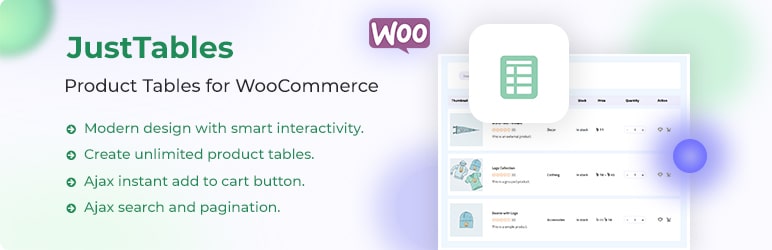
What it does: JustTables creates product tables with pre-built columns, sorting, filtering, and Ajax add-to-cart. Customers can browse and purchase from a single table view—particularly useful for wholesale, restaurant, spare parts, or any store where customers need to see many products at once.
Key features:
- Pre-built columns with enable/disable options
- Custom columns using custom fields/taxonomies
- Ajax add-to-cart
- Sorting and filtering
- Condition-based product display rules
Consider it if: Your customers benefit from a dense, spreadsheet-like product view—wholesale buyers, restaurant suppliers, or stores with large catalogs.
Free or premium: Free version available. Pro unlocks additional features.
Potential limitation: Table views work well for certain business models but may not suit brand-focused or visually-driven stores.
Best WooCommerce Plugins for Checkout, Discounts, and Conversion
These plugins help you capture more sales and reduce friction in the purchasing process.
Direct Checkout for WooCommerce
Best for: Simplifying and speeding up the checkout process.
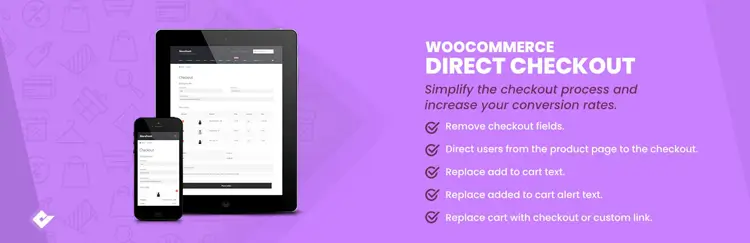
What it does: Direct Checkout reduces checkout steps, adds “Buy Now” buttons, and skips the cart page to send customers straight to checkout. It also supports skip-cart and direct-to-checkout functionality for faster purchasing.
Key features:
- Skip cart page option
- Buy Now button on product pages
- Redirect directly to checkout
- Customizable checkout fields
Consider it if: You’re losing sales at checkout and want to reduce friction.
Free or premium: Free version available.
Potential limitation: Skipping the cart page may reduce upsell opportunities. Test with your specific product mix.
Conditional Discounts for WooCommerce (SwiftRules)
Best for: Creating dynamic, rule-based discounts and fees.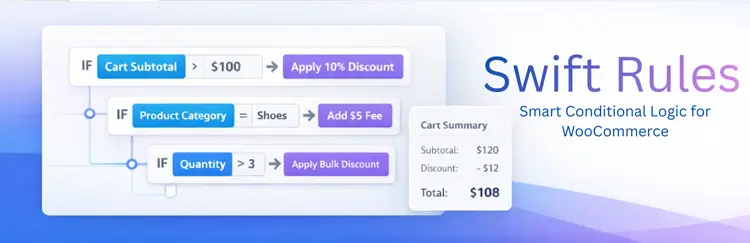
What it does: Conditional Discounts lets you set up discount rules based on cart content, user role, purchase history, and other conditions. You can create bulk discounts, BOGO offers, free gifts, and automatic coupon applications.
Key features:
- Cart-based discount rules
- Role-specific pricing
- Bulk and tiered discounts
- BOGO and free gift rules
- Automatic coupon generation
Consider it if: You need complex discount logic beyond WooCommerce’s built-in coupon system.
Free or premium: Free version available. Pro adds advanced rule types and conditions.
Potential limitation: Complex rules can impact cart calculation performance on large stores.
Advanced Free Shipping for WooCommerce
Best for: Setting conditional free shipping rules.
What it does: This plugin lets you define advanced conditions for when free shipping should be available—based on subtotal, quantity, user role, country, zip code, shipping class, product category, weight, and volume. It supports multiple condition groups with OR/AND logic.
Key features:
- Subtotal, quantity, and weight-based rules
- User role and country restrictions
- Shipping class and category conditions
- Multiple condition groups
Consider it if: WooCommerce’s default free shipping conditions aren’t flexible enough for your store’s needs.
Free or premium: Free plugin.
Potential limitation: Can add complexity to shipping calculations. Test thoroughly with your shipping zones.
Smart Coupons for WooCommerce
Best for: Advanced coupon management, gift certificates, and store credit.
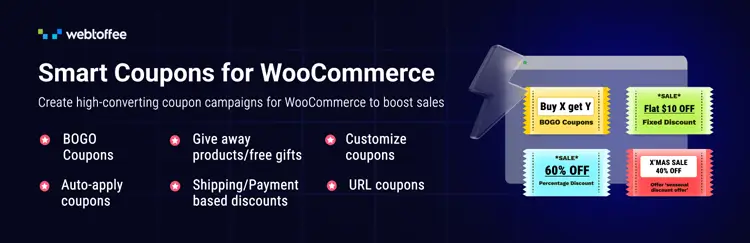
What it does: Smart Coupons extends WooCommerce’s coupon system with gift certificates, store credit, bulk coupon generation, and automatic coupon application rules.
Key features:
- Gift certificates and store credit
- Bulk coupon code generation
- Auto-apply coupons based on conditions
- Coupon URL sharing
- Free product giveaways with coupons
Consider it if: You need sophisticated coupon capabilities beyond WooCommerce’s defaults—gift cards, store credit, or automated coupon strategies.
Free or premium: Premium plugin: check the official WooCommerce marketplace for current pricing.
Potential limitation: No free version. Evaluate whether your coupon needs justify the cost.
Recurio – Subscription Management for WooCommerce
Best for: Managing recurring payments, subscriptions, and billing automation.
What it does: Recurio turns your WooCommerce store into a subscription management system. It handles recurring payments, automated renewals, payment recovery (dunning), and subscription switching, all from a unified dashboard. Customers can manage their subscriptions through a self-service portal, reducing support tickets.
Key features:
- Real-time subscription analytics dashboard
- Automated payment retries and renewal reminders
- Customer self-service portal for subscription management
- Subscription switching with proration
- Split payments and installment options
- Variable product subscription support
- One-time purchases alongside Subscribe & Save options
- Custom billing periods beyond monthly and yearly
Consider it if: You sell subscription products, memberships, SaaS, or any recurring billing model and want to automate renewals and reduce churn.
Free or premium: Free version includes core subscription management features. Premium adds advanced analytics, priority support, and additional automation.
Potential limitation: Subscription functionality adds complexity to your store. Only install if you actually sell recurring products or services.
Best WooCommerce Plugins for Marketing and Tracking
These tools help you understand your customers and reach them effectively.
Pixelavo – Meta Pixel and Conversion API Tracking Tool

Best for: Facebook/Meta Pixel tracking with Conversions API support.
What it does: Pixelavo installs and manages Meta Pixel with both browser-side and server-side (Conversions API) tracking. It tracks purchases, add-to-cart actions, product views, and custom events. The plugin also includes AI-powered ad copy generation and a marketing consultant chat interface.
Key features:
- Facebook Pixel installation and management
- Conversions API (server-side) support
- WooCommerce event tracking out of the box
- AI ad copy generator (uses your OpenAI or Google Gemini API key)
- AI marketing consultant for Facebook ad questions
- Product feed generation for Dynamic Product Ads
Consider it if: You run Facebook/Meta ad campaigns and want accurate conversion tracking, especially if ad blockers affect your browser-based pixel data.
Free or premium: Free version includes core tracking and AI tools (you supply your own API key). Pro adds advanced features.
Potential limitation: AI features require your own OpenAI or Google Gemini API key; you pay the provider directly for usage.
Product Feed PRO

Best for: Generating product feeds for Google Shopping and other channels.
What it does: Product Feed PRO creates product data feeds for Google Shopping, Facebook, Bing, and other sales channels. It supports variable products, custom field mapping, and feed scheduling.
Key features:
- Feed templates for different channels
- Google Shopping, Meta/Facebook, Bing support
- Variable product support
- Custom field mapping
- Feed scheduling and updates
Consider it if: You advertise on Google Shopping, Facebook, or other platforms that require product feeds.
Free or premium: Free version available with core features. Pro and Elite tiers add advanced functionality.
Potential limitation: Feed generation can be resource-intensive for large catalogs. Schedule feeds during off-peak hours.
Kelune CRM – Self-Hosted Email Marketing & Automation

Best for: Managing contacts and sending email campaigns from your own server.
What it does: Kelune CRM is a self-hosted customer relationship management tool that lives inside your WordPress admin. It provides a contact database, drag-and-drop email builder, campaign scheduling, and an automation canvas—all without sending your data to a third-party service. Your contact list stays in your own database, and pricing is not based on subscriber count.
Key features:
- Contact database with tags, lists, custom fields, and activity timeline
- Drag-and-drop email builder with HTML block support
- Campaign scheduling with batched delivery and real-time open/click tracking
- Visual automation canvas with conditional logic (wait, condition, add to list, resend)
- Multiple delivery options: SMTP, Amazon SES, Mailgun, SendGrid
- REST API and webhooks for integration with other tools
- WordPress user sync, CSV/Excel import, and double opt-in support
Consider it if: You want to run email marketing campaigns with full data ownership, no per-subscriber fees, and no reliance on third-party email platforms.
Free or premium: Paid plugin (one-time license). No per-contact fees, no monthly subscription based on list size.
Potential limitation: Self-hosted email delivery requires you to set up and manage your own sending infrastructure (SMTP or API account). Email deliverability depends on your configuration and sender reputation.
Best WooCommerce Plugins for Customer Support
Support Genix – Helpdesk, AI Chatbot & Ticketing System
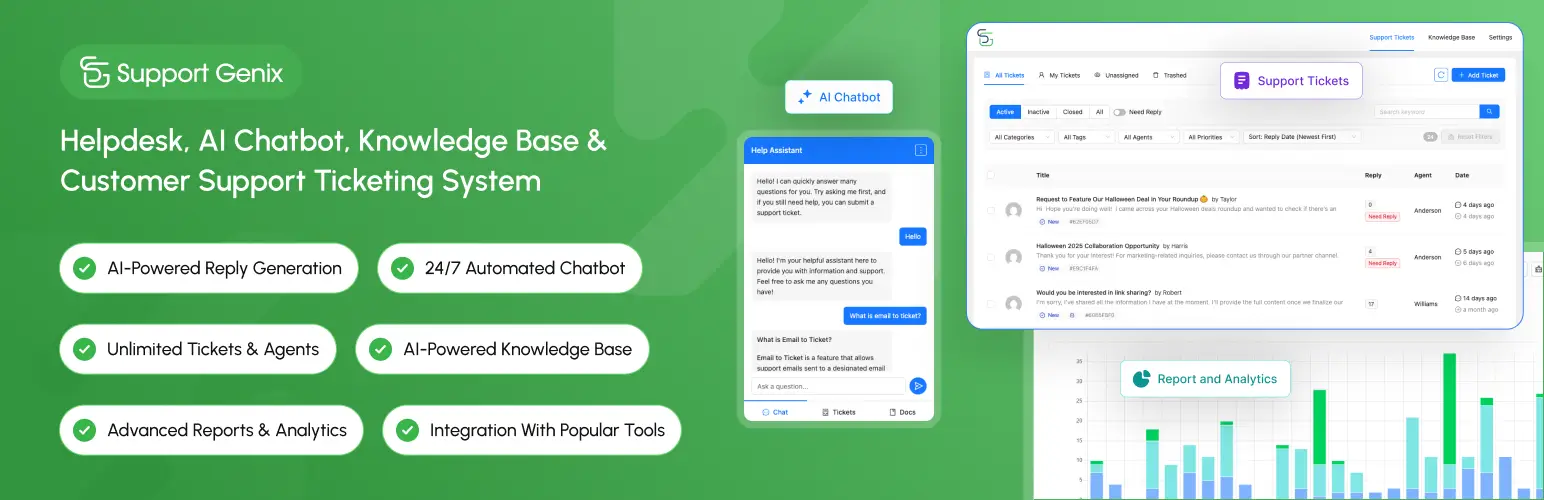
Best for: Managing customer support tickets from your WooCommerce store.
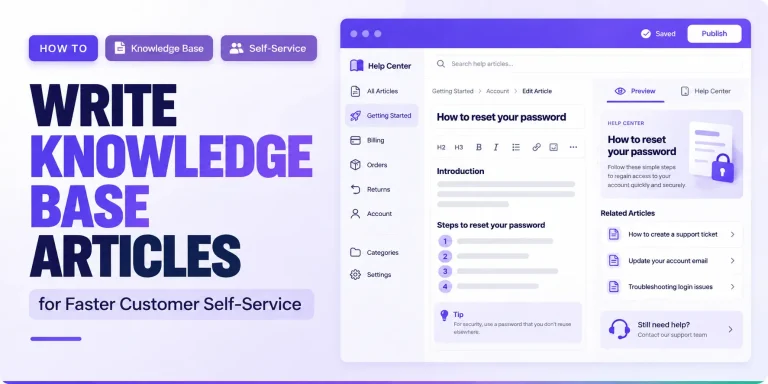
What it does: Support Genix adds a complete helpdesk system to WordPress, including ticket management, AI chatbot, knowledge base, and customer support portal. Customers can submit tickets, track status, and communicate with support staff—all within your WooCommerce site.
Key features:
- Ticket management with status tracking
- AI chatbot for automated responses
- Knowledge base for self-service support
- Custom ticket fields
- Unlimited users, agents, and tickets
- Email notifications and ticket routing
Consider it if: You receive enough customer inquiries to justify a dedicated support system, or you want to reduce support response time.
Free or premium: Free version available. Premium adds advanced features, AI capabilities, and priority support.
Potential limitation: AI features require configuration with a supported AI provider such as OpenAI or Claude, so additional API usage costs may apply depending on the provider.
Best WooCommerce Plugins for Wholesale and B2B
Whols – Wholesale Prices and B2B Store Solution
Best for: Adding wholesale pricing and B2B functionality to WooCommerce.
What it does: Whols turns any WooCommerce store into a hybrid B2B+B2C operation. It adds role-based wholesale pricing, wholesaler registration and approval, product visibility controls, and order rules—all from a single product catalog.
Key features:
- Role-based wholesale pricing (global, per product, per variation, per category)
- Wholesaler registration form with approval workflow
- Hide/show products and prices based on user role
- Tiered pricing based on quantity
- Free shipping for wholesalers
- Quote request functionality
- WPML and multi-currency compatible
Consider it if: You sell to both retail and wholesale customers, or you want to create a dedicated B2B channel without building a separate store.
Free or premium: Free version covers core wholesale pricing and role management. Pro unlocks unlimited roles, advanced pricing rules, and registration form customization.
Potential limitation: Wholesale functionality is not relevant for B2C-only stores. Only install if you actually serve wholesale customers.
Best WooCommerce Plugins for Store Operations
PDF Invoices for WooCommerce

Best for: Generating professional PDF invoices and packing slips.
What it does: PDF Invoice plugins generate automatic PDF invoices, packing slips, and credit notes for WooCommerce orders. Invoices can be attached to order confirmation emails or downloaded from the customer account.
Consider it if: You need professional-looking invoices for your customers or internal record-keeping.
Free or premium: Both free and premium options are available. Evaluate based on template customization needs.
WPML Multilingual & Multicurrency for WooCommerce
Best for: Creating a multilingual WooCommerce store.
What it does: WPML Multilingual & Multicurrency for WooCommerce works with WPML to translate WooCommerce products, categories, store pages, checkout content, emails, and other store elements. It also supports multilingual and multicurrency store configurations.
Consider it if: You serve customers in multiple languages and need a fully translated store.
Free or premium: Requires a multilingual framework (paid). WooCommerce Multilingual is an add-on to the base multilingual plugin.
Potential limitation: Significant setup effort for large catalogs.
Recommended WooCommerce Plugin Stack by Store Type
New WooCommerce Store
Start small. Install only what you absolutely need:
- Payment gateway (built into WooCommerce or a gateway plugin)
- UpdraftPlus (backups)
- Sucuri Security (security monitoring)
- HT Easy GA4 (analytics)
- Yoast SEO or another reputable SEO plugin – basic SEO management. Upgrade to Yoast WooCommerce SEO if you specifically need its ecommerce-focused features.
Add design, marketing, or support tools only when you identify a specific need.
Fashion or Variable-Product Store
Add to the essentials:
- Swatchly — Visual variation selection for sizes, colors, materials
- WishSuite — Let customers save favorite items
- Ever Compare — Help customers compare similar products
- QuickSwish — Quick previews from catalog pages
Wholesale/B2B Store
Add to the essentials:
- Whols — Wholesale pricing, role management, and registration
- JustTables — Product tables for easy bulk ordering
- PDF Invoices — Professional invoices for wholesale orders
Subscription-Based Store
Add to the essentials:
- Recurio — Subscription management, automated renewals, and subscriber analytics
- Kelune CRM — Email campaigns and automation for subscriber engagement and retention
Growing Store with Customer Support Workload
Add to the essentials:
- Support Genix — Ticket management and knowledge base
Do You Need All These WooCommerce Plugins?
No. Every plugin you install adds:
- Maintenance requirements (updates, testing)
- Potential compatibility conflicts
- Update dependencies and security considerations
- Database and frontend performance overhead
The goal isn’t to install as many plugins as possible. The goal is to install the smallest set of well-maintained tools that solves your store’s actual business and customer-experience requirements.
Start with the essentials. Add functionality only when you have a clear need that isn’t already covered by WooCommerce or your existing plugin stack.
Plugin Count Isn’t the Only Performance Factor
Ten well-coded plugins can perform better than five poorly optimized ones. When evaluating plugins, consider what each one loads, how often it queries the database, and whether assets load site-wide or only on relevant pages. Use caching and performance monitoring tools to identify bottlenecks rather than simply counting plugins.
How to Choose a WooCommerce Plugin
Before installing any plugin, ask yourself:
- Does WooCommerce already provide this feature? Many features—coupons, shipping zones, tax settings—are built in.
- Does an existing plugin already provide it? Check your current plugin stack for overlapping functionality.
- Is the plugin actively maintained? Check the plugin page for recent updates and compatibility with your version.
- Is it compatible with your current setup? Review the plugin’s requirements (PHP version, WooCommerce version).
- Is documentation available? Well-documented plugins are easier to configure and troubleshoot.
- Does it duplicate another feature? Multiple plugins doing the same thing create conflicts.
- Can you test it on staging first? Never install new plugins directly on a live store without testing.
- What dependencies does it create? Does it require other plugins or services?
- What happens if you remove it later? Does it clean up its data and settings?
Free vs Premium WooCommerce Plugins
Free plugins are often sufficient for many stores, especially when starting out. The free versions of tools like Swatchly, Whols, and Support Genix cover core functionality that works well for most use cases.
Premium versions typically add:
- Advanced features not available in the free edition
- Priority support
- More customization options
- Additional integrations
Premium doesn’t automatically mean better. Evaluate whether the premium features actually solve a problem you have. Start with the free version, and upgrade only when you need capabilities the free version doesn’t provide.
🚀 Supercharge Your Facebook Advertising with Pixelavo!
Unlock the full potential of your Facebook ads. Boost conversions, increase ROI, and reach new heights with Pixelavo’s powerful features.
Watch the video about the Ultimate Plugins list for a Functional WooCommerce Store
Frequently Asked Questions
What WooCommerce plugins does a new store need?
A new store typically needs a payment gateway (often built in), a backup plugin (like UpdraftPlus), security monitoring (like Sucuri), analytics (like HT Easy GA4), and SEO optimization (like Yoast). Beyond these essentials, add plugins only as your store’s specific needs emerge.
How many plugins should a WooCommerce store use?
There’s no single right number. Some successful stores run with fewer than ten plugins; others use twenty or more. The key is intentionality—install only plugins that serve a clear purpose and avoid redundant or unnecessary tools.
Can too many WooCommerce plugins slow down a website?
Yes. Each plugin adds code that runs on your site. Poorly coded plugins, or too many plugins loading scripts on every page, can increase page load times. Use caching, performance monitoring, and regular plugin audits to manage this risk.
Are free WooCommerce plugins safe to use?
Many free plugins are safe, well-maintained, and widely used. However, always check the plugin’s update history, compatibility, support forums, and user ratings before installing. Avoid plugins that haven’t been updated recently or have unresolved security issues.
Should I use multiple plugins that provide similar functionality?
No. Duplicate functionality creates conflicts, increases maintenance overhead, and wastes server resources. Choose the best tool for each job and deactivate alternatives.
When should I upgrade from a free plugin to a premium version?
Upgrade when you need a specific feature that only the premium version offers and that feature would meaningfully improve your store’s performance, customer experience, or operations. Don’t upgrade simply because “premium is better” or for features you don’t actually need.
Conclusion
Building a WooCommerce store isn’t about collecting plugins. It’s about solving problems—for your business and your customers.
Start with the essentials. Add tools when you have a clear need. Avoid installing plugins because they’re popular or because someone told you they’re “must-have.” The best plugin stack is the one that does what your store needs and nothing more.
Regularly audit your plugins. Remove what you don’t use. Keep what you do. Your store will be faster, more secure, and easier to maintain as a result.