Best WordPress Speed Optimization Services in 2026 (Compared)

Quick Answer: The right WordPress speed optimization service depends on your needs. WP Speed Fix suits detailed audits and one-time implementation, Seahawk Media offers fixed-price optimization packages, and WP Buffs combines speed work with ongoing maintenance. Compare current pricing, deliverables, WooCommerce support, reporting, and follow-up before choosing.
A slow WordPress site can frustrate visitors, weaken page experience, and make important pages harder to use. However, speed work alone cannot guarantee higher rankings, traffic, or sales.
This guide compares three active WordPress speed optimization services using their current public service pages. It explains how the providers differ, what their plans include, and which service model may suit your website.
Editorial disclosure: This comparison is based on publicly available provider documentation and pricing pages verified in July 2026. We did not purchase and independently test every service. Provider claims are identified as such and should be confirmed before purchase.Table of Contents
What Does a WordPress Speed Optimization Service Do?
A professional speed service should diagnose the site before applying fixes. The provider may inspect hosting performance, themes, plugins, images, JavaScript, database queries, caching, and third-party scripts.
Common work includes:
- Measuring Core Web Vitals and Lighthouse performance
- Identifying slow plugins, themes, and database queries
- Configuring page, browser, and object caching where appropriate
- Compressing and correctly sizing images
- Deferring or delaying non-critical JavaScript
- Reducing render-blocking CSS
- Improving server response time
- Configuring a content delivery network
- Testing mobile performance
- Producing a before-and-after report
The exact work should depend on the bottleneck. Installing a caching plugin is not a complete diagnosis.
A meaningful share of WordPress speed problems trace back to how the site was originally set up rather than to any single plugin.
A bloated starter theme, an incorrectly configured SSL certificate, or a demo import left in place can all add unnecessary weight before a speed specialist ever gets involved.
Services like HasThemes’ WordPress setup and theme customization address this earlier layer: full site setup, theme installation, and SSL configuration, which is a different job from dedicated speed auditing but can reduce the number of structural issues a speed provider has to fix later.
PageSpeed Score vs. Core Web Vitals
PageSpeed Insights can show both lab and field data, but the two should not be treated as the same measurement.
Lighthouse scores are generated in a simulated environment. They are useful for debugging and comparing controlled test runs.
Core Web Vitals field data reflects real visits collected through the Chrome User Experience Report when enough data is available. Google recommends evaluating the metrics at the 75th percentile of visits, separately for mobile and desktop.Metric What it measures Good threshold Largest Contentful Paint Loading performance 2.5 seconds or less Interaction to Next Paint Responsiveness 200 milliseconds or less Cumulative Layout Shift Visual stability 0.1 or less
Google confirms that Core Web Vitals are used by its ranking systems. It also states that good scores do not guarantee top rankings because page experience includes more than a single metric or report.
Sources:
Who Should Hire a Speed Optimization Service?
Professional help may be worthwhile when:
- Core Web Vitals continue to fail after basic fixes
- The site has a custom theme or complex plugin stack
- WooCommerce cart, checkout, or logged-in sessions are slow
- The WordPress dashboard is slow
- Third-party scripts create long interaction delays
- Hosting or database bottlenecks are difficult to diagnose
- Previous optimization plugins caused conflicts
- You need staging, backups, testing, and documentation
- The site affects leads, subscriptions, or ecommerce revenue
A small brochure site with simple image and caching issues may not need a full agency engagement. Start with diagnosis before paying for a large package.
If the site was never properly set up in the first place, a mismatched theme, missing SSL, or leftover demo content, fixing that foundation first, through a service like HasThemes’ WordPress website setup, may resolve part of the problem before a dedicated speed audit is even needed.
How We Evaluated These Services
The providers were assessed using the same criteria:
- Active WordPress speed service
- Current public pricing
- Clear service model
- Documented deliverables
- Core Web Vitals coverage
- Before-and-after reporting
- Staging or backup workflow
- WooCommerce suitability
- Follow-up support
- Important limitations
We excluded providers when a current speed service or public scope could not be verified. HasThemes is referenced separately in this guide as a WordPress setup and theme customization provider, not as a dedicated speed optimization service, since its public service list covers site setup, theme installation, customization, and SSL configuration rather than Core Web Vitals auditing.
WordPress Speed Optimization Services Compared
| Provider | Best for | Service model | Current starting price | WooCommerce suitability | Follow-up | Main limitation |
|---|---|---|---|---|---|---|
| WP Speed Fix | Detailed diagnosis and specialist implementation | One-time audit or project | $795 | WooCommerce specialization listed; confirm exact scope | Audit-only: email Q&A only. Consult: 30 days. Sprint: 90 days | Higher entry price for small blogs; audit-only plan includes no post-optimization support |
| Seahawk Media | Fixed-price hands-on optimization | One-time package | $499 | WordPress service; confirm store-specific caching requirements | Staging link plus final report; support period not itemized publicly | Load-time improvement claims are self-reported and unverified |
| WP Buffs | Ongoing maintenance with speed included | Monthly care plan | $239 for speed optimization | Perform includes ecommerce plugin management | Ongoing monthly support | Speed work requires a broader maintenance subscription; provider states it does not recommend one-time speed work |
Prices and plan details were verified from official pages on July 26, 2026. Providers may change their pricing or scope.
1. WP Speed Fix
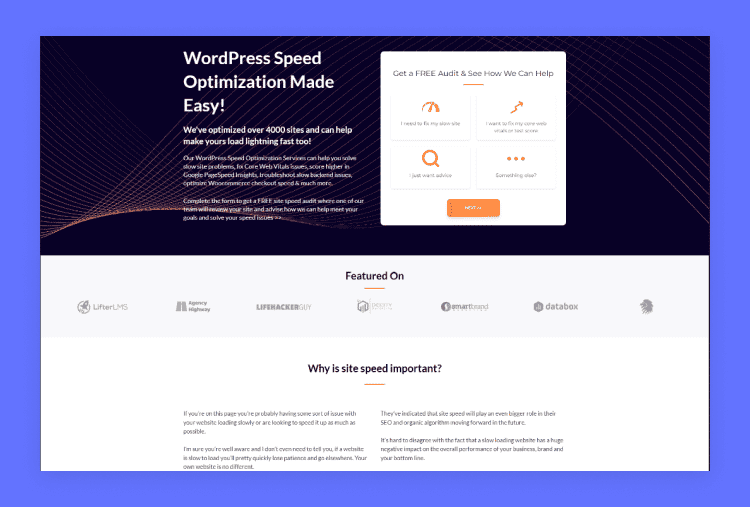
Best for: Businesses that want a detailed audit, prioritized action plan, and optional implementation.
Service model: One-time audit, consultation, or optimization project.
Current pricing:
- Speed Audit & Plan: $795 one time
- Audit + Implementation: $995 one time
- Full Optimization Sprint: $2,495 one time
What the service includes
The $795 plan includes a speed and Core Web Vitals audit, a prioritized action plan, a 30-minute consultation call, three months of Vital Signs Tracker access, and email support. It does not include implementation.
The $995 plan adds one to two implementation sessions, hosting migration assistance when needed, and 30 days of post-optimization support.
The $2,495 sprint adds a four-to-six-week implementation period, full theme and plugin optimization, staging tests before changes go live, and 90 days of post-optimization support.
Core Web Vitals and reporting
WP Speed Fix explicitly lists Core Web Vitals auditing and optimization. Its service page also describes before-and-after monitoring through its own “Vital Signs Tracker” product, which the company states provides page-level field data beyond what Google Search Console shows.
WooCommerce suitability
The company lists WooCommerce speed optimization as a specialty. However, buyers should confirm whether their chosen plan includes cart, checkout, logged-in sessions, payment integrations, and high-traffic store testing.
Timeline note: Audits typically complete in 2–5 business days; the Consult plan’s implementation runs 5–7 business days; the Sprint plan runs 4–6 weeks. Google’s Core Web Vitals field data can take up to 28 days to fully reflect changes — this is a measurement delay, not a support window.
Strengths
- Clear one-time pricing
- Audit-only and implementation options
- Core Web Vitals included in the service scope
- Staging is used for changes on the full sprint plan
- Follow-up support periods are clearly defined by plan (none on Audit-only, 30 days on Consult, 90 days on Sprint)
Limitations
- The $795 entry price may be too high for a small personal blog.
- The audit-only plan requires the customer or another developer to implement the fixes, and includes no post-optimization support window.
- On the Consult plan, changes may be made directly on the live site rather than staging first; confirm the rollback process before purchase.
2. Seahawk Media

Best for: Site owners who want a fixed-price, hands-on optimization package with staging and before-and-after reporting.
Service model: One-time optimization package.
Current pricing:
- Essentials: $499 one time
- Comprehensive: $999 one time
- Advanced Core Web Vitals: Contact for pricing
What the service includes:
The Essentials package publicly lists caching configuration, CDN setup, image compression, lazy loading, code minification, JavaScript delay and deferral, database autoload optimization, and before-and-after reports.
The Comprehensive package adds preload, preconnect, prefetch configuration, and core database optimization.
Core Web Vitals and reporting
Seahawk describes a process that begins with performance testing, continues with implementation on a staging site, and ends with an after-optimization report and staging link for client review before pushing changes live. The service page references Lighthouse, PageSpeed Insights, and Core Web Vitals throughout.
A claim to verify before buying: Seahawk’s page states that “most clients see a 40-60% improvement in load time within 48 hours.” This is a self-reported figure from the provider, not an independently audited statistic, and actual results will vary by site.
WooCommerce suitability
Seahawk provides broader WooCommerce and ecommerce services, but its public speed package does not clearly explain cart, checkout, or logged-in session caching. Store owners should confirm those requirements before ordering.
Strengths
- Lower entry price than WP Speed Fix
- Fixed one-time packages
- Staging workflow with a review link before changes go live
- Before-and-after reporting is included
- Refund policy stated if the site is beyond their ability to optimize
Limitations
- Performance-improvement percentages quoted on the site are self-reported and should be treated as marketing claims, not guarantees
- Some listed techniques, such as combining files, may not suit every modern WordPress setup
- Store-specific and custom-theme exclusions should be confirmed directly with the team
Official source: Seahawk Media WordPress speed optimization
3. WP Buffs
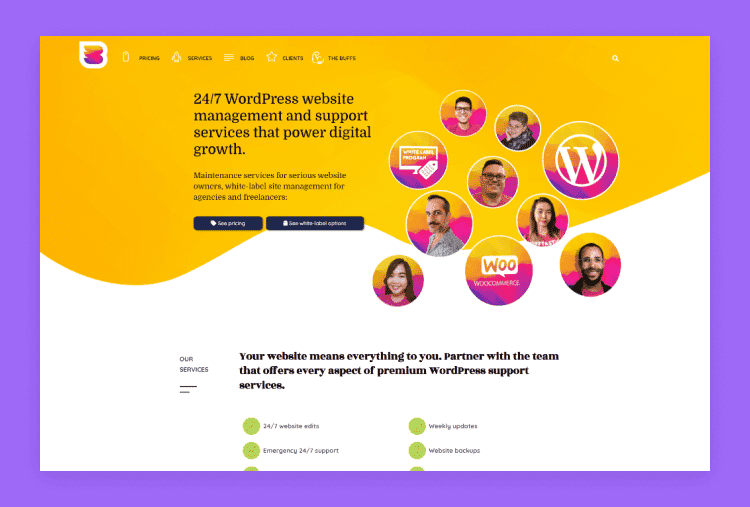
Best for: Businesses that want speed optimization bundled with ongoing updates, backups, security, and WordPress support.
Service model: Recurring monthly care plan.
Current pricing:
- Maintain: $89 per month
- Protect: $179 per month
- Perform: $239 per month
- Custom: $359 per month
Speed optimization begins with the Perform plan at $239 per month.
What the Perform plan includes
WP Buffs lists speed optimization, ecommerce plugin management, mobile optimization, image optimization, complete malware removal, weekly updates, cloud backups, 24/7 uptime monitoring, and unlimited website edits, in addition to everything in the lower Maintain and Protect tiers.
Core Web Vitals and reporting
WP Buffs promotes speed optimization and improved Core Web Vitals as a goal, and states most managed sites load under two seconds, though the company explicitly avoids guaranteeing a specific load time. Its public plan page also lists weekly reports, but does not clearly state whether every report includes CrUX field data or only lab-based checks.
WooCommerce suitability
The Perform plan includes ecommerce plugin management and is described by WP Buffs as required for sites with on-site payments, membership functionality, or other advanced features. This makes it the most clearly documented recurring option in this comparison for WooCommerce maintenance.
Important note on service philosophy: WP Buffs’ own FAQ states it does not recommend one-time speed optimization, arguing that a site will drift slower again as themes, plugins, and content change without ongoing management. This is a deliberate business position, not a limitation of their technical ability.
Strengths
- Ongoing WordPress maintenance
- Ecommerce plugin management included at Perform tier
- Backups, monitoring, security, and speed bundled in one plan
- Monthly support rather than a one-time handoff
- Works with any hosting provider, with migration assistance available
Limitations
- Speed optimization is not included in the two lower-priced plans (Maintain, Protect).
- A user who only needs one speed fix must still buy a broader monthly plan.
- Safe updates tested on staging are only listed on the top Custom plan.
- The public page does not provide a detailed speed-audit deliverable checklist comparable to WP Speed Fix’s itemized plan.
Which Service Is Best for Your Situation?
Choose WP Speed Fix when:
- You need a specialist audit
- You want a prioritized technical plan
- You need optional hands-on implementation
- You want a one-time project instead of monthly maintenance
- Your site has difficult Core Web Vitals or WooCommerce issues
Choose Seahawk Media when:
- You prefer fixed-price implementation
- You want a staging workflow
- You need common front-end and database optimizations
- Your budget starts below the specialist audit price
- You are comfortable confirming field-data and WooCommerce scope before ordering
Choose WP Buffs when:
- You want continuous WordPress care
- You also need updates, backups, security, and edits
- You run WooCommerce or another advanced WordPress site
- You prefer monthly support over a one-time project
- You expect performance to need ongoing attention
If your site’s underlying setup is the real issue — an unoptimized theme, an incomplete SSL configuration, or a WordPress install that was never cleaned up after launch — a general WordPress setup and customization service such as HasThemes addresses that layer before a speed audit becomes necessary.
Typical Pricing by Service Model
Based on the verified plans in this comparison:Service model Verified price range Fixed one-time optimization $499–$999 Detailed audit and implementation $795–$2,495 Ongoing maintenance with speed work From $239 per month
These are not universal market averages. They reflect the current public prices of the three providers reviewed here.
DIY Checks Before Hiring a Provider
Complete a few basic checks before buying a service. The results can also help you evaluate a provider’s proposal.
- Compare field and lab data: Check Search Console or PageSpeed Insights for real-user data. Then run a fresh Lighthouse test for diagnostics. A good provider should explain both.
- Check server response time: High Time to First Byte may indicate slow hosting, uncached requests, database delays, or limited server resources. Do not change hosting until the bottleneck is identified.
- Review caching: Confirm whether the host already provides server-level caching. Avoid enabling overlapping page-cache features without testing. For WooCommerce, cart, checkout, and account pages must remain dynamic — WooCommerce’s developer documentation recommends excluding those pages from page caching.
- Optimize images: Use properly sized images and modern formats where appropriate. Compression, responsive image delivery, and lazy loading can reduce unnecessary transfer size.
- Audit scripts and plugins: Review chat widgets, ad scripts, analytics tags, and essential plugins that load resources on every page. The number of plugins alone does not determine performance — one poorly designed plugin can cause more trouble than several lightweight plugins.
- Test on staging: Caching, script delays, minification, and database changes can break functionality. Test major changes on staging and keep a complete backup.
Questions to Ask Before Hiring
Ask each provider:
- Will you audit field data or only Lighthouse?
- Will you work on staging?
- Will you take a full backup?
- Do you test mobile performance?
- Do you support WooCommerce cart, checkout, and logged-in sessions?
- What changes are included?
- What is excluded?
- Will you provide before-and-after reporting?
- Is follow-up support included, and for how long?
- Will hosting, CDN, or premium plugin costs be added?
- What happens if an update reverses the improvement?
- Can you explain the expected result without guaranteeing rankings?
Red Flags to Avoid
Be cautious when a provider:
- Guarantees Google rankings
- Guarantees a fixed traffic or sales increase
- Promises a perfect PageSpeed score without reviewing the site
- Optimizes only the homepage
- Installs one caching plugin and calls the job complete
- Disables important functionality to improve a test score
- Works on the live site without backup or approval
- Cannot explain lab versus field data
- Hides recurring fees
- Provides no before-and-after report
Is a One-Time Optimization Enough?
A one-time project can solve current performance problems. It may be enough for a stable site with limited changes.
Performance can decline again when you:
- Install new plugins
- Change themes or builders
- Add tracking scripts
- Upload large media
- Add WooCommerce extensions
- Change hosting
- Run major updates
Ongoing monitoring becomes more valuable for ecommerce, membership, publishing, and frequently updated websites. Notably, WP Buffs itself states it does not recommend one-time speed work for this exact reason.
Frequently Asked Questions
How much does WordPress speed optimization cost?
The verified providers in this comparison charge $499–$2,495 for one-time work. Ongoing WP Buffs maintenance with speed optimization begins at $239 per month. Pricing depends on complexity, implementation scope, and support.
Can a provider guarantee a 90 or 100 PageSpeed score?
A provider may set a lab-score target, but the result can vary by test conditions, device simulation, third-party scripts, and site functionality. A perfect lab score also does not guarantee good field Core Web Vitals.
Will speed optimization improve Google rankings?
Core Web Vitals are used by Google’s ranking systems, but speed is only one part of page experience and ranking. Better performance does not guarantee a specific ranking or traffic increase.
Should I change hosting first?
Only when diagnosis shows that server response time, resource limits, or uncached dynamic requests are major bottlenecks. Hosting changes are not automatically the best first step for every slow site.
Can WooCommerce sites be optimized safely?
Yes, but the provider must preserve dynamic cart, checkout, account, and session behavior. WooCommerce recommends excluding cart, checkout, and account pages from page caching.
How long does optimization take?
WP Speed Fix states audits typically take 2–5 business days, with implementation taking 5–7 business days on the Consult plan or 4–6 weeks on the Sprint plan. Seahawk describes timelines of a few days to several weeks depending on complexity. Other providers may have different timelines — always confirm directly.
What is the difference between a specialist and a maintenance provider?
A specialist focuses on diagnosis and implementation, often as a one-time engagement. A maintenance provider bundles speed work with updates, backups, security, monitoring, and support — and, in WP Buffs’ case, explicitly discourages one-time-only speed work.
Does HasThemes offer WordPress speed optimization?
HasThemes’ public service list covers full WordPress website setup, theme installation, and theme customization, including SSL configuration — not a dedicated Core Web Vitals audit. It’s a relevant option for fixing foundational setup issues before or alongside hiring a specialist for speed-specific work.
Is WP Buffs a dedicated speed optimization agency?
WP Buffs provides speed optimization through its Perform and higher maintenance plans. It is better described as a WordPress care provider that includes speed work rather than a one-time speed consultancy, and its own materials state it does not recommend one-time optimization.
Watch the video about Best WordPress Speed Optimization Services
Conclusion
WP Speed Fix is the strongest fit in this comparison for detailed audits and specialist implementation, with the clearest breakdown of what follow-up support each plan includes.
Seahawk Media offers a more affordable one-time package with a documented staging and reporting workflow, though its performance-improvement percentages should be treated as self-reported claims rather than guarantees.
WP Buffs is better suited to businesses that want performance work inside a broader monthly maintenance plan, and it explicitly avoids selling one-time speed fixes on principle.
If the site’s problems start earlier than speed itself- theme setup, SSL configuration, or general site structure – a WordPress setup service such as HasThemes addresses that layer before a speed audit becomes necessary.
Do not choose based on a promised PageSpeed number alone. Compare the provider’s diagnostic process, field-data reporting, staging workflow, WooCommerce experience, exclusions, and support period.
No provider can guarantee higher rankings or revenue from speed work alone. The goal should be a faster, more stable site that provides a better experience for real users.