Elementor Posts Widget: A Modern, Responsive Way to Display WordPress Post

If you’ve ever wanted to create stunning blog layouts without coding, the Elementor Posts Widget is your best friend. It’s one of Elementor’s most powerful tools for showcasing your WordPress content beautifully and responsively. Whether you’re displaying articles, portfolios, or custom post types, this widget gives you full control over your Elementor blog layout and design.
In this article, we will show you how to use the Elementor posts widget and all its great features. This comprehensive Elementor posts widget tutorial covers everything from basic setup to advanced customization.
The Elementor posts widget is an easy way to display a list of any post type. The Elementor blog Widget can be easily added to any site by dragging and dropping it into your desired position on a page or post.
When Elementor launched its new Elementor posts widget, it knew it had a lot of potential. They wanted to create a modern and responsive way to display WordPress post content, which is why Elementor Post Widget was born. Learning how to display posts in Elementor is essential for creating dynamic content layouts.
Elementor Post Widget is available in the pro version. Third-party add-on and plugin businesses have added the Elementor Post Widget in both free and paid versions. Here, we will discuss two Elementor Addon plugins that include a post widget in their plugins.
Key Takeaways
- Compare the Elementor Pro posts widget with free alternatives like HT Mega that offer robust Elementor blog post widget functionality.
- Explore Six Different Widget Types in HT Mega.
- Learn to adjust Elementor posts widget responsive settings and Elementor posts widget columns to ensure perfect display on all screen sizes.
- Explore how to implement Dynamic Content Loading Features for seamless browsing.
- Master Elementor posts widget styling, Elementor masonry posts layouts, Elementor posts widget excerpt controls, and Elementor blog template creation.
Elementor Posts Widget by HT Mega
HT Mega Includes ELementor posts widgets in the free version. List of widgets are
- Post Carousel
- Single Post
- Post Grid
- Post Grid Tab
- Post Grid Slider
- News Ticker
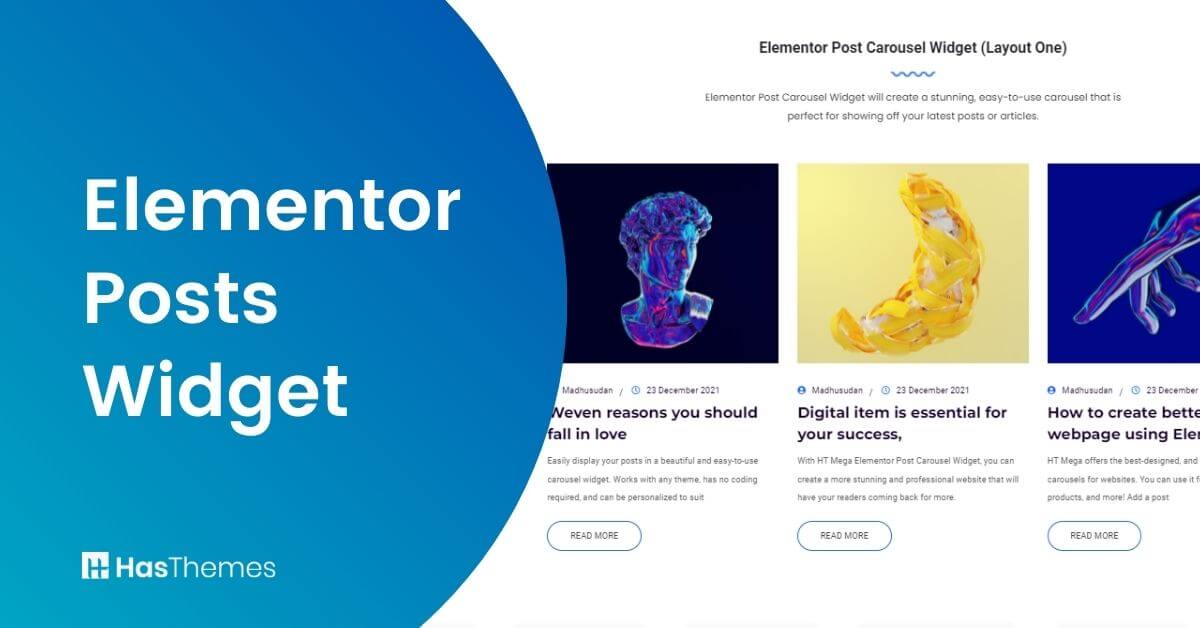
Post Carousel: HT Mega Elementor Post Widget or Elementor archive posts widget add ons allow Elementor users to turn their posts into a modern and responsive carousel. In this Elementor Addons plugin, the Drag n Drop post widget can be used as the main content in your site or blog posts. This Elementor Posts Carousel is available for free with HT Mega Plugin! The Elementor posts widget’s responsive design ensures perfect display across all devices.

Elementor Single Post Widget: The Elementor single post widget or recent posts Elementor widget allows you to display a single post to any page of your website. You may use this functionality to include any highlighted article in any part of a page or post. This Elementor single post widget setting panel may show or hide the Post meta from this Elementor single post widget. The Elementor recent posts widget functionality helps showcase your latest content effectively.

Elementor Post Grid Widget: HT Mega’s post grid widget has five distinct variations to display posts in grid formats. These designs are modern, clean, and stylish. It is simple to exhibit/hide various aspects of the grid from the configuration window. This can be used as a recent post widget and popular post Elementor widget. The Elementor post grid widget offers multiple column layouts for different design needs.

Elementor Post Tab Widget: This Elementor widget is entirely free and comes with the HT Mega Elementor add-on. This is an Elementor widget that creates a tabbed layout for WordPress posts. The Advanced Elementor posts widget filter options let you organize content by categories or tags
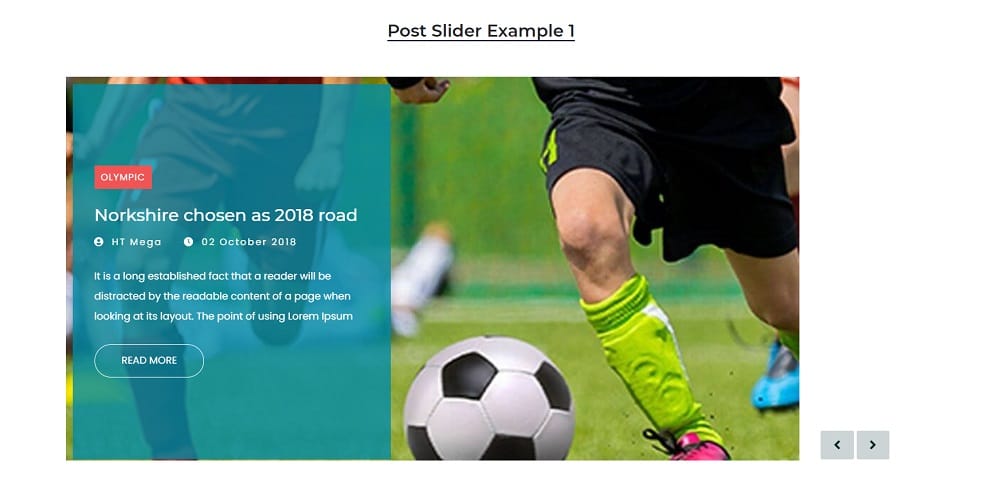
Elementor post slider Widget: You can use this widget to create a carousel slider for your WordPress post. You may now easily integrate the HT Mega plugin into your site to display your posts. The Elementor posts widget columns can be adjusted to fit your layout requirements.

Elementor News Ticker for WordPress: Elementor News ticker widget for Elementor is a news/posts presentation tool that displays your latest news in a marquee or ticker style. You may choose the post category, the number of posts to show as a news ticker, and more. This function is most commonly used on a news or magazine website. The Elementor posts widget category filter helps display specific content to your audience.
The above six Elementor Posts widgets are totally free to use by HT Mega plugins. You can download the HT Mega free version from this link. These widgets can be used as ELementor recent posts widget, Elementor featured post widget, Elementor popular post widgets, Elementor posts widget by category, etc. The Elementor blog post widget provides versatile options for content display and organization
Elementor Posts Widget by MoveAddons
There are two Elementor blog post widgets are provided by MoveAddons. The free version provides the Post list. The post slider widget is accessible only in the Pro version of MoveAddons.
- Post List (Free)
- Post Slider (Pro)

Elementor Post List: You may also use the List Addon by MoveAddons to create horizontal and vertical list-style post lists. The Elementor post list widget offers clean, minimalist designs for various content types.
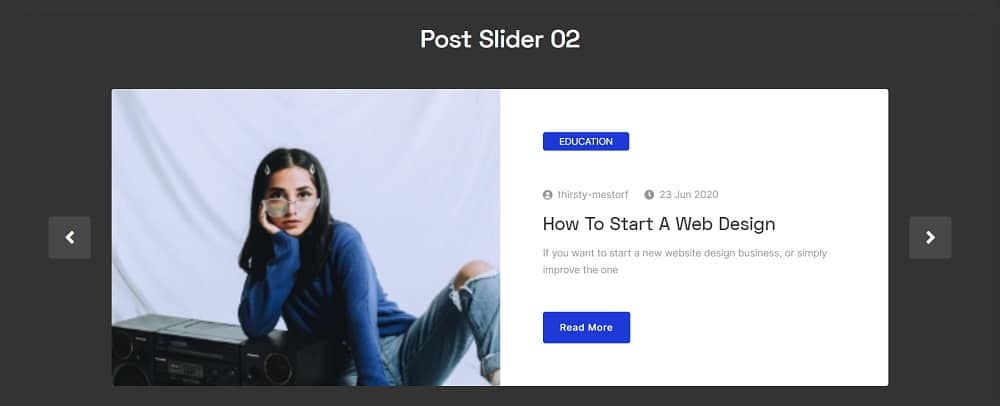
Post Slider: By MoveAddons, you may use the Posts Slider Widget to show posts in a slider or carousel format. This add-on has a very modern and clean design. The Elementor dynamic posts feature automatically updates content based on your criteria.
Pricing Plan: HT Mega and Move Addons
Check the pricing table for Move Addons and HT Mega plugins.HT Mega Move Addons 1 Website: $49/year 1 Website: $39/year 5 Websites: $79/Year 5 Websites: $89/Year 999 (Growth Package) Websites: $99/Year Unlimited Websites: $179/Year Buy Now or Check Pricing Plan Buy Now or Check Pricing Plan
Advanced Elementor Posts Widget Features
Understanding Elementor posts widget styling options allows you to create unique, branded content displays. The Elementor blog layout possibilities are endless with customizable templates and design options. For developers, the Elementor custom post type widget enables the display of specialized content types.
The Elementor posts widget excerpt settings control how much preview text displays for posts. Advanced Elementor posts widget pagination features help users navigate through large content collections. The Elementor posts widget sorting options organize content by date, title, or custom fields.
Creating an Elementor blog template streamlines your workflow for consistent post displays across pages. The Elementor posts widget metadata displays author, date, categories, and other post information. For enhanced user experience, Elementor posts load more functionality, enabling seamless content browsing.
Advanced features include Elementor masonry posts layouts for Pinterest-style displays and dynamic grids. The Elementor Ajax posts loading improves performance by fetching content without page refreshes. You can also filter Elementor posts by author to showcase specific contributors’ work.
For infinite scrolling experiences, Elementor infinite scroll posts automatically load more content as users scroll. These advanced features make Elementor the premier choice for WordPress content display.
Frequently Asked Questions
What is the Elementor Posts Widget and how does it work?
The Elementor posts widget is a powerful tool that allows you to display WordPress posts in various layouts, including grids, carousels, and sliders. Learning how to display posts in Elementor is simple – just drag and drop the widget onto your page and customize the settings. It supports Elementor custom post type widget functionality, meaning you can display any post type, not just standard blog posts.
Is the Elementor Posts Widget free or do I need Elementor Pro?
While the Elementor Pro posts widget offers the most comprehensive features, there are excellent free alternatives. Plugins like HT Mega and MoveAddons provide free Elementor blog post widget options with features like post grids, carousels, and list layouts. The Elementor post grid widget and Elementor recent posts widget are available in HT Mega’s free version.
Can I filter posts by category or author in Elementor?
Yes! The Elementor posts widget category filter allows you to display posts from specific categories. You can also show Elementor posts by author to highlight content from particular contributors. Advanced Elementor posts widget filter options let you organize content by tags, dates, and custom taxonomies for precise content control.
How do I make my Elementor posts widget mobile-friendly?
The Elementor posts widget’s responsive design automatically adapts to different screen sizes. You can adjust Elementor posts widget columns for mobile, tablet, and desktop views separately. The Elementor blog layout options ensure your content looks perfect on all devices without additional coding.
Can I add pagination or load more functionality to my posts?
Absolutely! You can implement Elementor posts widget pagination to help users navigate through multiple pages of content. For a modern experience, use Elementor posts load more buttons or Elementor infinite scroll posts to automatically load content as users scroll down the page.
How can I customize the appearance of my posts widget?
How can I customizThe Elementor posts widget styling options are extensive. You can control the Elementor posts widget excerpt length, show or hide Elementor posts widget metadata like author and date, and create custom Elementor blog template designs. Advanced users can implement Elementor masonry posts layouts for Pinterest-style grids or use Elementor Ajax posts for dynamic loading.e the appearance of my posts widget?
Conclusion
The Elementor posts widget has revolutionized how WordPress users display and manage their content, offering unparalleled flexibility and control. If you’re using the Elementor Pro posts widget, you can easily design stunning and dynamic post layouts.
Alternatively, if you’re exploring free options like HT Mega and MoveAddons, you can still build engaging content displays that captivate your audience.
Don’t let your WordPress posts sit in boring, outdated layouts. Take advantage of these powerful Elementor custom post type widget features and create an Elementor blog template that converts visitors into loyal readers.
Ready to transform your WordPress site? Download HT Mega or MoveAddons today and start building beautiful, responsive post displays that captivate your audience.