MonsterInsights vs Site Kit: The Ultimate Comparison Guide

Choosing the right analytics plugin for your WordPress site is crucial for understanding your audience and optimizing your digital strategy.
As of 2025, WordPress powers approximately 43.2% of all websites on the internet, while Google Analytics is used by 55.49% of all websites globally, totaling approximately 37.9 million active websites.
With such a dominant market presence, selecting between MonsterInsights and Google Site Kit can be the difference between making data-driven decisions and flying blind.
This comprehensive guide compares two leading WordPress analytics plugins, examining their features, pricing, ease of use, and advanced capabilities to help you make an informed decision for your business.
Get Started: Ready to choose? Visit the WordPress Plugin Directory to install either plugin.
- Benefits of MonsterInsights and Google Site Kit
- Features Comparison: MonsterInsights vs Site Kit
- Installation & Setup Process
- GDPR and Privacy Compliance
- Integrations and Extensions
- Advanced Features & Tracking Capabilities
- No-Code Tracking Advantage
- eCommerce Tracking Capability
- Metrics Visible in WordPress Dashboard
- User Interface Comparison
- Cost Comparison: MonsterInsights vs Google Site Kit
- MonsterInsights Pricing (2025)
- Alternative WordPress Analytics Plugin: HT Easy G4
- Frequently Asked Questions
- Final Words
Benefits of MonsterInsights and Google Site Kit
Both MonsterInsights and Google Site Kit offer distinct advantages, and understanding their core benefits is essential for determining which plugin aligns best with your goals.
MonsterInsights Benefits

MonsterInsights, the leading WordPress Google Analytics plugin with over 3 million active installations, provides several compelling advantages:
- Seamless Google Analytics Integration: MonsterInsights automatically installs Google Analytics 4 (GA4) tracking code on your WordPress site without requiring manual code editing. Learn more about the MonsterInsights dashboard reports.
- Comprehensive Dashboard Reports: Clear and detailed reports on website traffic, user behavior, audience demographics, and conversion data are displayed directly in your WordPress backend.
- Content Performance Insights: Easily identify top-performing content, popular keywords, trending posts, and high-value referral sources.
- Real-Time eCommerce Tracking: Monitor WooCommerce transactions, revenue, and product performance with built-in eCommerce analytics (Pro and Agency plans). See our guide on how to set up WooCommerce Google Analytics tracking.
- Advanced Event Tracking: Built-in support for tracking outbound links, file downloads, form submissions, video engagement, and affiliate link clicks without code.
- User Journey Tracking: For WooCommerce stores, visualize the exact path customers take before making a purchase, a feature Site Kit does not offer.
- Custom Dimensions and Events: Create custom metrics tailored to your specific business goals and track them automatically.
- Real-Time Monitoring and Alerts: Monitor your site’s activity in real-time and receive notifications for unusual spikes or drops in traffic.
- Seamless Plugin Compatibility: Works with popular plugins like WooCommerce, MemberPress, Easy Digital Downloads, Complianz, and more.
HT Easy GA4
#1 📈 Google Analytics Plugin for WordPress
🚀 Supercharge your WordPress website with analytical insights. (Including WooCommerce Report)
Google Site Kit Benefits
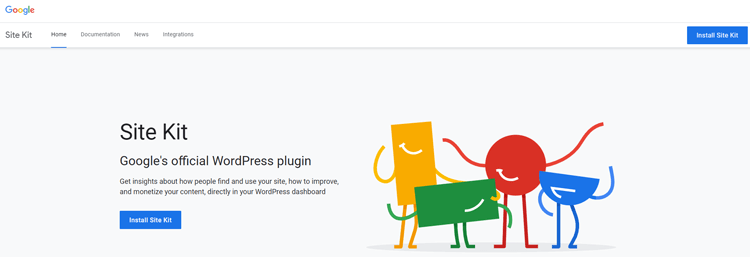
Google Site Kit, Google’s official WordPress plugin, offers free, lightweight analytics with direct Google integrations:
- Multi-Tool Integration: One dashboard integrates Google Analytics 4, Google Search Console, Google AdSense, and Google PageSpeed Insights. For a complete guide, visit the Elementor Site Kit documentation.
- Official Google Product: Directly maintained and tested by Google, ensuring compatibility with the latest GA4 features.
- Simplified Dashboard: View essential metrics like page views, sessions, bounce rates, average session duration, and conversion rates at a glance.
- Search Console Integration: Monitor your search impressions, click-through rates, and search visibility without leaving WordPress.
- AdSense Revenue Tracking: If you use Google AdSense, track ad revenue directly in your WordPress admin.
- Page Speed Optimization: Site Kit integrates Core Web Vitals data and provides recommendations for improving page load speed.
- Security and Performance Alerts: Receive real-time alerts for website security issues and performance problems.
- Custom Event Tracking: Support for GA4 custom events and dimensions, though configuration requires more technical knowledge.
- Lightweight Performance: Designed to be minimal and non-intrusive, using asynchronous loading to avoid slowing down your site.
Features Comparison: MonsterInsights vs Site Kit
While both offer similar features, their interfaces and capabilities differ in important ways. Feature MonsterInsights Lite MonsterInsights Pro/Agency Google Site Kit Google Analytics 4 Integration ✅ Yes ✅ Yes ✅ Yes eCommerce Tracking (WooCommerce) ❌ No ✅ Yes ❌ No User Journey Tracking ❌ No ✅ Yes ❌ No Form Submission Tracking ✅ Yes ✅ Yes ❌ No (Requires GTM) File Download Tracking ✅ Yes ✅ Yes ❌ No (Requires GTM) Outbound Link Tracking ✅ Yes ✅ Yes ❌ No (Requires GTM) Video Engagement Tracking ❌ No ✅ Yes (Media Addon) ❌ No Affiliate Link Tracking ✅ Yes ✅ Yes ❌ No Google Search Console ✅ Limited ✅ Yes ✅ Yes Google AdSense ❌ No ✅ Limited ✅ Yes Google PageSpeed Insights ❌ No ❌ No ✅ Yes Real-Time Monitoring ✅ Yes ✅ Yes ✅ Yes GDPR Compliance Tools ✅ IP Anonymization ✅ Full Compliance ⚠️ Manual Config Custom Events ✅ Yes ✅ Yes ✅ Yes Cost Free $99.50–$799 (Intro Pricing) Free
Installation & Setup Process
MonsterInsights Installation
MonsterInsights is designed for ease of use, even for beginners:
- Download from WordPress Repository: Search for “MonsterInsights” in your WordPress plugin directory.
- Install and Activate: Click install, then activate the plugin.
- One-Click Setup: The plugin automatically installs the GA4 tracking code on your site.
- View Reports Immediately: Start viewing analytics data in your WordPress dashboard within 24 hours.
Time to Set Up: 5–10 minutes
For detailed instructions, see the MonsterInsights free plugin download page.
Google Site Kit Installation
Site Kit offers a similarly simple setup process:
- Download from WordPress Repository: Search for “Google Site Kit” in your WordPress plugins.
- Install and Activate: Install and activate the plugin.
- Connect Services: Choose which Google services to connect (Analytics, Search Console, AdSense, etc.).
- Dashboard Ready: Immediately begin viewing data in your WordPress admin.
Time to Set Up: 5–15 minutes
Need a visual guide? Watch this complete Google Site Kit setup tutorial.
Winner: Tie. Both plugins offer equally simple installation processes.
GDPR and Privacy Compliance
Privacy and data protection are paramount in today’s digital landscape. Both plugins address GDPR compliance but in different ways.
MonsterInsights GDPR Compliance
MonsterInsights includes robust GDPR compliance features across all plans:
- IP Anonymization: Available in all versions (Lite through Agency), enabling automatic IP address anonymization to comply with EU regulations.
- Data Processing Agreements: MonsterInsights provides DPA documentation for enterprise clients.
Google Site Kit GDPR Compliance
Site Kit requires more manual configuration for GDPR compliance:
- IP Anonymization Available: Users can anonymize IP addresses, but this requires manual configuration in Google Analytics settings.
- Consent Mode Support: Site Kit respects Google consent mode, but proper setup is the user’s responsibility.
- No Built-In Compliance Tools: Unlike MonsterInsights, Site Kit does not provide one-click GDPR compliance features.
Verdict: MonsterInsights wins for GDPR compliance. Its built-in compliance features make compliance significantly easier for European website owners.
Integrations and Extensions
The ability to integrate with other tools expands analytics capabilities significantly.
MonsterInsights Integrations
MonsterInsights Pro and Agency plans include integrations with:
- eCommerce: WooCommerce, Easy Digital Downloads, Shopify (via addon)
- Membership Plugins: MemberPress, Restrict Content Pro, LifterLMS, GiveWP
- Marketing Tools: Google Ads, Meta Pixel, LinkedIn Conversions, SnapChat Conversions
- Form Builders: Gravity Forms, WPForms, Forminator
- Email Marketing: Mailchimp, ActiveCampaign (conversion tracking)
- Content Creators: YouTube tracking, affiliate link monitoring via Pretty Links
Total Integrations: 30+ native integrations available through the plugin or addons.
Google Site Kit Integrations
Site Kit focuses on Google’s ecosystem:
- Google Analytics 4: Full integration
- Google Search Console: Complete integration
- Google AdSense: Revenue tracking
- Google PageSpeed Insights: Performance metrics
- Google Tag Manager: Can be used for advanced event tracking
Total Integrations: 4 primary integrations (Google services only). Third-party integrations require manual Google Tag Manager setup.
Verdict: MonsterInsights wins for extensibility. Its wide range of integrations makes it ideal for multi-tool WordPress ecosystems, especially eCommerce sites.
Advanced Features & Tracking Capabilities
MonsterInsights Advanced Features (2025)
Recent updates to MonsterInsights (as of November 2025) include:
- GA4 Annotation Syncing: Automatically sync site annotations with GA4 for better context.
- Custom Conversion Creation: Create and track custom conversions directly in GA4 from the MonsterInsights dashboard.
- Enhanced Google Search Console Reports: Completely updated GSC reporting with deeper insights.
- PPC Campaign Tracking: Automatic tracking of LinkedIn and Snapchat PPC campaigns with proper UTM handling.
- Product Feed Reports: Enhanced product insights for e-commerce stores using AdTribes.
- Conversational AI Reports: Natural language explanations of your analytics data.
- Stats at a Glance: Redesigned dashboard showing website information in a fresh, visual format. Learn more at MonsterInsights features page.
Google Site Kit Advanced Features (2025)
Recent updates to Site Kit (as of December 2025) include:
- Enhanced Conversions Setup: Improved notification system for setting up GA4 enhanced conversions.
- Key Metrics Widget: Personalized dashboard widget that adapts based on your site type (blog, eCommerce, publisher).
- Email Reporting Infrastructure: New scheduled email reporting capabilities.
- Improved Analytics Setup Flow: Streamlined new site setup flow with opt-in GA tracking.
- AMP Mode Support: Better support for AMP implementations with request tracking.
- Legend Color Consistency: Enhanced visual design for better readability.
For the latest updates, check the Google Site Kit GitHub releases page.
Verdict: MonsterInsights wins for advanced features. It offers more practical, business-focused features, such as eCommerce tracking and affiliate monitoring, that directly impact revenue.
No-Code Tracking Advantage
One critical differentiator between the two plugins is the ease of tracking custom events without code.
MonsterInsights: No-Code Tracking
MonsterInsights excels at tracking complex user interactions without requiring code:
- Form Submissions: Automatically tracks which forms are submitted, by how many users, and conversion rates.
- Outbound Link Clicks: Tracks when visitors click external links, affiliate links, or promotional links.
- File Downloads: Monitors PDF downloads, document access, and resource engagement.
- Video Engagement: Tracks video views, engagement rates, and completion percentages.
All of these require zero code, just enable the feature in the MonsterInsights dashboard.
Google Site Kit: Requires Google Tag Manager
With Site Kit, tracking beyond basic page views requires manual setup:
- Google Tag Manager: Necessary for any custom event tracking.
- Technical Knowledge Required: Proper GTM setup requires an understanding of dataLayer, events, and triggers.
Verdict: MonsterInsights wins decisively for no-code tracking. Site Kit users attempting complex event tracking will spend hours in Google Tag Manager configuration.
eCommerce Tracking Capability
For WooCommerce store owners, eCommerce tracking capabilities are essential—and here the difference is stark.
MonsterInsights eCommerce Tracking
MonsterInsights Pro and Agency plans include native WooCommerce analytics:
- Automatic Event Tracking: Purchase events, add-to-cart events, and refunds are automatically tracked.
- Revenue Reports: See total revenue, average order value, and revenue per visitor.
- Product Performance: Identify top-selling products and products with high cart abandonment.
- User Journey: Visualize exactly which pages customers visited before purchasing.
- Refund Tracking: Monitor refund rates and identify products with high refund percentages.
- Checkout Analytics: Track funnel conversions from product page to completed purchase.
Learn more: Read our complete guide on how to set up WooCommerce Google Analytics tracking.
Cost: Included in Pro ($199.50 intro / $399 regular) and Agency ($399.50 intro / $799 regular) plans.
Google Site Kit eCommerce Tracking
Site Kit does not support native WooCommerce analytics. To track eCommerce data with Site Kit, you must:
- Use Google Tag Manager (GTM4WP plugin required).
- Manually configure eCommerce events in GTM.
- Test and troubleshoot the implementation.
This requires significant technical knowledge and is not beginner-friendly.
Alternative Solutions: For advanced WooCommerce analytics, consider FunnelKit WooCommerce Analytics which provides comprehensive eCommerce insights.
Verdict: MonsterInsights wins overwhelmingly for eCommerce. WooCommerce store owners should choose MonsterInsights Pro or Agency.
Metrics Visible in WordPress Dashboard
Being able to view analytics without leaving WordPress saves valuable time.
MonsterInsights Dashboard Widgets
MonsterInsights provides comprehensive dashboard widgets including:
- Overview Widget: Traffic overview with key metrics at a glance.
- Top Posts Report: Shows your best-performing content by traffic and engagement.
- Traffic Sources Report: Breakdown of organic, direct, referral, and paid traffic.
- Conversion Report: Form submissions, affiliate clicks, and custom conversions.
- User Device Breakdown: Desktop vs. mobile traffic analysis.
- User Location Report: Geographic performance data.
- Engagement Overview: Average session duration, bounce rate, and users per session.
Access: Dedicated MonsterInsights section in WordPress admin with multiple tabs and detailed reports. See the complete MonsterInsights dashboard reports guide.
Google Site Kit Dashboard Widgets
Site Kit offers more limited widget customization:
- Key Metrics Widget: Personalized based on site type (blog, eCommerce, publisher).
- Analytics Widgets: Traffic, users, sessions, and bounce rate overview.
- Search Console Widget: Search impressions and click-through rates.
- AdSense Widget: Ad revenue (if applicable).
- PageSpeed Widget: Core Web Vitals metrics.
Access: Site Kit section in WordPress admin with a more minimalist design. For detailed information, visit the official Site Kit documentation.
Verdict: MonsterInsights wins for dashboard depth. It provides more actionable insights visible at a glance, whereas Site Kit requires clicking through multiple sections.
User Interface Comparison
The user interface significantly impacts how quickly you can extract insights from your analytics data.
MonsterInsights User Interface
- Modern and Colorful: Uses vibrant colors and intuitive icons to organize information.
- Clear Hierarchy: Different report types are clearly separated with descriptive labels.
- Visual Data Representation: Charts and graphs are large, easy to read, and color-coded.
- Detailed Tooltips: Hover over metrics to understand exactly what they measure.
- Mobile-Responsive: Dashboard adapts well to mobile admin screens.
- Learning-Friendly: New users can quickly understand what each widget does based on visual design.
Best For: Users who prefer a visually rich, information-dense dashboard.
Google Site Kit User Interface
- Minimalist Design: Clean, simple layout with fewer visual elements.
- Focus on Essential Data: Reduces cognitive load by showing only key metrics.
- Google Design Language: Follows Google’s Material Design principles.
- Quick Scanning: Data is easy to scan, but depth requires clicking into sections.
- Mobile-Responsive: Works well on smaller screens.
- Learning Curve: Beginners may find the minimal design unhelpful for understanding what data represents.
Best For: Users who prefer simplicity and speed over detailed insights.
Verdict: Tie, based on preference. MonsterInsights is better for data-driven users who want all information visible at once. Site Kit is better for users who prefer a cleaner, less overwhelming interface.
Cost Comparison: MonsterInsights vs Google Site Kit
Budget is often a deciding factor when choosing between analytics plugins.
MonsterInsights Pricing (2025)
MonsterInsights offers both free and premium plans with introductory pricing for new customers:Plan Free Trial Intro Price Regular Renewal Price Annual Billing Discount Lite ✅ Yes $0 $0 N/A Plus 30 days $99.50 $199 20–25% if paid annually Pro 30 days $199.50 $399 20–25% if paid annually Agency 30 days $399.50 $799 20–25% if paid annually
Google Site Kit Pricing
Cost: $0 – 100% free with no premium plans or paywalls.
Visit the official Google Site Kit website to learn more.
Total Cost of Ownership
For a Single Website Over One Year:Option Year 1 Year 2+ Best For Site Kit $0 $0 Budget-conscious users who accept feature limitations MonsterInsights Lite $0 $0 Free users wanting basic analytics with no code tracking MonsterInsights Plus $99.50 (intro) $199 (renewal) Growing blogs and small businesses MonsterInsights Pro $199.50 (intro) $399 (renewal) WooCommerce stores and multi-channel marketers
Alternative WordPress Analytics Plugin: HT Easy G4
While MonsterInsights and Site Kit dominate the WordPress analytics space, other alternatives exist.
What is HT Easy G4?
HT Easy G4 is a lightweight, free WordPress plugin designed specifically for Google Analytics 4 tracking without unnecessary bloat.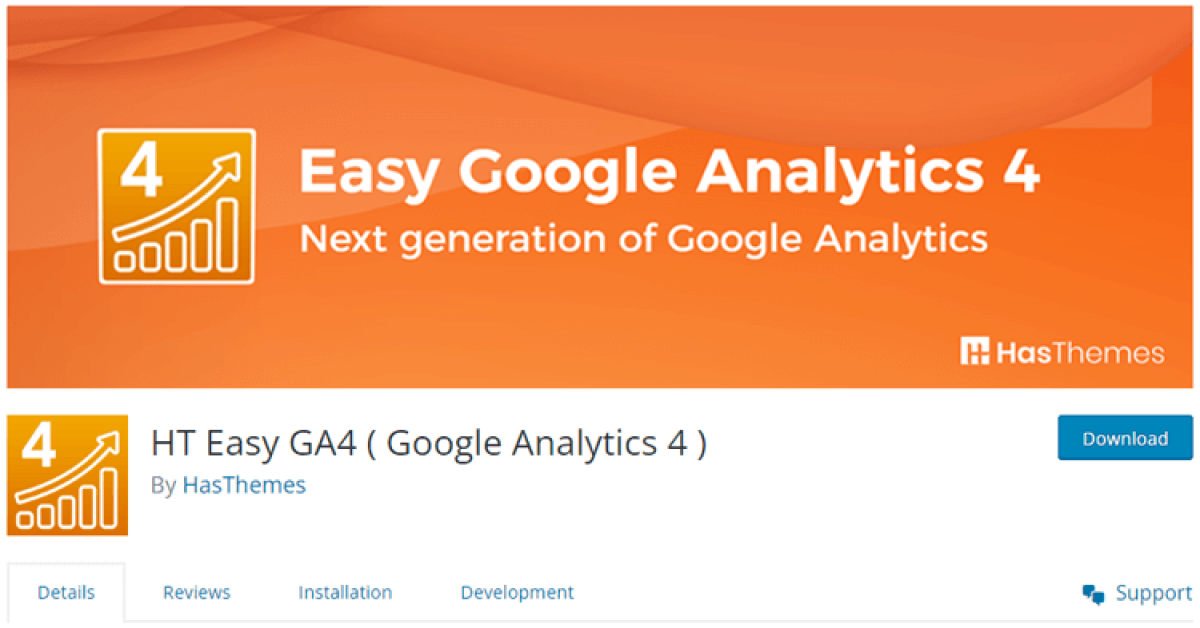
HT Easy G4 Features
- Lightweight Code: Minimal impact on site performance.
- GA4 Tracking: Simple, straightforward GA4 integration.
- WooCommerce Support: Basic eCommerce event tracking.
- No Dashboard: Focuses only on tracking, not on providing an admin dashboard (data viewed in GA4 directly).
- Privacy-Friendly: Respects user consent and privacy regulations.
Find it: Search “HT Easy G4” in the WordPress Plugin Directory.
When to Choose HT Easy G4
Choose HT Easy G4 if you:
- Want a minimal, lightweight alternative to MonsterInsights.
- Prefer to view analytics directly in Google Analytics rather than in WordPress.
- Need only basic GA4 tracking without advanced features.
- Want zero cost and zero bloat.
Frequently Asked Questions
Is Google Analytics and MonsterInsights the same?
While MonsterInsights is a sophisticated WordPress plugin that interacts with Google Analytics to display analytics data right on your WordPress dashboard, Google Analytics is a web-based analytics tool provided by Google to assist you in understanding the performance of your website.
Are MonsterInsights and Site Kit compatible with the latest versions of WordPress?
Yes, both MonsterInsights and Site Kit are compatible with the latest versions of WordPress, as well as with the most popular WordPress themes and plugins.
Does Google Site Kit or MonsterInsights cause your website to load slowly?
When you install a third-party app, you’ll have to load JavaScript onto the page, which will slow down your website. With Site Kit and MonsterInsights, however, that is not the case because both applications were designed with speed in mind. These plugins are compact and only need a few lines of code to run.
Final Words
Both MonsterInsights and Google Site Kit are excellent WordPress analytics solutions. Your choice should be guided by your business model, technical expertise, and specific tracking needs.
For most businesses, especially eCommerce stores, MonsterInsights offers better long-term value despite its cost. For content-focused sites prioritizing simplicity and zero cost, Google Site Kit is an unbeatable solution.
Whatever you choose, implementing analytics tracking is infinitely better than making business decisions without data. Start with either plugin today and commit to reviewing your analytics weekly—consistent data-driven decisions will always outperform guesswork.
Ready to Get Started?
- Install MonsterInsights: Visit MonsterInsights or search “MonsterInsights” in your WordPress plugin directory
- Install Google Site Kit: Visit Google Site Kit or search “Google Site Kit” in your WordPress plugin directory
- Install HT Easy G4: Search “HT Easy G4” in your WordPress plugin directory
Your analytics journey starts now. Choose your tool and begin extracting insights that will drive your business forward.